Answer

Joining RefNbr in one line

  • September 8, 2025
  • 14 replies
  • 196 views

Forum|alt.badge.img

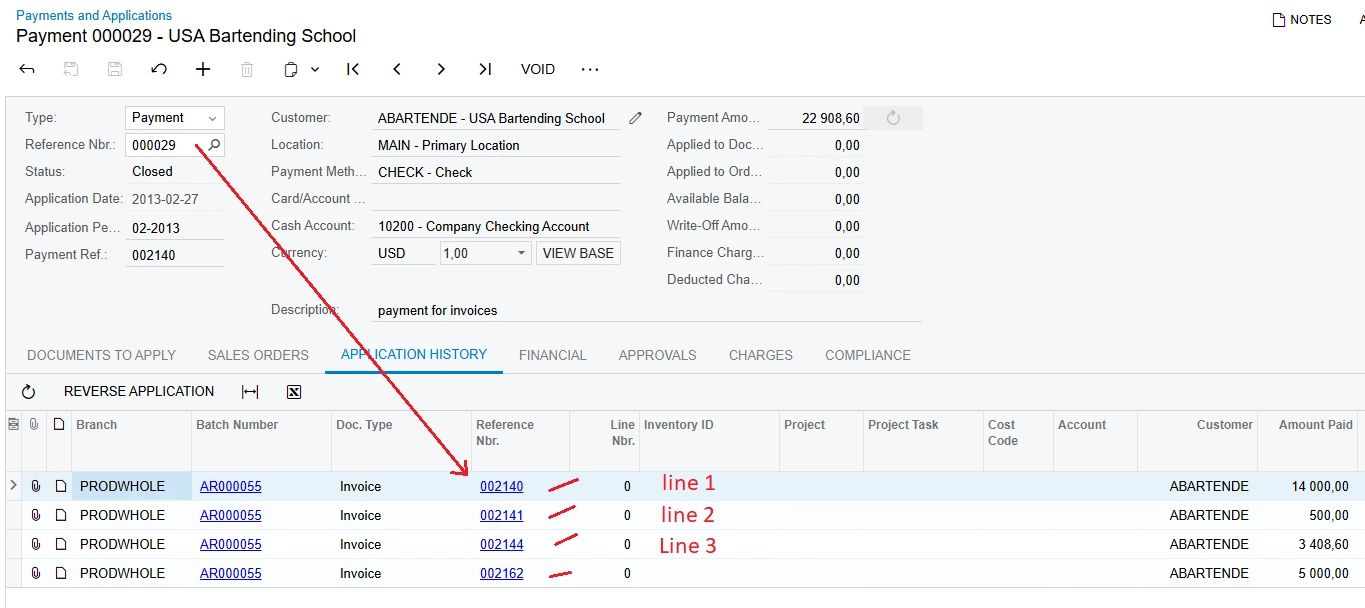
Can i do something like 

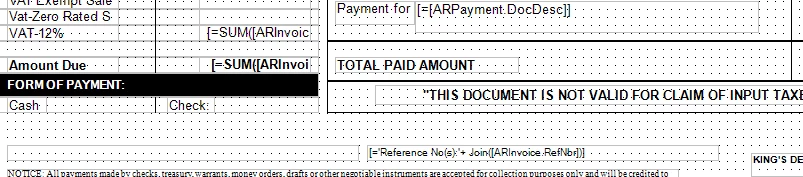
='Reference No(s):'+ ([ARInvoice.RefNbr]) 
it will display all the Reference number in the Payment? cause i need it in one line


Best answer by miguel80

Adding to what Josiah said: 

Create the variable, which I see you have. Add this to it in the ValueExpr section:
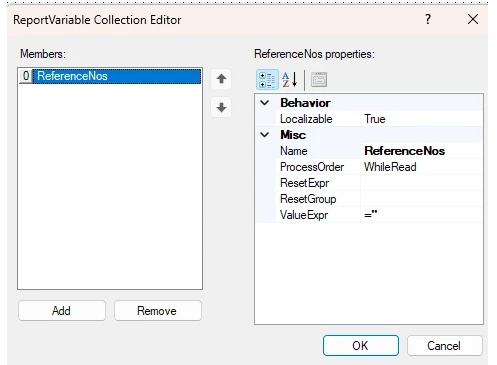
=Assign(‘$ReferenceNos’,$ReferenceNos+’ ‘+ARAdjust.AdjdRefNbr)

Make sure it’s in the Detail section. On your question:


I think something like this would work Assign($ReferenceNos, $ReferenceNos + ‘+’ + [ARInvoice.RefNbr])

… you are missing the ‘  ‘ on the first part of the formula.

14 replies

Forum|alt.badge.img
  • Author
  • Jr Varsity III
  • September 8, 2025

i need to show something like
=[ARInvoice.RefNbr]+'=P'+ [ARInvoice.CuryOrigDocAmt] +')'

Reference No(s): INV0001=P100.00, INV0002=P250.00, INV0003=P500.00


Forum|alt.badge.img
  • Author
  • Jr Varsity III
  • September 8, 2025

my file 


Forum|alt.badge.img+8
  • Captain II
  • September 8, 2025

You could potentially do it within the details section of a report.


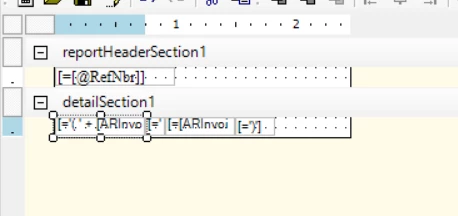
You could put a field in the header section which would state ‘Reference No(s):’ this is so that the field only prints once, then a field for [ARInvoice.RefNbr]+'=P'+ [ARInvoice.CuryOrigDocAmt] +')' within the details section of the report which will print for every record in the specific join.


Hope this helps.


Forum|alt.badge.img
  • Author
  • Jr Varsity III
  • September 8, 2025

@aiwan 
I’ve already created a subreport to generate the reference numbers, but they always appear on separate lines like this:

INV0001=P100.00

INV0002=P250.00

INV0003=P500.00

What I need in my report is for them to appear on a single line, separated by commas, like this:


INV0001=P100.00, INV0002=P250.00, INV0003=P500.00


Forum|alt.badge.img+8
  • Captain II
  • September 8, 2025

@saintsin 


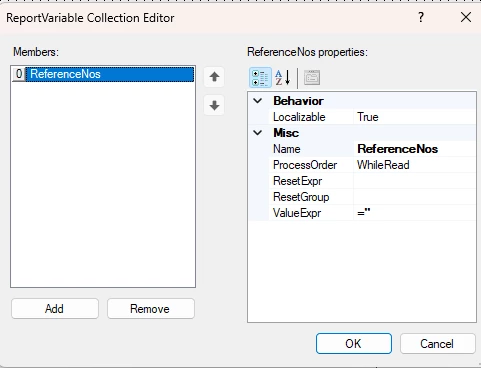
You could potentially create a variable in the header section, then assign the variable within the details section, ensuring it is invisible, then printing that variable in place of the field you have now.


I think something like this would work Assign($ReferenceNos, $ReferenceNos + ‘+’ + [ARInvoice.RefNbr])


Forum|alt.badge.img
  • Author
  • Jr Varsity III
  • September 9, 2025

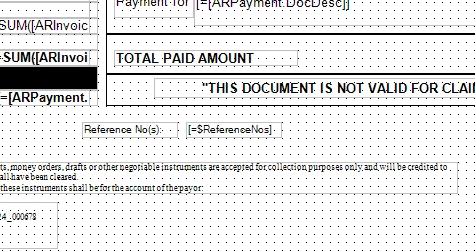
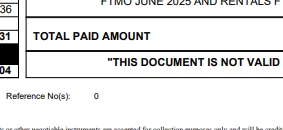
it gives a value of 0 its not working ​@aiwan 


Forum|alt.badge.img
  • Author
  • Jr Varsity III
  • September 9, 2025

I need help 😞


Forum|alt.badge.img
  • Author
  • Jr Varsity III
  • September 10, 2025

@nhatnghetinh 


Forum|alt.badge.img
  • Author
  • Jr Varsity III
  • September 10, 2025

my updated file


nhatnghetinh
Captain II
Forum|alt.badge.img+11
  • Captain II
  • September 10, 2025

Hi ​@saintsin 

+ When you use the formula: =[ARInvoice.RefNbr]+'=P' [ARInvoice.CuryOrigDocAmt] +')' => only display the first Invoice => this is correct according to the current logic.
+ When you use Subreport, display multiple lines => this is correct according to the current logic.

If you want to display all Invoices data on only 1 row, you need to create a new DAC by writing SQL View to convert data from columns into 1 line.


Best Regards,

NNT


Forum|alt.badge.img
  • Author
  • Jr Varsity III
  • September 10, 2025

so i cant put a 1 line? without adding an new DAC ​@nhatnghetinh 


nhatnghetinh
Captain II
Forum|alt.badge.img+11
  • Captain II
  • September 10, 2025

Hi ​@saintsin 

Yes. Currently if there is no Customization to create a new DA, your 1 line will only display the first invoice.


Best Regards,

NNT


Forum|alt.badge.img+1
  • Jr Varsity I
  • September 11, 2025

@saintsin something you could try if you haven’t already:

Create a variable in your details section or even in your subreport, and as you loop through the lines, concatenate the ref nbrs so that your final variable has a list of the ref nbrs. Hope this helps.


miguel80
Semi-Pro III
Forum|alt.badge.img+3
  • Semi-Pro III
  • Answer
  • September 29, 2025

Adding to what Josiah said: 

Create the variable, which I see you have. Add this to it in the ValueExpr section:

=Assign(‘$ReferenceNos’,$ReferenceNos+’ ‘+ARAdjust.AdjdRefNbr)

Make sure it’s in the Detail section. On your question:


I think something like this would work Assign($ReferenceNos, $ReferenceNos + ‘+’ + [ARInvoice.RefNbr])

… you are missing the ‘  ‘ on the first part of the formula.