Answer

How to set up a field is required when it meets specific condition?

  • April 3, 2024
  • 5 replies
  • 152 views

Forum|alt.badge.img

Hi All, 

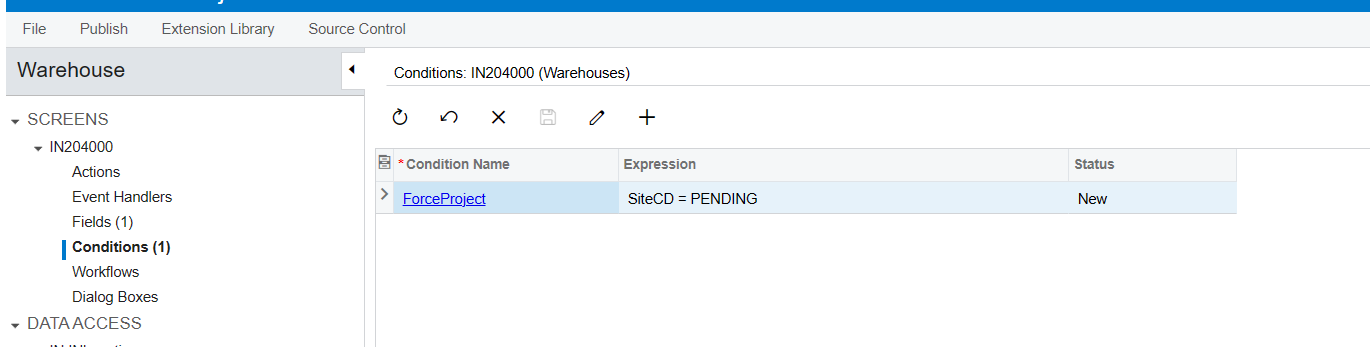
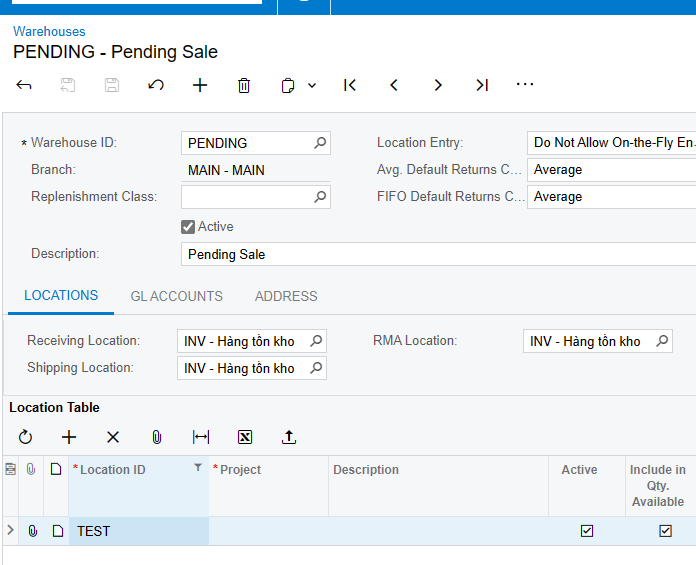
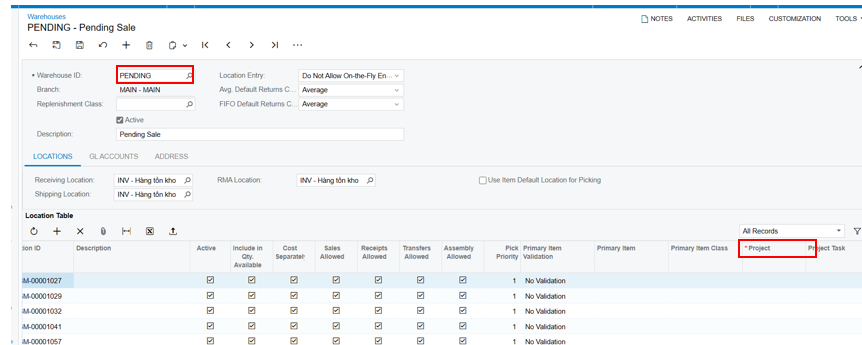
I want to set up the required input project if the warehouse is "PENDING."

I set it up like below, but it's not working; even if the field Project is marked with an asterisk or star, the system still allows it to save.

Please advise where I am wrong


Best answer by DipakNilkanth

Hi @dilys,

If above approaches does not work, you need to throw PXException on row persisting event.

e.g.

protected void RowPersisting(PXCache cache, PXRowPersistingEventArgs e)
{
if (e.Row == null) return;
var row = e.Row;
if (row.siteID == "PEDNING")
{
throw new Exception("Project is Required");

}
}

If you are not familiar with customization, This link can be push you into right direction to get desired result.

5 replies

DavidEichner
Captain II
Forum|alt.badge.img+13

Hi @dilys 

You have a couple of options.  First, you could start a support case with either your partner or Acumatica directly to confirm if it is a bug.  This would let Acumatica know about the issue quicker so it can be resolved in a future build.

Second, you or your partner could write a customization package (or hire a developer) to override Acumatica code to make it work.

Best,


David


DipakNilkanth
Pro III
Forum|alt.badge.img+13

Hi @dilys,

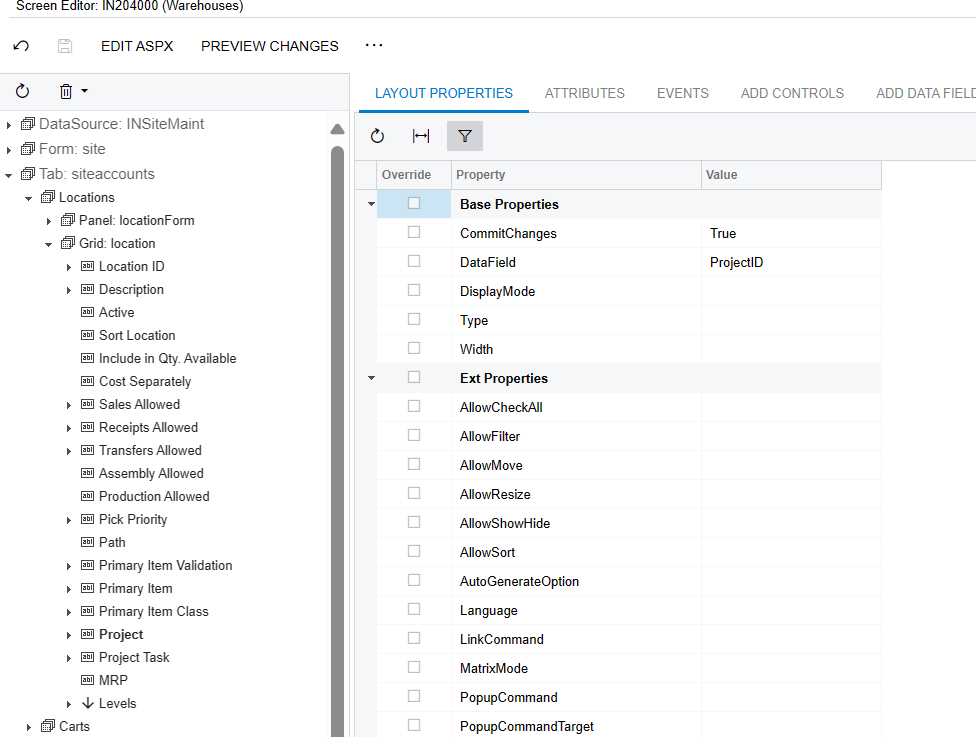
Have you tried to set the CommitChanges = true for Warehouse ID field?

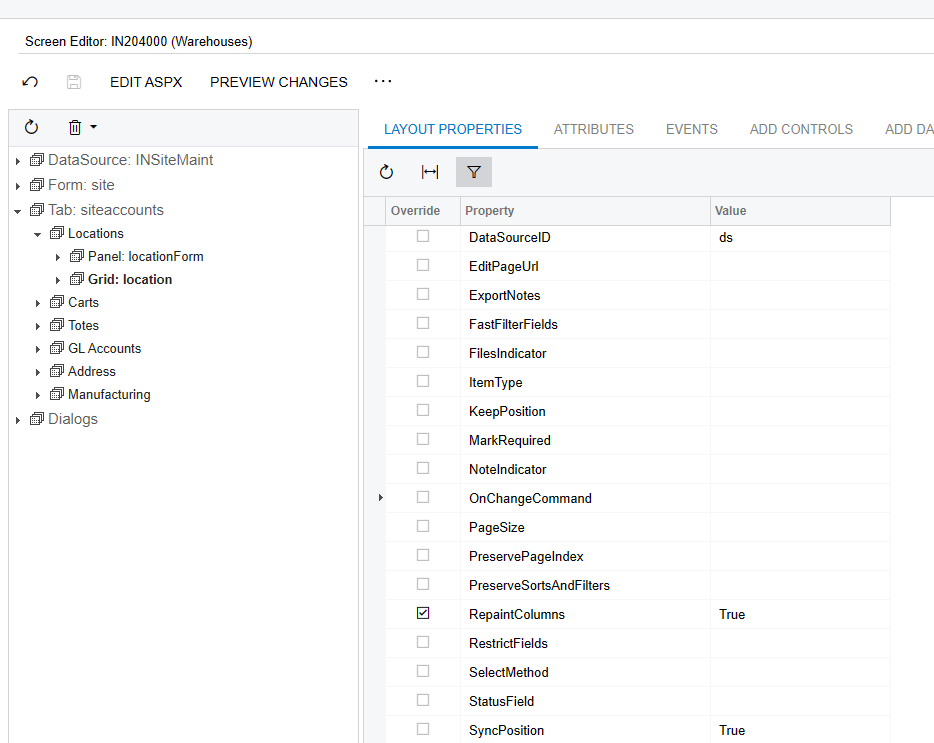
Also I believe you need to set Repaint Columns = true for the Location table grid which refreshes the grid.

If above solution does not works then you need to do customization(code) to works it as expected.


Forum|alt.badge.img
  • Author
  • Jr Varsity II
  • May 6, 2024

Hi @dilys,

Have you tried to set the CommitChanges = true for Warehouse ID field?

Also I believe you need to set Repaint Columns = true for the Location table grid which refreshes the grid.

If above solution does not works then you need to do customization(code) to works it as expected.

I tried the way you told me, but it’s still the same, do you have any idea?


DipakNilkanth
Pro III
Forum|alt.badge.img+13

Hi @dilys,

If above approaches does not work, you need to throw PXException on row persisting event.

e.g.

protected void RowPersisting(PXCache cache, PXRowPersistingEventArgs e)
{
if (e.Row == null) return;
var row = e.Row;
if (row.siteID == "PEDNING")
{
throw new Exception("Project is Required");

}
}

If you are not familiar with customization, This link can be push you into right direction to get desired result.


Forum|alt.badge.img
  • Author
  • Jr Varsity II
  • May 6, 2024

Hi @dilys,

If above approaches does not work, you need to throw PXException on row persisting event.

e.g.

protected void RowPersisting(PXCache cache, PXRowPersistingEventArgs e)
{
if (e.Row == null) return;
var row = e.Row;
if (row.siteID == "PEDNING")
{
throw new Exception("Project is Required");

}
}

If you are not familiar with customization, This link can be push you into right direction to get desired result.

Thanks for your help