Question

How to get Screen ID as shown on SM208000 to show in grid

  • November 12, 2025
  • 2 replies
  • 45 views

I have created a basic GI, listing the GIs in our system along with Notes:
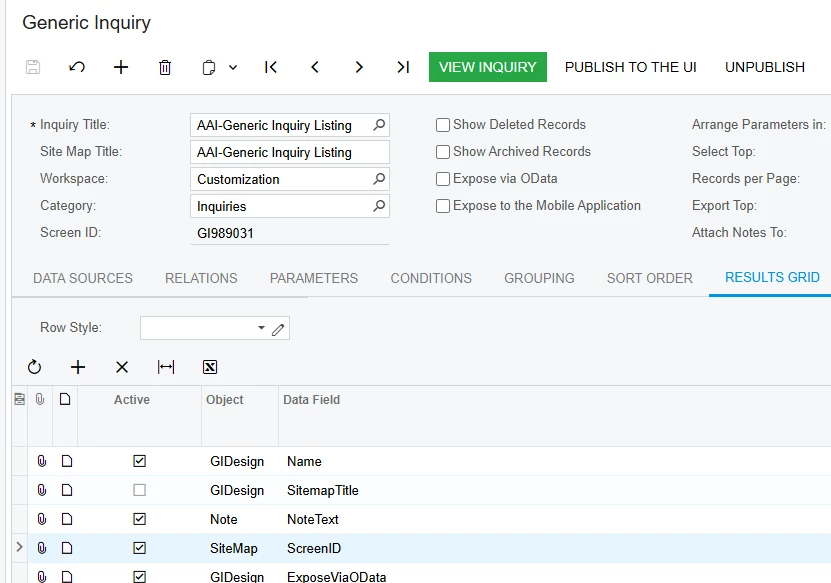
Works beautifully, except that many of the ScreenIDs are missing (in the above screen shot I’m looking for the value GI989031 or GI.98.90.31). The DAC Schema for GIDesign indicates SiteMapScreenID is nonexistent, so I linked to SiteMap. I can see the GI listed in the Site Map. But since SiteMap is related to GIDesign through PrimaryScreenID and it appears many of my GIs do not have a PrimaryScreenID, the SiteMap.ScreenID value remains blank in my results list. How do I get my GI results to show GI989031?

The only other values in common: GIDesign.DesignID is contained in SiteMap.URL… but attempting to set up a relation there has not been successful. Am I missing something simple? Any thoughts?

2 replies

nickcerri32
Jr Varsity III
Forum|alt.badge.img+1
  • Jr Varsity III
  • November 13, 2025

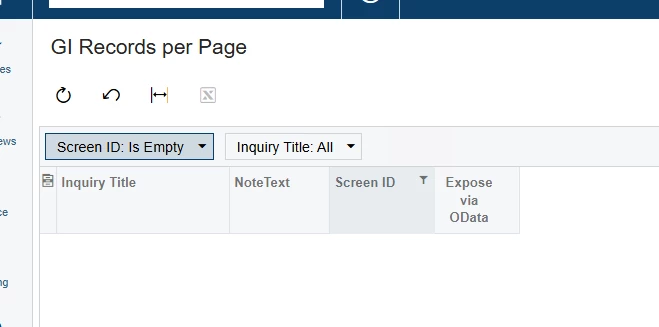
@Julie Baker - I just built this in one of my instances.  I tested it where the Screen ID is empty and don’t show any records.  It may have been how you joined it.  Let me know if this doesn’t work for you.


  • Author
  • Freshman II
  • November 17, 2025

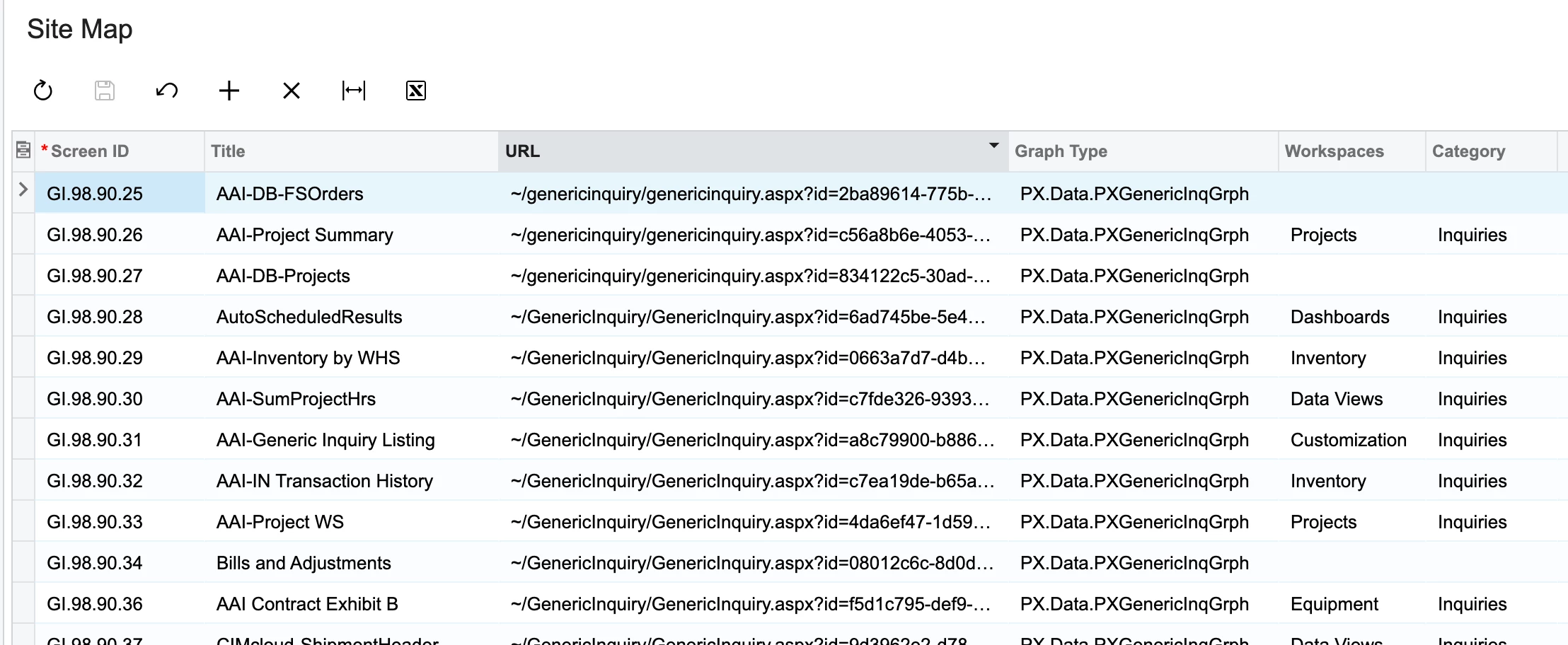
Good suggestion, but an inner join reduces the count from over 600 GIs to just under 300… I need to use the more inclusive left join to accurately lists all GIs in my system. I HAVE figured out why some GIs have a screen ID and others don’t. The value is NOT pulling from the left column below:

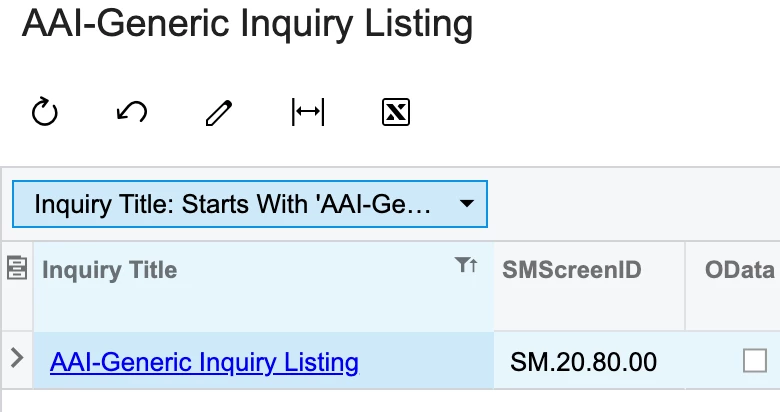
Instead it is referencing the value in the Entry Screen field from the Entry Point tab of the GI. For instance, if I select “Generic Inquiry” for that field (rather than leaving it blank) I now get the following:

That is the ENTRY Screen ID, not the GI Screen ID. So I could still use help figuring out how to get the true GI Screen ID GI989031 as shown on the header of the GI. Thank you!