Solved

Change History Log for Bills and Adjustments

  • July 7, 2025
  • 4 replies
  • 78 views

rconandrewl
Freshman I
Forum|alt.badge.img

Looking for a Payables solution to be able to see Status change history for the AP Invoice records. We’ve explored the Audit History and the accessibility is a bit clunky and hard to read through for general users.

Has anyone has found or built any solutions to better track these changes and/or report on them?

Our primary goal would be to see date/time of changed status and user who made the change. The use case being, we have a lot of invoices that require Approvers to make changes to the invoice distribution coding, requiring them to put toggling the invoice status and resetting the Approval request record.

Alternatively, if I could figure out how to access the Audit History key table for Events I figure I could find a way to report on that data through a GI, but I can’t find where in the DAC that information lives or how to access it.

Screen SM205530 Audit History; Events table with desired info, but cannot determine DAC source.

Appreciate any and all help. Thanks Community!

Best answer by valentynbeznosiuk

Hi ​@rconandrewl 

The only table that has needed data and which you can use for GI is AuditHistory; you will be able to find what field was changed, by whom, and when. You would also need to join Users to get a username.

Here is a sample SQL query

	SELECT 
AH.ChangeDate,
U.FullName,
AH.ScreenID,
AH.ModifiedFields
FROM
AuditHistory AH
LEFT JOIN
Users U ON AH.UserID = U.PKID
WHERE
AH.ModifiedFields LIKE '%Status%'
and
AH.ScreenID = 'AP301000'

The problem with it is that the ModifiedFields columns store all changes in the fields as strings in the following structure:

RevisionID0x00<Revision Number>0x00<FieldName>0x00<FieldValue>[<FieldName>0x00<FieldValue>]*

Which makes complicated to get needed data from that using GI. But in this conversation described a potential solution for this using SQL view to get data from this string that can be later used in GI

4 replies

valentynbeznosiuk
Jr Varsity I
Forum|alt.badge.img+3

Hi ​@rconandrewl 

The only table that has needed data and which you can use for GI is AuditHistory; you will be able to find what field was changed, by whom, and when. You would also need to join Users to get a username.

Here is a sample SQL query

	SELECT 
AH.ChangeDate,
U.FullName,
AH.ScreenID,
AH.ModifiedFields
FROM
AuditHistory AH
LEFT JOIN
Users U ON AH.UserID = U.PKID
WHERE
AH.ModifiedFields LIKE '%Status%'
and
AH.ScreenID = 'AP301000'

The problem with it is that the ModifiedFields columns store all changes in the fields as strings in the following structure:

RevisionID0x00<Revision Number>0x00<FieldName>0x00<FieldValue>[<FieldName>0x00<FieldValue>]*

Which makes complicated to get needed data from that using GI. But in this conversation described a potential solution for this using SQL view to get data from this string that can be later used in GI


craig2
Pro I
Forum|alt.badge.img+3
  • Pro I
  • July 8, 2025

Hi ​@rconandrewl ,

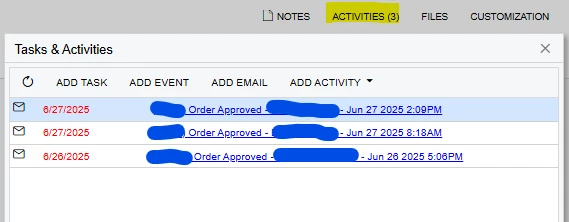
So we had a similar scenario with SO/PO approvals, since the Approvals tables delete records once you cycle back On Hold.

I created a Business Event that joins the header table (APInvoice, likely in your case) to the EPApproval table via NoteID/RefNoteID.  That triggers an email to a dummy email account we have, and then attaches the Email Activity to that specific document, so you have a log.  Then you can add whatever details you want to keep an eye on in the body of the email.

Maybe not perfectly elegant, but it has been a good solution for us for quite some time now.


rconandrewl
Freshman I
Forum|alt.badge.img
  • Author
  • Freshman I
  • July 8, 2025

Thank you ​@valentynbeznosiuk , I was able to build a GI for monitoring specific changes using the mentioned AuditHistory table. I had to review the source data several times before seeing how it stacked the monitored changes into a single string. I ended up using Contains conditions to narrow down records and then utilized functions similar to the one below for reporting the data in designated change columns.

[=switch( Substring( [AuditHistory.ModifiedFields] , InStr( [AuditHistory.ModifiedFields] , 'Status' ), 8) = 'StatusN', 'Posted/Open'...]

Now I can use the GI view to add a Change History sidepanel to the Bills and Adjustments screens with minimal joining.


valentynbeznosiuk
Jr Varsity I
Forum|alt.badge.img+3

@rconandrewl 

It’s nice to hear and thank you for sharing your final result!