

Solved

Business Event to update custom field in Shipment - error on Action Execution

  • August 4, 2025
  • 3 replies
  • 122 views

Forum|alt.badge.img

I am trying to have a business event trigger when a new shipment is created that is going to an address outside the US. When that happens, I’d like to update the value in a custom field we have for the shipment, or if that won’t work place the updated value in the Note Text field on the shipment.


I have created a GI that successfully finds the new shipments with that criterion, and a business event that is triggering properly when a new shipment is created outside of the US.  The Action Execution is where I am failing and getting an error of ‘Object reference not set to an instance of an object.’


I must not be properly setting up the action execution components - probably in the action name, because I don’t see how to edit a field in the actions.  Pasting in screen shots below:


GI I have created is GI989152, and I have selected the Action Screen to be the shipment transaction screen (I believe this is correct). I just don’t see a proper action name however.  I had been using “Insert” (below it shows Inventory Summary but I know that would not be correct).
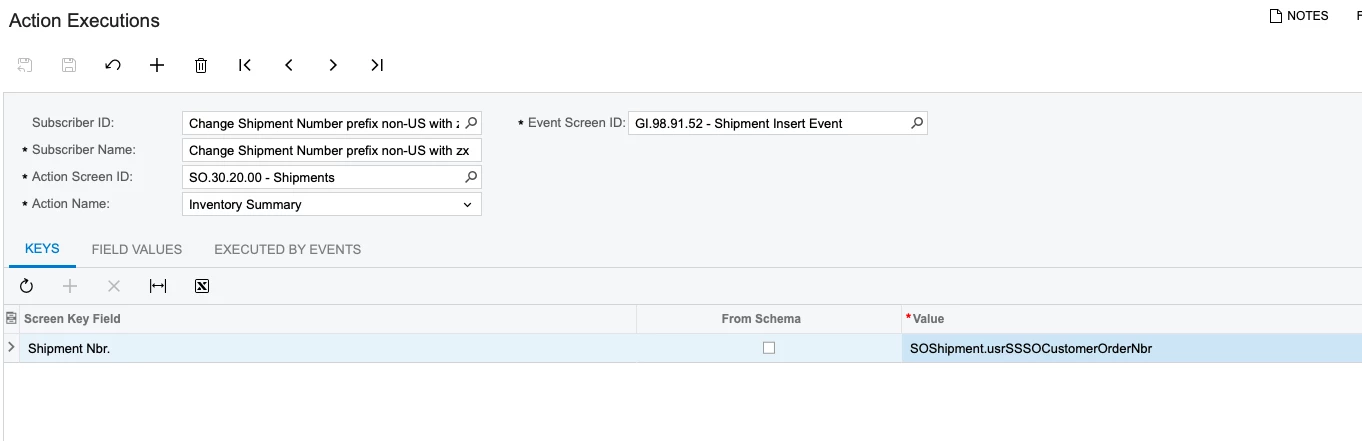
Here is the Field Value - want to replace the Note Text field with ‘zx’ + the value already in the [SOShipment.usrSSSOCustomerOrderNbr] field.
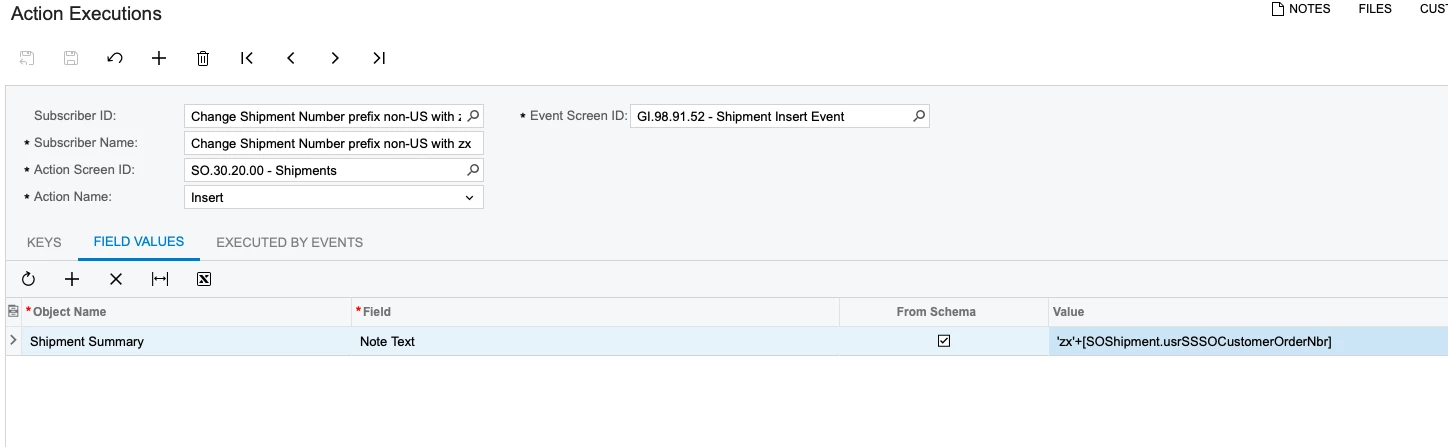
 

The third tab below
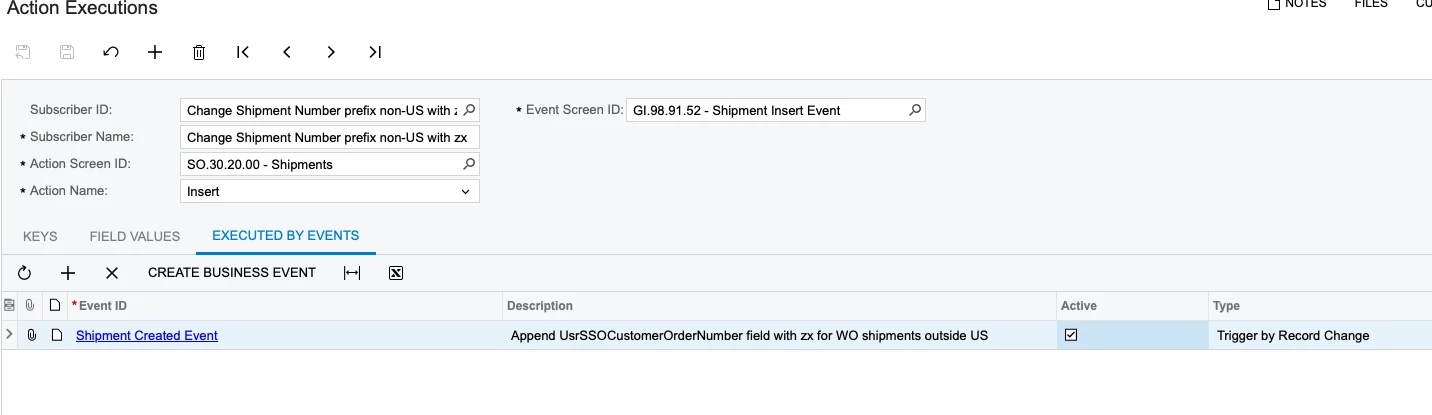
 

Any thoughts on why this is getting an error? Perhaps I am not using the proper Action Screen or Action Name?


Thanks!


Patrick

Best answer by jzhu

Hi, instead of using Action Execution, have you tried using import scenario as your subscriber on the Business Event?

When your event fires, the import scenario will be used to import the value into the fields you are looking to update. The data provider of the import scenario would be your business event, and you can either hard code in the import scenario the value you want to update, or if that value is already available in a different field, you can use that as a source field in the import scenario. 

Hope this helps!

3 replies

mohammadnawaz51
Jr Varsity I
Forum|alt.badge.img+4

Hi ​@patrickACA 

Could you please provide the xml file for Business event, GI and Tasks execution?


Forum|alt.badge.img
  • Author
  • Jr Varsity II
  • August 5, 2025

Hi ​@mohammadnawaz51 I am attaching the XML for the GI and Business Event.  I don’t see how I can export the Action Execution, but the screen shots above show you what I have.


Forum|alt.badge.img
  • Semi-Pro III
  • Answer
  • August 6, 2025

Hi, instead of using Action Execution, have you tried using import scenario as your subscriber on the Business Event?

When your event fires, the import scenario will be used to import the value into the fields you are looking to update. The data provider of the import scenario would be your business event, and you can either hard code in the import scenario the value you want to update, or if that value is already available in a different field, you can use that as a source field in the import scenario. 

Hope this helps!
