



I would like to tag each appointment or service order line with a code 001 through 011. This will determine which lines to group on the invoice with a total for those lines and a custom description. Eg. Material, Labor, Misc. These would be the only lines appearing on the invoice with a grand total.
Solved
Billing grouping / invoice summarization
Best answer by lauraj46
HI
The first step is to create an attribute. Then add the attribute to each item class on the Item Classes screen. Assign a value to the attribute on each stock item.
On your report design, refresh the InventoryItem table on the Build Schema dialog and then the new attribute should be available to use.
Add a grouping based on this new field to the Groups collection of the Report Properties in the report designer. You can print the heading in the group header and the line details in the detail section. You can print the section total in the group footer. You can also use the attribute in your report filters to limit the rows that are returned.
See some screenshots below.
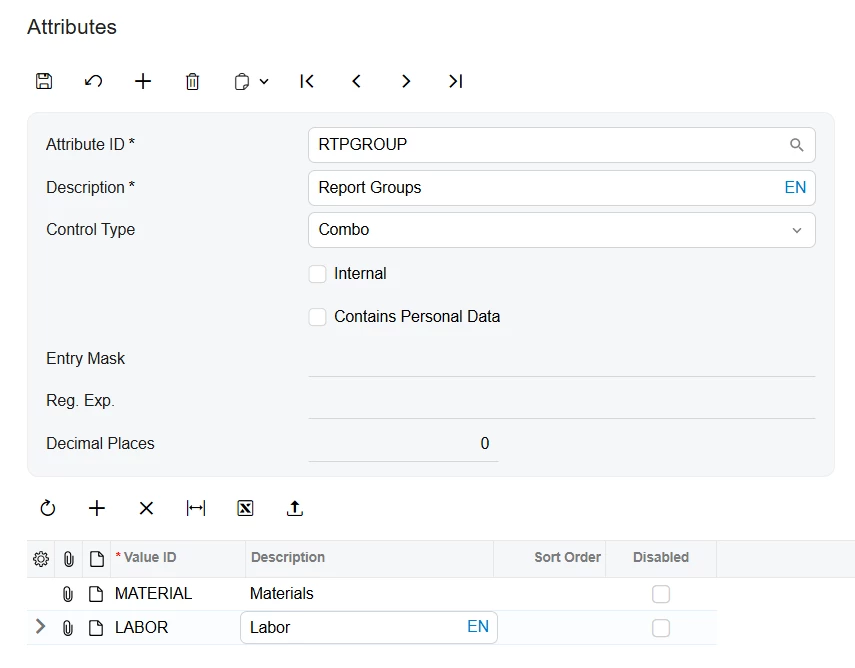
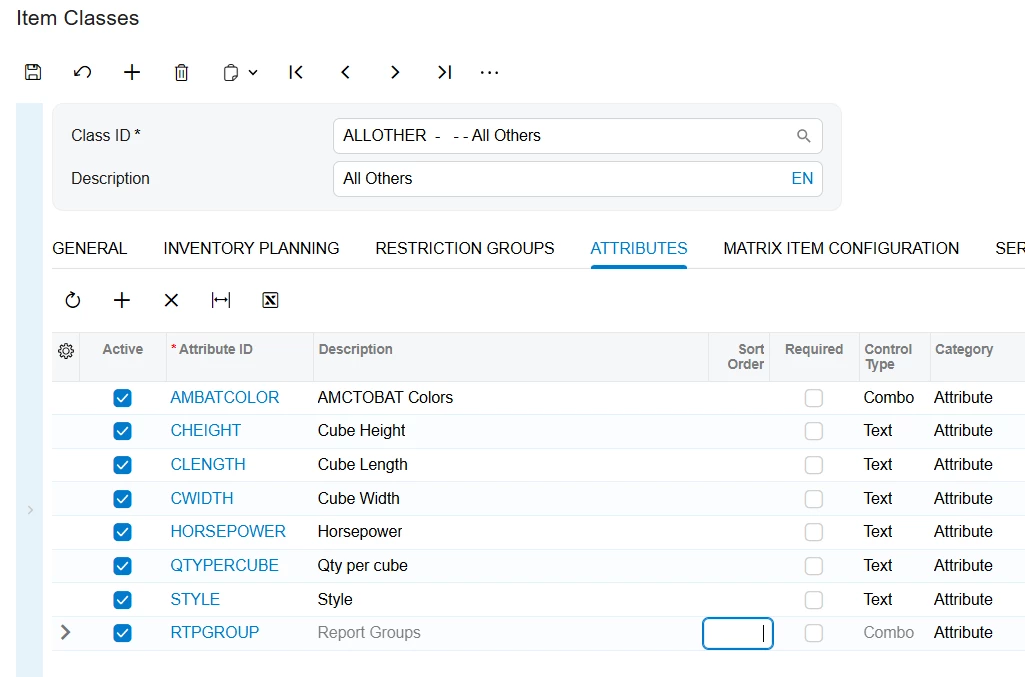
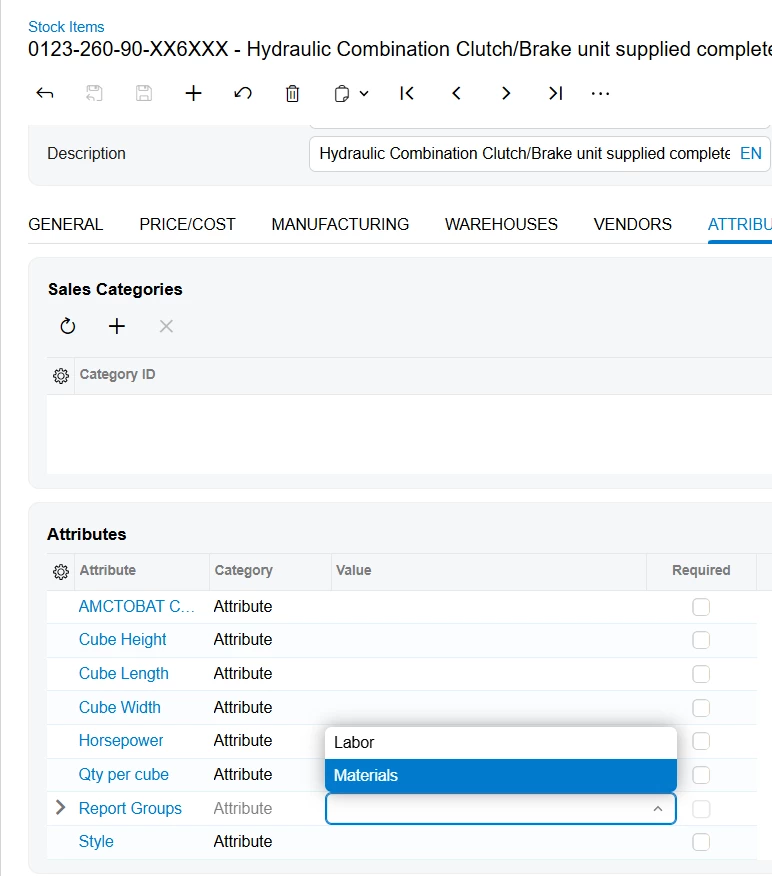
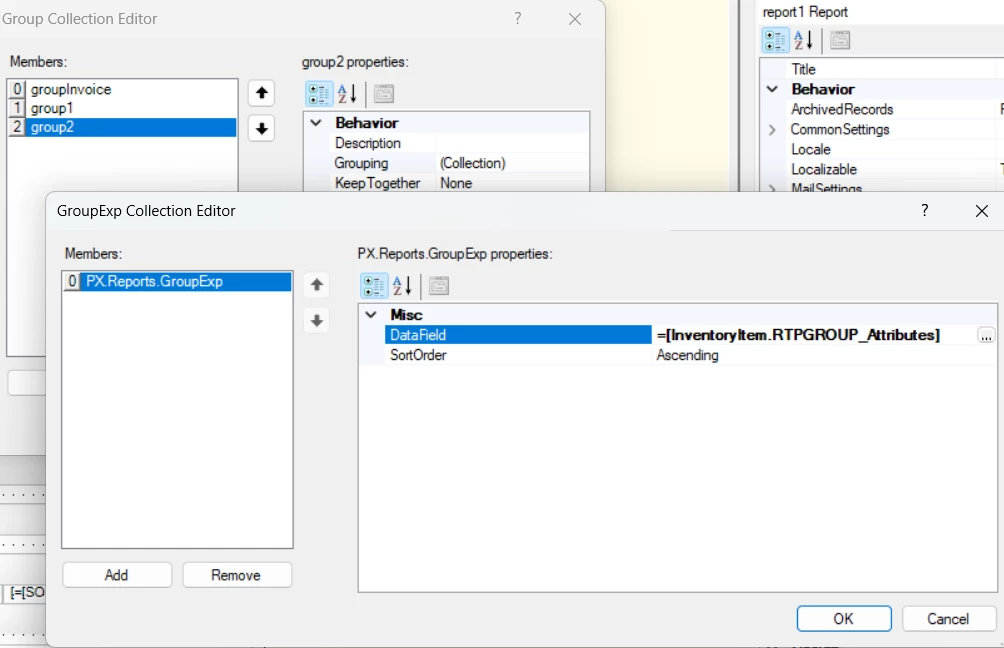
Hope this helps!
Laura




Enter your E-mail address. We'll send you an e-mail with instructions to reset your password.