
Hi everyone!
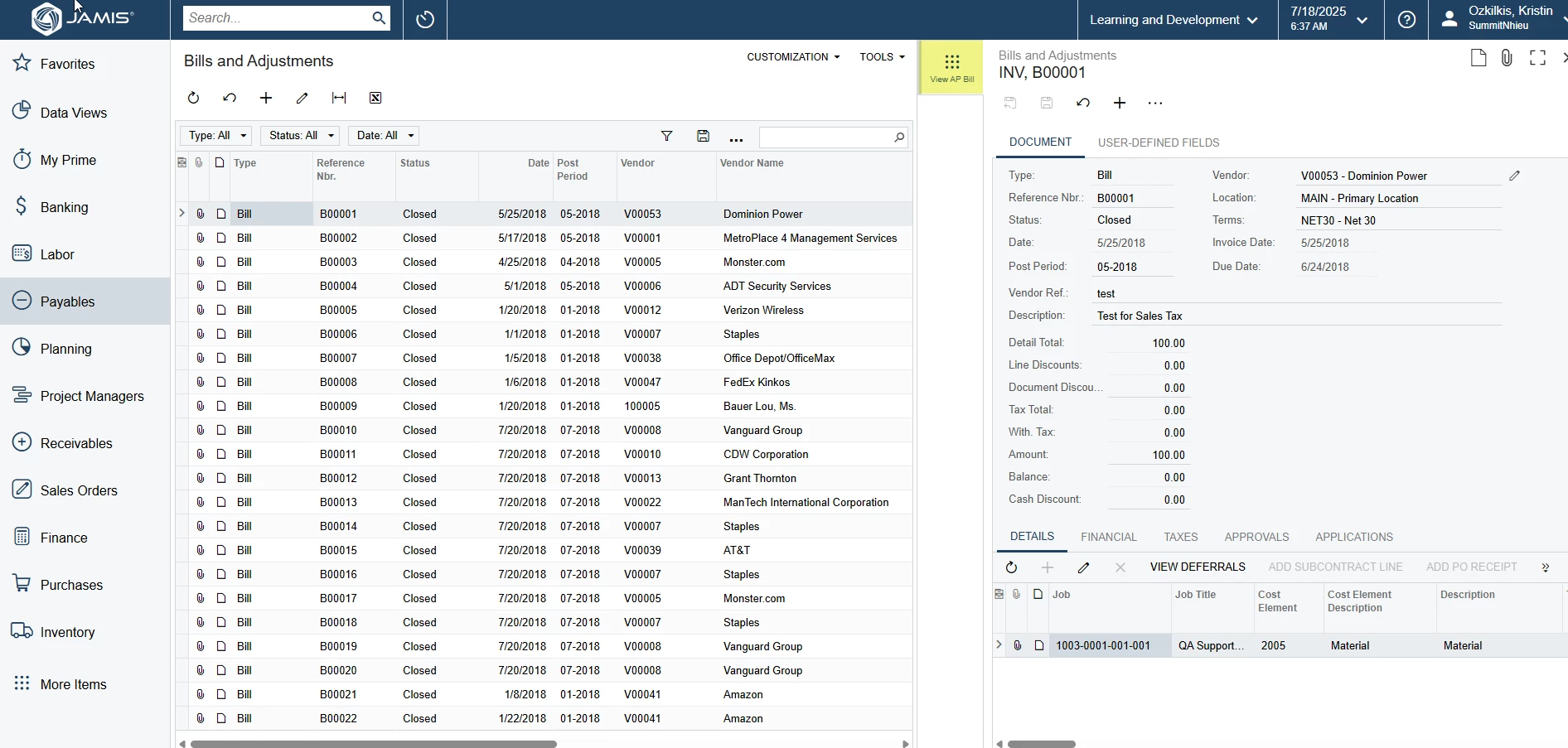
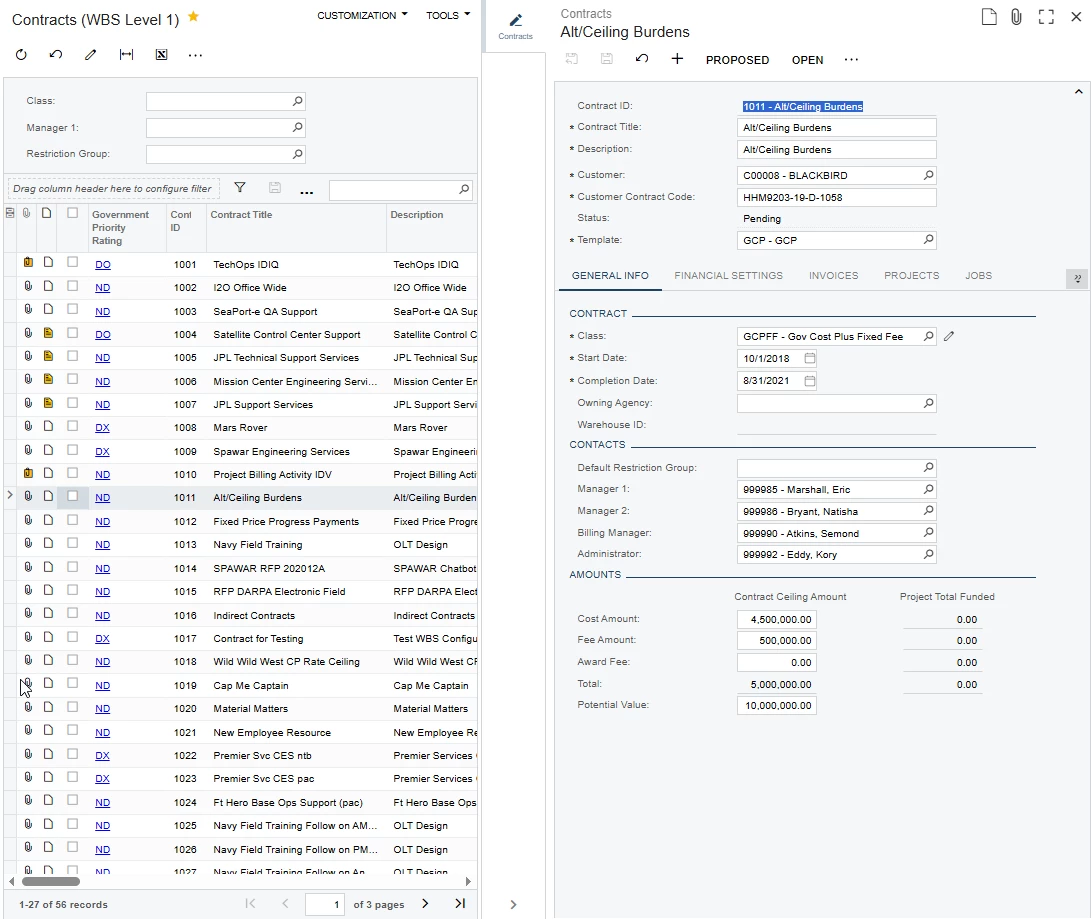
One of the most underutilized personalizations in JAMIS Prime is Side Panels! Side Panels are available starting in v7.0 and evolve even more in v8.0. In its simplest form, a side panel allows you to view a form from an entry list. The most common example I’ll share is for AP Bills and Adjustments. When you navigate to AP Bills and Adjustments you first see the AP Bills and Adjustments entry list. If you configure this generic inquiry to include a Side Panel you’ll be able to view the full AP Bill on the side of the screen as you make your way through the AP Bills and Adjustments list. Screen shots are included below. While we used AP Bills and Adjustments for this example it can be done on any generic inuiry to include the AR Invoices and Memos entry list, the GL Journal Transactions entry list, etc.
If you need more support with this or would like more information on how side panels evolve to include data entry forms you can review the product release notes found on JAMIS Education & Training (JET) or you can send a case to support@jamis.com.
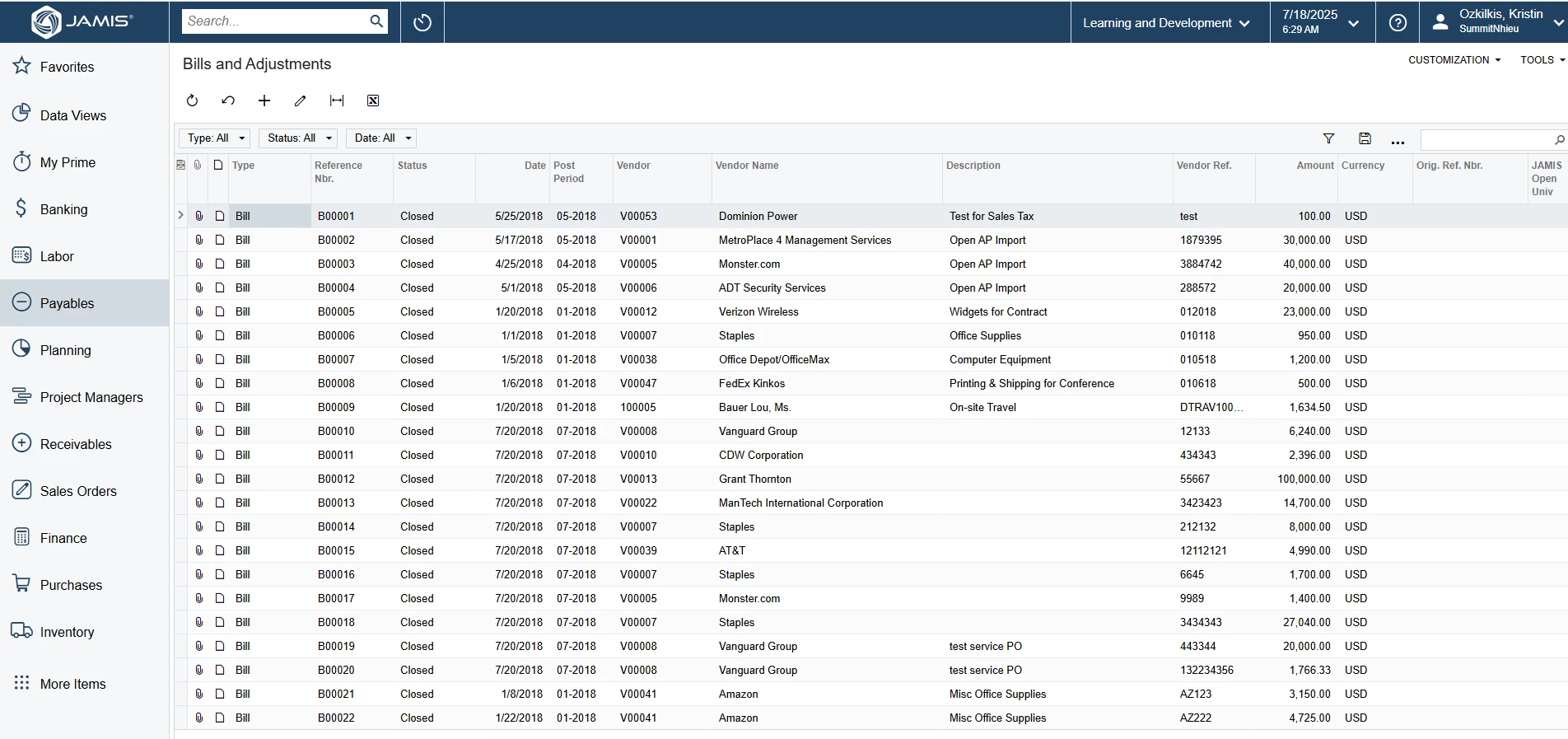
When you navigate to AP Bills and Adjustments via the Payables workspace you’ll find the AP Bills and Adjustments entry list:
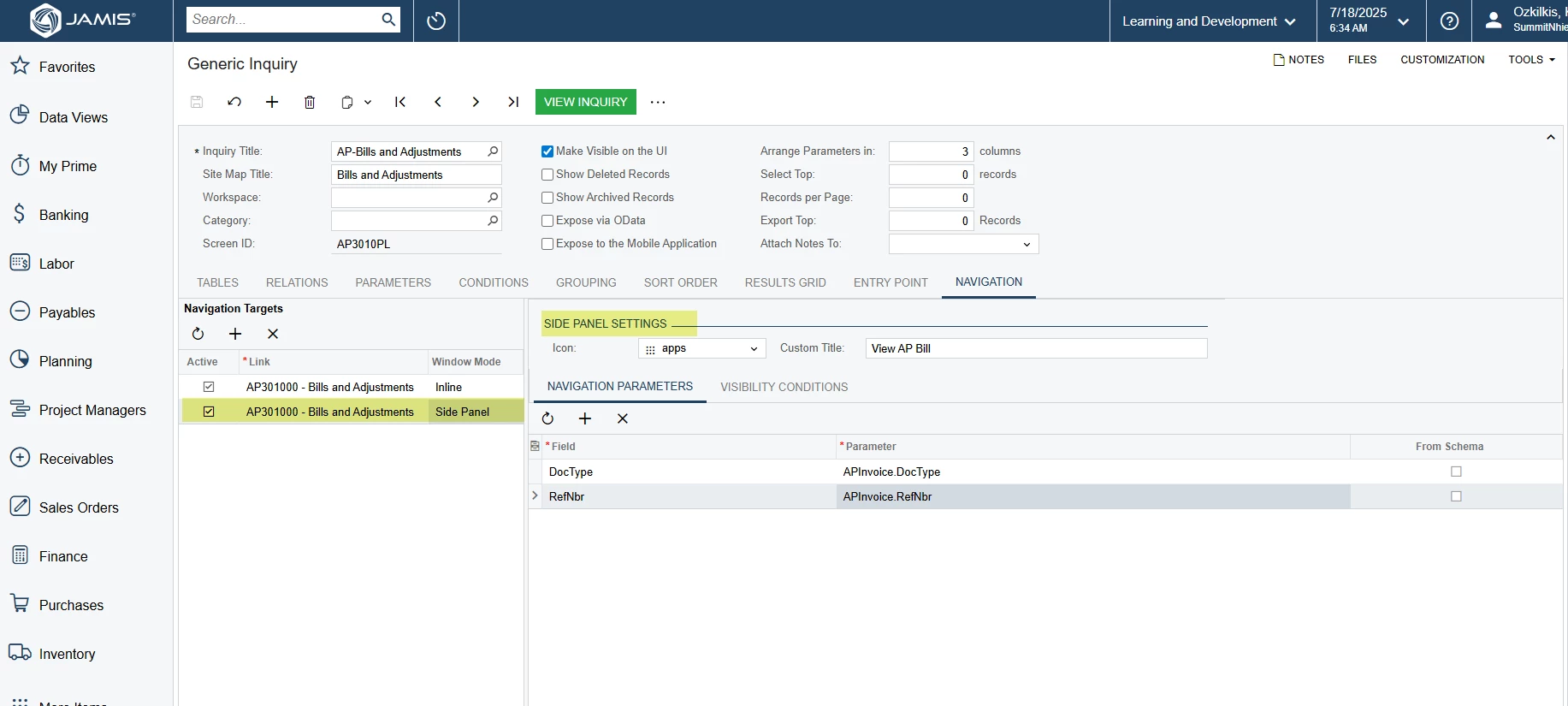
Once you have access to the Generic Inquiry form you can find the same inquiry and navigate to the Navigation tab while editing the inquiry. See below for the configuration required to set up a side panel on a generic inquiry:
When the Side Panel is configured correctly you can refresh the AP Bills and Adjustments entry list on the Payables workspace and you will see the option to extend the new Side Panel so you can view the document!