Answer

Making an employee's "vendor status" inactive?

  • July 23, 2025
  • 8 replies
  • 146 views

kvinson
Freshman I
Forum|alt.badge.img

We recently discovered that terminated employees with their status set to Inactive (we do that for never started hires or employee’s that have been gone several years), still appear in A/P Bill Entry because apparently their “vendor status” is still active. But I can’t find anything under the employee setup to change that. Any suggestions?


Employee setup:

 

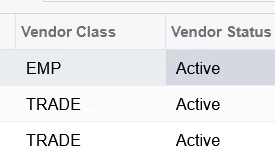
Vendor list:
 

Best answer by rlugar

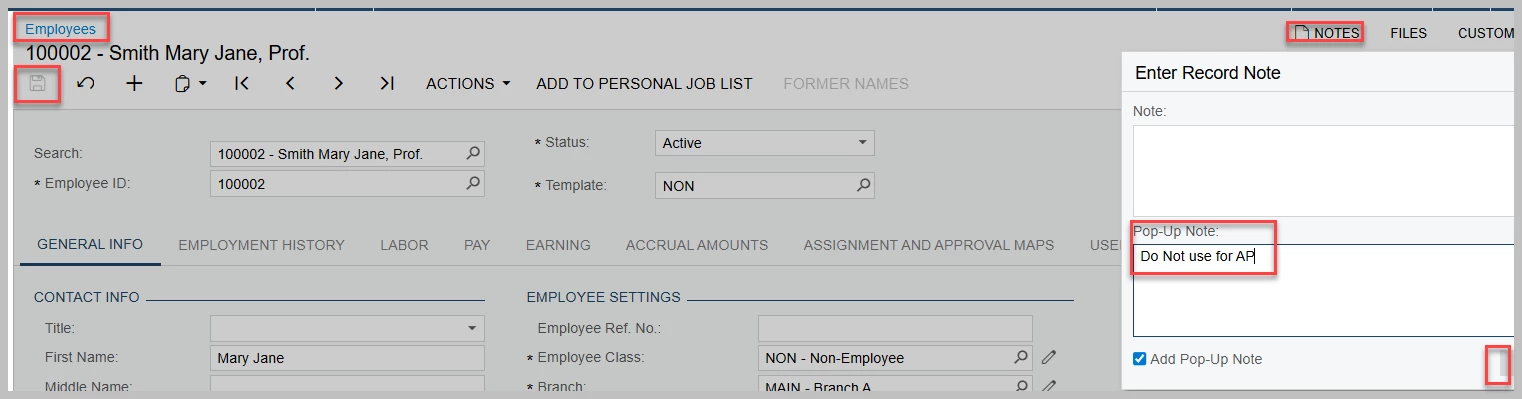
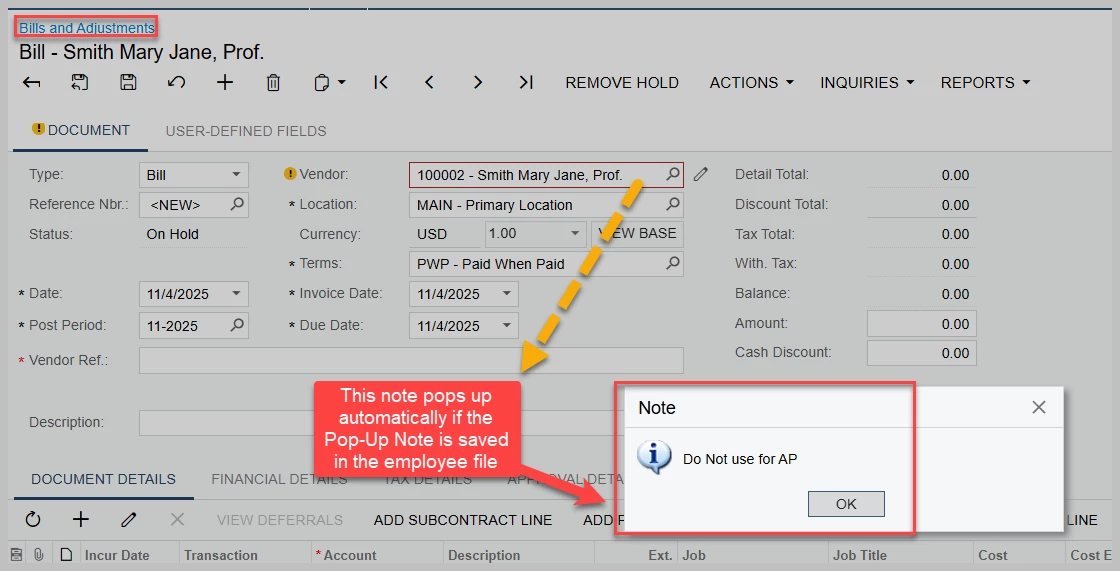
Kay, one other possibility. In the employee master file, select “Notes” in the upper right hand corner, then click “Add a pop-Up Note” and add text in the Pop-Up Note field. Save the employee master file.  If this employee is selected for an ap bill- the system will cause a Pop-Up, with your note, which would then have to be “okayed” to get past.   

Add Pop-Up Note in the Master file
The system will show the note which must be clicked for the individual to get past.


8 replies

  • Freshman I
  • July 23, 2025

You can achieve this by creating a GI to identify all inactive employees who still have an active vendor record:

  • Join Vendor to EPEmployee using BAccountID.
    •  Filter where: Vendor class = EMP, Employee Status = Inactive and vendor status = active
  • Export the results to excel
  • Create an Import Scenario to update those vendor records and set their status to inactive.

  • Freshman I
  • July 23, 2025

There is a separate Employee Vendor form that is automatically created.  Search for the form using the screen ID EP2030PL which should take you to the list of records.


kozkilkis
Freshman I
  • Freshman I
  • July 28, 2025

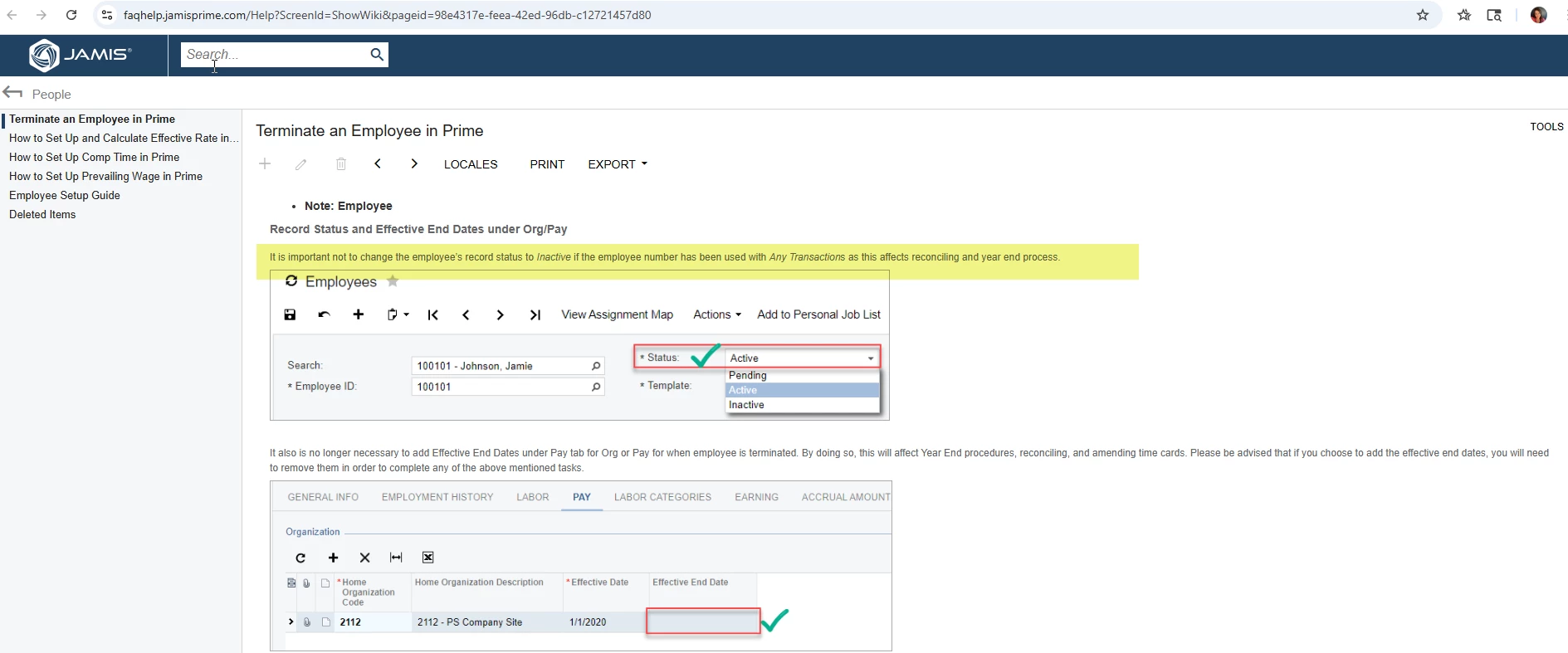
Thanks Pat for identifying the separate Vendor form that is created.  I would also like to attach the link to the leading practice for terminated employees from the JAMIS FAQ’s for reinforcement. Kat’s use of the Inactive setting fits their business case, but it is important for users to undertand that this field is not identifying the employee as Active rather identifying the record itself as Active.  Inactivating the employee record can cause problems with processing  and reporting if those records are included in allocations, billing, or reporting.


The Termination check box combined with the steps in the FAQ’s is the leading practice for terminating EE’s.


https://faqhelp.jamisprime.com/Help?ScreenId=ShowWiki&pageid=98e4317e-feea-42ed-96db-c12721457d80


kvinson
Freshman I
Forum|alt.badge.img
  • Author
  • Freshman I
  • August 25, 2025

We followed the JAMIS FAQ steps but the employee still pulls as a vendor. Normally it’s not a big deal but we have two former employees that are now independent consultants and it’s very easy to accidently enter the bill to the wrong account. 


Chris Hackett
Community Manager
Forum|alt.badge.img
  • Acumatica Community Manager
  • September 26, 2025

Hi ​@kvinson were you able to find a solution? Thank you!


kvinson
Freshman I
Forum|alt.badge.img
  • Author
  • Freshman I
  • October 21, 2025

@Chris Hackett I haven’t found a solution yet. The recently terminated employees need to remain active for allocations, billing, and reporting (at least for a year or two), but there doesn’t seem to be a way to prevent them from pulling as a vendor otherwise. The only workaround I can think of is to add “DNU” after their last name in the employee file to visually flag A/P to not use them. 


  • Answer
  • November 4, 2025

Kay, one other possibility. In the employee master file, select “Notes” in the upper right hand corner, then click “Add a pop-Up Note” and add text in the Pop-Up Note field. Save the employee master file.  If this employee is selected for an ap bill- the system will cause a Pop-Up, with your note, which would then have to be “okayed” to get past.   

Add Pop-Up Note in the Master file
The system will show the note which must be clicked for the individual to get past.


kvinson
Freshman I
Forum|alt.badge.img
  • Author
  • Freshman I
  • November 4, 2025

Great workaround, ​@rlugar. I should have thought of that!