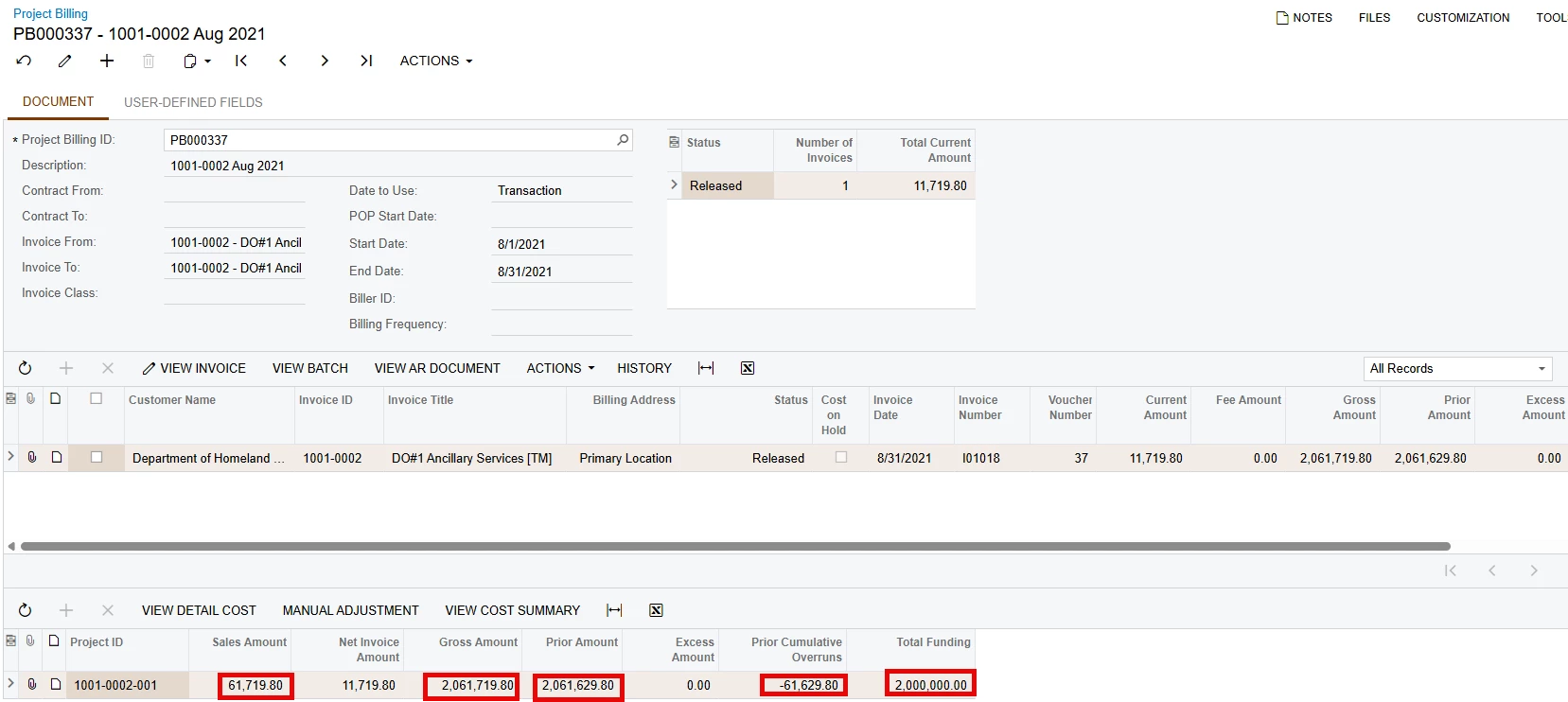
The Gross billing amount for the project is based on the billing type. The Billing Type indicates how the system calculates billing and revenue bill amounts for project. This is why the Gross Amount field is cumulative.
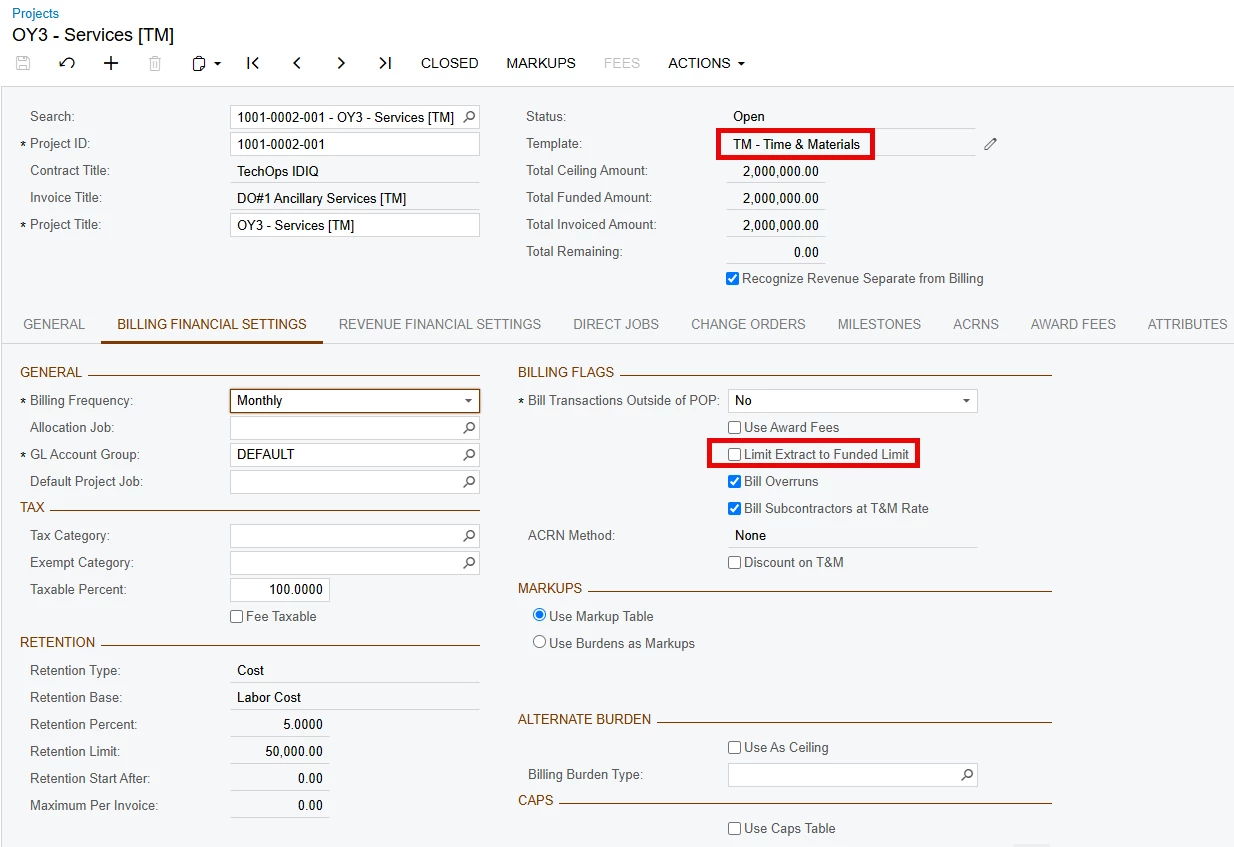
In the example below, the Project is a T&M and the Bill for Overruns is checked. This means it ignores funding and bills everything. If not checked, it will only bill within funding.
Gross Amount = Prior amount + Sales amount - Prior Overruns
(2,061,629.80 + 61,719.80) - 61,629.80 = 2,061,719.80
Note: The Gross amount and invoice is also affected by the project's Limit Extract to Funded Limit check box on or off.
- Turned off (the default): The system calculates the total of all of the project's job cost transaction records: billed amount + billing total burden amount + markup amount
- Turned on: The system starts to add the cost records from oldest to newest until the funded amount is reached without going over the funded amount. If a cost record goes over the limit, then the system tries the next record. The system puts any other cost records back to not billed.