Answer

Update Existing Sales Quote to include Project/Task

  • April 14, 2025
  • 3 replies
  • 70 views

Hello Everyone,


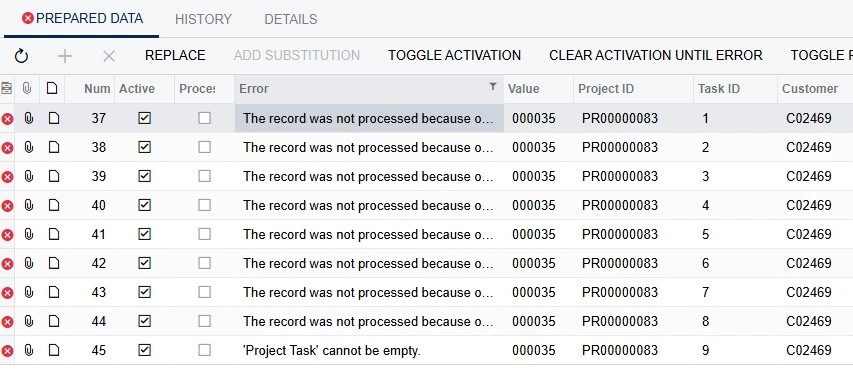
I have an import scenario and business event that create a new project from an SO Quote. There is an attribute on the project to bring in the quote number. After the project is created I have another import and business event that is supposed to insert the projectID and taskIDs back into the quote. I keep getting an error that says the ‘project task’ cannot be empty. 

Here is my most recent import mapping:
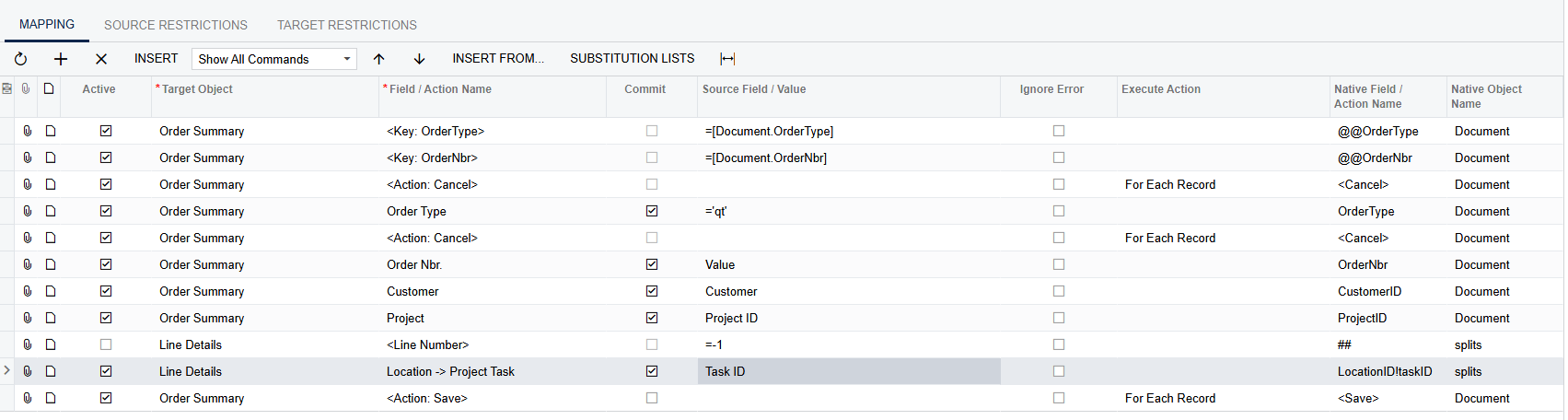
 

As additional info, I made the taskID = the LineNbr on the quote of the original import that creates the project. 

Anyone have an idea on why this one is erroring out?


Thanks

Best answer by plambert

One issue with your import scenario is the Line Details step of ‘Location → Project Task’. That is not an assignment; it’s a lookup. As well detailed by Tip #8 of this handy article, you are looking up a location by reference of the project task. From what you’ve described, you’re going to need two steps: one to lookup the correct line detail record and one to assign the Task ID. Since you said that the line number and task ID are the same, I think it should look like this:

Pardon the error, I don’t have projects enabled in my instance.

3 replies

nhatnghetinh
Captain II
Forum|alt.badge.img+11
  • Captain II
  • April 15, 2025

HI ​@podonnell1 

Please attach the Import Scenarios XML file and the Business Events XML file.


Best Regards,

NNT


  • Author
  • Freshman II
  • April 15, 2025

HI ​@podonnell1 

Please attach the Import Scenarios XML file and the Business Events XML file.


Best Regards,

NNT

Hi NNT,


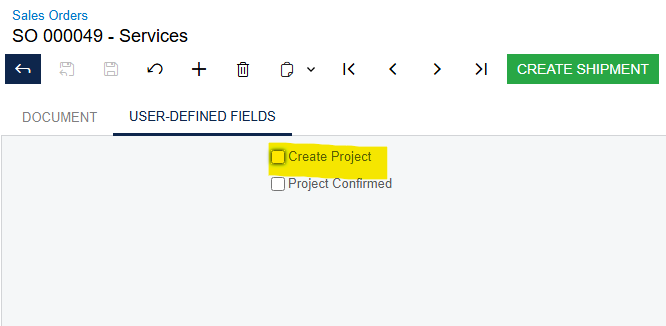
Please see attached for business event, import scenario, and generic inquiry. I have also included an import scenario and business event that kicks off the process by creating a project upon checkbox selection on the original quote. It first runs the “systems project” business event then the “system projects quote writeback” business event.


Thank you


plambert
Semi-Pro I
Forum|alt.badge.img+2
  • Semi-Pro I
  • Answer
  • April 28, 2025

One issue with your import scenario is the Line Details step of ‘Location → Project Task’. That is not an assignment; it’s a lookup. As well detailed by Tip #8 of this handy article, you are looking up a location by reference of the project task. From what you’ve described, you’re going to need two steps: one to lookup the correct line detail record and one to assign the Task ID. Since you said that the line number and task ID are the same, I think it should look like this:

Pardon the error, I don’t have projects enabled in my instance.