Answer

Update Else Create Import Scenario

  • October 11, 2023
  • 7 replies
  • 191 views

Denham
Jr Varsity III
Forum|alt.badge.img

Hello Everyone

As the title says I am trying to create an import scenario that updates existing lines in a grid, if the record on the file is not found, then it creates the line. I am particularly trying to accomplish this on Sales Prices Screen. Here is how I have my import scenario mapped so far:
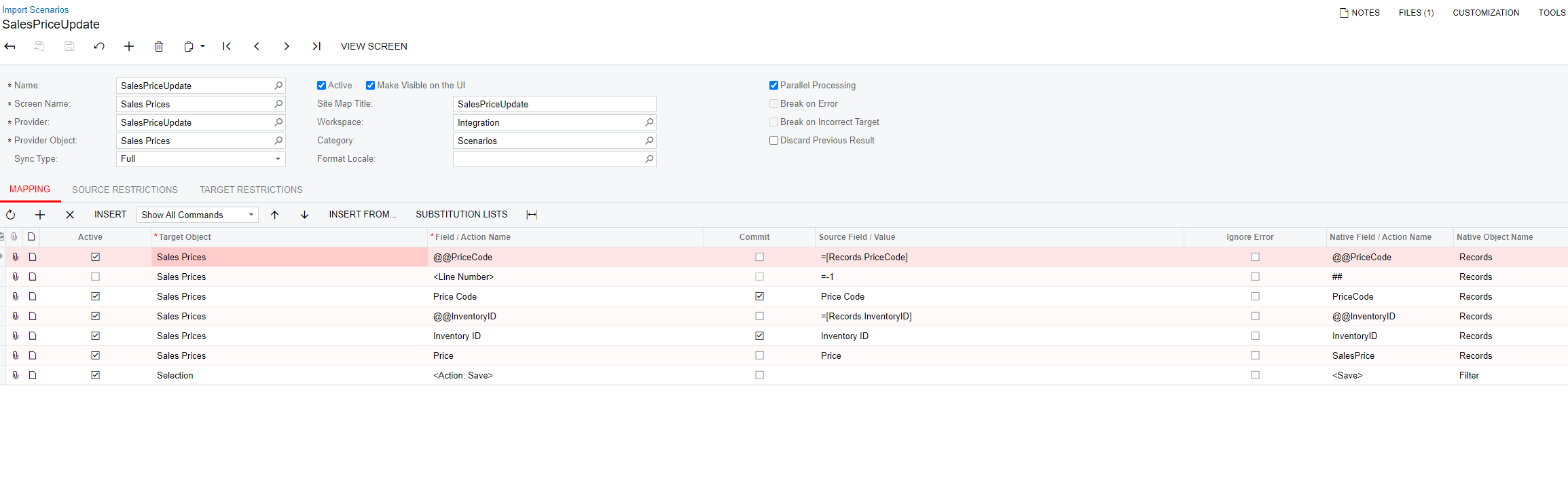


This works fine for updating existing records, but it does not work there is not already a record there for the Price Code/Inventory ID.

Any and all help here would be greatly appreciated!!

Thanks​​​​​​​

Best answer by Kandy Beatty

Hi @Denham 

The Incremental-All will only update the data for the record if it has changed in the source. 

7 replies

Kandy Beatty
Captain II
Forum|alt.badge.img+17
  • Captain II
  • October 11, 2023

HI @Denham 

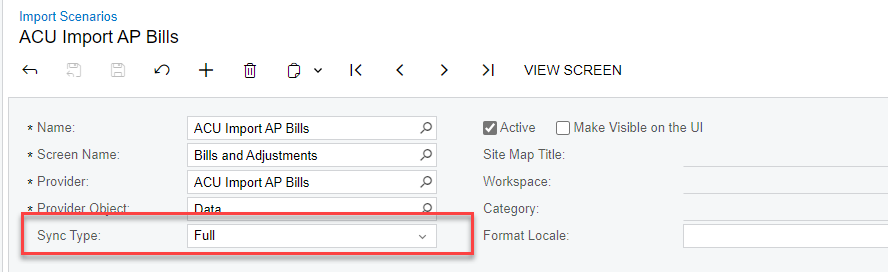
Try changing your Sync Type:


  • Full (default): To perform an import of all the data available in the source.
  • Incremental - All Records: To perform a partial import, including only the data in each record that has changed in the source.
  • Incremental - New Only: To perform a partial import, including only the records that have appeared in the source since the previous import took place.

If the data is imported from a file data source, the Incremental - All Records and Incremental - New Only options provide the same result: If you select either of these options, the system imports the data only if a new version of the source file is provided before the import.


Manikanta Dhulipudi
Captain II
Forum|alt.badge.img+15

Hi @Denham 


Please review the above suggestions


Denham
Jr Varsity III
Forum|alt.badge.img
  • Author
  • October 11, 2023

@kandybeatty49 

Hi Kandy

With the Sync type being changed to Incremental - All Records, will that also import any records that dont exist already? Or will that only update what is being imported that already exists?


Kandy Beatty
Captain II
Forum|alt.badge.img+17
  • Captain II
  • October 11, 2023

Hi @Denham 


It will only update based on the file. If an item is not in the file, it will not touch it. It also will not create new records, it will error if the item is not in the system. 


Kandy Beatty
Captain II
Forum|alt.badge.img+17
  • Captain II
  • October 11, 2023

Also, Acumatica does add the as blank if the item is not in the system and will cause the import to error. 


Denham
Jr Varsity III
Forum|alt.badge.img
  • Author
  • October 11, 2023

So if I upload a file with some records that already exist in the sales prices screen, but with updated pricing, and also some sales price records which dont exist in the sales prices screen and then import with incremental-full being the sync type, it will only import the updated records not the ones that are in the file which dont exist in the screen?


Kandy Beatty
Captain II
Forum|alt.badge.img+17
  • Captain II
  • Answer
  • October 12, 2023

Hi @Denham 

The Incremental-All will only update the data for the record if it has changed in the source.