Answer

Unable to Import PO Return Receipt PR Details

  • May 19, 2023
  • 4 replies
  • 177 views

michellehesketh58
Jr Varsity II

HI All!  I am attempting to design an import scenario that will create PO Return Receipts.  I am unable to successfully import when attempting the “Add PR” step.  Here are the details:

  • I have a data provider that is a GI containing the original receipt details
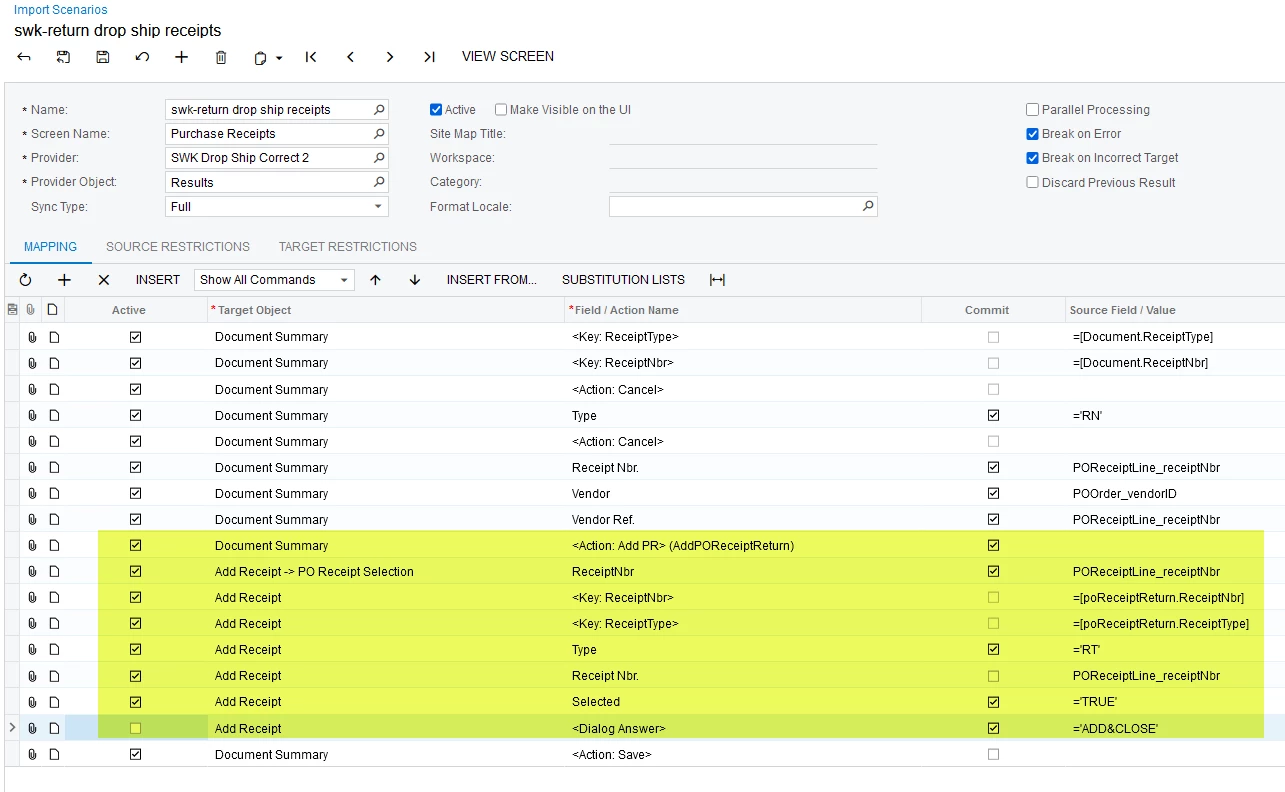
  • Here is a screenshot of the existing Import Scenario:
  • The highlighted area is where the issue is occurring.  If I remove the <Dialog Answer> and the <Action: Add PR> (AddPOReceiptReturn) line – the import executes and creates a Return Receipt without the Receipt details

    • If the import is executed with the lines, an error occurs but there is no error message
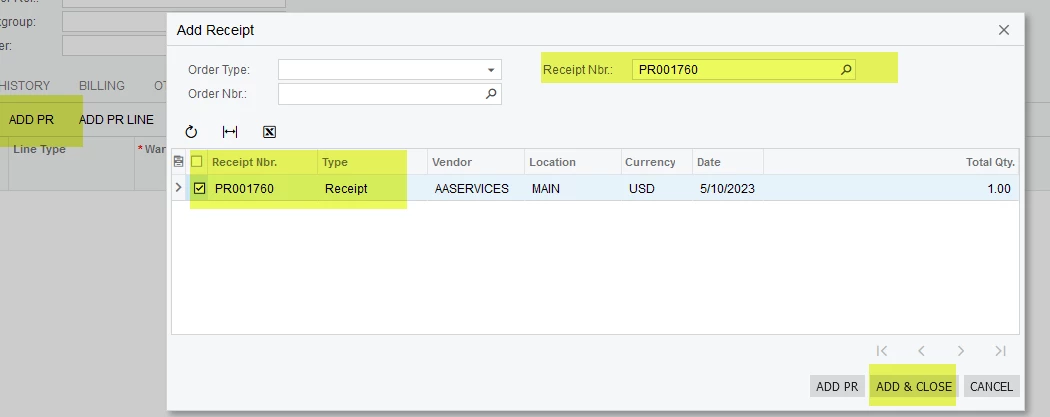
  • This is the part of the entry that I am attempting to automate in the import that is failing:
I appreciate any assistance or advice on how to make this import run successfully.

Thanks! Michelle

Best answer by riglesias

Hi @michellehesketh58 

Try moving down <Action: AddPR> line (below <Dialog Answer> line.
And for the <Dialog Answer> line value, instead of using add an close map it to =’OK’ 


Hope this helps.

4 replies

riglesias
Acumatica Employee
Forum|alt.badge.img+2
  • Acumatica Employee
  • Answer
  • May 19, 2023

Hi @michellehesketh58 

Try moving down <Action: AddPR> line (below <Dialog Answer> line.
And for the <Dialog Answer> line value, instead of using add an close map it to =’OK’ 


Hope this helps.


michellehesketh58
Jr Varsity II

@riglesias - Thank you very much for the information - I am gong to test it now!

Michelle


Forum|alt.badge.img+1
  • Jr Varsity II
  • July 17, 2023

@riglesias 

Hello, I am having a very similar issue but with adding a PR Line to a return.  I moved the Add PR Line below the dialog answer and it fires without error but does not create a new record.


Manikanta Dhulipudi
Captain II
Forum|alt.badge.img+15

@dgross Please try the below one’s