Answer

To Update Multiple Vendors through Import Scenario in 25R1

  • October 3, 2025
  • 3 replies
  • 70 views

Sagar Greytrix
Captain II
Forum|alt.badge.img+3

Hi Team, 

I’m trying to update multiple Vendor IDs in Acumatica 25R1 using an Import Scenario. The Import Scenario itself runs fine when tested manually, but I cannot get it to work in bulk. My main challenge is that the Generic Inquiry I created is not showing up as a source in the Import Scenario. Since the Vendor screen works off the Vendor DAC, I expected the GI to be selectable, but it remains unavailable. I also noticed that Import Scenario as a subscriber in Business Events is disabled for the Vendor screen. Has anyone found a working method to bulk update Vendor IDs or use a GI as a data source for this in 25R1?


Best answer by hkabiri

@Sagar Greytrix I do not think you can use GI as Data Provider as it is only being used for Business Process Provider Type and cannot be manually selected. This specific provider type is being used for Business Events which is being created from Business Events.

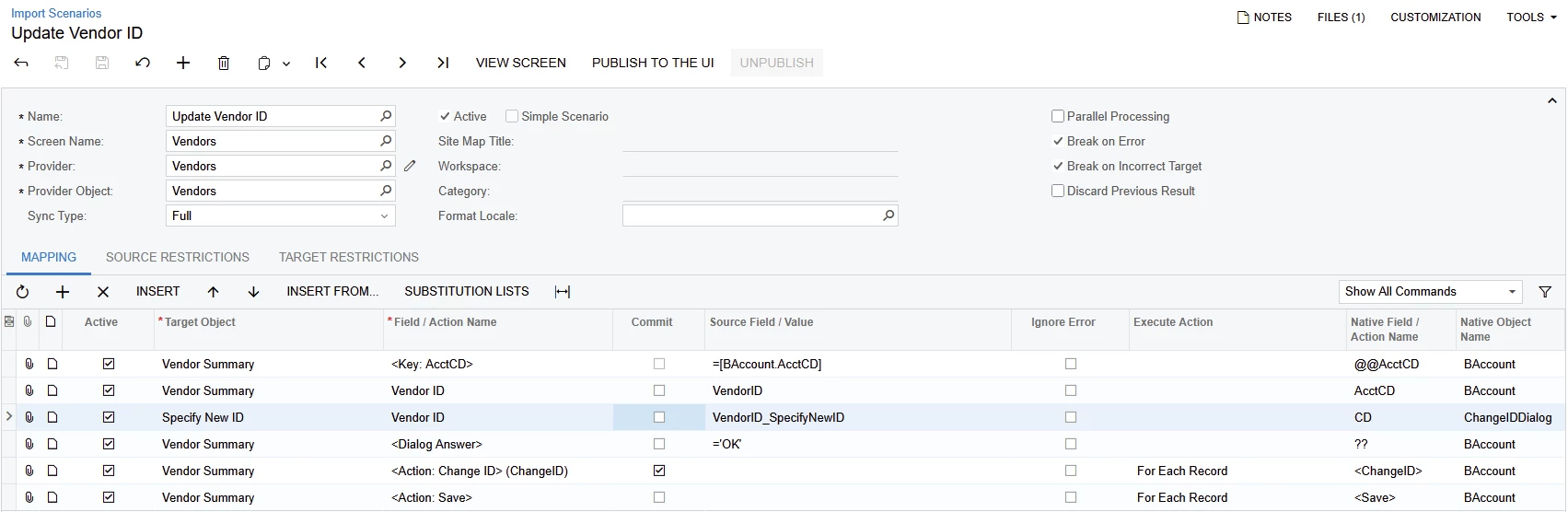
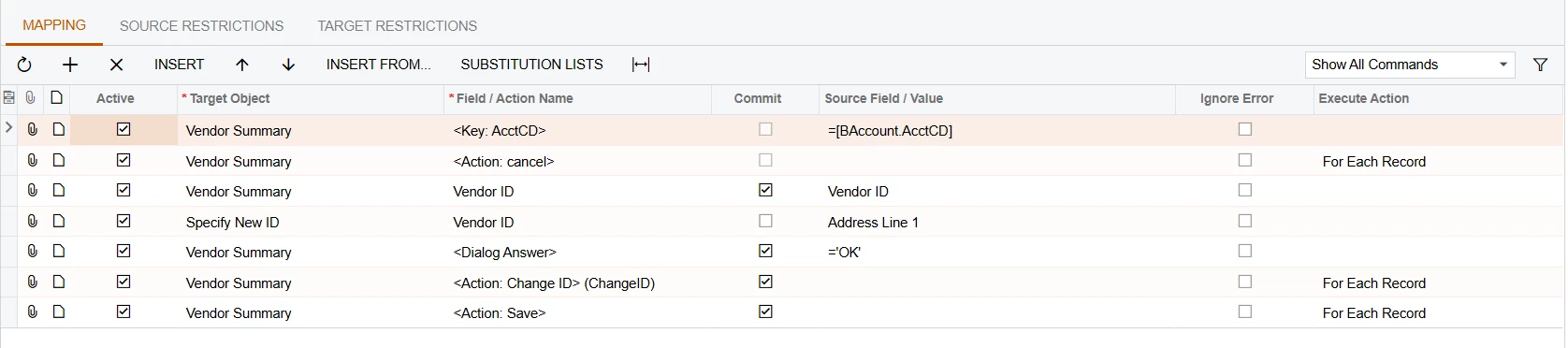
You can try the following mapping with a normal Import scenario provider, CSV, Excel or any other supported type to mass update the vendor ID. I tested it with two vendors on my end and it worked with no problem.


3 replies

hkabiri
Acumatica Moderator
Forum|alt.badge.img+8
  • Acumatica Support Team
  • Answer
  • October 7, 2025

@Sagar Greytrix I do not think you can use GI as Data Provider as it is only being used for Business Process Provider Type and cannot be manually selected. This specific provider type is being used for Business Events which is being created from Business Events.

You can try the following mapping with a normal Import scenario provider, CSV, Excel or any other supported type to mass update the vendor ID. I tested it with two vendors on my end and it worked with no problem.


bwhite49
Captain II
Forum|alt.badge.img+10
  • Captain II
  • October 7, 2025

You can swap about the business event subscriber in the import scenario. I think you have to remove the import scenario from the subscriber list in the business event in order to change the data provider on the import scenario.

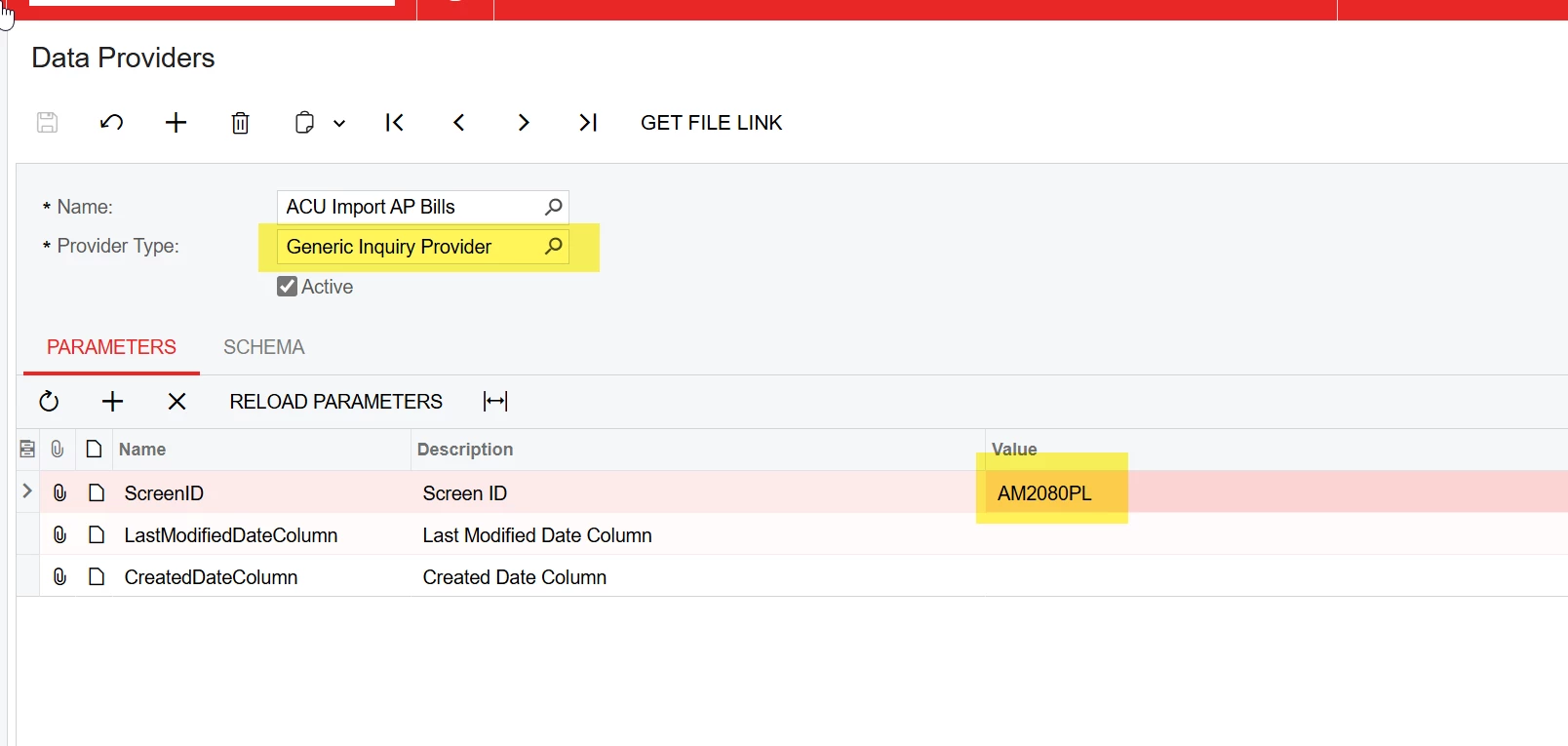
You will need to create a new data provider for the generic inquiry. Give it a name, change the provider to GI, and the add the GI screen ID to the ScreenID field. Make sure the GI is fully published and permissions are granted so that you can access the GI through a screenID.

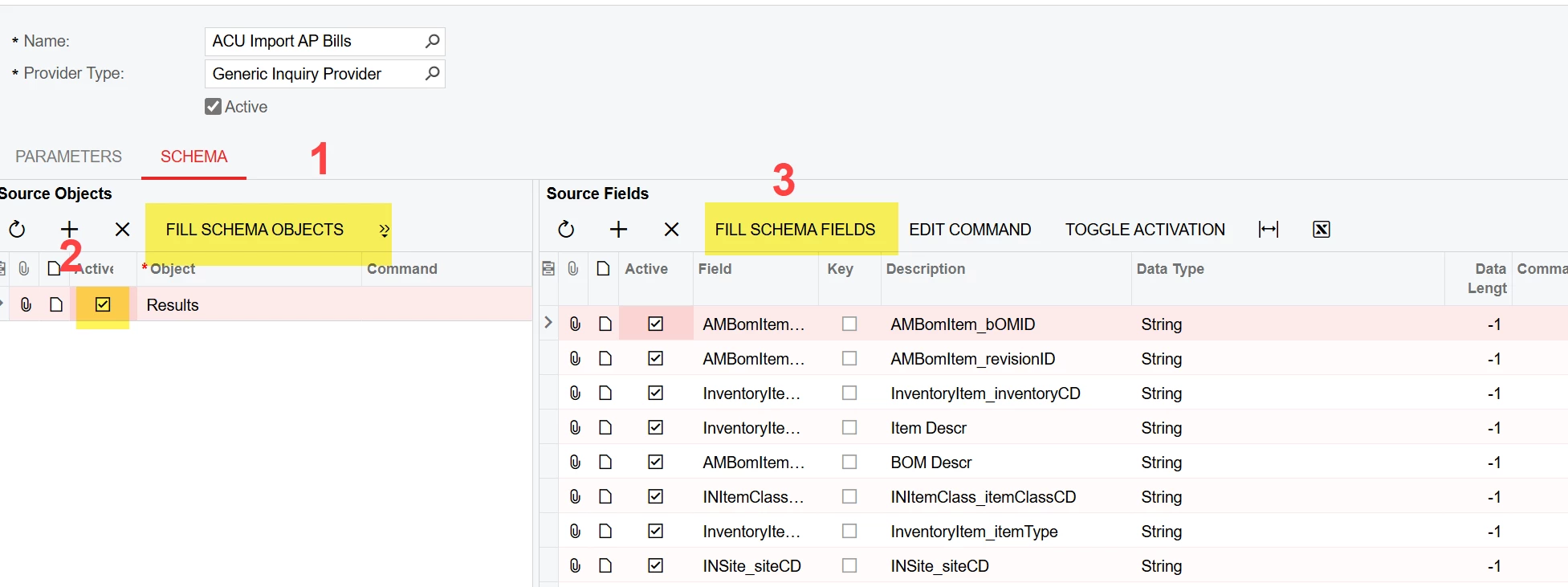
After that, click these 3 buttons...


And then connect your import scenario to this new data provider


dgodsill97
Varsity I
Forum|alt.badge.img+3
  • Varsity I
  • October 7, 2025

You need to Publish the GI so you can select it the Screen in the Business Event.  It does not have to be in a workspace just in the site map.  A tip, if you need to add more fields to gi after adding them, click on the Data Provider in the Import Scenario and update the Schema and you can use them in the import.

You cannot create a Import Scenario as a subscriber for a Data Entry screen because Import Scenarios only support lists of records like GI’, Excel, SQL, XML, etc.