Solved

The Business Event gives a warning mark and requires manual execution.

  • February 2, 2026
  • 7 replies
  • 66 views

Forum|alt.badge.img

Hello, 

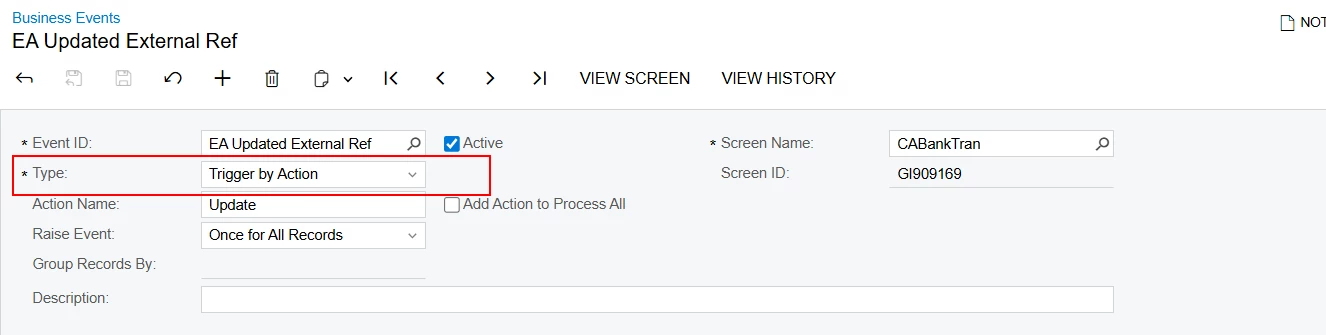
I am creating a Business Event to update the External Ref Number field on the “Import Bank Transactions” form. 
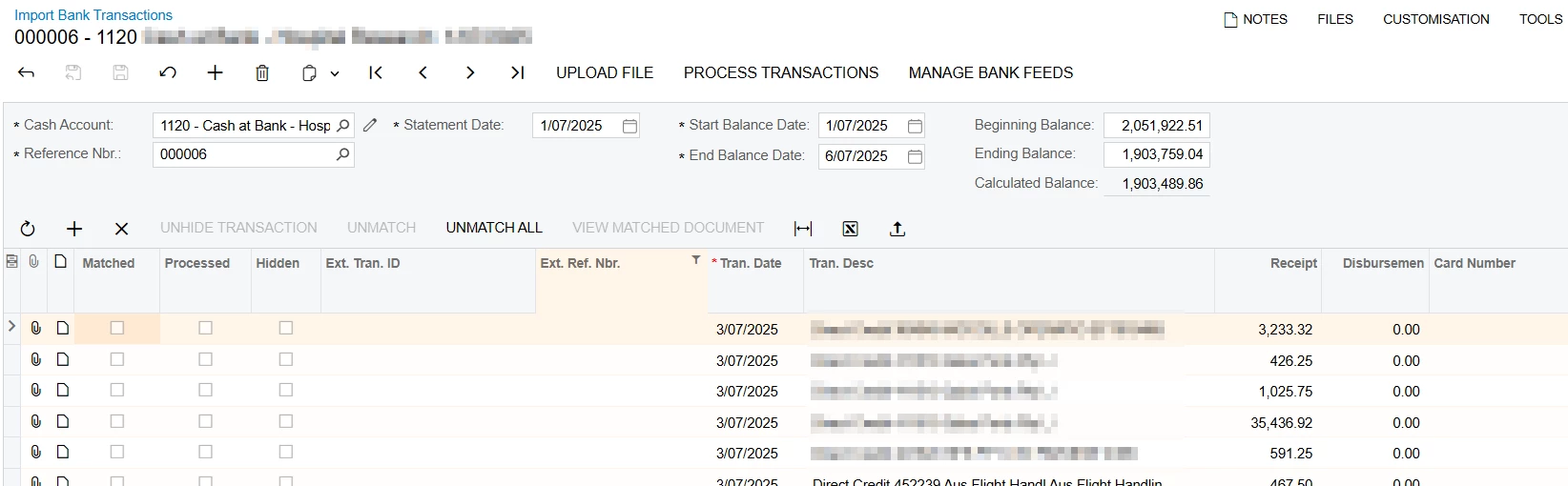
 

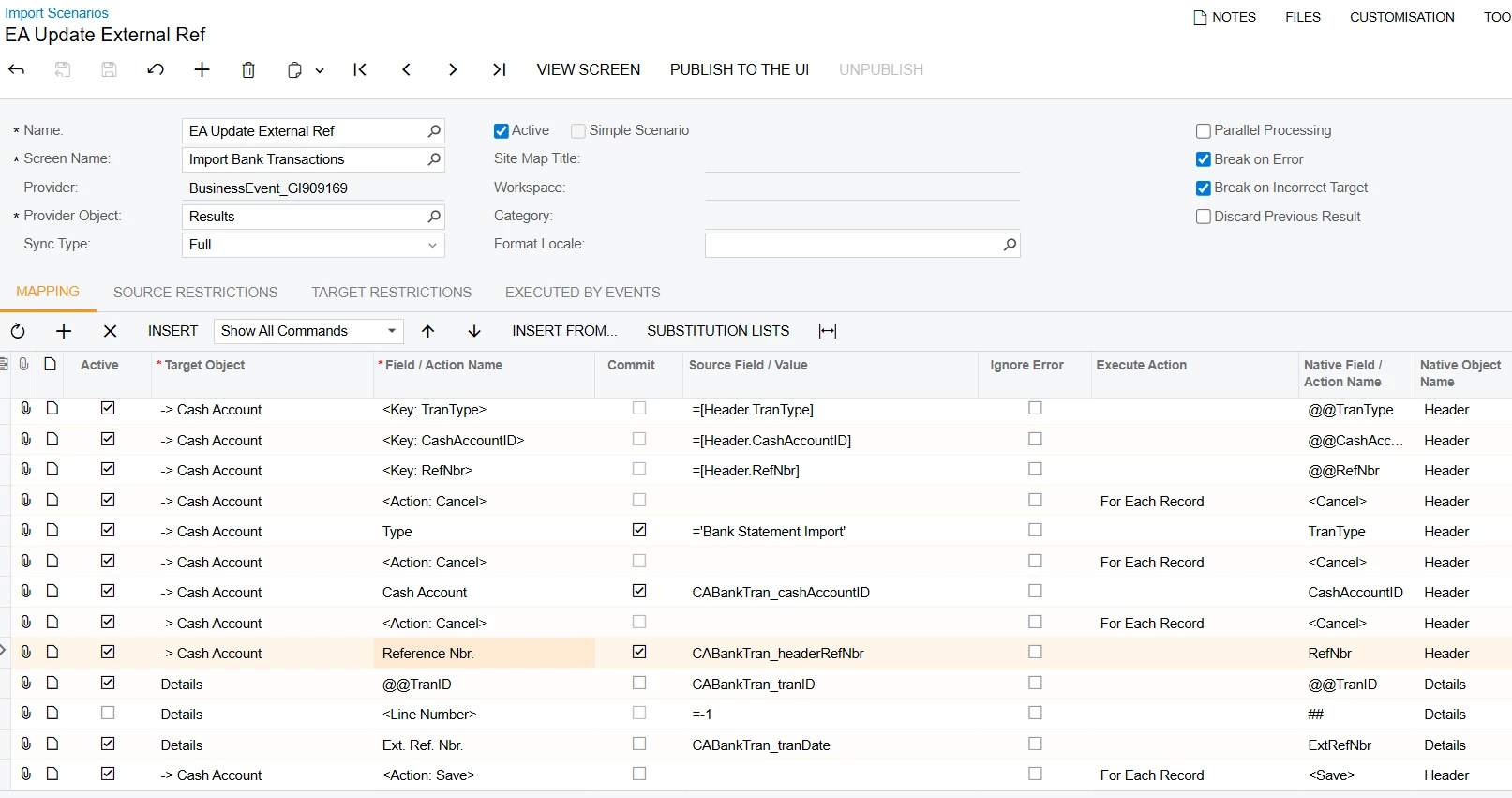
I have created an Import Scenario as the subscriber, and the mapping is as below. 
 For the testing purpose, I entered an action on the screen and perform the action manually. But it gives me the below error. 
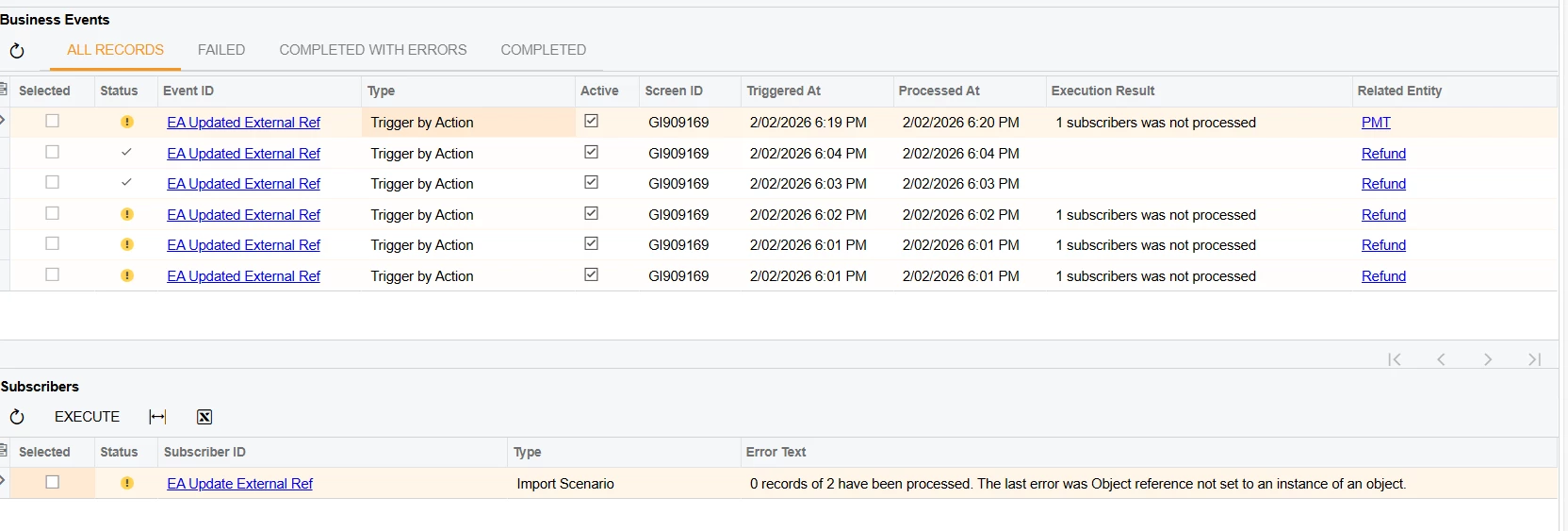
But the scenario works and update the external number when I execute it manually. 

Is there’s a way that I can, correct?

Thank You

Best answer by apallawala21

Hi ​@MissyMain41 

Thank you for your suggestion, the issue was resolved after selecting “parallel Processing” check box on the Import Scenario form. 

Thank You

7 replies

Forum|alt.badge.img
  • Freshman II
  • February 2, 2026

@apallawala21,

Could you please share the code behind the action you’re triggering this Business Event from?
It’s possible the issue is related to how that action is implemented, and seeing the code would help confirm whether it’s causing the null reference during event execution.


Manikanta Dhulipudi
Captain II
Forum|alt.badge.img+16

@apallawala21 It is someerrors in the Business events-Import scenario configuraiton issue.


could you please revalidate the import scenario and verify,


Forum|alt.badge.img
  • Author
  • Jr Varsity III
  • February 2, 2026

Hi ​@VaheGhazaryan 


I am referring to the Action which can be entered through the Business Event. 


And I tried the same from Import Scenario with Excel upload, that works fine. 


MissyMain41
Jr Varsity I
Forum|alt.badge.img
  • Jr Varsity I
  • February 2, 2026

Any difference if changing to “once for each record” instead?


Forum|alt.badge.img
  • Author
  • Jr Varsity III
  • February 5, 2026

@MissyMain41 

I’ve tried that option, but it is still the same. 

Thank You


MissyMain41
Jr Varsity I
Forum|alt.badge.img
  • Jr Varsity I
  • February 5, 2026

@MissyMain41 

I’ve tried that option, but it is still the same. 

Thank You


Alrighty, well I have seen business event get disconnected from the import scenario before. So perhaps  this could help:

  1. Run request profiler (SQL logging included) and then trigger the BE - check Request Profiler → exceptions tab to see if it logged the object reference error and view the exception, perhaps something can be gleaned from it
  2. Reboot the site to clear any back-end caching that may be related to GI screen ID changes, sometimes changing screen ID of a GI connected to a BE/Import can cause a disconnect between the import data provider that was built for the BE and the BE itself 
  3. Rebuild the import subscriber directly on the BE itself, when rebuilding it you can use “insert from” to pull the configs from the broken import/provider to make it easier and faster and see if that helps connect the two again 
  4. Instead of testing the import using excel provider manually, it would be best to test with “Generic Inquiry” data provider instead, and use the same exact GI that is associated with the BE 

Forum|alt.badge.img
  • Author
  • Jr Varsity III
  • Answer
  • February 10, 2026

Hi ​@MissyMain41 

Thank you for your suggestion, the issue was resolved after selecting “parallel Processing” check box on the Import Scenario form. 

Thank You