Solved

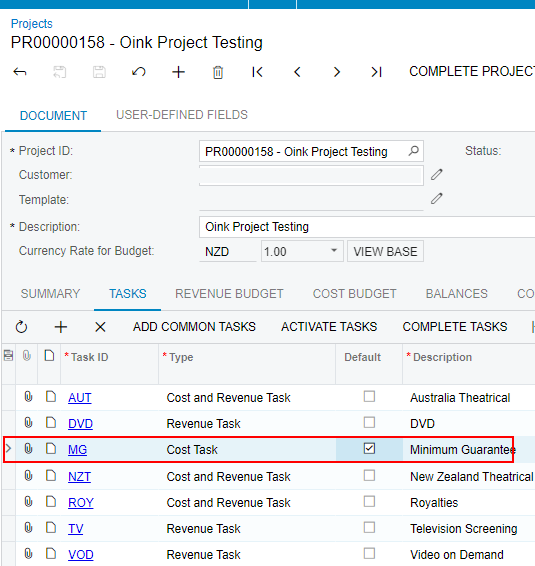
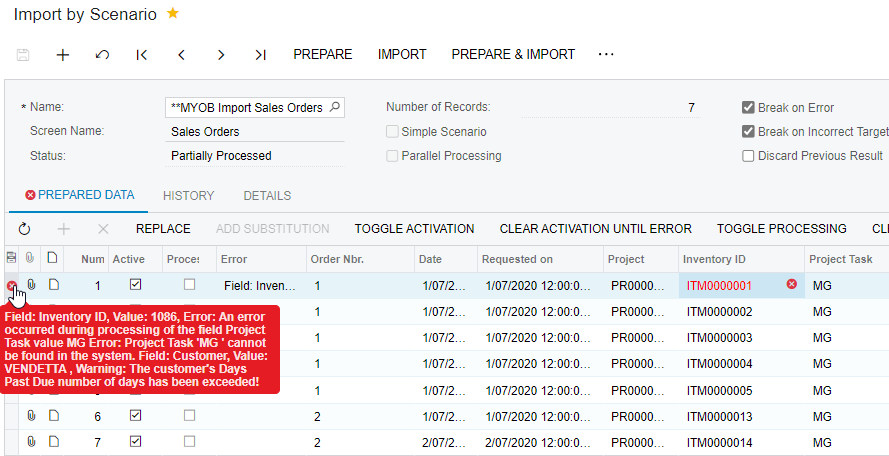
Sales order import scenario giving error when default project task is ticked on the project

  • October 30, 2024
  • 4 replies
  • 91 views

Forum|alt.badge.img

Hi,


I'm encountering an issue when importing sales orders using the import scenario. I receive an error if the project task is marked as the default task for the project.

However, if I untick the default task option, the import scenario works fine and successfully imports all the sales orders.


Does anyone know how to resolve this issue?


Thanks

Best answer by Laura03

Hello,

If you manually enter the same Sales Order with default project-task ticked on, do you see the same error in the manual entry that you see in your import?

If you change nothing in your import, but change a few lines from MG to a different task, just as a test, does the import work?

Is the Default task for GL populated on the Defaults tab of the Project?  If not populated, please try populating the default task on the Defaults tab of the project, to see if the error is resolved on your import.

It may be helpful to know your version. In the following post, Harry reported a bug caused the same error on his business event:

Did you see this previous post where LBarker suggests Allow new Items on the Fly in Warehouse settings?

Laura

4 replies

Laura03
Captain II
Forum|alt.badge.img+19
  • Captain II
  • Answer
  • October 30, 2024

Hello,

If you manually enter the same Sales Order with default project-task ticked on, do you see the same error in the manual entry that you see in your import?

If you change nothing in your import, but change a few lines from MG to a different task, just as a test, does the import work?

Is the Default task for GL populated on the Defaults tab of the Project?  If not populated, please try populating the default task on the Defaults tab of the project, to see if the error is resolved on your import.

It may be helpful to know your version. In the following post, Harry reported a bug caused the same error on his business event:

Did you see this previous post where LBarker suggests Allow new Items on the Fly in Warehouse settings?

Laura


Forum|alt.badge.img
  • Jr Varsity II
  • May 3, 2025

@pankaj65  were you able to find a solution to this issue? I'm encountering the same problem and not sure how to fix it


Forum|alt.badge.img
  • Author
  • Jr Varsity III
  • May 3, 2025

HI ​@hthuy24 


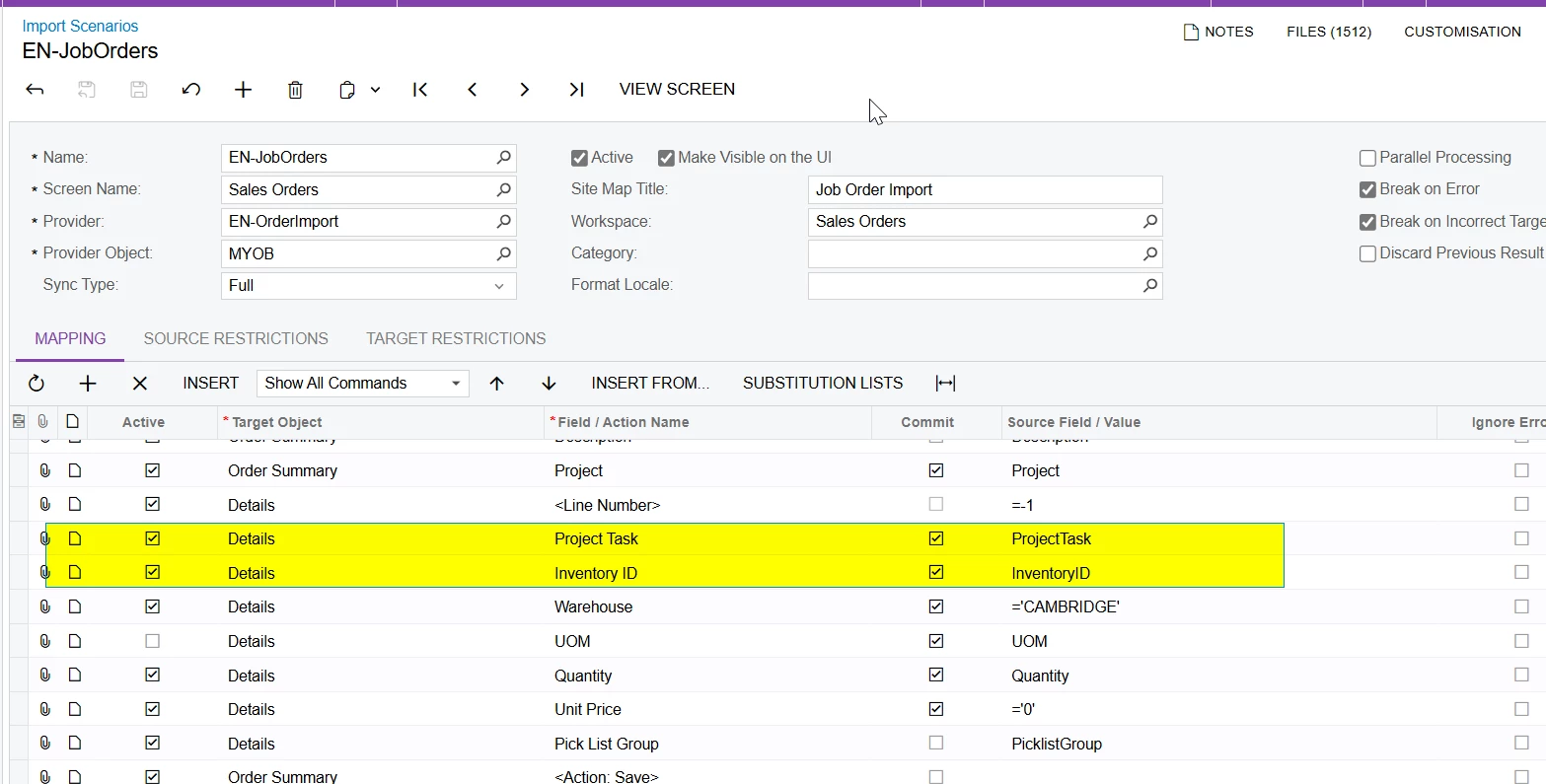
Move project task above inventory id in the import scenario and then try to import the data, as displayed in below screenshot.


Thanks.


Forum|alt.badge.img
  • Jr Varsity II
  • May 3, 2025

HI ​@hthuy24 


Move project task above inventory id in the import scenario and then try to import the data, as displayed in below screenshot.


Thanks.

Thank you so much