Solved

Sales Invoice Import Scenario - Use stock item attribute as identifier

  • September 19, 2022
  • 4 replies
  • 338 views

chris49
Varsity II
Forum|alt.badge.img

Good day,

Is it possible to use a UDF/attribute on the stock item in an import scenario to add lines to a Sales Invoice using import scenarios?

We’re entering some sale agreements with a third-party retailer, who will sell our products in their stores and then send us a sales report of the items sold. Unfortunately, they are unable to use our Inventory IDs in their sales reports, so we would need to find a way to generate sales invoices whereby we can use the third party’s item identifier to look up which stock item should be used to import the invoice.

This would likely be similar to the idea of using e.g. @@InventoryID, etc. on the usual imports, but in this case, we would need to select which stock item to use by looking at the attribute value.

Any assistance is highly appreciated.
Best answer by Kandy Beatty

HI @chris49 

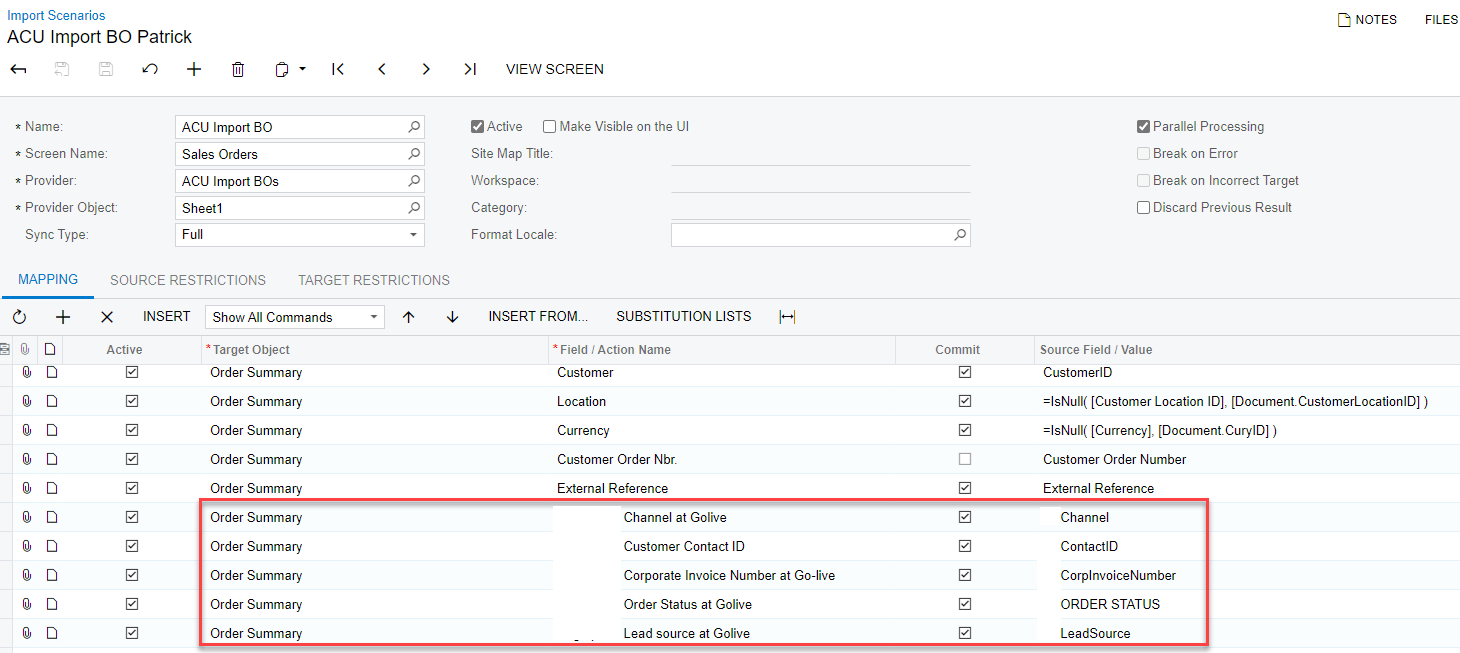
Yes, you can import on Sales Orders with UDF’s. 


These are for the the Sales Order as a whole.


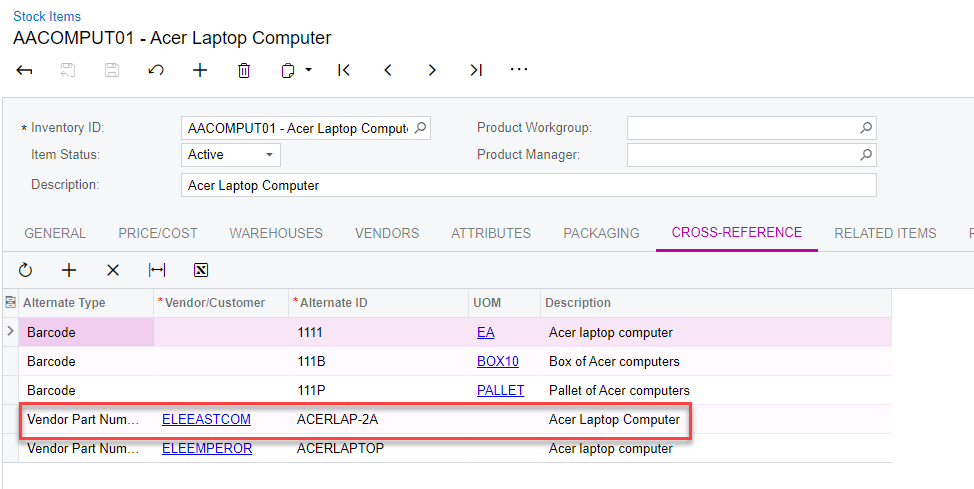
Have you thought about using the Alternate ID (which is under the Cross Reference section on the Inventory ID) field on the SO line to import their Inventory ID’s? The Alternate ID would need to be defined though first in the system. It would populate based on the Vendor/Customer. 


4 replies

Kandy Beatty
Captain II
Forum|alt.badge.img+17
  • Captain II
  • Answer
  • September 19, 2022

HI @chris49 

Yes, you can import on Sales Orders with UDF’s. 


These are for the the Sales Order as a whole.


Have you thought about using the Alternate ID (which is under the Cross Reference section on the Inventory ID) field on the SO line to import their Inventory ID’s? The Alternate ID would need to be defined though first in the system. It would populate based on the Vendor/Customer. 


Laura03
Captain II
Forum|alt.badge.img+19
  • Captain II
  • September 19, 2022

Hello Chris,

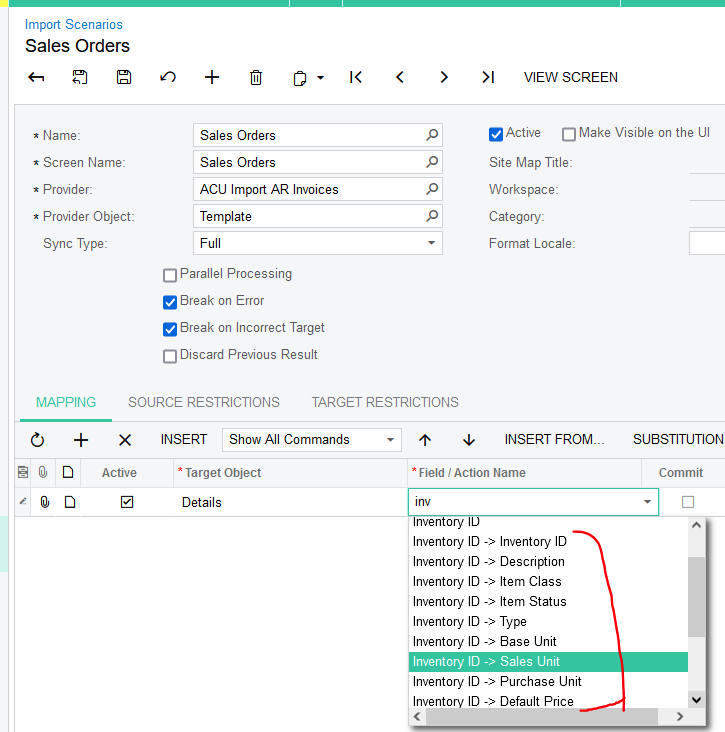
My answer assumes no customizations. To see the available alternate fields we can use to import inventory items:

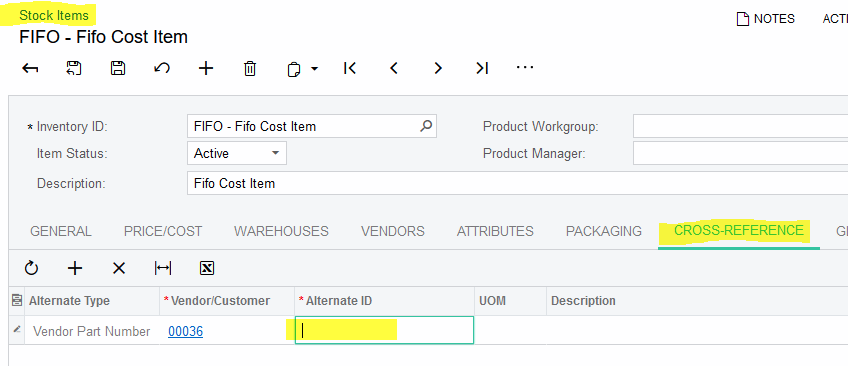
I think it’s worth checking out whether the vendor’s parts can successfully import using Cross-Reference tab of stock items.  Try entering the 3rd party item id’s in cross reference and then try importing using the vendor’s id with the “Inventory ID” field above.


chris49
Varsity II
Forum|alt.badge.img
  • Author
  • Varsity II
  • September 19, 2022

Hi @kbeatty21 & @laura01 ,

This is EXACTLY what I needed! Thank you both so much 🙇🏼 PS. Since this is a sales invoice, I chose Customer Part Number instead of Vendor Part Number, but it converts it neatly to our internal identifier.

Thank you very much 🙌🏻


Kandy Beatty
Captain II
Forum|alt.badge.img+17
  • Captain II
  • September 19, 2022

HI @chris49 

Glad to have helped!!!