Solved

Remove Hold in Mass on Import Scenario

  • Oct 26, 2022 8:58 PM UTC
  • 8 replies
  • 1049 views
  • Translate All

Forum|alt.badge.img

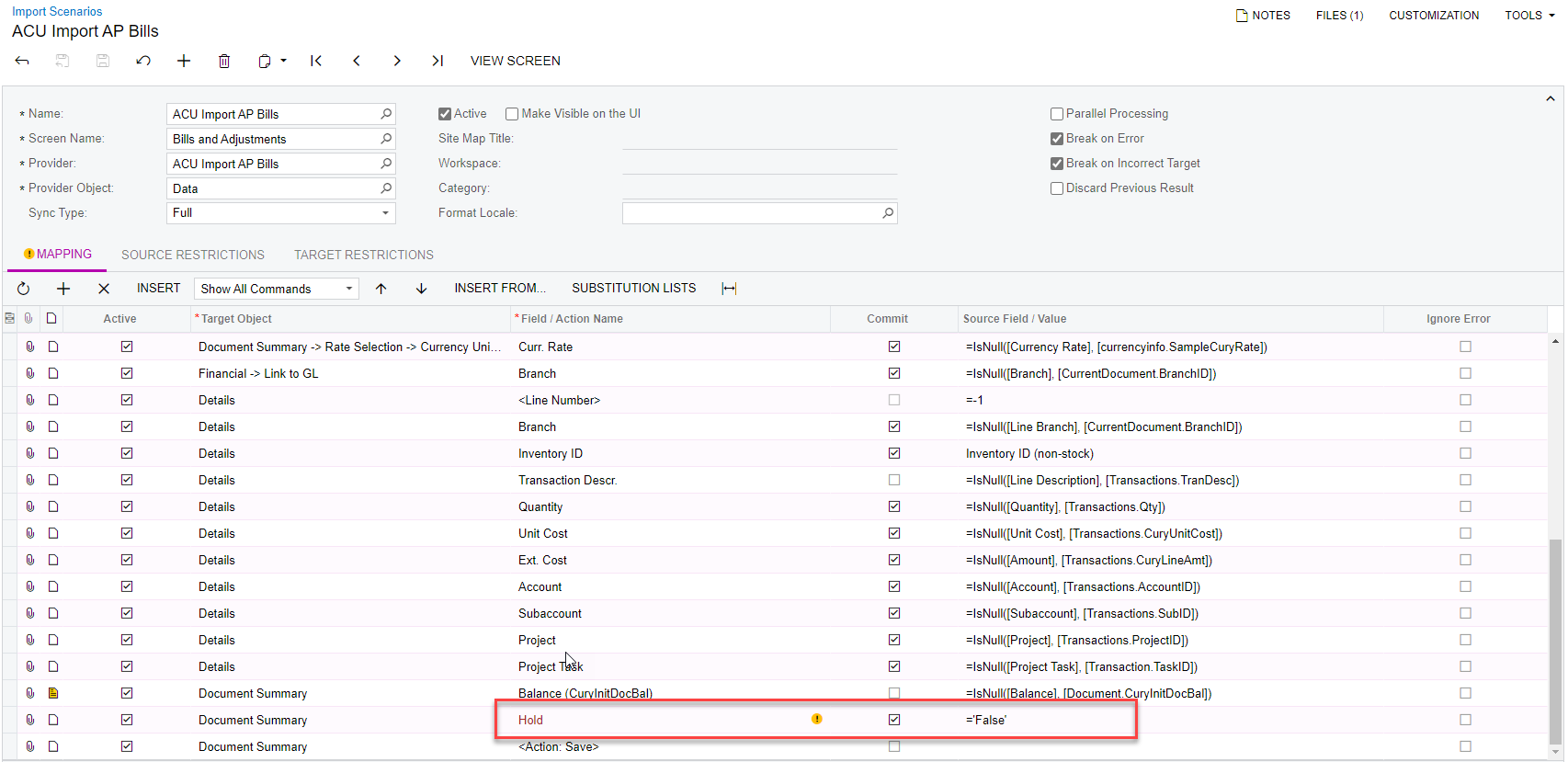
Hello - I am just trying to create an import scenario to remove the hold from AP bills in mass. Below is my import scenario that I cannot get to work. Can someone tell me if I am doing something wrong? 
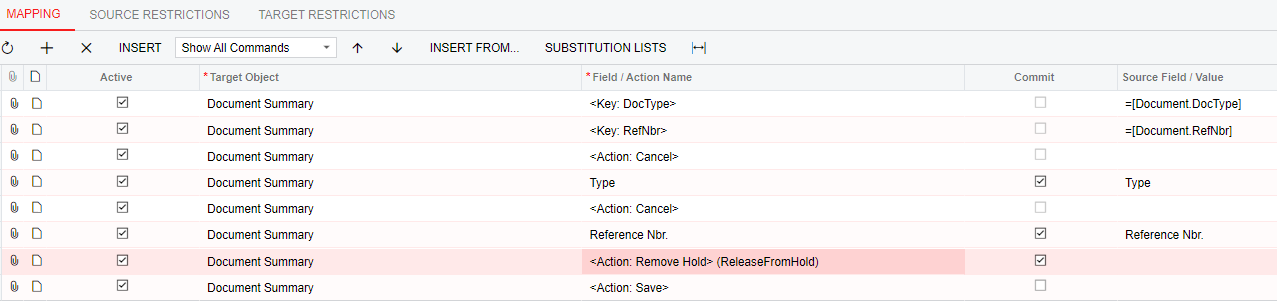


Best answer by Kandy Beatty

HI @ashleyb 

Try this:


View original

8 replies

Kandy Beatty
Captain II
Forum|alt.badge.img+18
  • Captain II
  • Answer
  • Oct 26, 2022 9:15 PM UTC

HI @ashleyb 

Try this:


Translate

Forum|alt.badge.img
  • Author
  • Varsity I
  • Oct 26, 2022 9:20 PM UTC

Wow that worked! Thank you so much!!

Translate

Kandy Beatty
Captain II
Forum|alt.badge.img+18

Wow that worked! Thank you so much!!

Glad to have helped ;)

Translate

apretorius62
Freshman I
Forum|alt.badge.img

I have a problem with this scenario…

If the Bill has more than one detail line, only the first line imports. it ignores the rest.

Anybody got it to work with many detail lines and then take the hold off?

Translate

cgrigg
Freshman I
  • Freshman I
  • Mar 29, 2023 9:42 PM UTC

Running into the same problem as @apretorius62 

I have an import scenario for AP Bill where only the first line of detail for doc type Bill imports properly and all other detail lines are ignored.  However, Debit Adj. doc types import correctly with all lines.  Import scenario is pointing at AP.30.10.00  I’ve tried Hold = ‘True’ and a whole host of other things.

Translate

martingaxiola
Varsity I
Forum|alt.badge.img

Did you find any solutions for the Hold to be removed after all the Details Lines are loaded on the bill? i am having that Issue @cgrigg @apretorius62?


Translate

cgrigg
Freshman I
  • Freshman I
  • May 8, 2024 6:12 PM UTC

Martin,

The quirk is supposed to be resolved in Acumatica 2023R2 and onward.  If you are on that version or later, there should be examples in the documentation about how to trigger the Remove Hold & Release actions on completion of a set of detail rows before moving to the next header doc. @martingaxiola 

Translate

martingaxiola
Varsity I
Forum|alt.badge.img

@cgrigg thank you! i resolved by changing the “Execute Action” on the Removed Hold Field and Save Action to be Once, For Last Detail Line. The Execute Action is under the Column Configurator and you need to added to the grid. Thank you for the reply!

Translate