Question

Release Invoice via Import Scenario

  • February 9, 2026
  • 3 replies
  • 10 views

Michaelh
Pro I
Forum|alt.badge.img+2

Here is my import scenario, it feeds off a GI that JUST created the invoice, so I KNOW it has a customer ID on it…
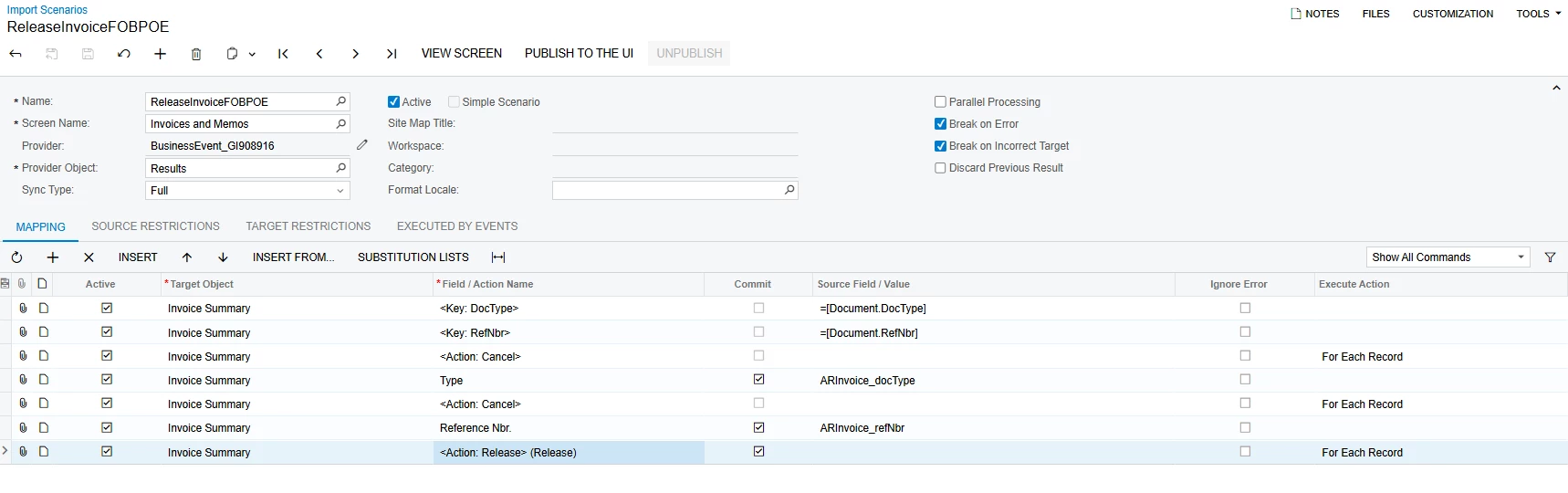


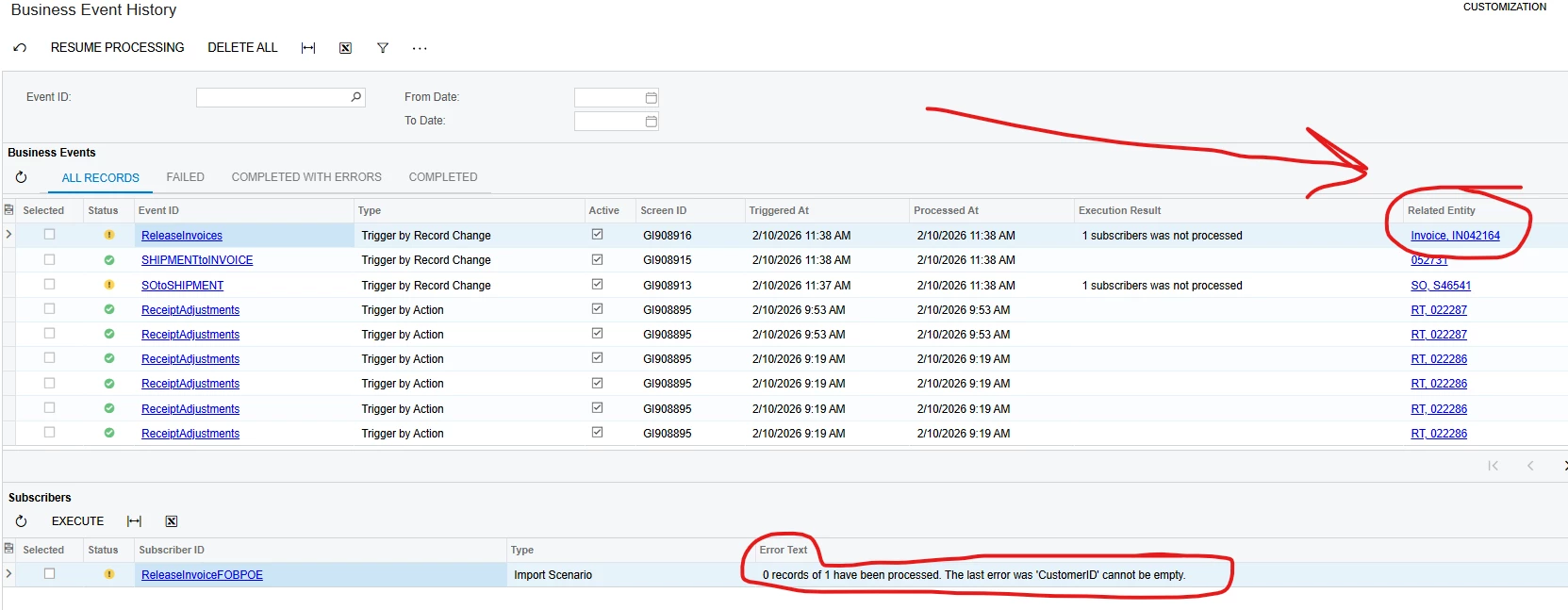
My business event history says: 0 records of 1 have been processed. The last error was 'CustomerID' cannot be empty.

These are all fully built and simply need to have “release” clicked. When I open any of the error’ed out invoices, I just hit RELEASE and it’s done, but this should be done by the import scenario, so any help is greatly appreciated since I’m clearly missing something here.

3 replies

lauraj46
Captain II
Forum|alt.badge.img+9
  • Captain II
  • February 9, 2026

Hi ​@Michaelh,

The error message leads me to believe that the system is attempting to save a new invoice.  Have you doublechecked that the GI is selecting the DocType and RefNbr of the newly created invoice?  Have you considered releasing the invoices in the same scenario that you create them?

Laura


Michaelh
Pro I
Forum|alt.badge.img+2
  • Author
  • Pro I
  • February 10, 2026

This is a daisy chain of business events.

The 1st GI handles Sales Orders who are then processed into shipments via import scenario.

This then activates a 2nd GI, who then creates invoices off those Shipments via import scenario.

Then the final GI activates the last import scenario to release those invoices.

You need 3 import scenarios because each scenario only supports a single screen (Sales Order, Shipments, Invoices).

So I know they exist, I know they are new, I know they all have data. Your assumption sounds right though, I tend to get those error messages when it thinks something is “new”.

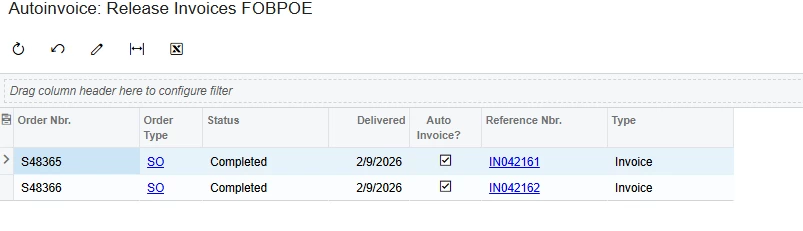
Here is the inquiry data for the final step (I’m only using the last two fields for this part).
 

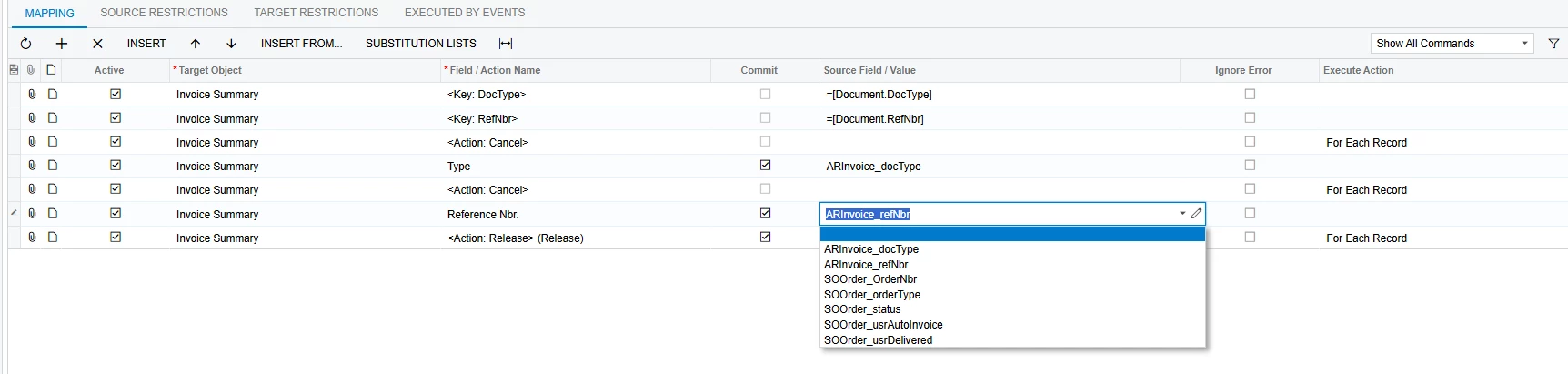
Here is my mapping showing all possible options from the GI and where I applied them


Thanks!


lauraj46
Captain II
Forum|alt.badge.img+9
  • Captain II
  • February 10, 2026

Hi ​@Michaelh ,

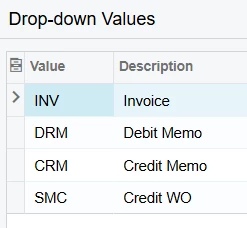
I think your issue may be with the Document Type field.  The GI is returning ‘Invoice’ as the DocType, but I think the import scenario is expecting ‘INV’.  If you are creating the invoices and know the type then you could hardcode =’INV’ for the value in the import scenario.  Alternatively, in your GI you could specify the doctype result column as a formula: =[ARInvoice.DocType] .  This should return the value instead of the description for the field and then you could map the GI result column directly in your scenario.

Hope this helps!

Laura