Answer

Physical Inventory Upload Counts

  • September 26, 2023
  • 4 replies
  • 244 views

Forum|alt.badge.img

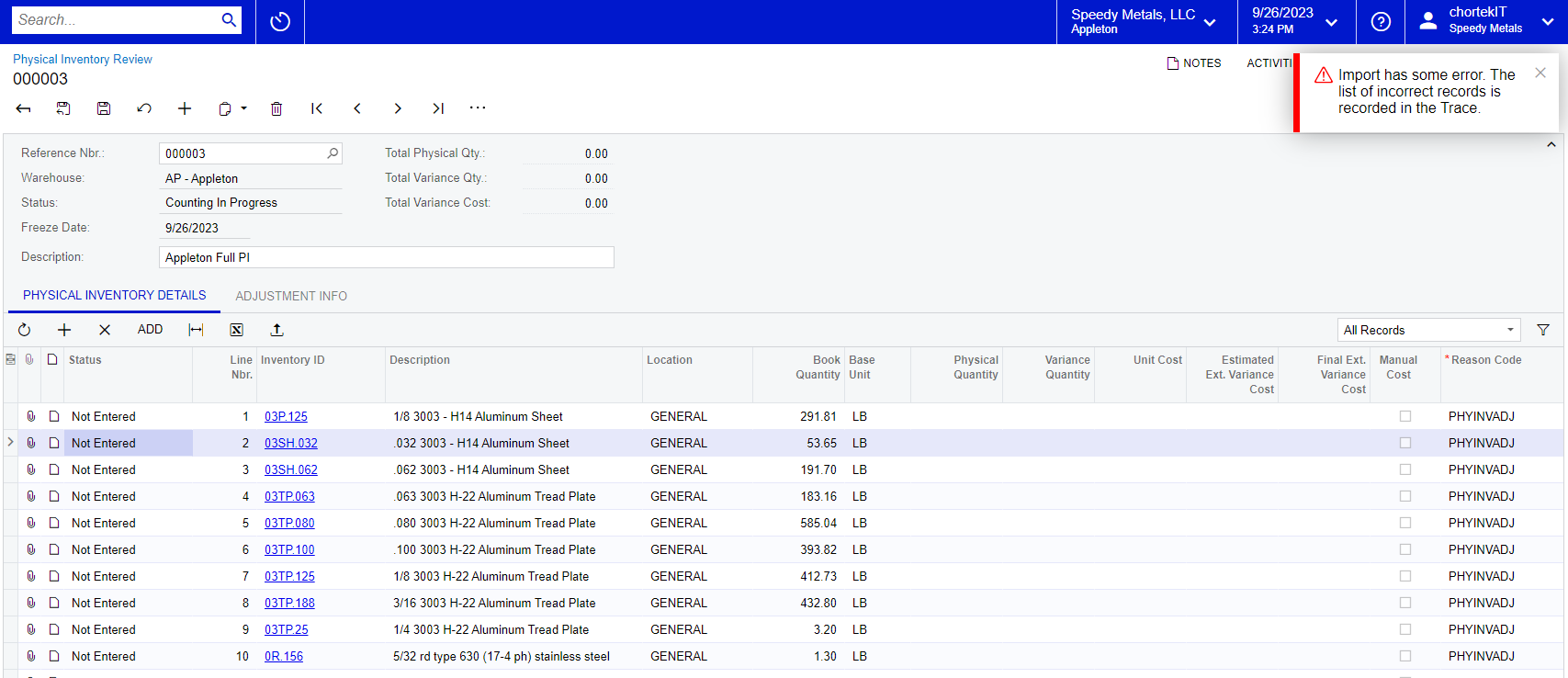
We are trying to import the PI inventory counts from excel and receiving an error.  Steps taken

  1. Export the list with the Excel button.
  2. Enter the Physical Quantities in the the column for Physical Quantities in the excel.  Save excel and click upload.  There is only the one column to update.  Expected this to be “easy”

Dont know how to find the Trace in the error message to try to identify the error.
 

Best answer by sspencer

it seems the issue was Physical Quantity has to be defined as Numeric in the excel spreadsheet not as general and we also changed this to 2 decimal places.   Then it worked.  Weird.

4 replies

Forum|alt.badge.img
  • Author
  • Jr Varsity III
  • Answer
  • September 26, 2023

it seems the issue was Physical Quantity has to be defined as Numeric in the excel spreadsheet not as general and we also changed this to 2 decimal places.   Then it worked.  Weird.


Kandy Beatty
Captain II
Forum|alt.badge.img+17
  • Captain II
  • September 26, 2023

HI @sspencer 

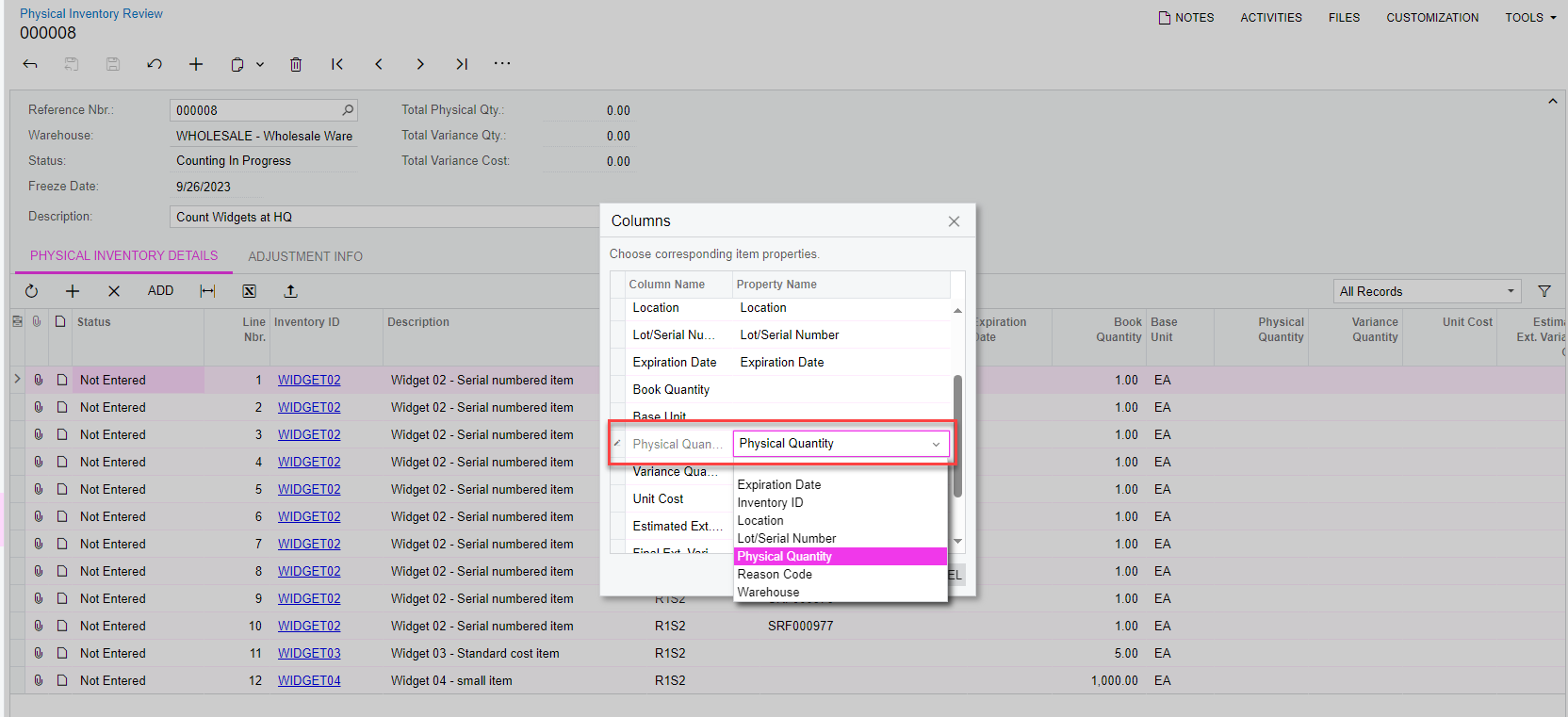
I know you got the answer to this, but I was just going to suggest when you upload, make sure that the Physical Quantity Column is defined when you re-import the counts. 


Forum|alt.badge.img
  • Author
  • Jr Varsity III
  • September 26, 2023

I would still like to know where to find this trace information.   I am now trying to upload more information and ADD records not just update existing records.   What do i need to do to Add New Rows.


Kandy Beatty
Captain II
Forum|alt.badge.img+17
  • Captain II
  • September 26, 2023

HI @sspencer 

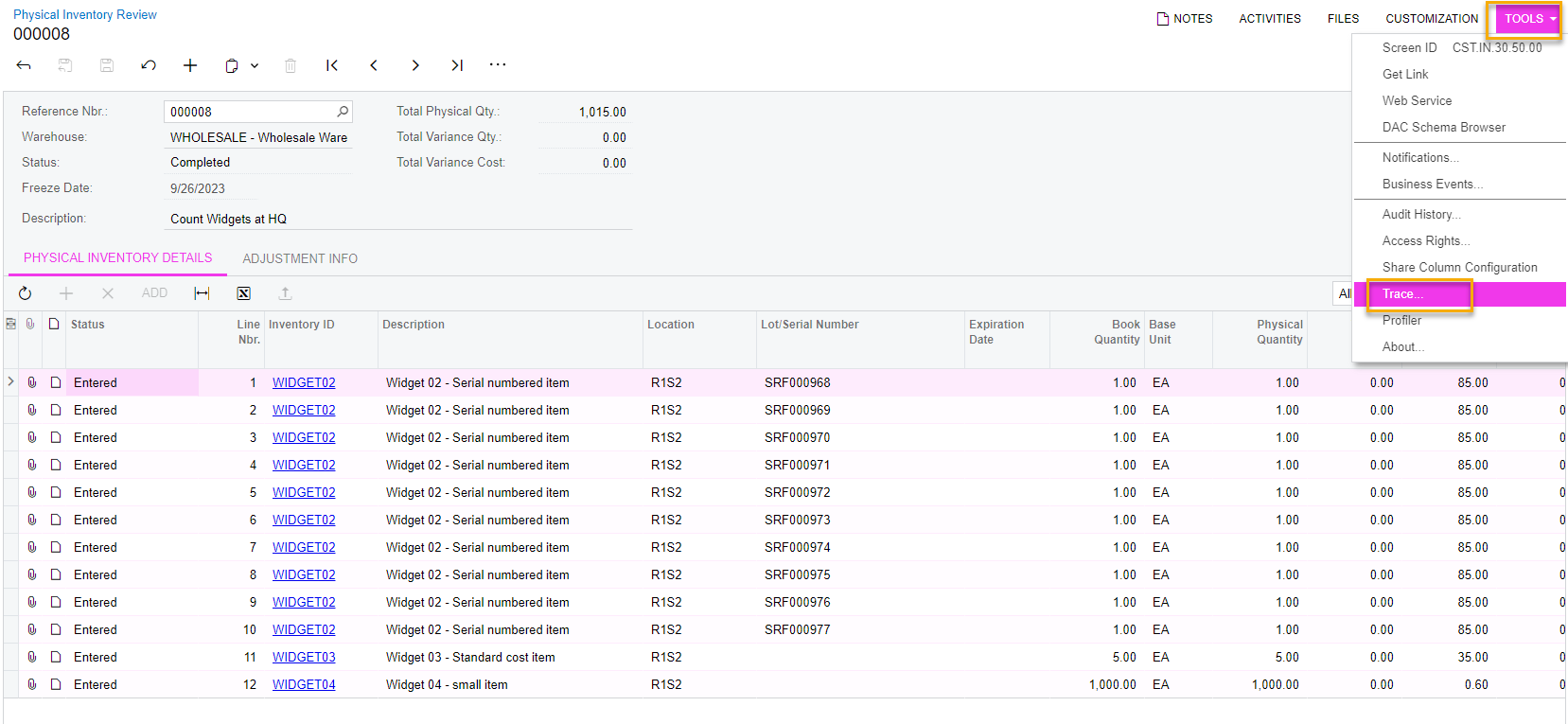
You can find the trace by going to the Top Right of the Screen and selecting Tools> Trace:


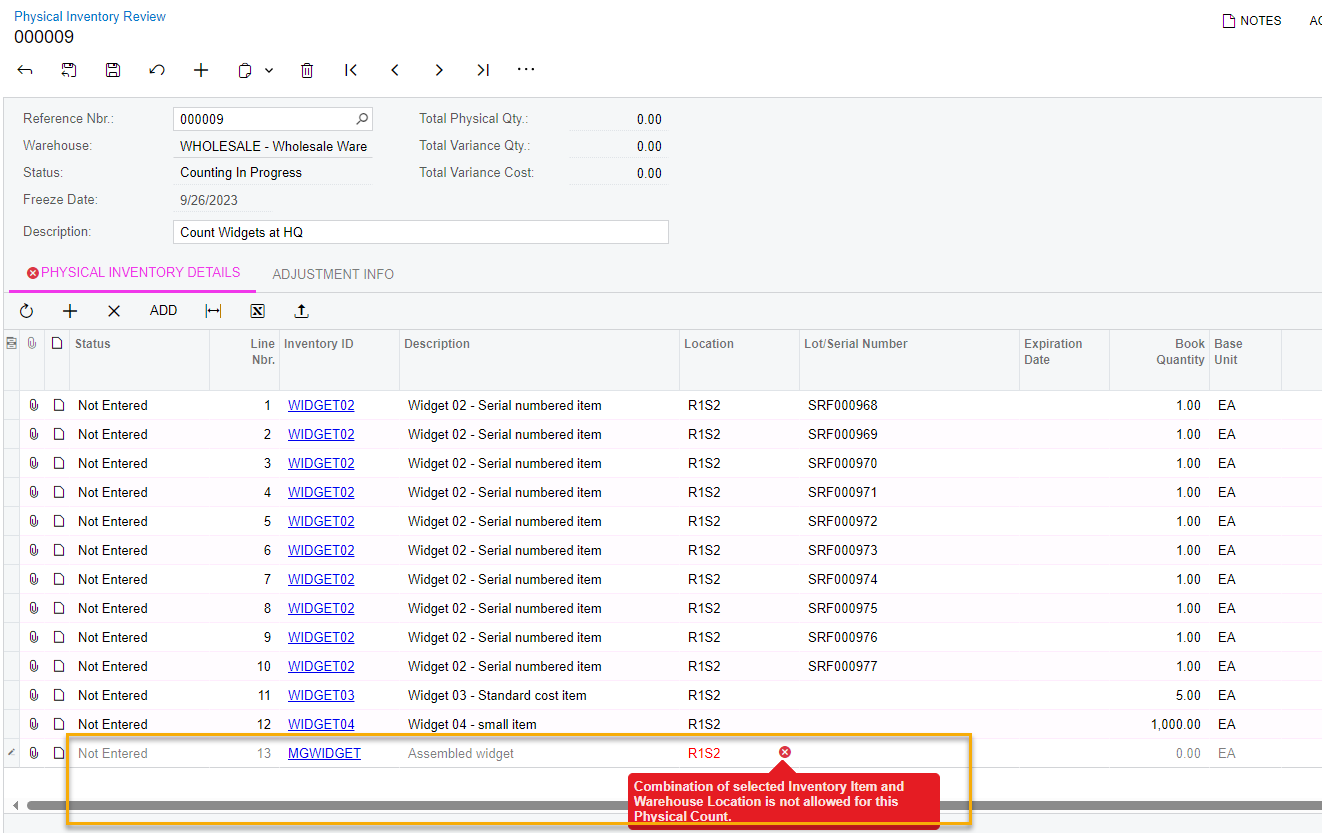
To Add items, click the + sign, however depending on the settings of the Physical Inventory Type, you may not be able to add items. You may get an error that those combos don’t work.