Answer

Open Sales order; Create Shipment and Prepare Invoice Old SO

  • December 28, 2022
  • 4 replies
  • 548 views

Forum|alt.badge.img

Good day,

I have imported Historical sales orders from 2021; I would like to create shipments and prepare invoices and then apply payment closing the invoice in one import scenario.  i have created all the sales orders in open status.

Can anyone direct me or have something they used for this scenario.

Thank you

Evan
Best answer by Manikanta Dhulipudi

Hi @EvanG 

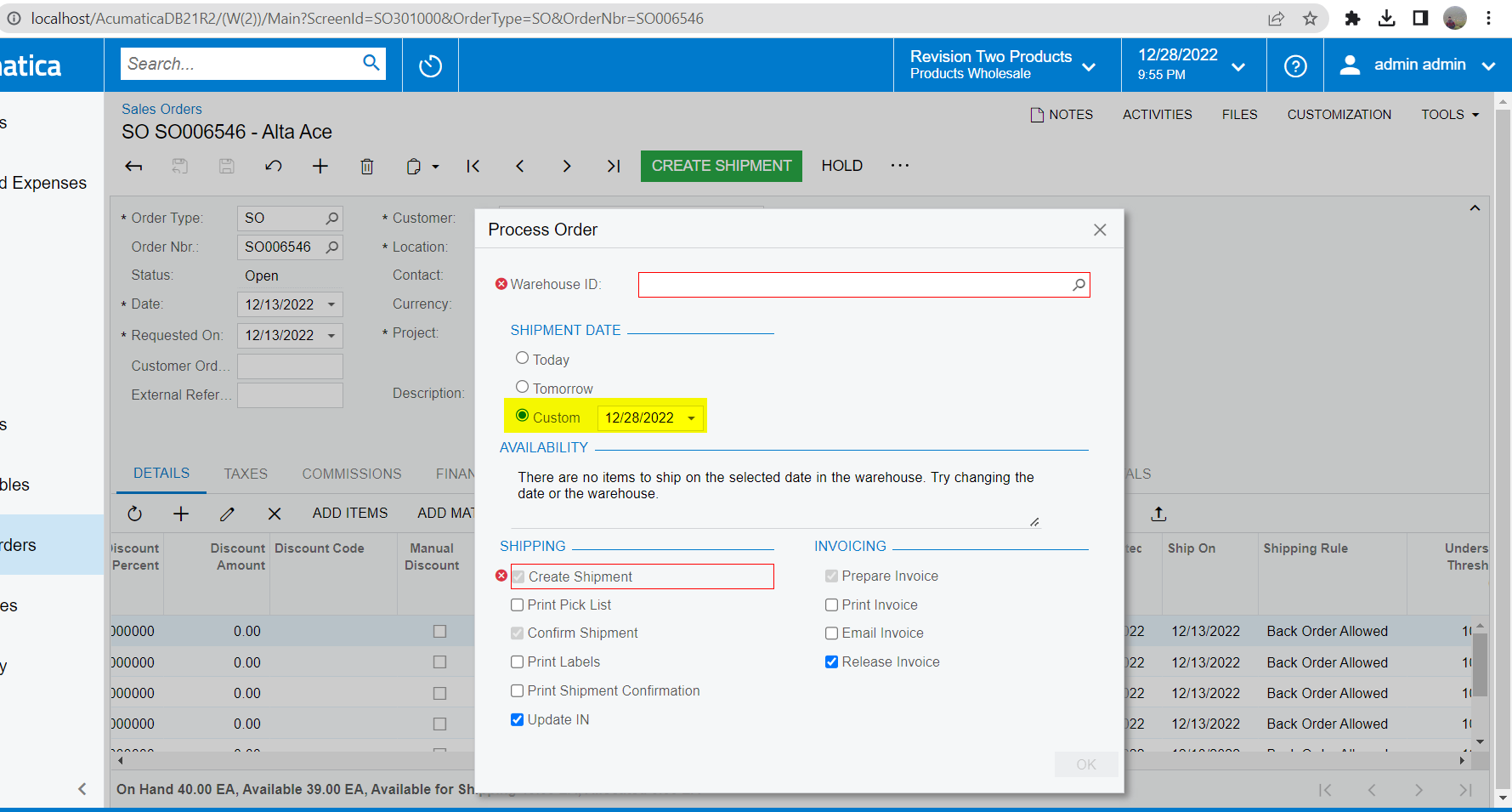
Update the Import scenario for the shipment date as needed using custom  option


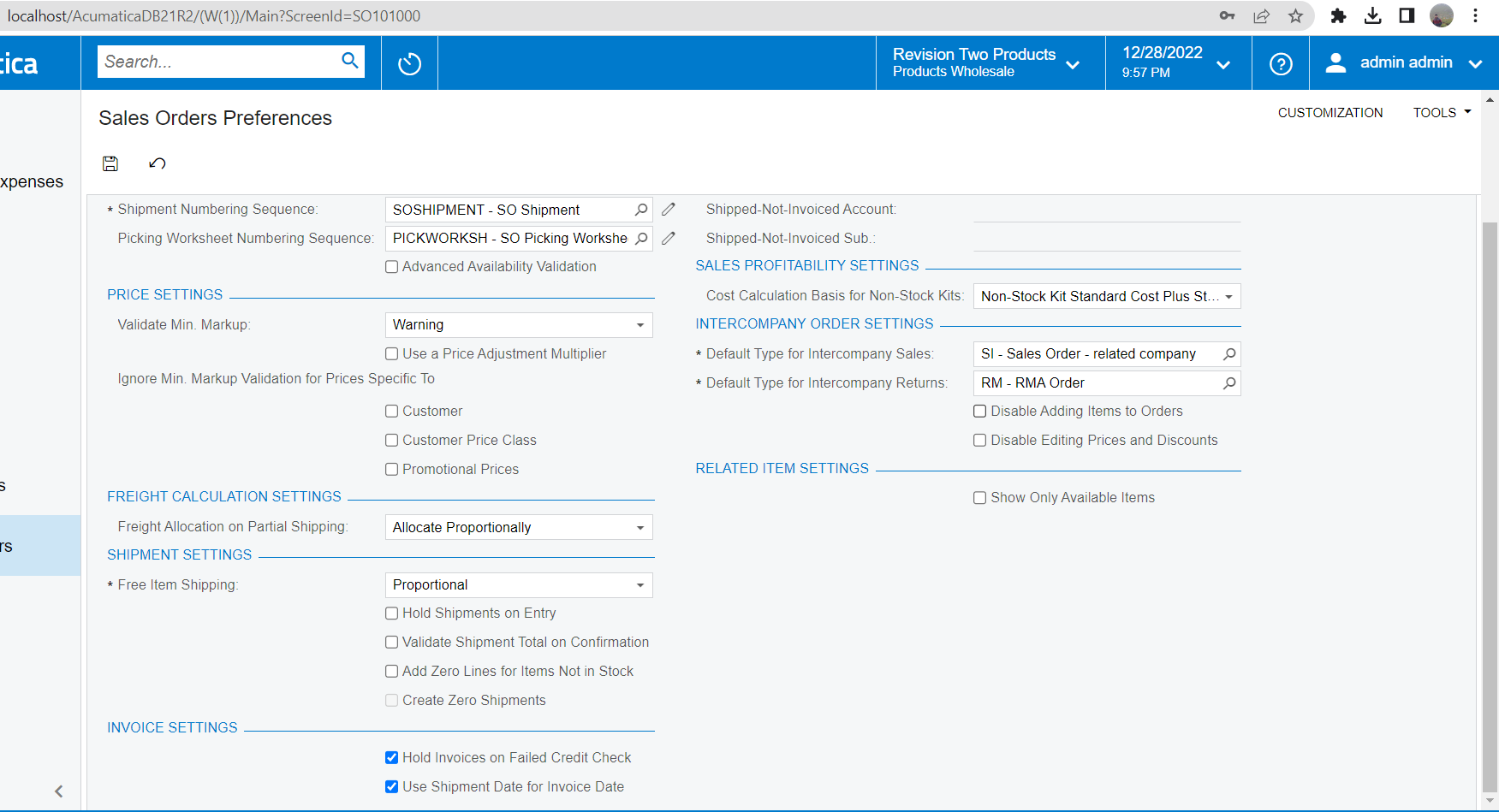
Update Sales order preference > Invoicing settings > Use shipment data as invoice date

Thanks

4 replies

Naveen Boga
Captain II
Forum|alt.badge.img+19
  • Captain II
  • December 28, 2022

Hi @EvanG  We cannot perform these actions in one import scenario due to the multiple screens involved. This is the import scenario limitation.

When we create the Shipments/Invoice screens will be redirected from one screen to another screen. 

You can create an import scenario to import the sales order and then, you can schedule the below native Acumatica scheduler screens to perform these actions.

  1. Process Orders - SO501000
  2. Process Shipments - SO503000
  3. Release AR Documents -  AR501000

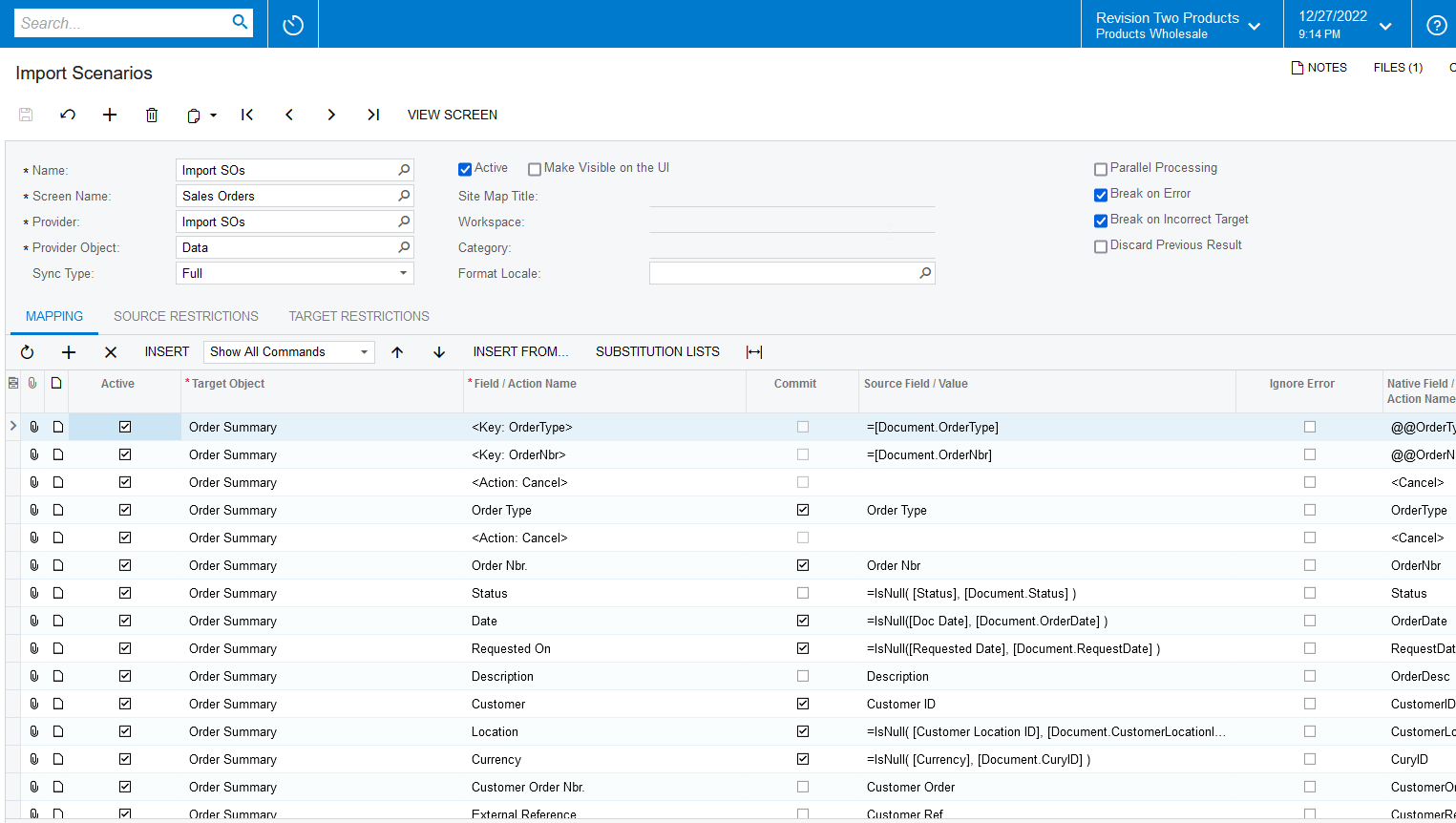
Import Sales Orders: Acumatica is already providing the import scenario by default, you can use this to import SOs. Please find the screenshot for reference.


Manikanta Dhulipudi
Captain II
Forum|alt.badge.img+15

Hi @EvanG 

Please find the Import scenario to perform below actions using QUick process.

  1. Create Shipment
  2. Confirm shipment
  3. Update IN
  4. Prepare Invoice
  5. Release Invoice

Attaching the Import scenario for above actions.

You can use another import scenario to create a Payment using SO or Inv as per your requirement.

Please review the suggestion from @Naveen Boga 


Forum|alt.badge.img
  • Author
  • Varsity I
  • December 28, 2022

@manikantad18   Thank you. It worked.  I need to change the Invoice date to be 12/31/2021 not the current date and post period.  All my orders are last year.

Any thoughts?


Manikanta Dhulipudi
Captain II
Forum|alt.badge.img+15

Hi @EvanG 

Update the Import scenario for the shipment date as needed using custom  option


Update Sales order preference > Invoicing settings > Use shipment data as invoice date

Thanks