Answer

Not able to import Customer Contacts

  • August 19, 2024
  • 3 replies
  • 173 views

Forum|alt.badge.img

Hello all,

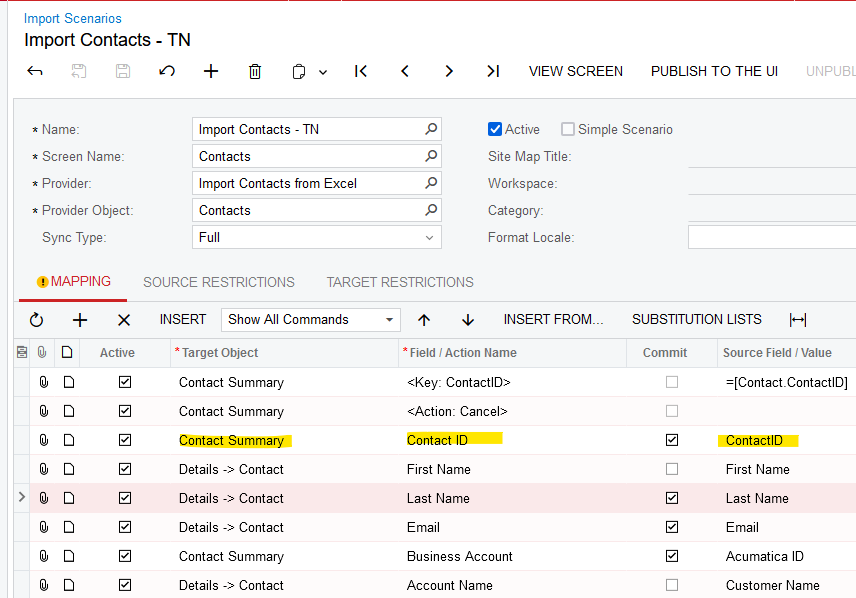
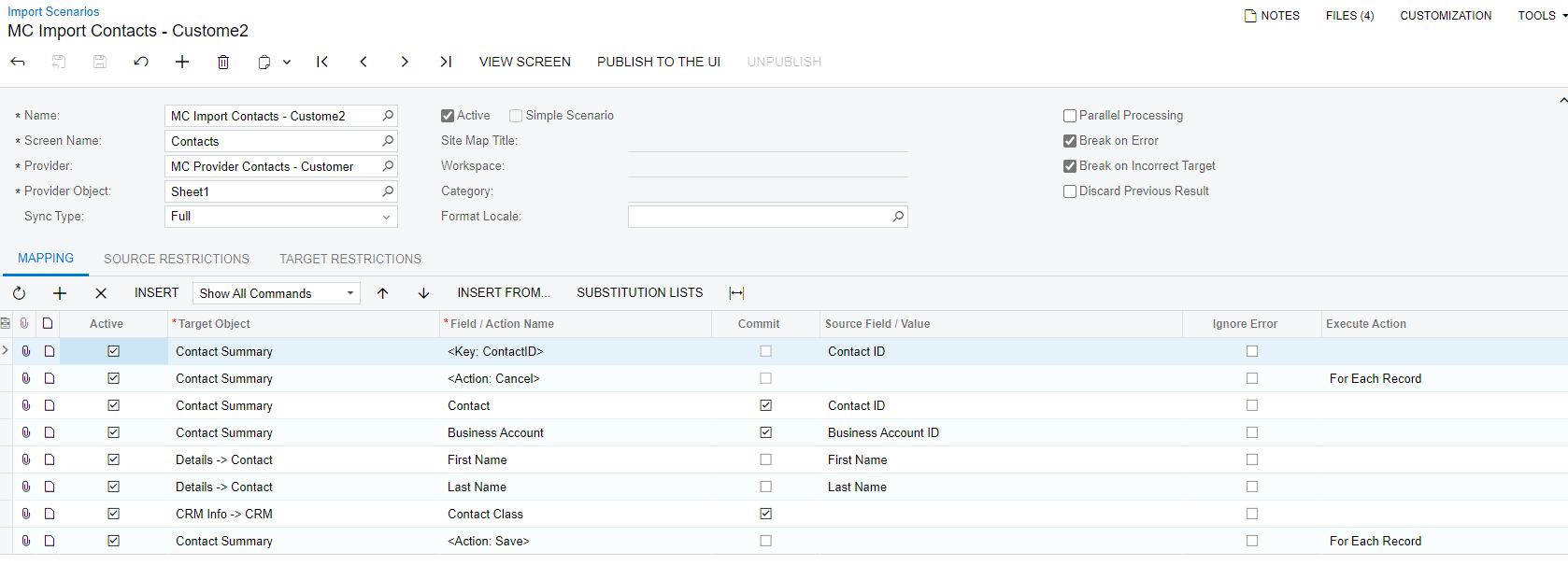
I have been trying to import Customer Contacts but only my last contact is getting added out of 5 of them. Below is the import scenario:
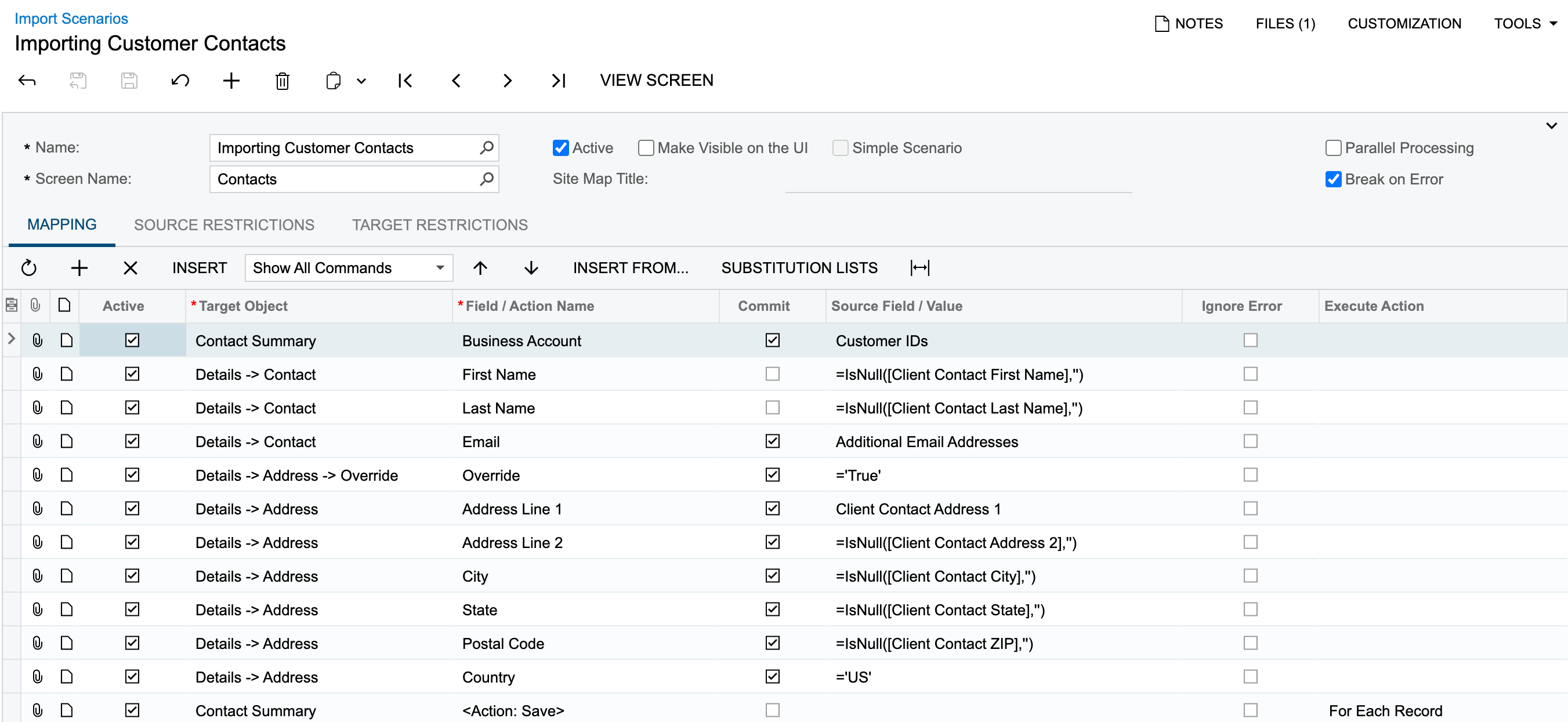
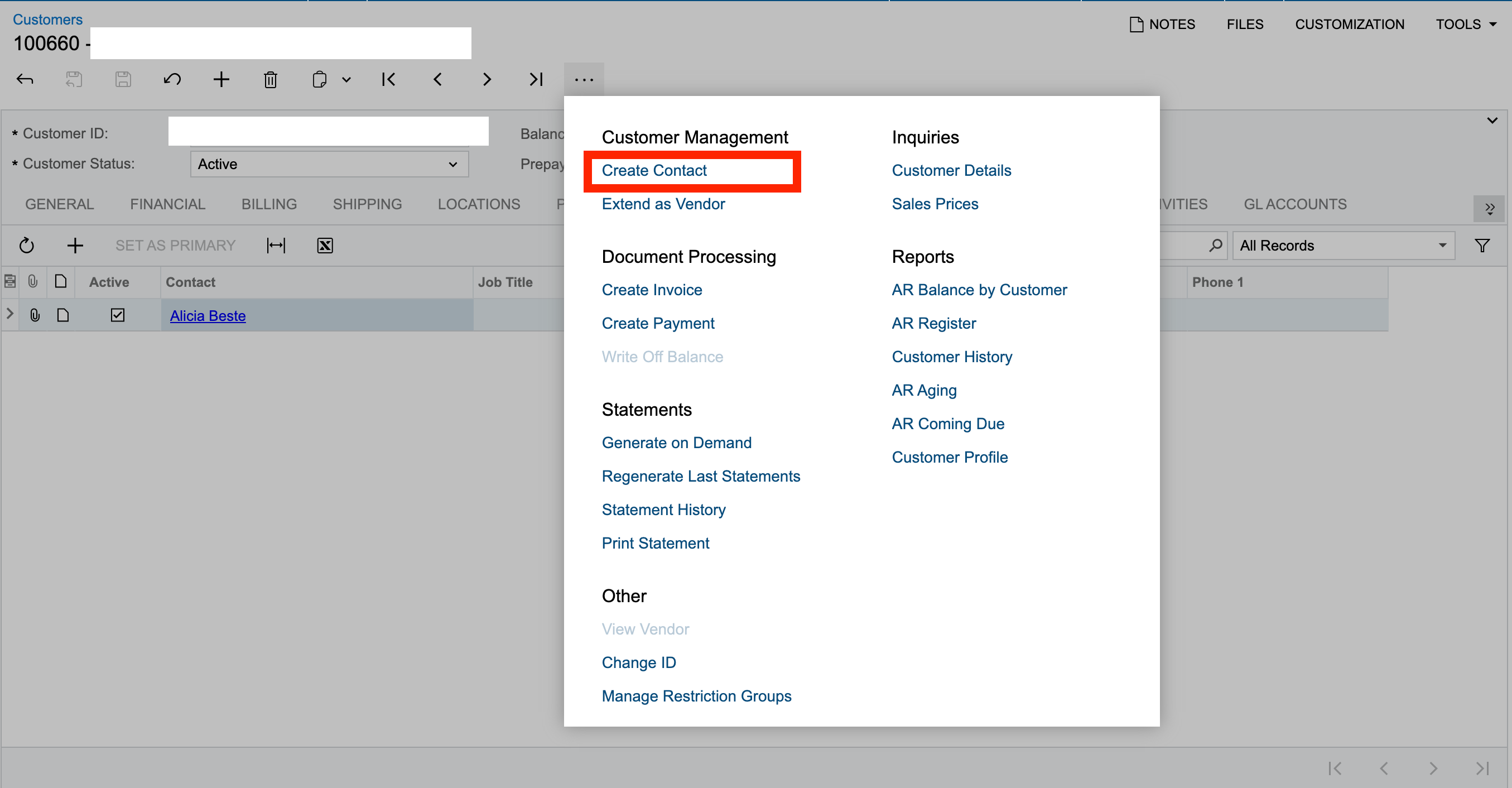
FYI, when I try to search for the Contacts (CR302000) form in the Universal Search Bar, it doesnt list the screen, due to license restrictions, as its not purchased. But still I am able to access the contacts form if I click on any of the contacts from the Customers (AR303000) screen → Contacts tab.

We do have the option the create a contact on the Customers screen but how shall I build an import scneario for the same?
 

Best answer by ed.goodman

@Harry 

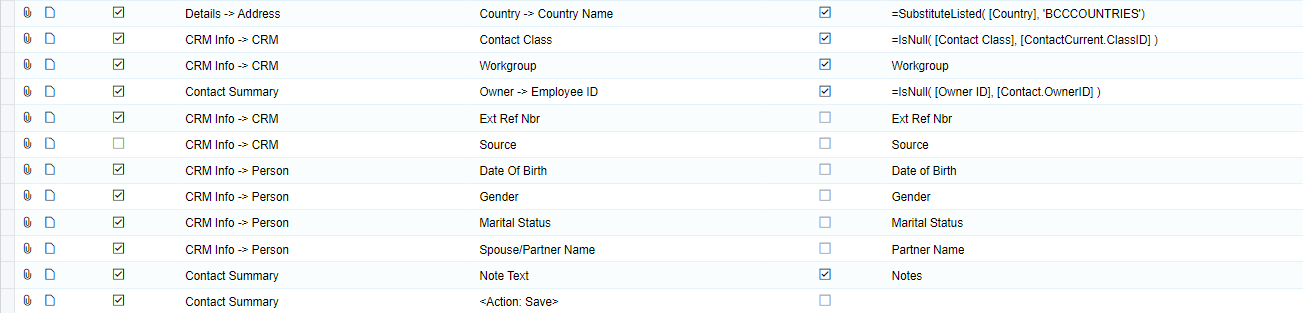
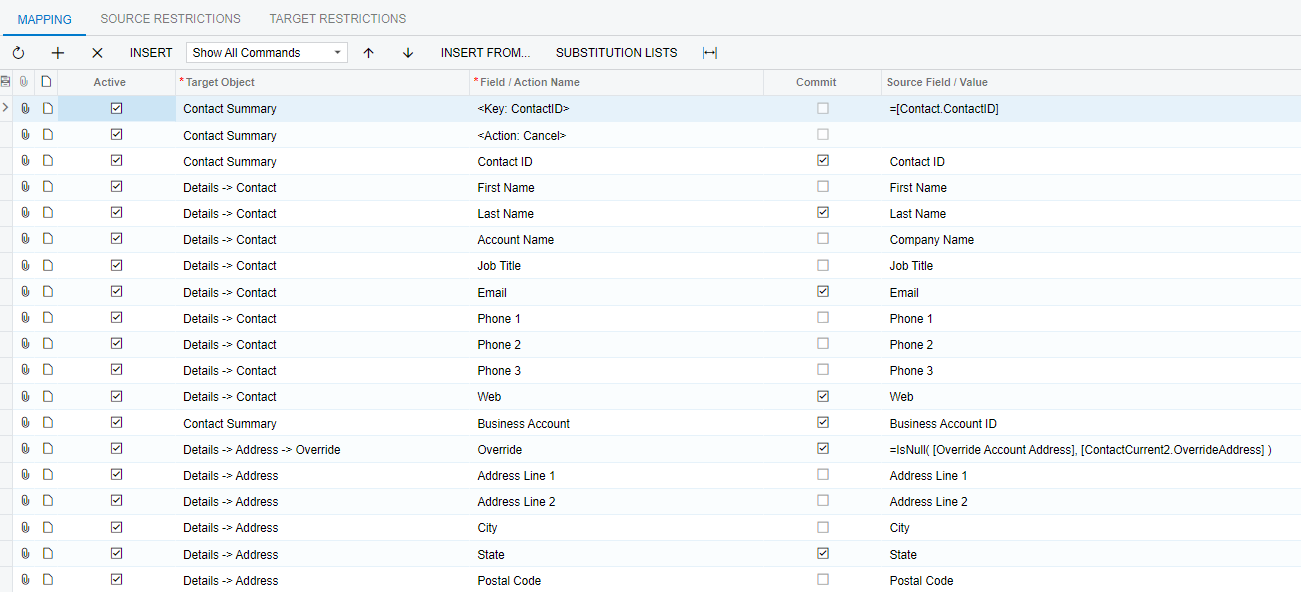
Here is the mapping we have in sales demo data.

I was able to use this mapping to import several contacts.

Ed

3 replies

Laura03
Captain II
Forum|alt.badge.img+19
  • Captain II
  • August 19, 2024

Hello @Harry ,

Please try adding a Contact ID for your contacts as shown. In Excel, the contact id may simply be sequential numbers in a column like

9001

9002

9003   etc.


ed.goodman
Acumatica Employee
Forum|alt.badge.img+4
  • Acumatica Employee
  • Answer
  • August 19, 2024

@Harry 

Here is the mapping we have in sales demo data.

I was able to use this mapping to import several contacts.

Ed


Forum|alt.badge.img
  • Freshman II
  • November 15, 2024

I have been able to import Customer Contacts with no problem.  


However, I am unable to UPDATE them after importing using an Import Scenario.

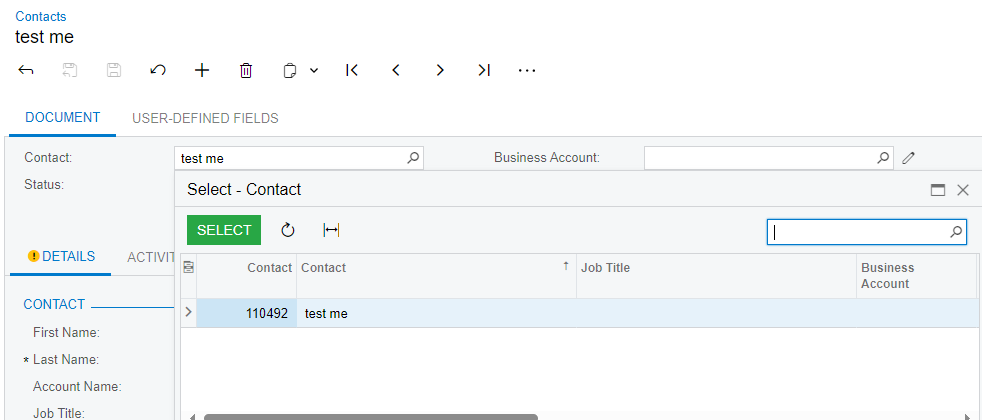
There is an issue with the mapping of ContactID and the UI.  The ContactID is a sequential number that is automatically assigned by the system.  

I have my own ContactID and can’t seem to get the Import Scenario to use it as the ID for the record.


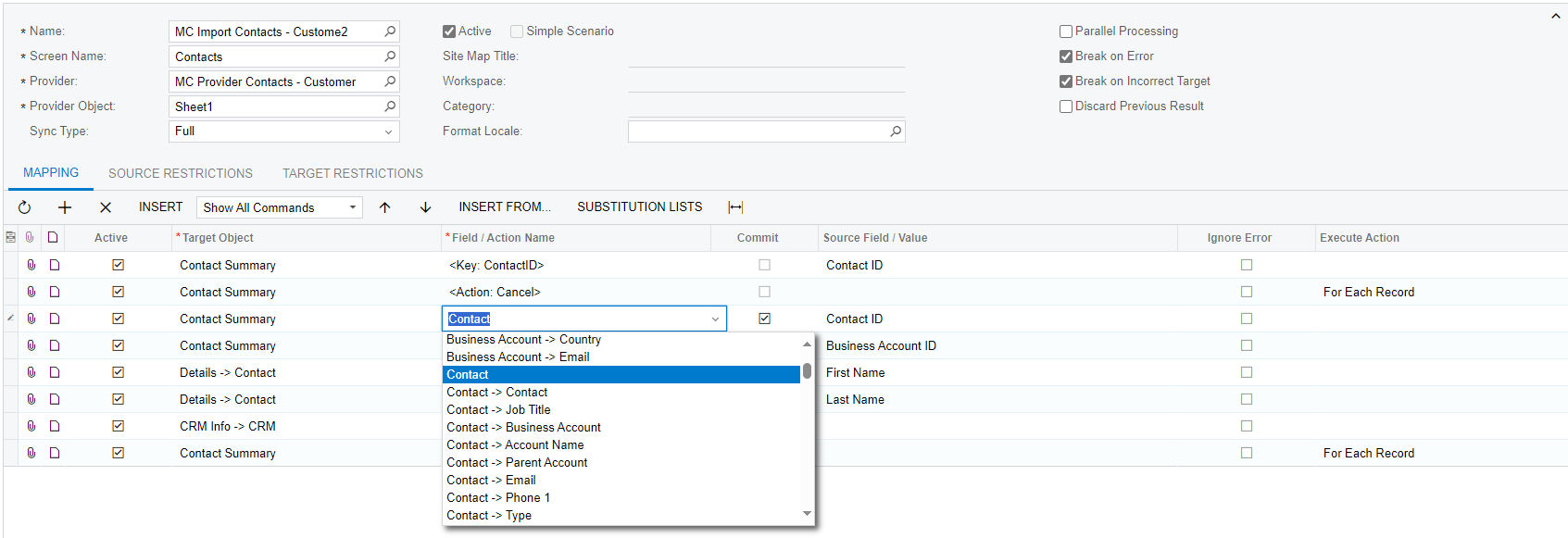
Note that ContactID is not available as a field in the list for the Contact Summary


I think this has something to with how the screen is defined to show the “Contact Name” as the “Contact ID” and won’t let you actually set a ContactID yourself.

I’ve check for a Numbering Sequence or Segmented Key but there are no definitions for Contacts.


Each Contact has a ContactID that is used in the URL query string:

/(W(54))/Main?CompanyID=test1&ScreenId=CR302000&ContactID=110492


I’d be happy to put out internal ID in an Attribute/UDF but have no way to look it up to find the record match for an Update vs an Insert. 

As it is I can only to the load once because every subsequent load keeps creating new records.

Any help would be appreciated.

Thank you.