Answer

Need help creating an import of Sales Orders from Zoho

  • July 19, 2022
  • 5 replies
  • 133 views

Hello All!

We are attempting to migrate from Zoho to Acumatica, and it is easy to create export files from Zoho. But I cannot figure out how to create a proper “Import Scenario” to make it work. Can anyone help me figure this out?

Best answer by Laura03

If the user doesn’t have import skills then the Partner will import the sales orders. I think you need to give your Excel export with 800 Zoho orders in it to your partner.

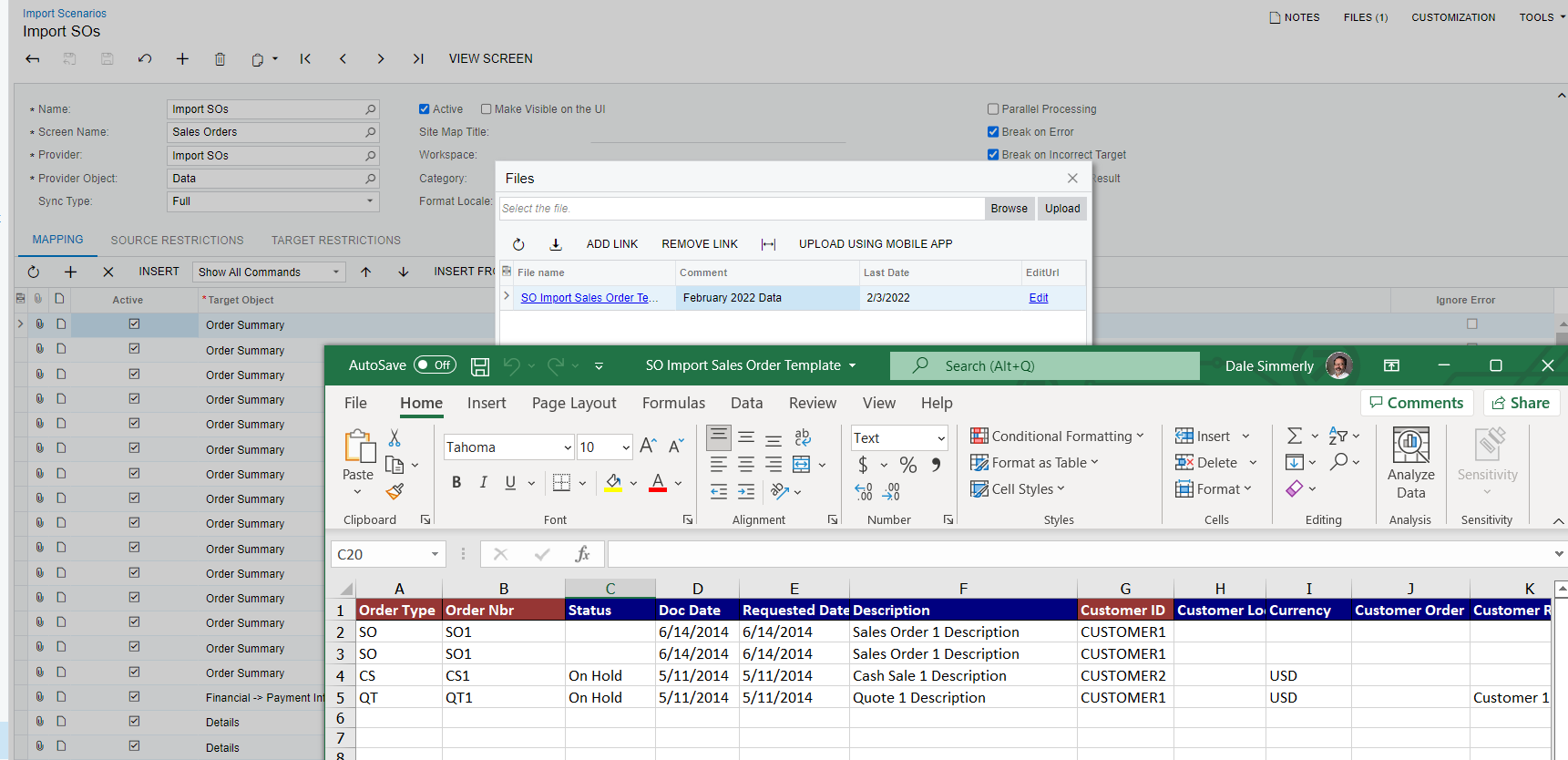
That being said, I’ve attached a sample sales order import scenario. It’s a sample because it isn’t built for your company and it isn’t built for your Excel. No sample is going to match up to your Excel unless someone built it specifically to match your Acumatica configurations and to match a Zoho export.


5 replies

Laura03
Captain II
Forum|alt.badge.img+19
  • Captain II
  • July 19, 2022

Hello,

We don’t have enough information to answer your question.  As a start, please post your import scenario, any errors that result, screenshot sample of your data. Thank you.


  • Author
  • Freshman I
  • July 19, 2022

Hi Laura,

Sorry I’m VERY new to this and kind of hung out to dry. 

We are about 2 weeks out from go live and need to move about 800 Sales Orders from Zoho to Acumatica, and I cannot figure out the correct import scenario or how to make one that fits my data set.


Attached is a very small sample import. Any help is appreciated.


Laura03
Captain II
Forum|alt.badge.img+19
  • Captain II
  • Answer
  • July 19, 2022

If the user doesn’t have import skills then the Partner will import the sales orders. I think you need to give your Excel export with 800 Zoho orders in it to your partner.

That being said, I’ve attached a sample sales order import scenario. It’s a sample because it isn’t built for your company and it isn’t built for your Excel. No sample is going to match up to your Excel unless someone built it specifically to match your Acumatica configurations and to match a Zoho export.


dales50
Semi-Pro III
  • July 19, 2022

@iainscarr There are ‘standard imports’ the are provided with the system so that all you would need to do it to get the data into the format of the template and run the import.

However as Laura stated you should consult with you partner to handle the import 


Laura03
Captain II
Forum|alt.badge.img+19
  • Captain II
  • July 19, 2022

PS, no need to apologize - we are all new sometimes!