



I created a data provider to import master data of the customer and created an import scenario for it. however I wanted to change some columns in the excel sheet. Then I changed them in the excel sheet. Deleted the existing excel sheet and re upload the changed excel sheet. But once I refer the schema in the data provider the columns I added was not there in the schema fields. what is the reason for this.
Solved
Issue in changing file of Data provider
Best answer by nhatnghetinh
Hi
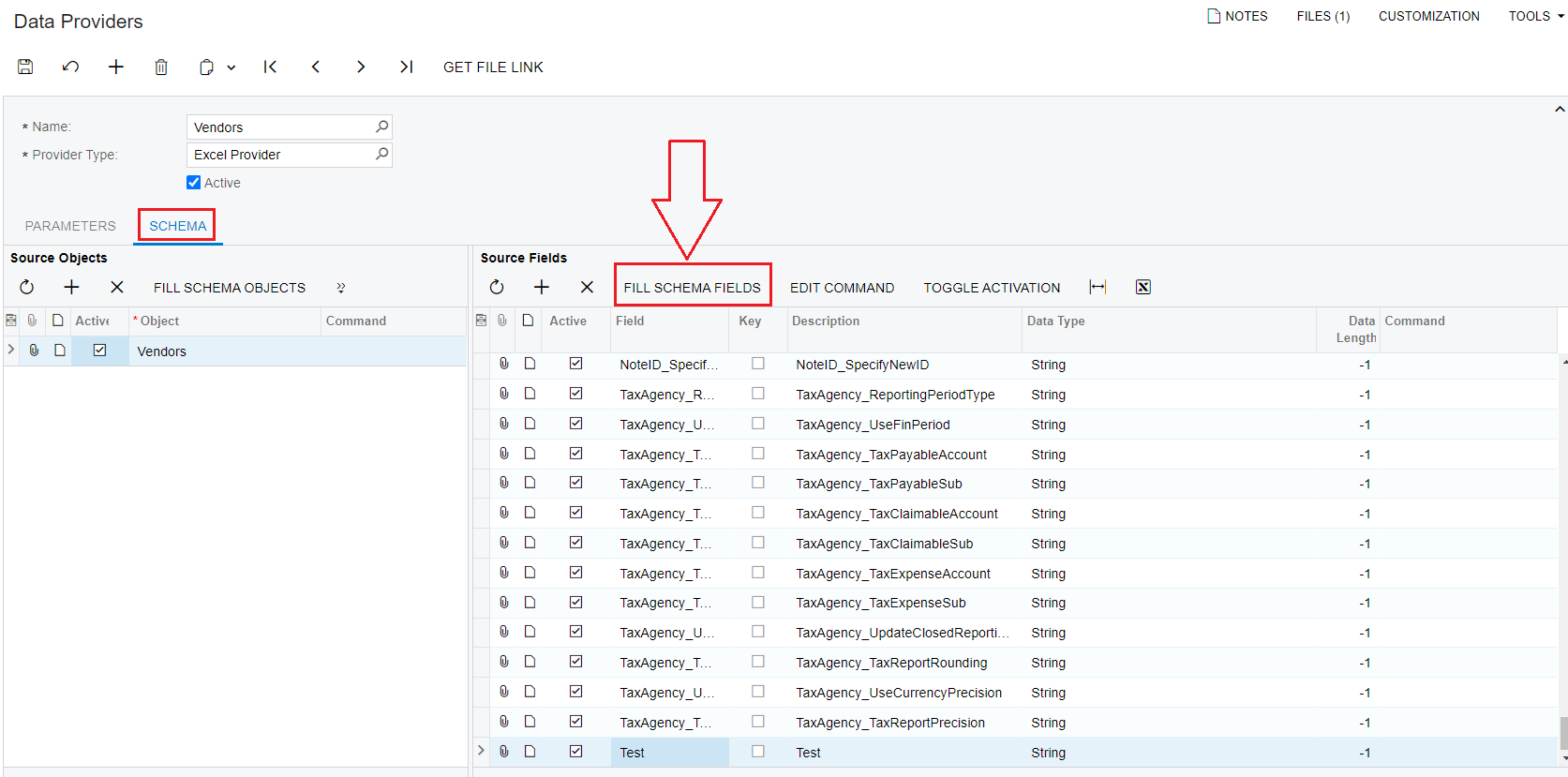
Go to Data Providers > SCHEMA > Source Fields > Click "FILL SCHEMA FILEDS" The system will reload new data from the Excel file.
> Click SAVE
Best Regards,
NNT




Enter your E-mail address. We'll send you an e-mail with instructions to reset your password.