Answer

Importing Sales Orders; Issues with generating SO number and adding ship-to contact/address

  • October 29, 2021
  • 4 replies
  • 280 views

Forum|alt.badge.img

Good day, 

I am trying to build a import scenario to create new sale (autonumbered) orders, SO type and create ship to contact and address information for each orders.  Attached the xmi file.  

This issue that I am having is how to generate the order number (we are set-up to using autonumbering) and the correct SO type = SO.  Next is the shipping contact and ship-to address need to uncheck the override button to add this information.

I am also going to have to schedule this scenario on a monthly basis.

Thank you in advance for your assistance in this matter.

Evan

Best answer by Naveen Boga

Hi @EvanG  I have modified above provided Import Scenario and now I can able to create the Sales Order, with Shipping Contact and Shipping Address.

Please find the attached import scenario for reference.


4 replies

Naveen Boga
Captain II
Forum|alt.badge.img+19
  • Captain II
  • Answer
  • October 30, 2021

Hi @EvanG  I have modified above provided Import Scenario and now I can able to create the Sales Order, with Shipping Contact and Shipping Address.

Please find the attached import scenario for reference.


Forum|alt.badge.img
  • Author
  • Varsity I
  • November 3, 2021

Thank you.  


It worked perfectly except the Cancel By field did not update to the data field.  The date default to the current date.  Any ideas?


I appreciate you assistance.  


Thank you

Evan


Naveen Boga
Captain II
Forum|alt.badge.img+19
  • Captain II
  • November 6, 2021

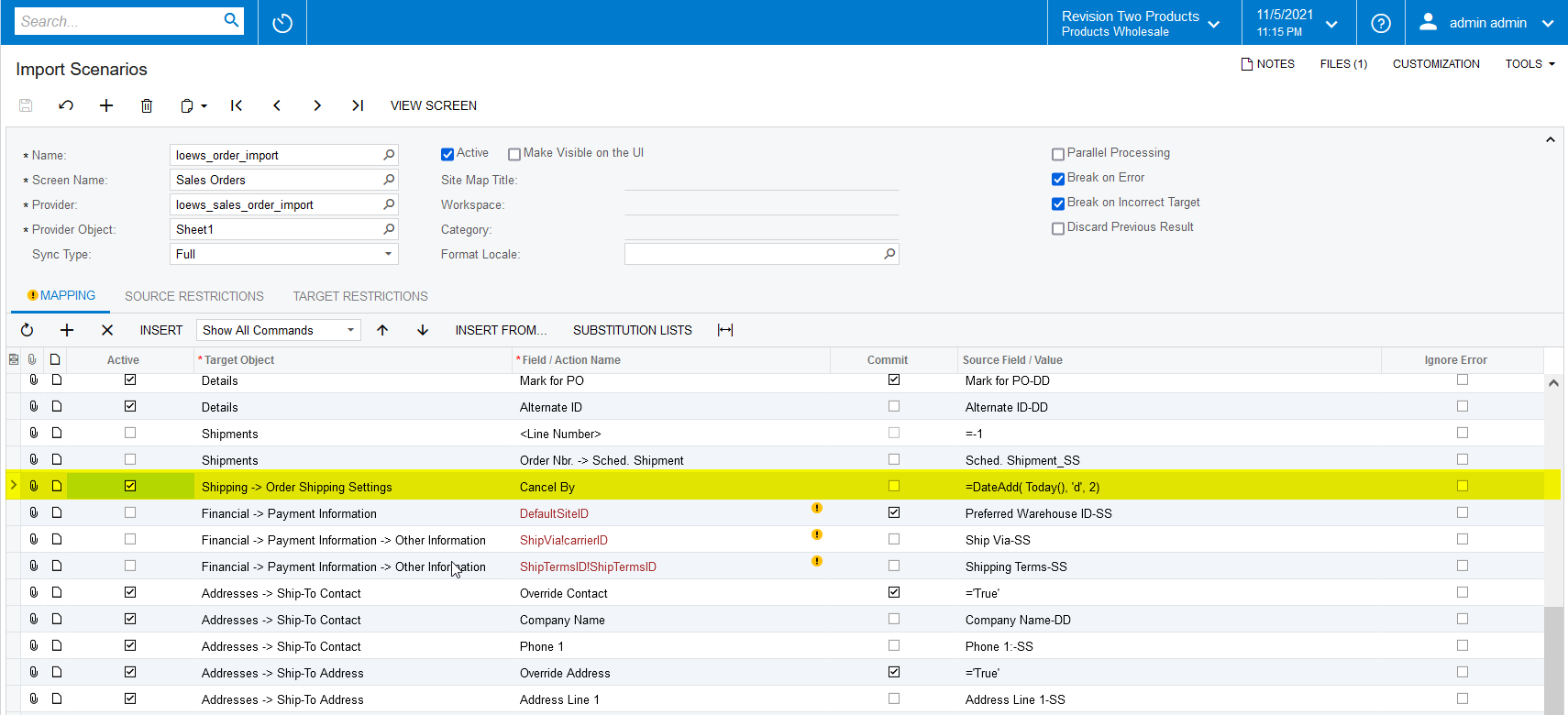
Hi @EvanG  “Cancel By” field is mapped incorrectly, I just modified and verified it is working as expected.

Please do following change and verify.


Forum|alt.badge.img
  • Author
  • Varsity I
  • November 9, 2021

Thank you for you assistance.

Evan