

Solved

Importing Employee into Acumatica using Excel

  • August 30, 2022
  • 3 replies
  • 634 views

Simple Question:


Trying to learn how to Import Employees into Acumatica. 


I have all the employees in Excel with all the necessary scenarios that I need. The only field that is mandatory is First and Last name, and Employee ID, User name, and email address. I have all that information in Excel but I am not sure how to upload all the employees into Acumatica. I know how to enter 1 by 1 but that is taking too long. Can anyone guide me on how to tackle this task?
Best answer by Kandy Beatty

HI @Rsyed 

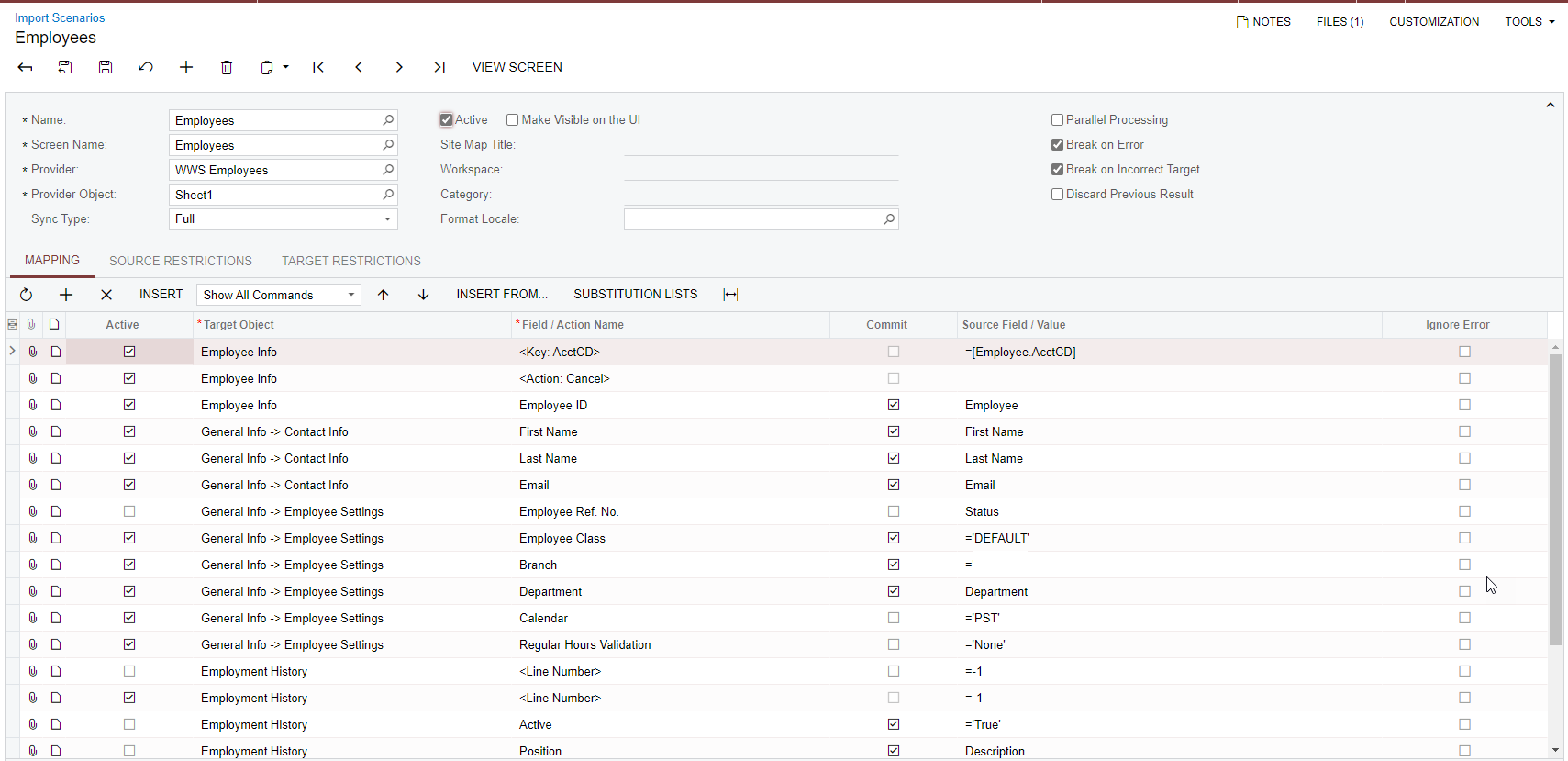
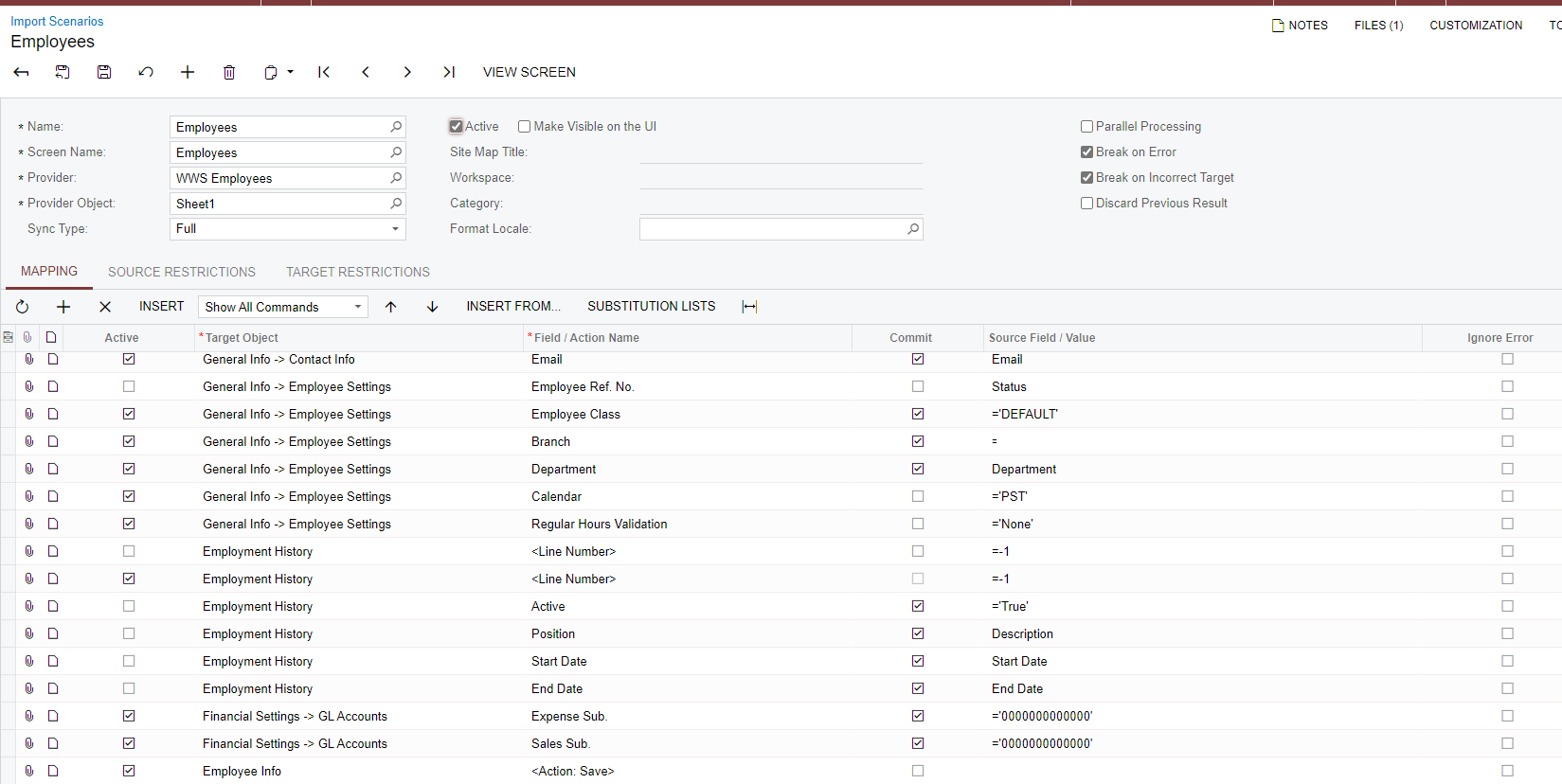
Have you tried an import scenario?

Here is one you can map similar:


3 replies

Kandy Beatty
Captain II
Forum|alt.badge.img+17
  • Captain II
  • Answer
  • August 30, 2022

HI @Rsyed 

Have you tried an import scenario?

Here is one you can map similar:


  • Author
  • Freshman I
  • August 30, 2022

Thank you so much. That really helped and I was able to Import employees.


Thank you once again.


Kandy Beatty
Captain II
Forum|alt.badge.img+17
  • Captain II
  • August 30, 2022

Thank you so much. That really helped and I was able to Import employees.


Thank you once again.

Glad to have helped!

