Answer

Importing AP Bills tied to a PO Receipt

  • February 23, 2022
  • 12 replies
  • 904 views

wfilipiak67
Captain II
Forum|alt.badge.img+3

Hi, 

I am trying to import AP bills. The AP Bills are tied to a PO Receipt. 
As well as the vendor, I have the PO number & PO Receipt Line number. 

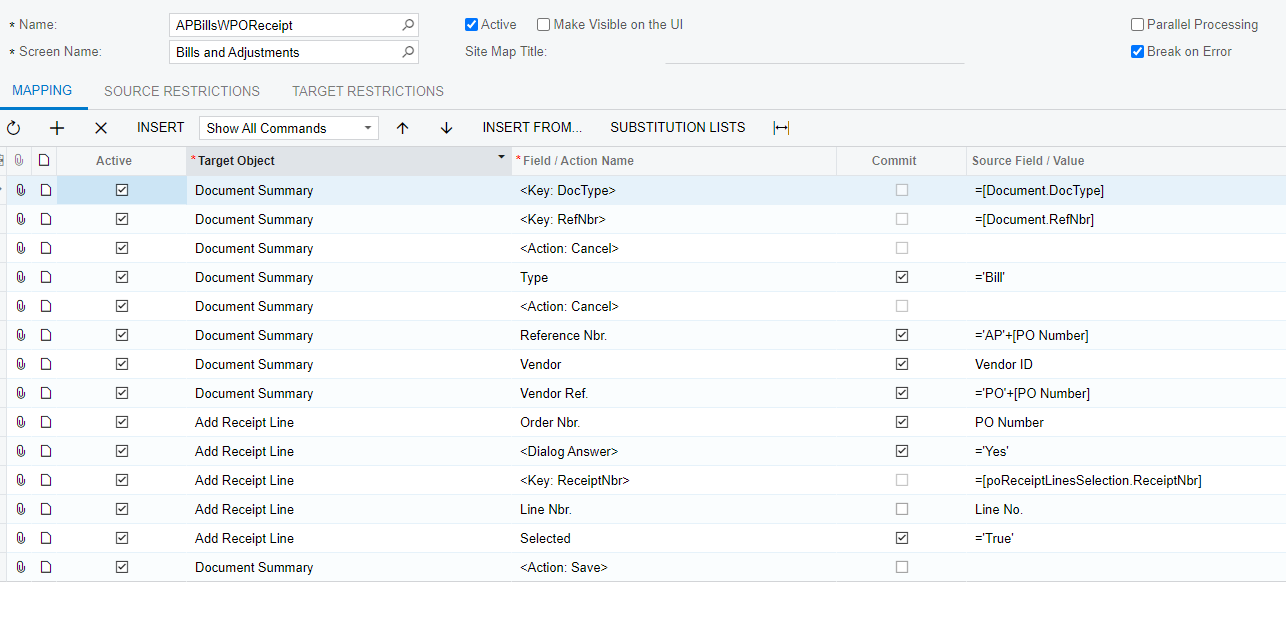
I am having an issue with trying to select the Add PO Receipt Line in the Scenario. 
The Document is being created but nothing else is happening.
(If in migration mode, you cannot use the Add PO Receipt button) 

Does anyone have any solutions/ideas for getting this to work?
Thank you in advance!

Bill
 

Best answer by wfilipiak67

Hi, 

As an Update,  We found that this is not possible when the AP is in Migration mode. Which is what we were trying to do.  
You do not have access to use the Add PO or Add PO Receipt buttons.
Thanks!
Bill 

12 replies

wfilipiak67
Captain II
Forum|alt.badge.img+3
  • Author
  • Captain II
  • February 23, 2022

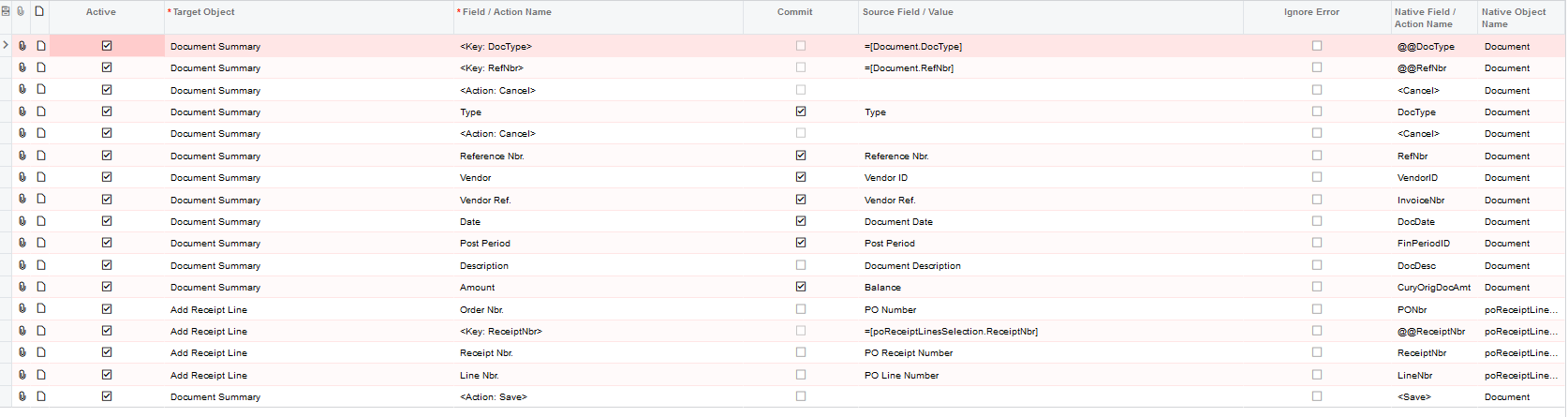
Here is a pic of the import scenario


Chris Hackett
Community Manager
Forum|alt.badge.img
  • Acumatica Community Manager
  • March 7, 2022

Hi everyone, any ideas here for @wfilipiak67 ? Thank you!


Naveen Boga
Captain II
Forum|alt.badge.img+19
  • Captain II
  • March 8, 2022

Hi, @wfilipiak67  If this is not resolved, can you please share the XML format of the import scenario file here.


wfilipiak67
Captain II
Forum|alt.badge.img+3
  • Author
  • Captain II
  • Answer
  • March 8, 2022

Hi, 

As an Update,  We found that this is not possible when the AP is in Migration mode. Which is what we were trying to do.  
You do not have access to use the Add PO or Add PO Receipt buttons.
Thanks!
Bill 


Forum|alt.badge.img+1

Hello, does the import in your screen shot work if your not in migration mode? 

We have a customer who wants to match invoices to a PO in an AP bill import. 

Thanks!


Hello, does the import in your screen shot work if your not in migration mode? 

We have a customer who wants to match invoices to a PO in an AP bill import. 

Thanks!

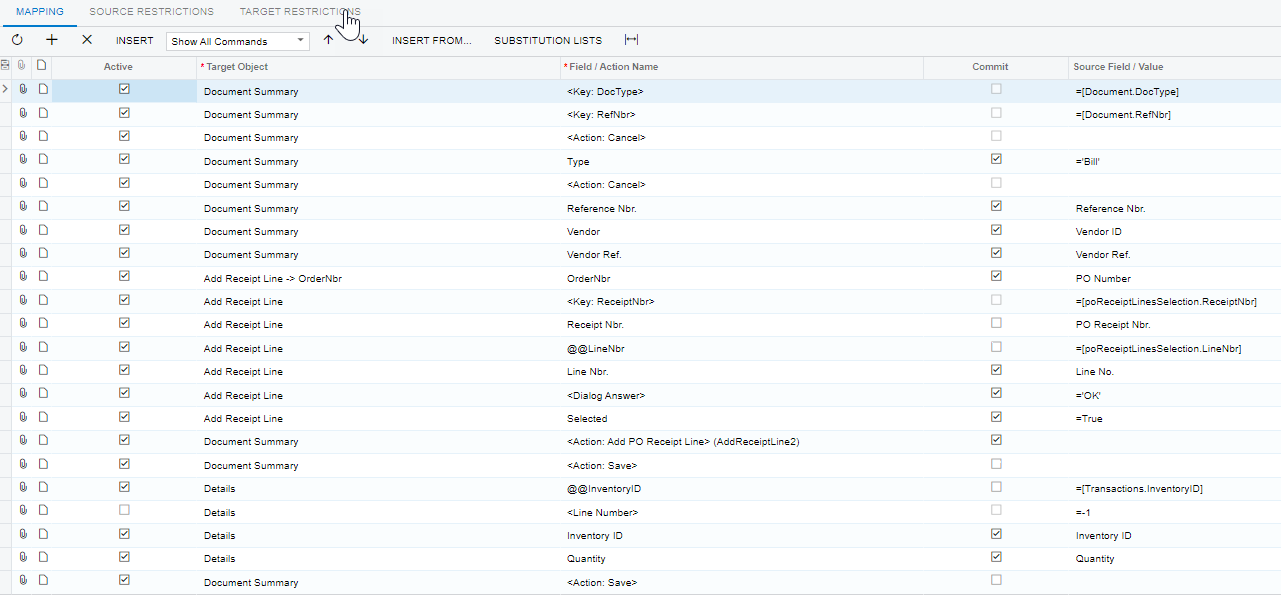
I got mine working by removing the selector line and adding in Field Action Receipt Nbr. - see below


Forum|alt.badge.img+1

Thank you!! We’ll give that a try


Thank you!! We’ll give that a try


I stand corrected. When I posted my response I had only checked the primary list for the newly created Bill…. it did not have the PO line brought in via the import.


Back to my drawring board. Yes I spelled that wrong on purpose.


  • Freshman III
  • December 16, 2022

I have added a new mapping for the import scenario that helps a AP bill Tied to PO receipt and it was successful.


  • Freshman I
  • December 20, 2022

I have added a new mapping for the import scenario that helps a AP bill Tied to PO receipt and it was successful.


My main man! Thanks so much for your help Ivan!


ed.goodman
Acumatica Employee
Forum|alt.badge.img+4
  • Acumatica Employee
  • December 21, 2022

Hello @wfilipiak67

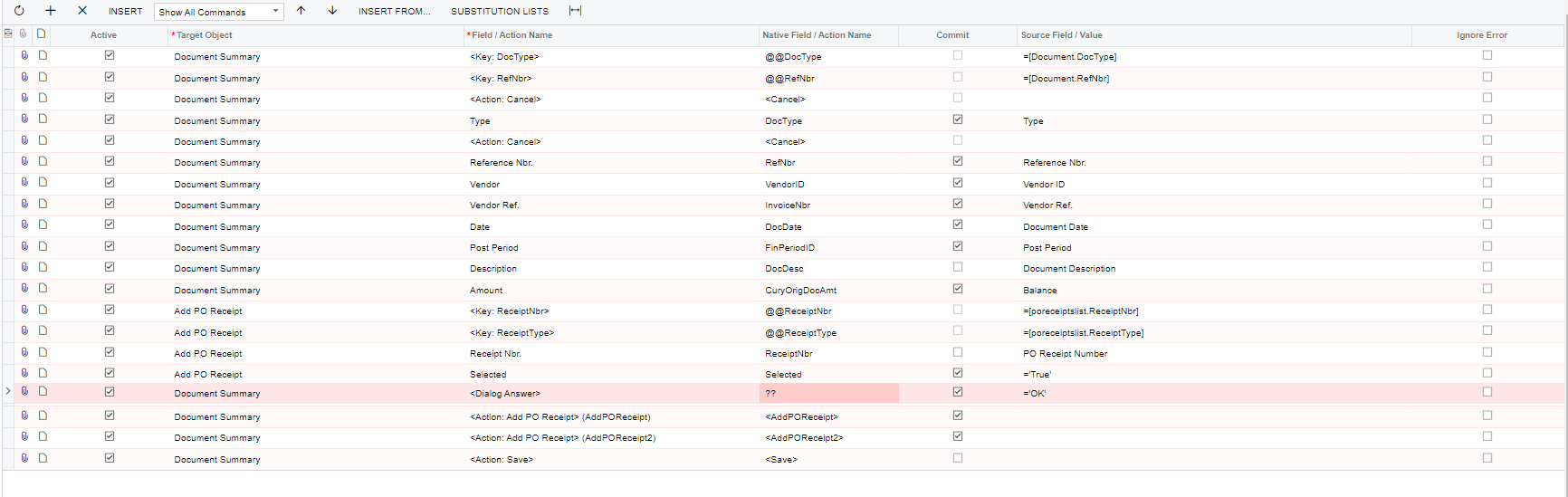
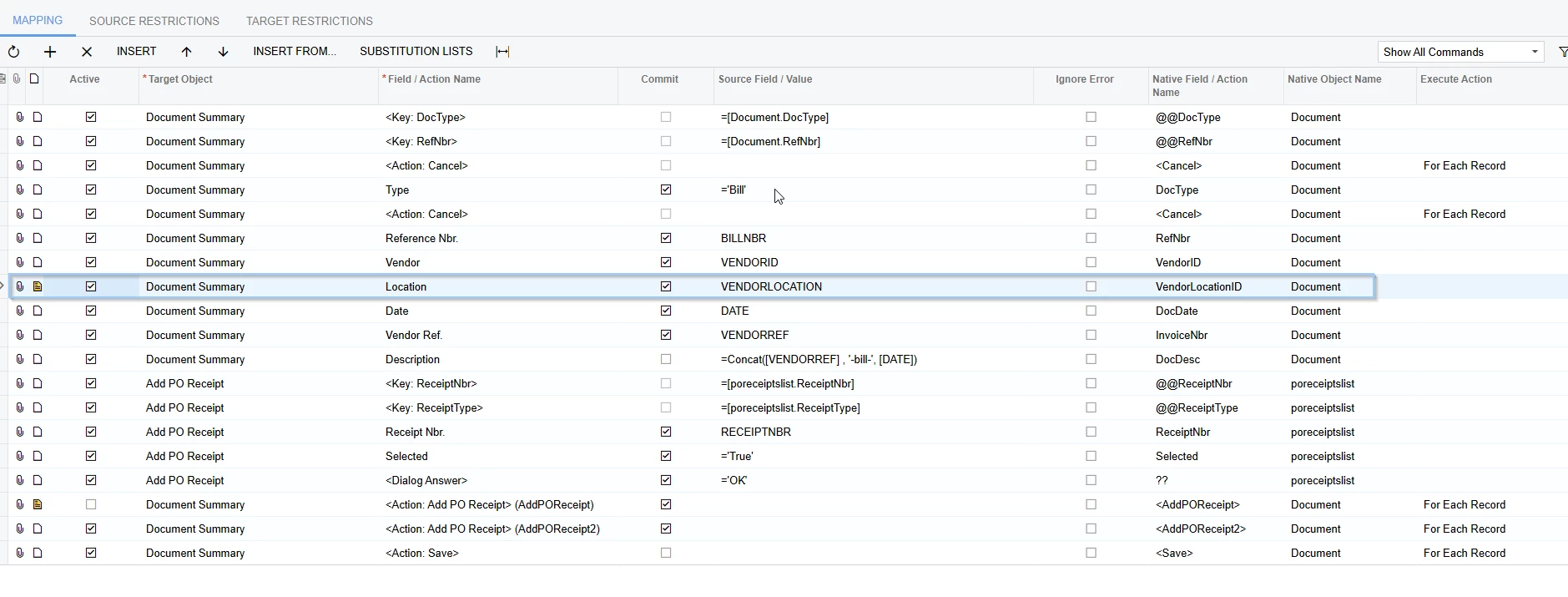
Here is an import scenario that I successfully used to import AP bills and tell the system which line of the PO receipt to select in the dialog box.


Let me know if this helps.


  • Freshman II
  • October 9, 2025

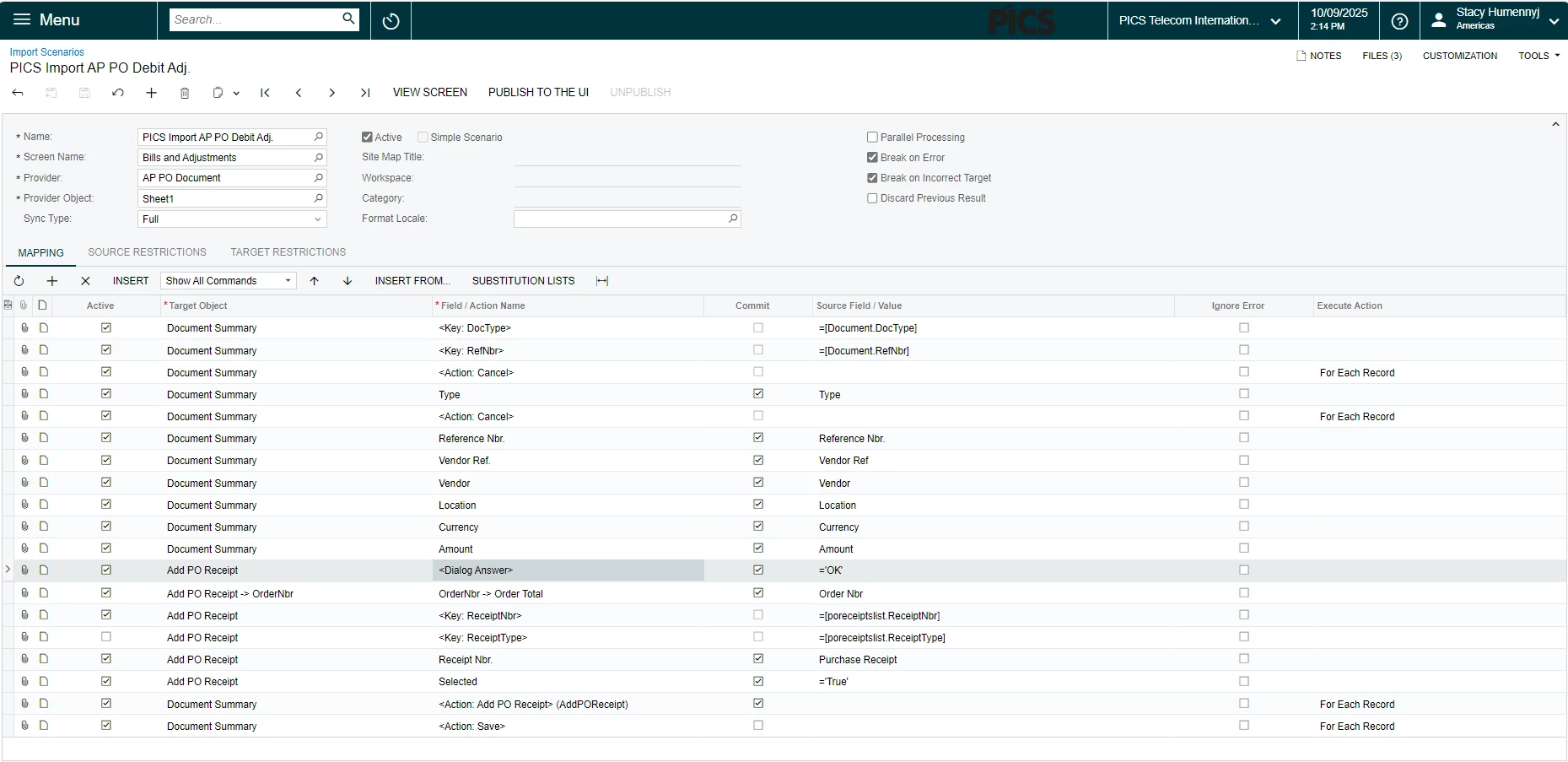
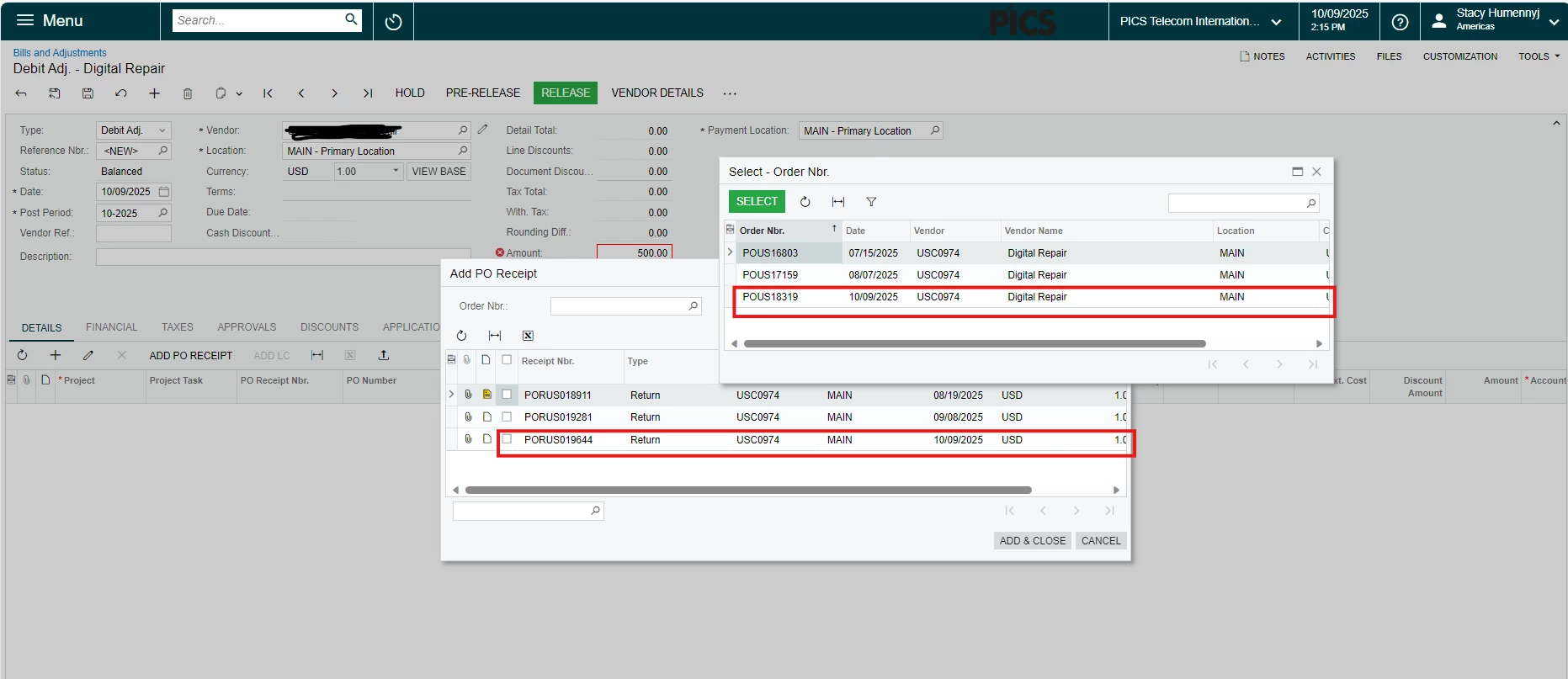
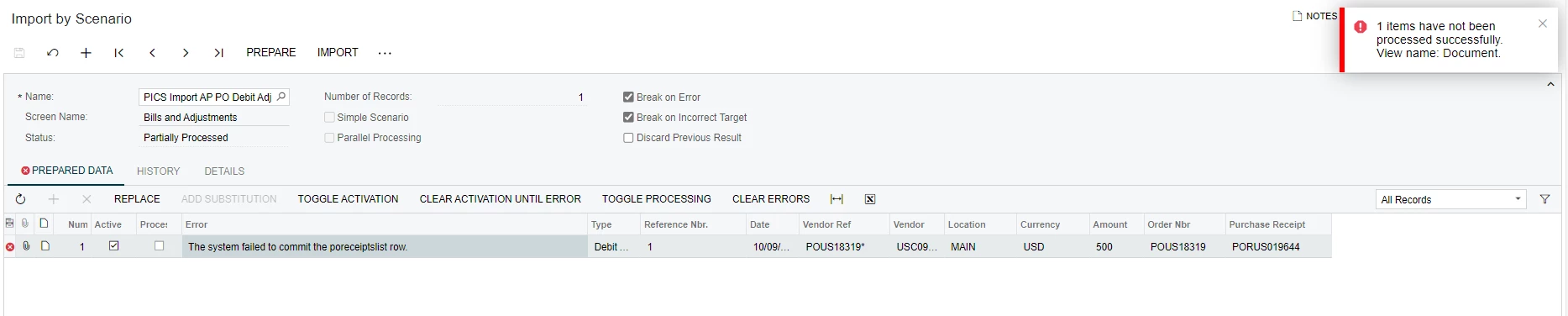
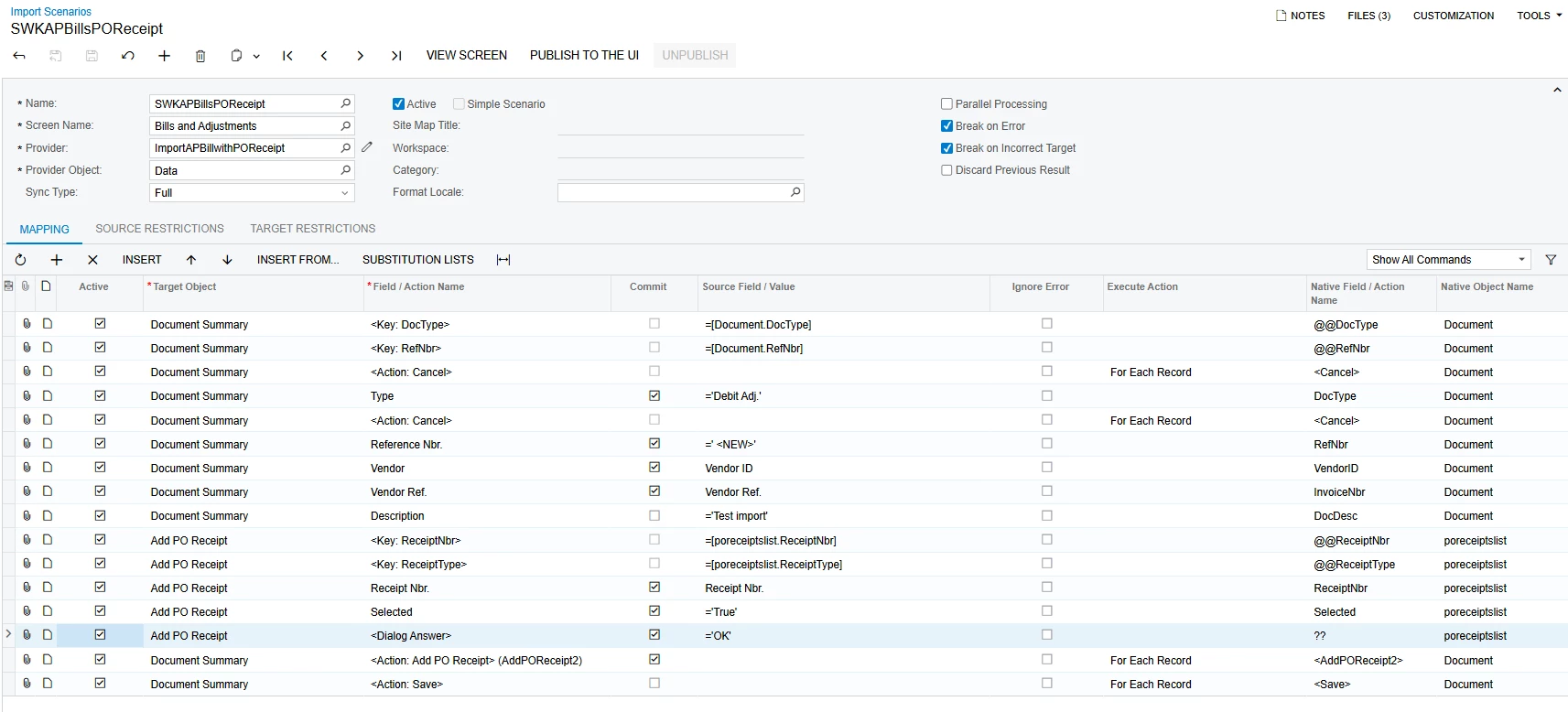
Hi All, does anyone have a working import scenario that adds a PO Receipt to a debit adjustment for a PO Return?  I have a working import scenario to add a PO receipt line to an AP Bill, however I can’t use the same import scenario for a debit adjustment as the only action is Add PO Receipt.  Unfortunately, the import scenarios above aren’t working for me.  I keep getting the error of “The system failed to commit the poreceiptslist row.”

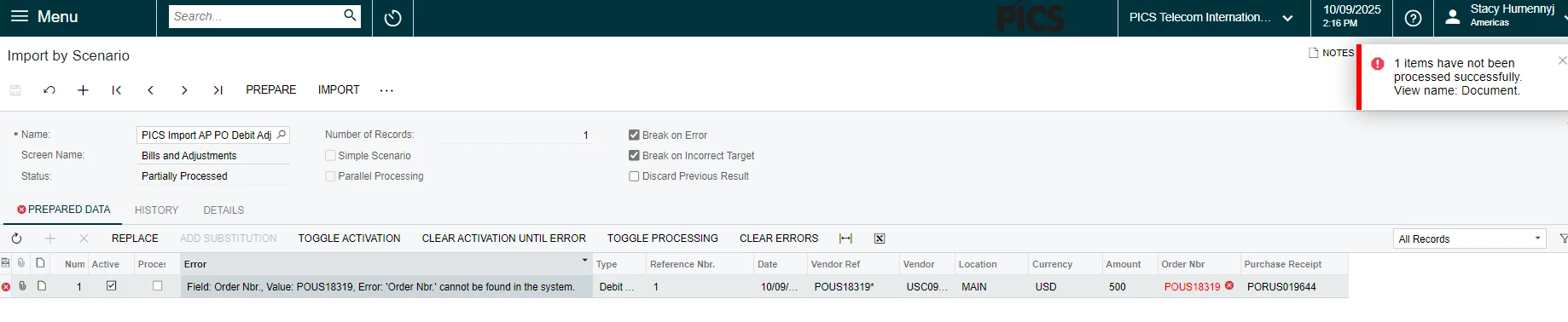
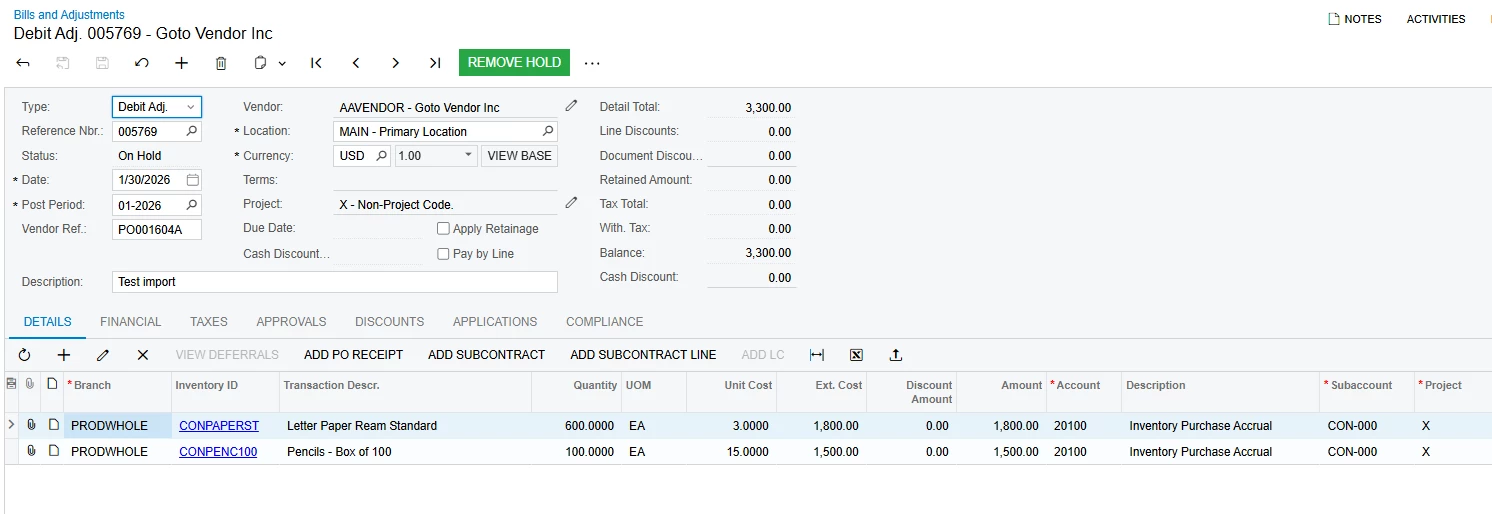
I added a line to select the order number first, but then it tells me “Field: Order Nbr., Value: POUS18319, Error: 'Order Nbr.' cannot be found in the system.” even though when I go to manually create a Debit Ad., that PO does exist and is available to select.

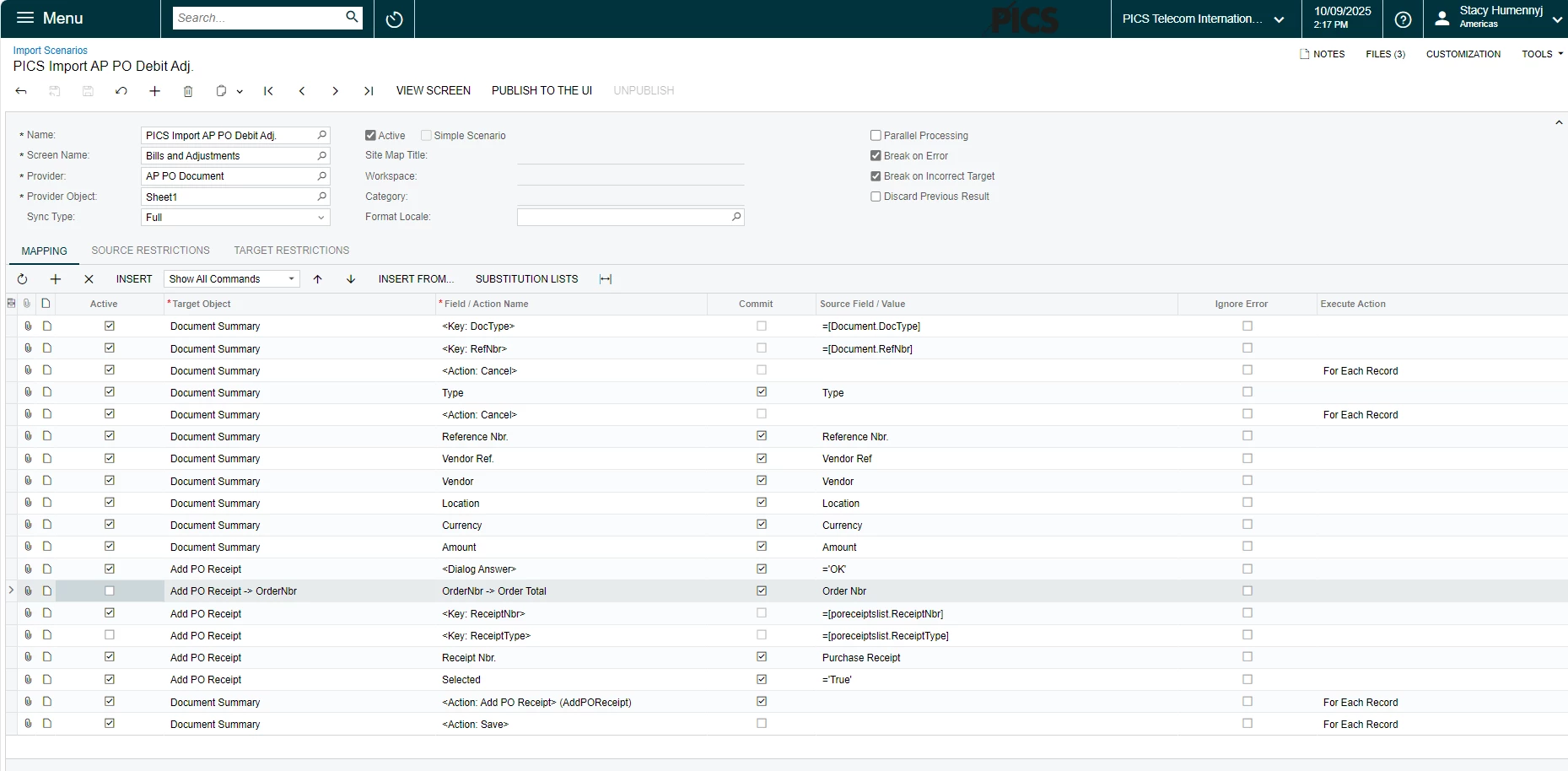
Here is a screenshot of my import scenario with the order number, the manual AP Debit Adj I’m adding that shows the PO is available to select, and the import by scenario screen (see next 3 screenshots).  

The screenshots after that are the import scenario without the Order Nbr being selected, and the error showing the poreceiptlist row failing to commit - I simply uncheck the Order Nbr part of the import scenario to deactivate that line

Import scenario with the Order Nbr deactivated