



Hey everybody,
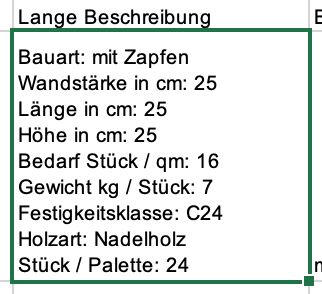
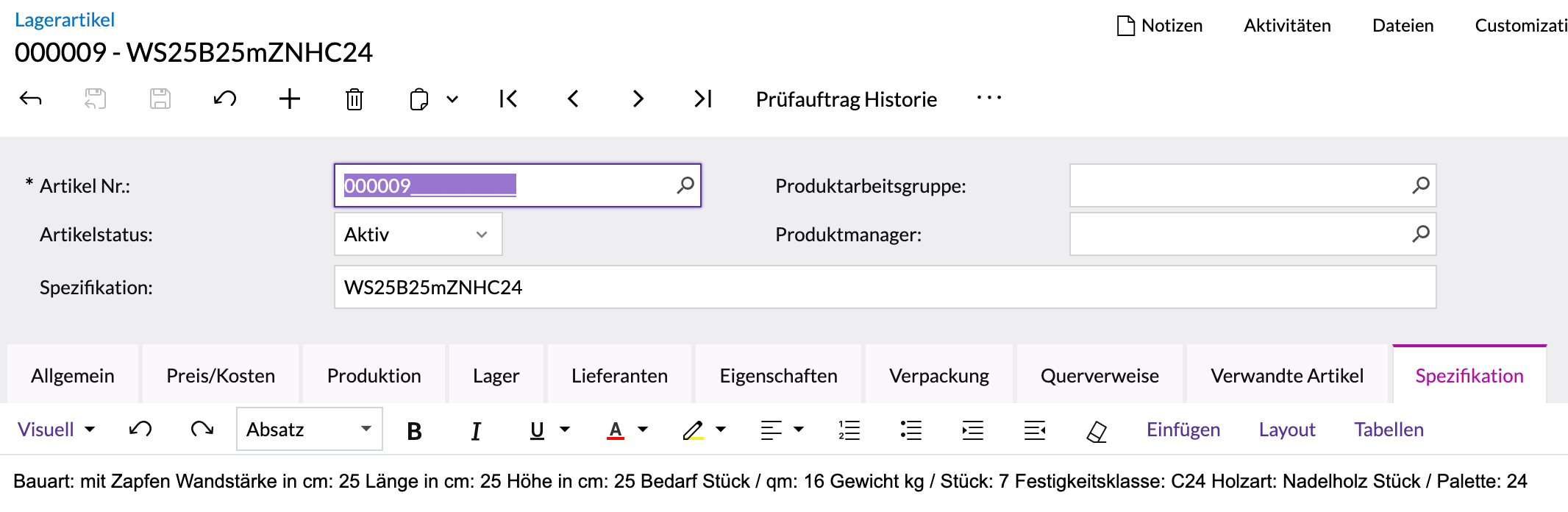
Is there a possibility to import the description of stock items via Excel with line breaks? It seems that the import scenario doesn’t take the line breaks from excel into account…
Any help is greatly appreciated! :)
Hey everybody,
Is there a possibility to import the description of stock items via Excel with line breaks? It seems that the import scenario doesn’t take the line breaks from excel into account…
Any help is greatly appreciated! :)
Best answer by lauraj46
Hi
I’ve had success pulling in line breaks using CHAR(13) & CHAR(10). First use the Excel find and replace to replace all of line breaks on the spreadsheet with a special string such as #@$. Then add a new column with a formula to substitute #@$ with CHAR(13) & CHAR(10)
=SUBSTITUTE(B2, "#@$", CHAR(13) & CHAR(10))
We used this as the data source for an import scenario to import PO line notes.
Hope this helps!
Laura
No account yet? Create an account
Enter your E-mail address. We'll send you an e-mail with instructions to reset your password.


