Question

Import Scenario using MS SQL Data Provider with Views giving Incorrect Syntax Error

  • August 12, 2025
  • 3 replies
  • 42 views

I am trying to use the MS SQL Data Provider in my Import Scenario.  I am able to connect successfully (with an SA role), setup the Import Scenario - both the Fill In Schema and Schema fields work great for the SQL View. However, when I try to Import a Scenario and hit the Prepare button, I get an error that there is an Incorrect Syntax near keyword ‘AS’.  My view does not use any aliases in the field or table names, so there is not AS clause in it except in the View definition (Create View … AS ...).  Here is a sample of my view:

Select ID, [Vendor ID], [Vendor Name] from ExternalVendorTbl

Any ideas what I can try to debug the Prepare step or other to find what I am doing wrong?

Running Acumatica 2024R2 and SQL Server 2022

3 replies

Manikanta Dhulipudi
Captain II
Forum|alt.badge.img+15

@uknotfromuk Can you share your import scenario mapping?


  • Author
  • Freshman I
  • August 12, 2025

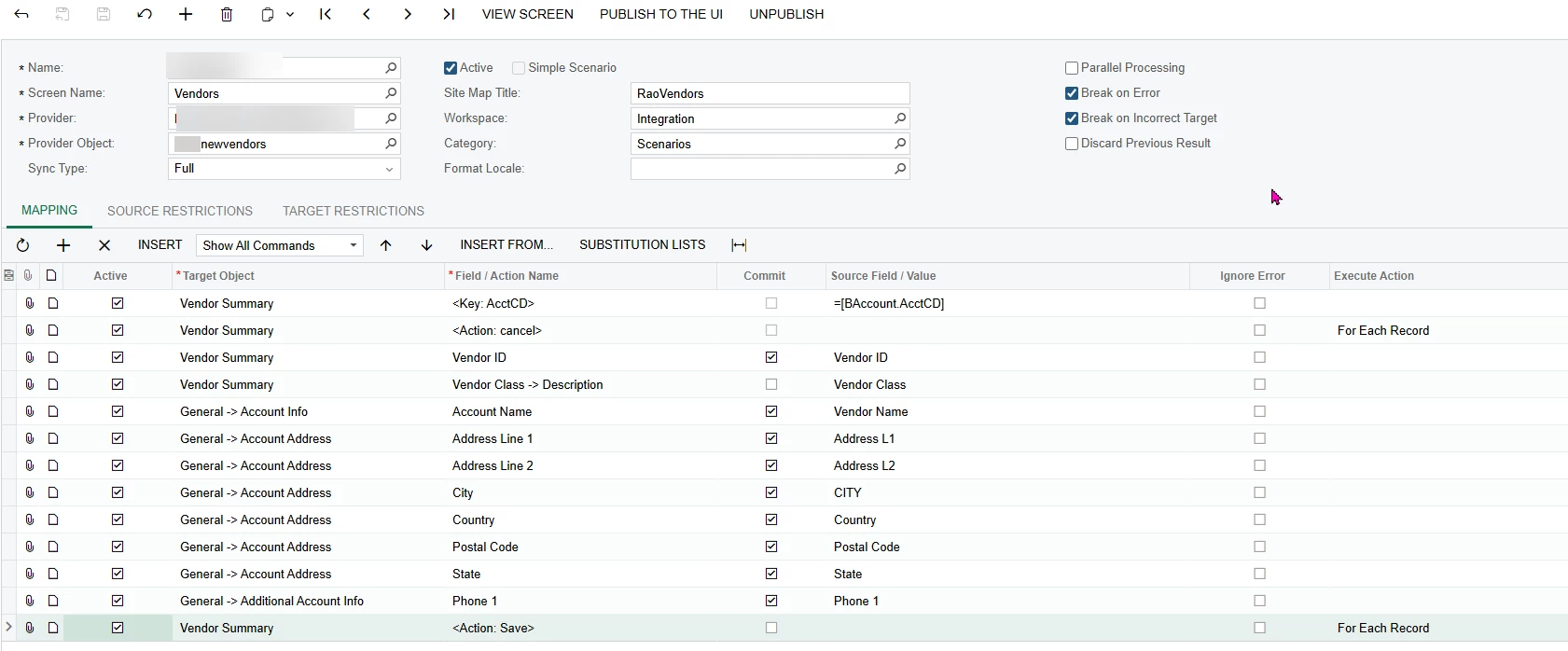
Sure, here it is and also some other information that maybe useful.

Import Scenario Mapping

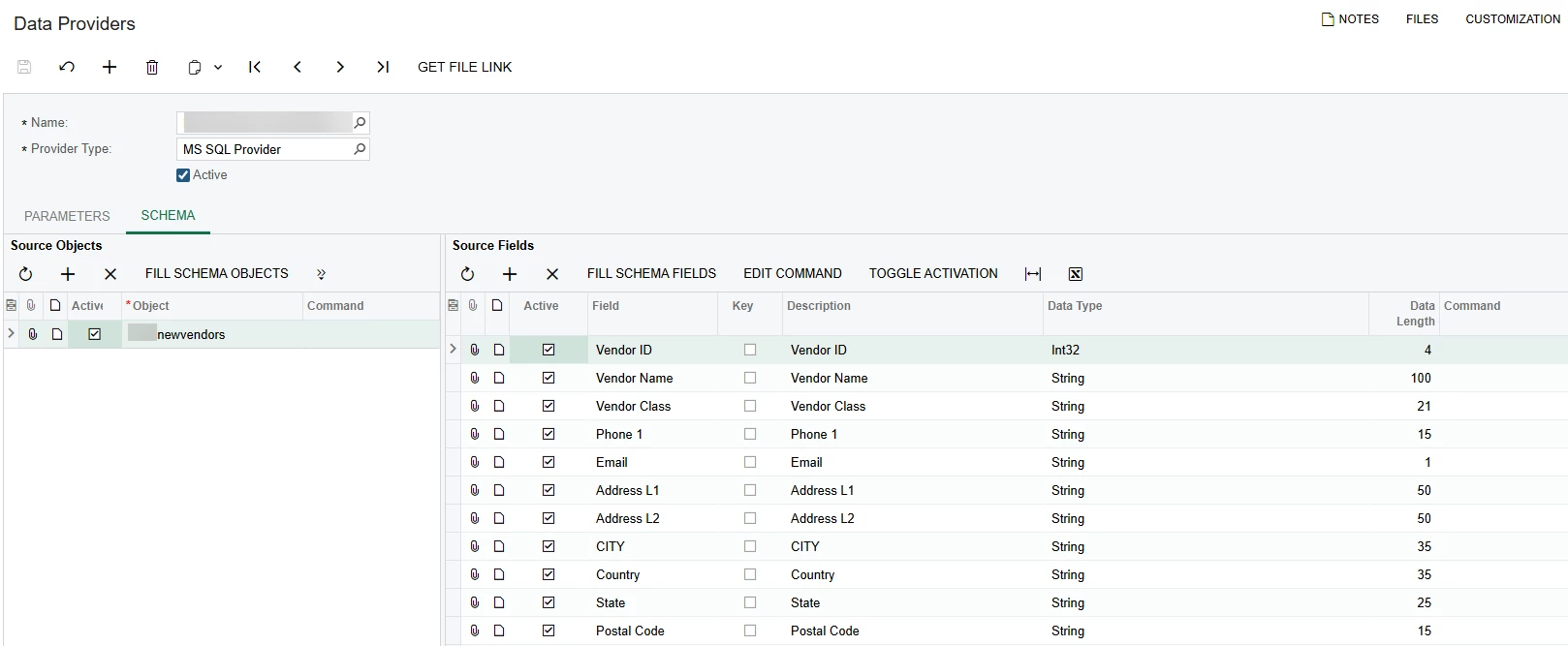
The Data Provider

MS SQL Data Provider


The SQL view I use:

CREATE   VIEW [dbo].[newvendors]

AS

SELECT     [Vendor ID],     [Vendor Name],     'DEFAULT' [Vendor Class],     [Phone 1],    '' Email, 

    [Address L1],     [Address L2],     CITY,    Country,    [State],    [Postal Code]

FROM testVendors

WHERE (AcctCD IS NULL) AND (Vendor | OtherVendor | OtherName = 1)

GO


Chris Hackett
Community Manager
Forum|alt.badge.img
  • Acumatica Community Manager
  • September 25, 2025

Hi ​@uknotfromuk were you able to find a solution? Thank you!