Answer

Import scenario to update PO lines

  • January 25, 2023
  • 5 replies
  • 872 views

Forum|alt.badge.img+5

Hello,

I want to remove all NOTES from all PO lines.  I created a GI and exported to excel all PO IDs and all of their line numbers.

I created a data provider with these 2 fields.

I then created an import scenario to replace the notes with nothing.

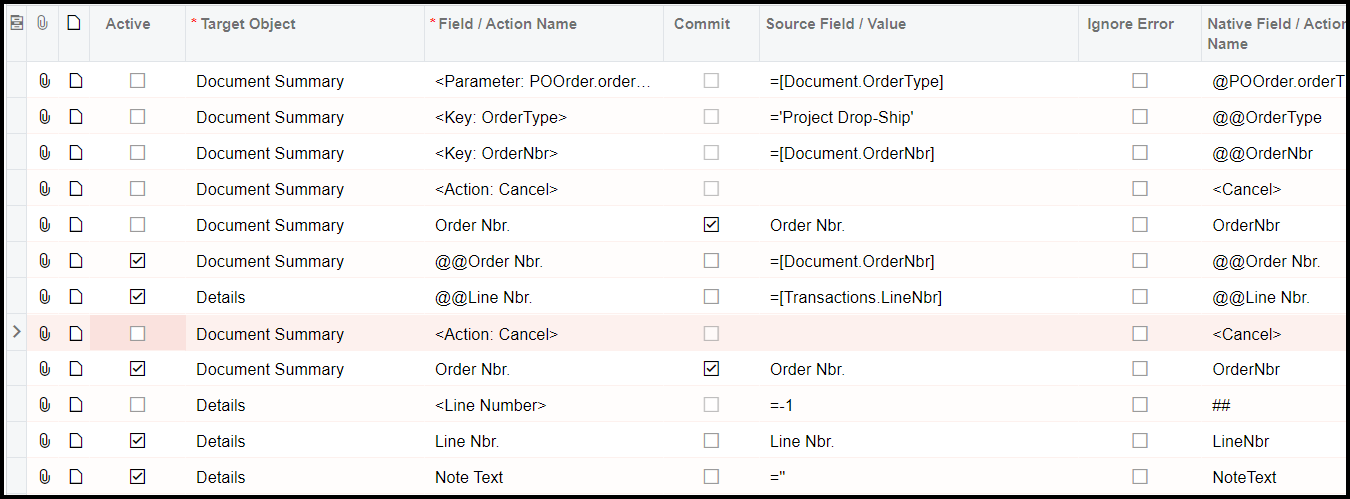
I can get this to work for the first PO line number without specifying the line number.  However, when I introduce lines into the scenario to select all PO lines, it throws an error like it is trying to add a line to the PO instead of simply updating the NOTES.

For my @@Line Nbr. line, I don’t see the PO Line number as an available field.  The “Transactions.LineNbr” is the only line number field available in “Internal Fields”.

Any suggestions?
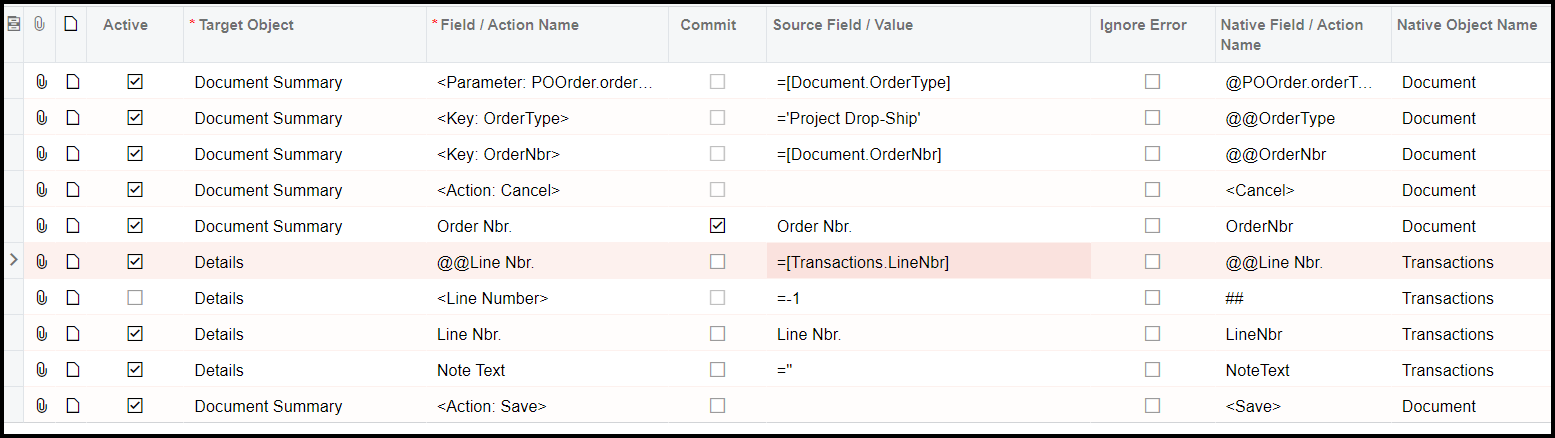
 

Best answer by Manikanta Dhulipudi

Hi @ltussing03 

5 replies

Forum|alt.badge.img+5
  • Author
  • Captain II
  • January 25, 2023

Further information.  The goal here is to blank out the notes on all PO Lines.  So if there is a way to do that without first exporting a GI with PO ID and PO line number, that would be best.


Forum|alt.badge.img+5
  • Author
  • Captain II
  • January 25, 2023

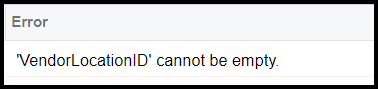
Latest attempt.  Added PO ID @@Order Nbr selection.  Getting error about the vendor ID now.


Manikanta Dhulipudi
Captain II
Forum|alt.badge.img+15

Hi @ltussing03 


Forum|alt.badge.img+5
  • Author
  • Captain II
  • January 25, 2023

Thank you!!!


I really appreciate you taking the time to post this!


ed.goodman
Acumatica Employee
Forum|alt.badge.img+4
  • Acumatica Employee
  • January 31, 2023

Larry, one other thing here.

For the Note Text record, you have =’’ for the Source Field / Value.

With that value, the system is expecting something to be added, which is why it is attempting to add a new line.

If you are wanting to blank out a field, your Source Field / Value should be =Null.