Answer

Import scenario to link SO line to PO line.

  • August 20, 2025
  • 3 replies
  • 110 views

bwhite49
Captain II
Forum|alt.badge.img+10

We have a customer that uses the same inventory ID to represent multiple purchase items. When using the native create purchase order action/process the created purchase order will link the PO to the SO, but on the PO all of the lines are consolidated into a single line. This does not work for their process because the inventory ID represents multiple items on multiple SO lines with unique tran. descriptions. 

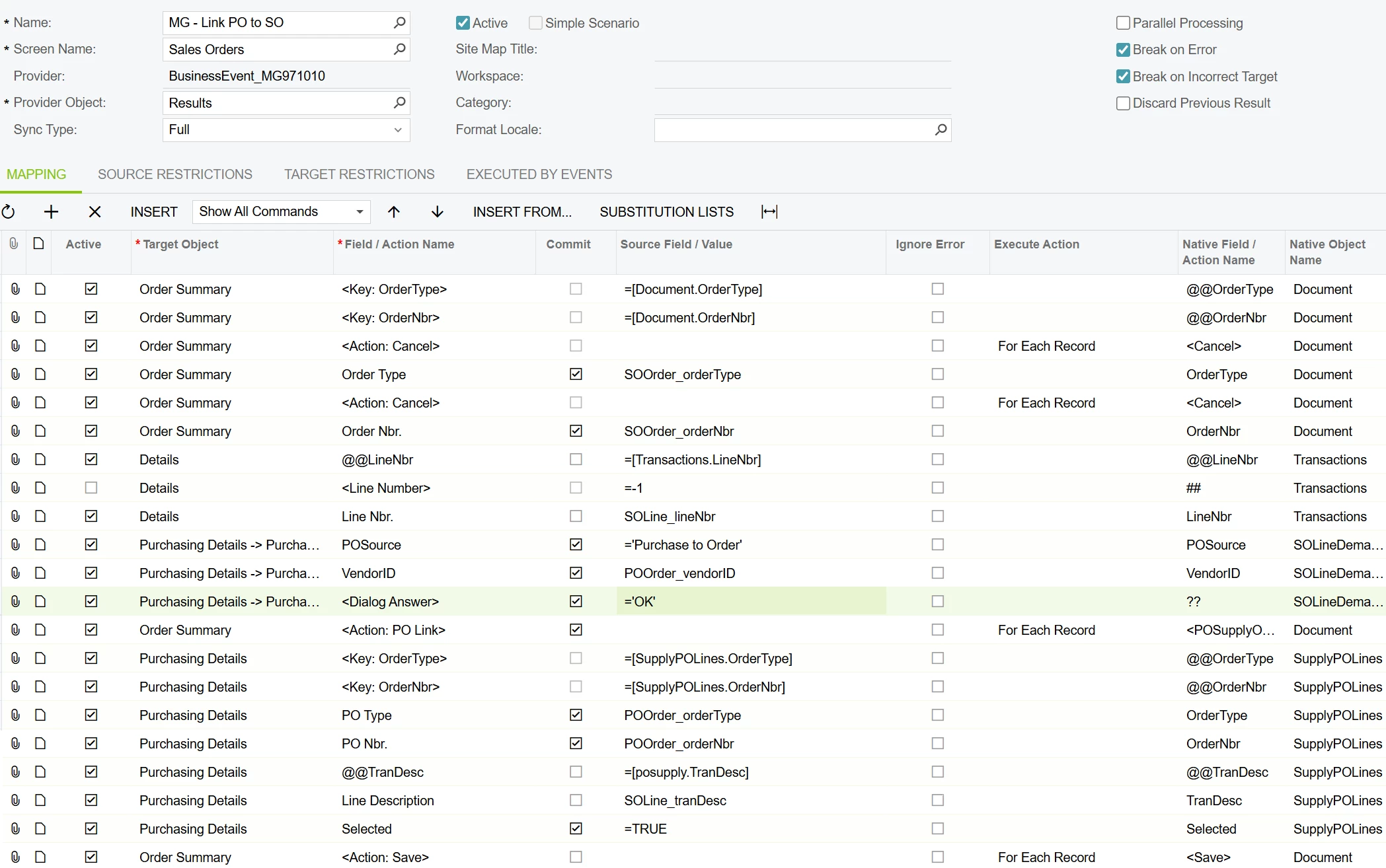
I created the import scenario to create the purchase order, but the 2nd import scenario to link the lines together has not been working (screenshot below). Running this import scenario does not offer an error. It shows that it successfully processed.

I am able to manually link the lines using the purchase details screen, just not through an import scenario.

The reason I’m using @@TranDesc is because the PO LineNbr field is missing from the Purchasing Details window. That seems to be the best unique ID in this case.


Best answer by Missy Main

Hey there ​@bwhite49 

I was able to get this to work locally on my sales demo. 

I recommend testing this outside of the business event first, before testing with business event. 

When configuring this I used the following KB, although it is configured for drop ship, it seems the same can be applied for purchase to order: 


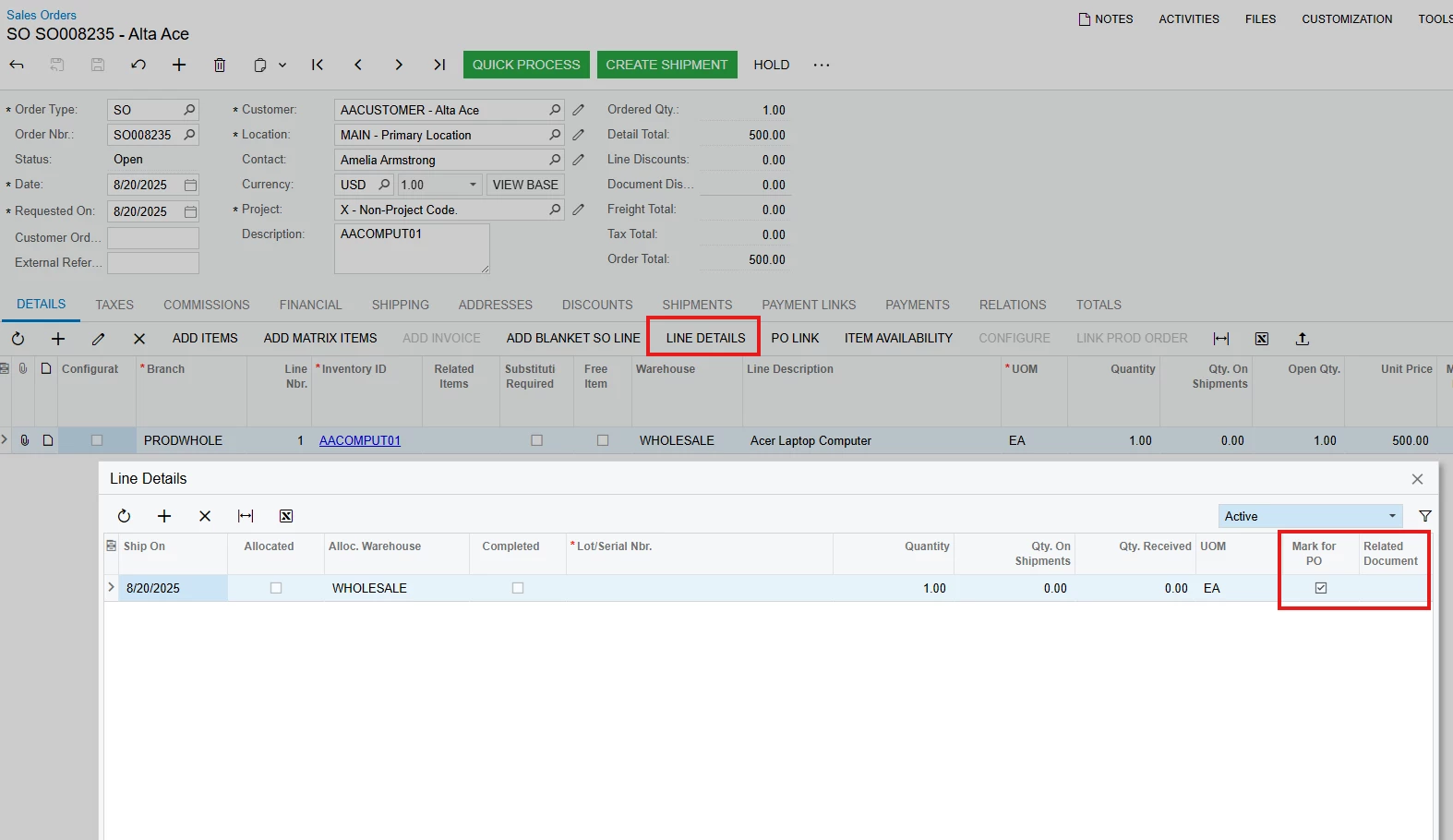
Review of SO Line Details shows no PO Line is yet linked: 


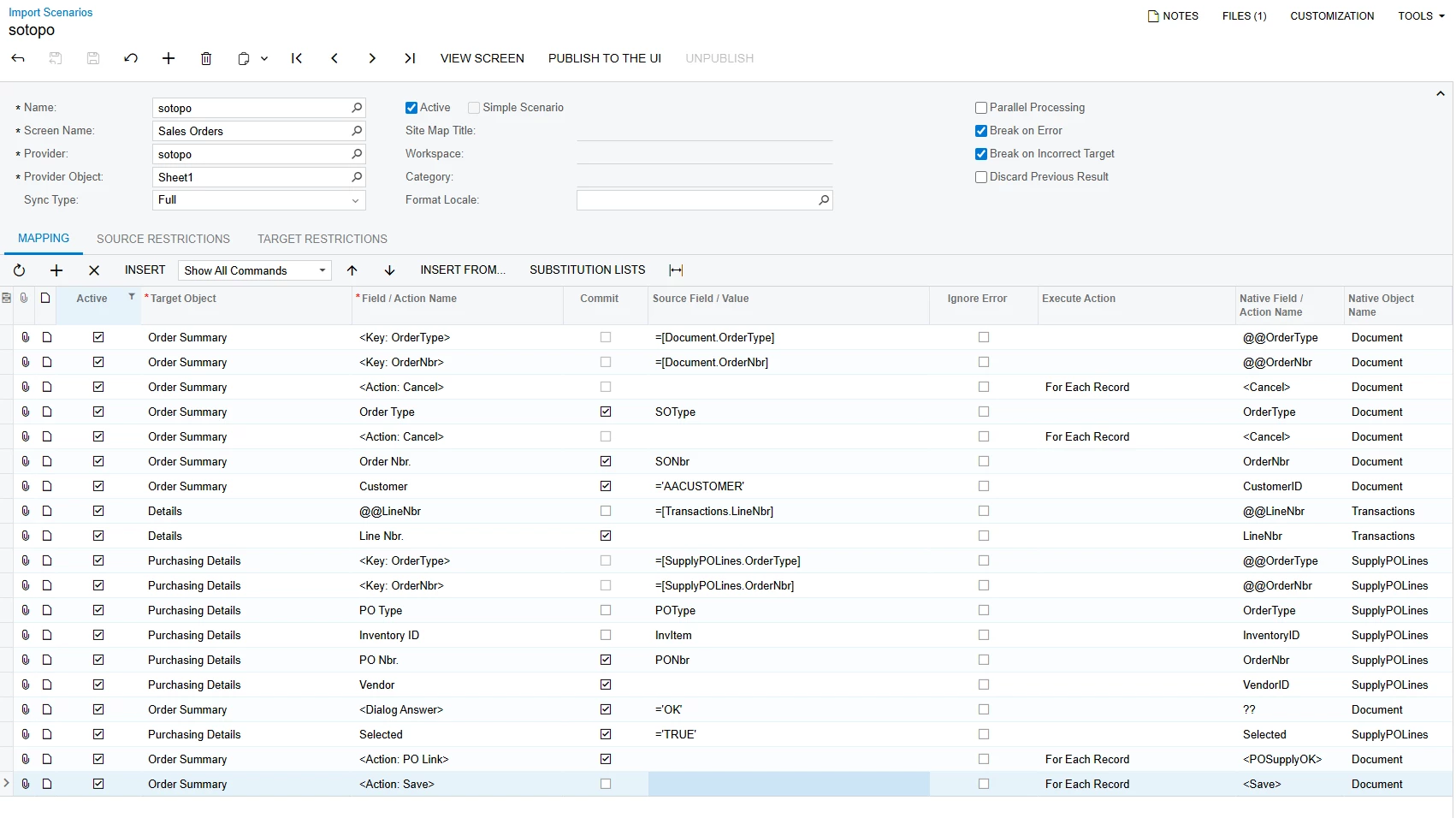
Config: 


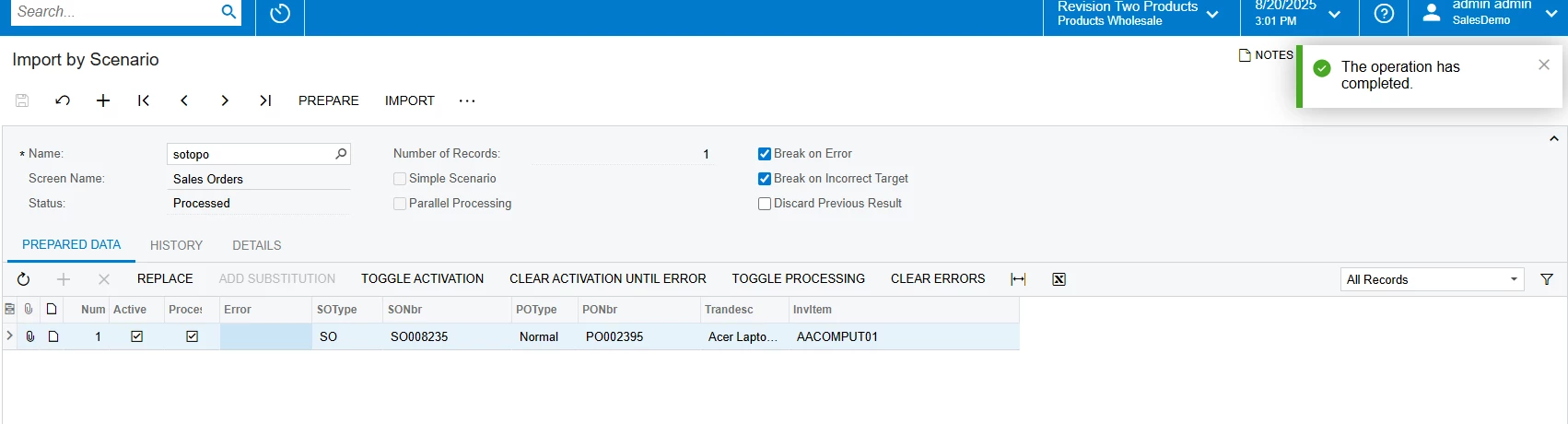
Success: 


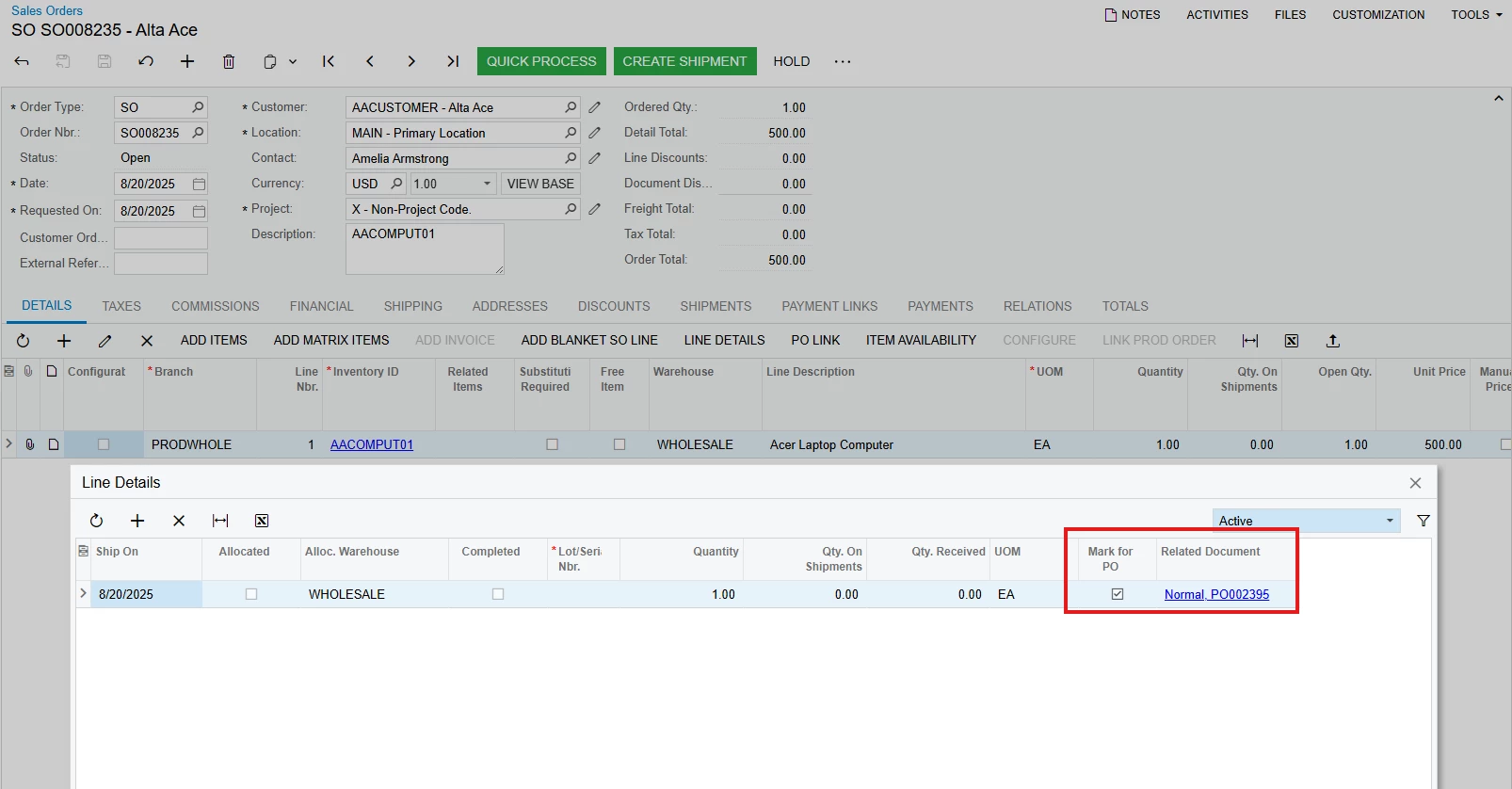
Result - Line Details on SO shows now the PO Line is linked: 


3 replies

bwhite49
Captain II
Forum|alt.badge.img+10
  • Author
  • Captain II
  • August 20, 2025

Attached are the XML documents for the generic inquiry, business event, and import scenario. There is a custom attribute and usr field in one of the GI joins, so this will not work as imported.


Forum|alt.badge.img+3
  • Acumatica Support Team
  • Answer
  • August 20, 2025

Hey there ​@bwhite49 

I was able to get this to work locally on my sales demo. 

I recommend testing this outside of the business event first, before testing with business event. 

When configuring this I used the following KB, although it is configured for drop ship, it seems the same can be applied for purchase to order: 


Review of SO Line Details shows no PO Line is yet linked: 


Config: 


Success: 


Result - Line Details on SO shows now the PO Line is linked: 


bwhite49
Captain II
Forum|alt.badge.img+10
  • Author
  • Captain II
  • August 21, 2025

Perfect, thank you Missy. You are always helpful.

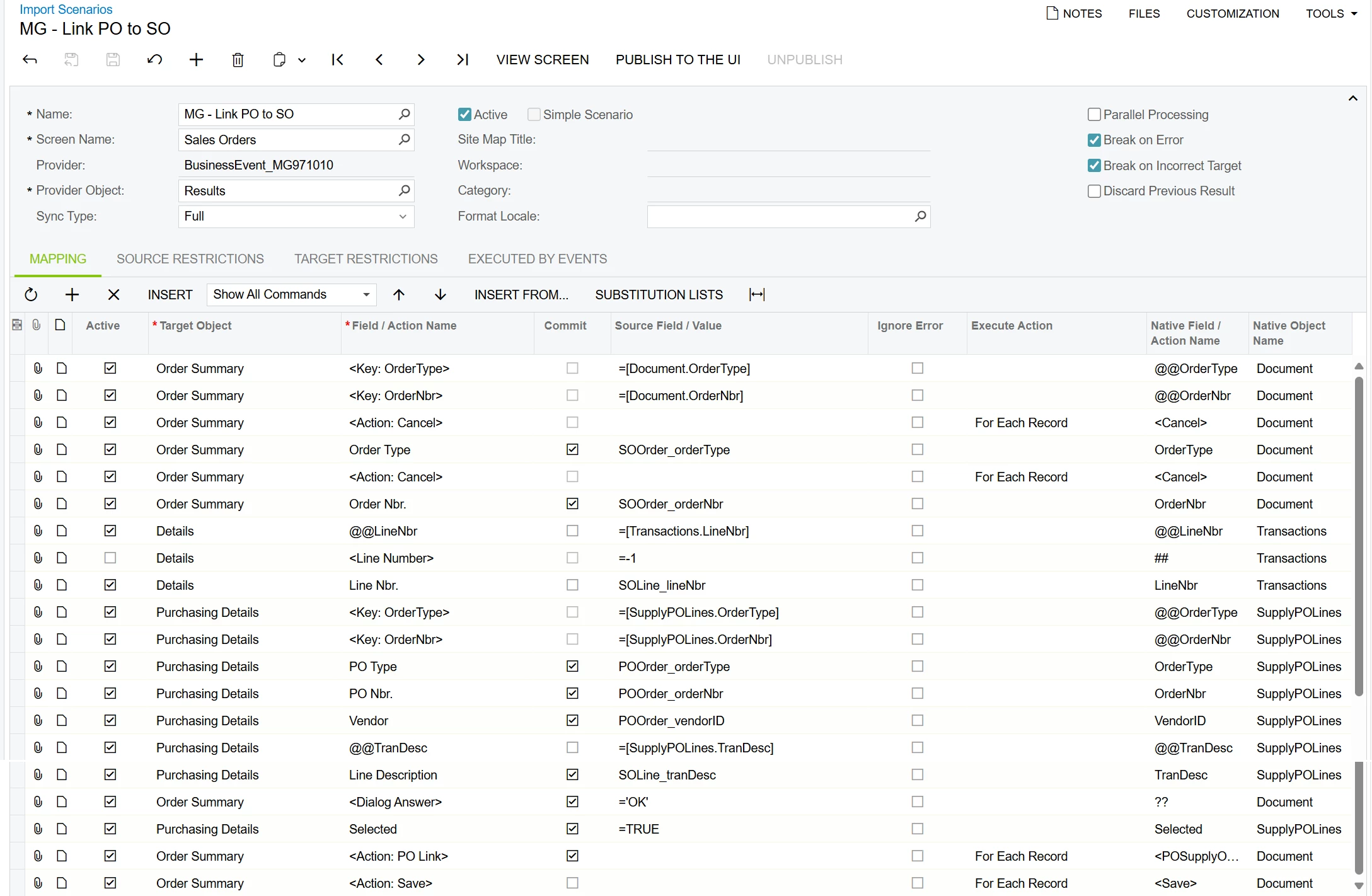
Here is the final import scenario for folks trying to solve this same problem in the future.