Answer

Import scenario to add existing contact to customer

  • November 8, 2025
  • 4 replies
  • 60 views

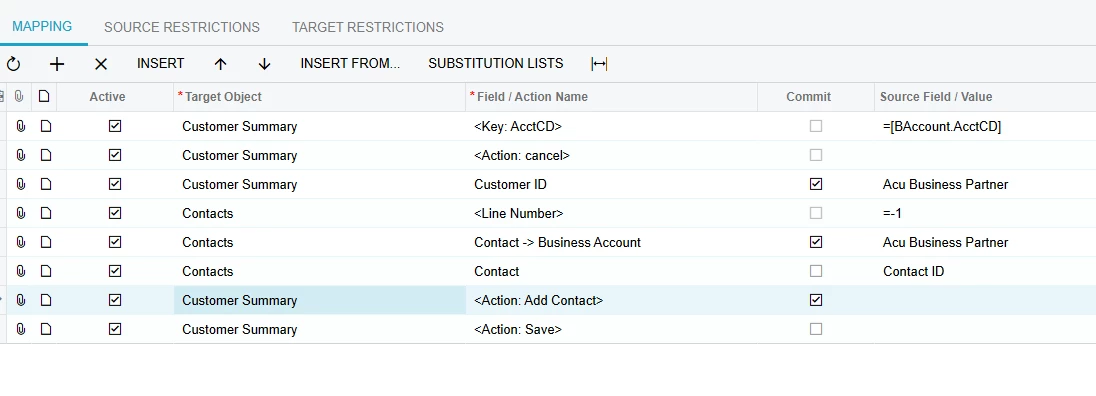
I’m trying to add existing contacts to customers, my initial scenario created the contacts but didn’t assign them in the customer screen. I’m getting an error that lastname is required so it looks like the scenario is trying to create a new contact rather than add an existing one. 

Any advise please?
 

Best answer by nickcerri32

@RacheleDickie - It’s been said earlier in this thread but the plus button on the Contacts tab of the Customers screen is for adding new Contacts.  The easiest way to do this is to simply add the Business Account (Customer) to the Contact record.  This will result in that contact showing up in the Contacts tab of the Customer profile, assuming the business account was extended as a customer or simply created as a customer first.  


4 replies

DipakNilkanth
Pro III
Forum|alt.badge.img+13

Hi ​@RacheleDickie,
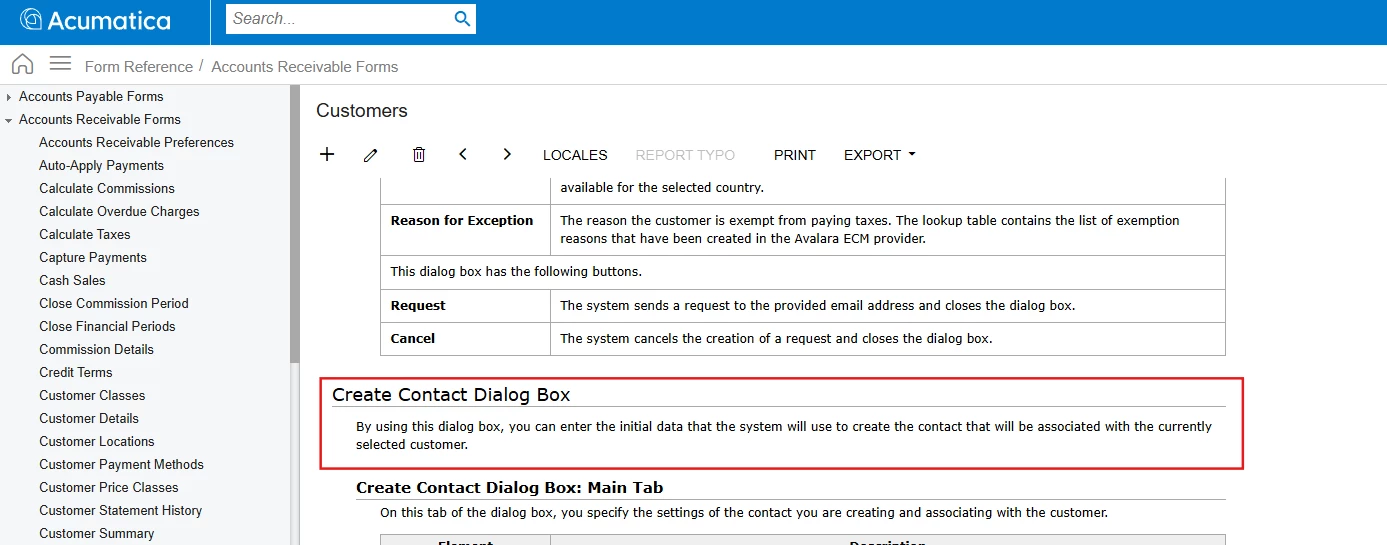
According to Acumatica help resources, the Create Contact dialog box is designed only to create a new contact and add it to the customer. It does not allow adding an existing contact to the customer directly from the screen.
 

Hope, it helps!


  • Author
  • Freshman II
  • November 9, 2025

@DipakNilkanth thanks - so I would have to delete the contacts and import from scratch? I’m not sure why they didn’t attach in the first place. 


lauraj46
Captain II
Forum|alt.badge.img+8
  • Captain II
  • November 10, 2025

HI ​@RacheleDickie ,

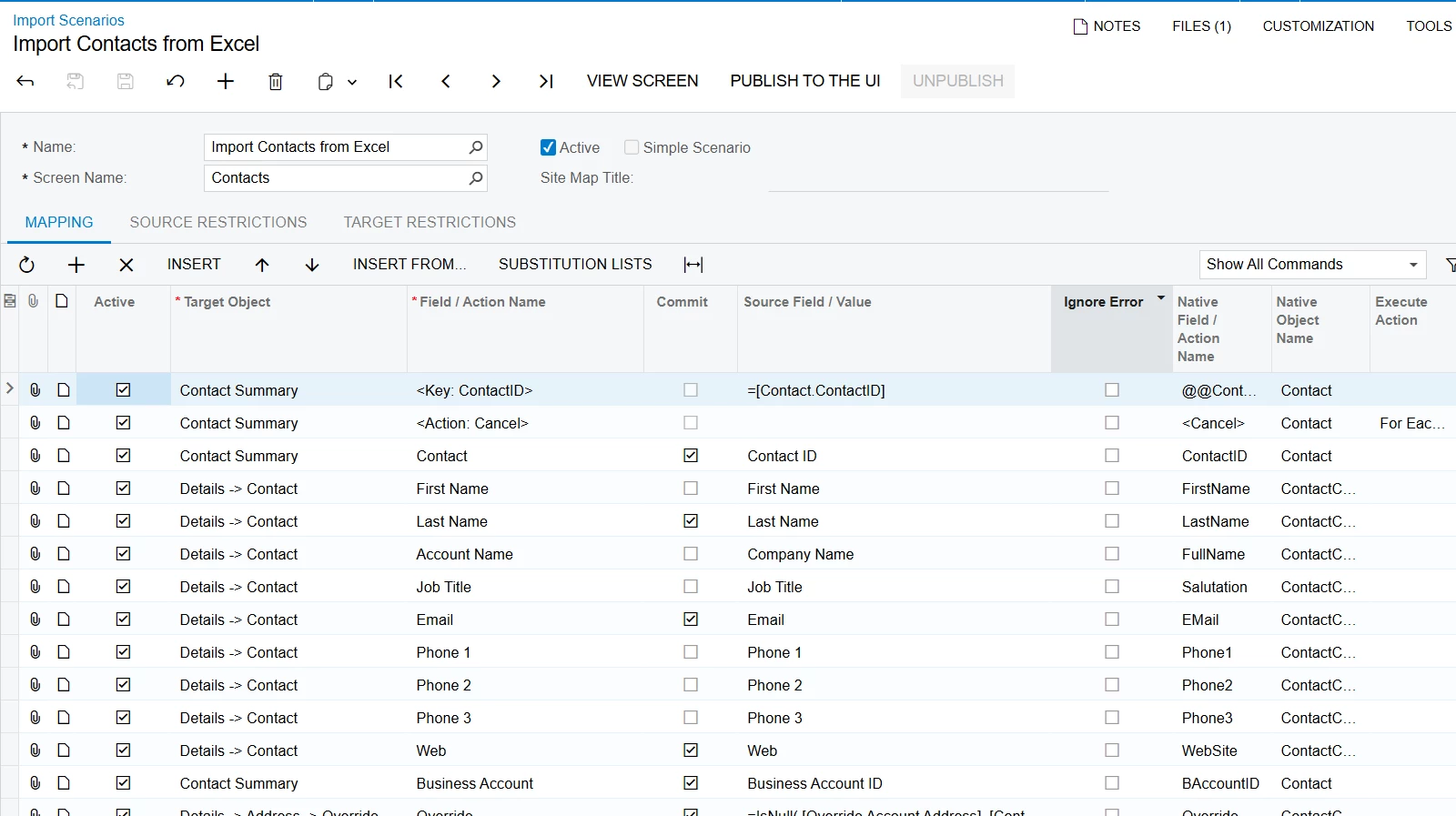
There may or may not be a way to accomplish from the Customer screen, but you can also create contacts from the Contacts screen and specify the Business Account there.  Take a look at the example scenario named Import Contacts from Excel.  I would recommend walking through the process by creating one manually on the screen and then replicating the field mappings in your scenario.

Hope this helps!

Laura


nickcerri32
Jr Varsity III
Forum|alt.badge.img+1
  • Jr Varsity III
  • Answer
  • November 10, 2025

@RacheleDickie - It’s been said earlier in this thread but the plus button on the Contacts tab of the Customers screen is for adding new Contacts.  The easiest way to do this is to simply add the Business Account (Customer) to the Contact record.  This will result in that contact showing up in the Contacts tab of the Customer profile, assuming the business account was extended as a customer or simply created as a customer first.