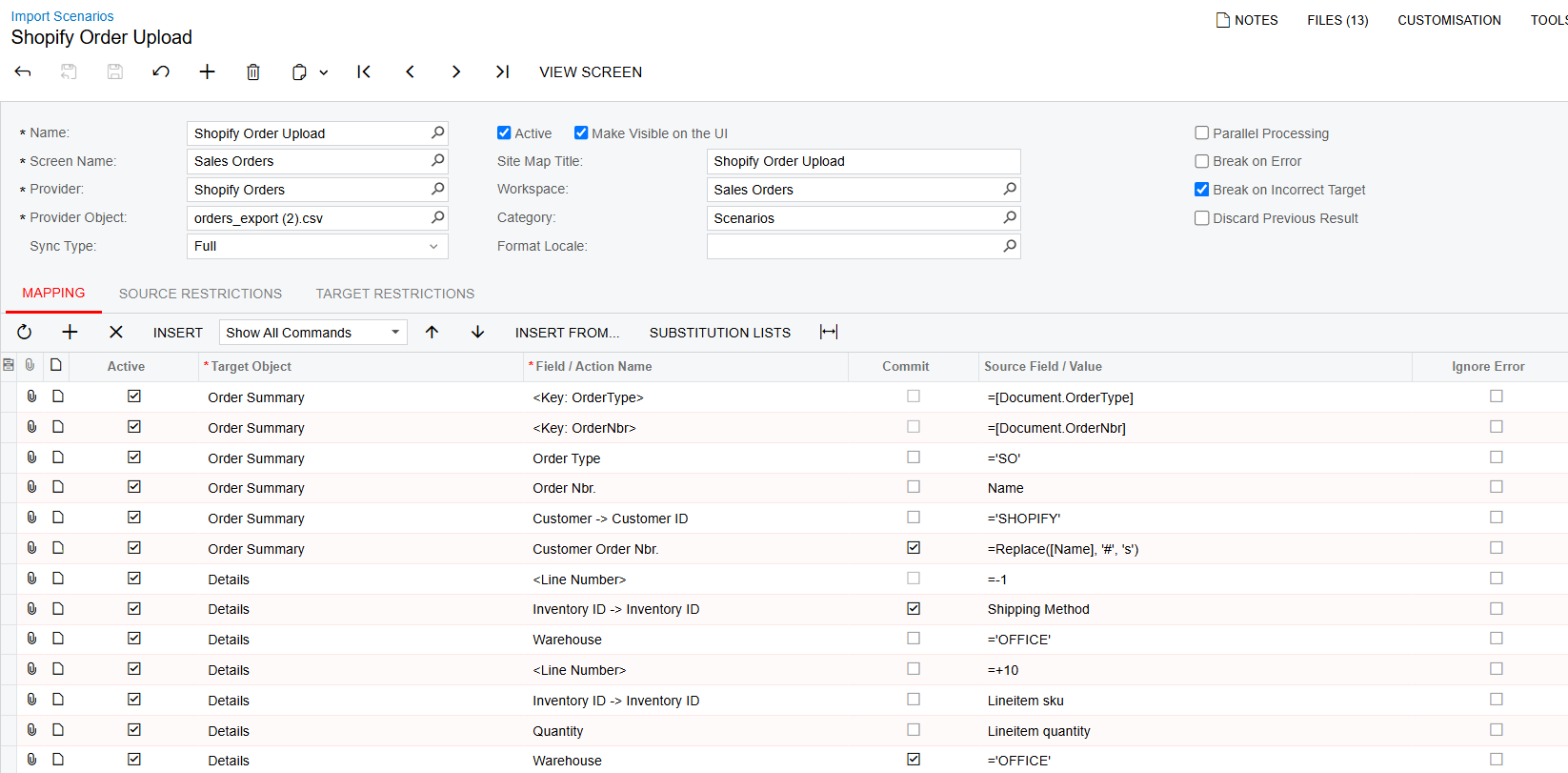
I am working on an Import Scenario that takes an exported Shopify Order and bulk create Sales Orders along with all the line items in the same order.
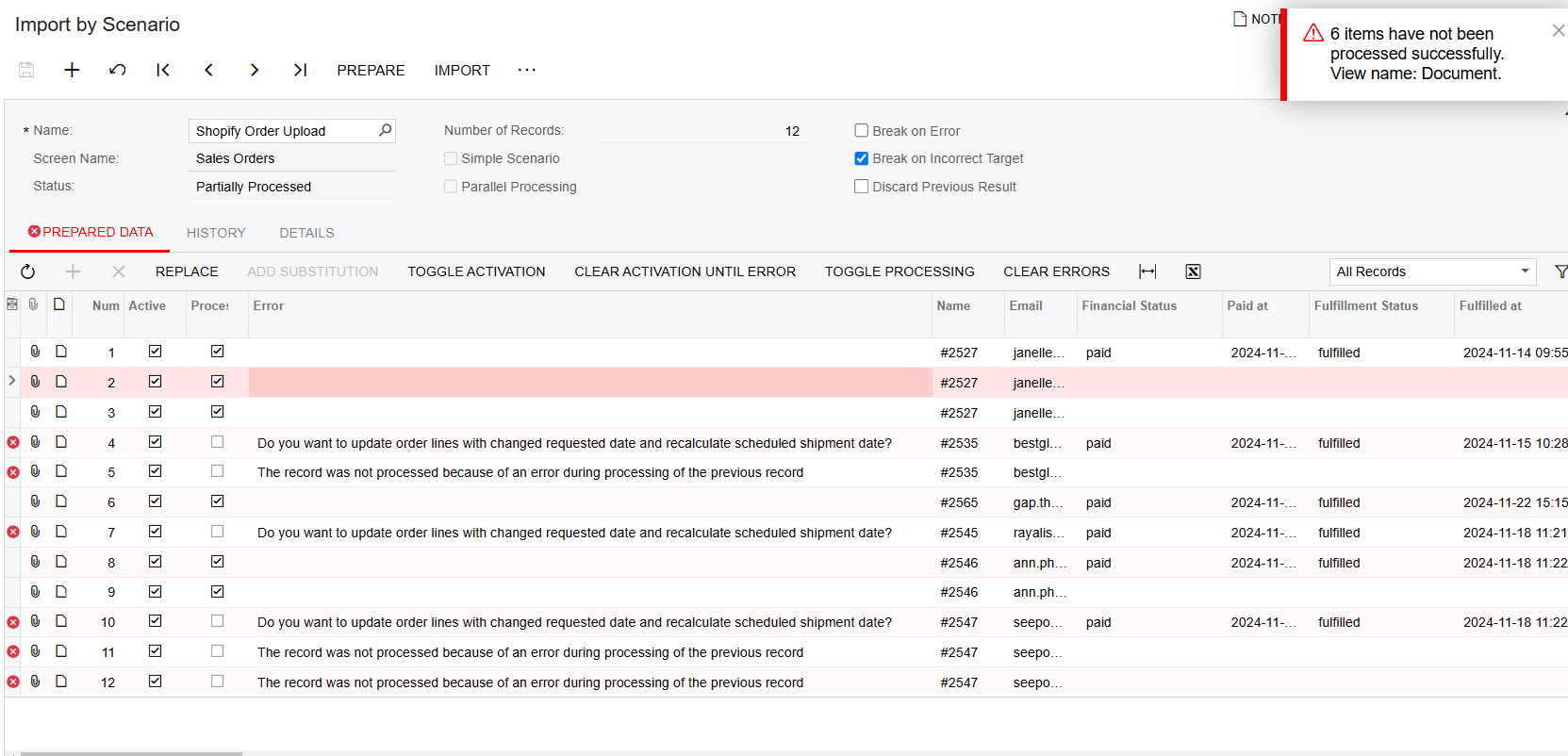
But my Import Scenario is skipping import every other order (Img below), for example 1st order processed, 2nd order error, 3rd order processed, 4th order error...so on.
Because of Shopify’s exported format, if an order has more than 1 product, it’s recorded in an additional line (e.g. first order has 3 products, so it has 3 lines of records) with the same order number.
I am able to import the orders with correct line items for the orders that did not run into error, does anyone know what could be cause this?
Img - Import by Scenario (With errors)
Img - Import Scenario
many thanks
Best answer by Dipak Nilkanth
Hi @ainscorpwill,
Reproduce the issue by using the same data that is causing the issue when you create a Sales Order from the screen.
Identify the exact point where the dialog box appears. This could happen due to validations, warnings, or system logic triggered by the data.
Find the Dialog Box Trigger by trace the execution flow to find where the dialog box is being invoked.
Pass Dialog Box Messages in the Import Scenario:
When importing data, Acumatica provides the ability to handle dialog boxes by simulating user interaction (e.g., sending a "Yes" or "OK" response).
Ensure your import scenario is configured to pass the required dialog box message.
Add the necessary dialog response step to your import scenario. For example:
If the system prompts for "Confirm Update" or "Do you want to continue?", configure the scenario to respond automatically.
Use the "Dialog Answer" field in the import scenario to specify the response ("Yes", "No", or "OK").
Re-run the import scenario with the dialog message handling added.