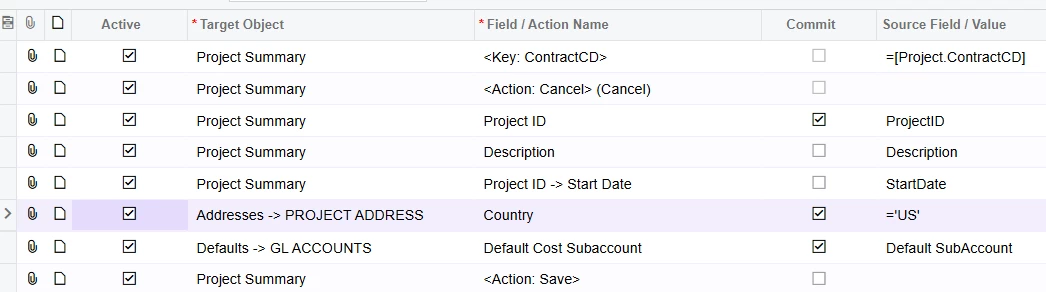
I have an import scenario for projects and it is erroring on “Country” cannot be empty.
I have tried several settings on the Address fields, including the following setting and it will not allow the import.
It is requiring the project address country to be filled in. I have also tried using the CountryId=US
On the task setup, if there is one task for each project what is the best way to add that task to every project created?
Best answer by meganfriesen37
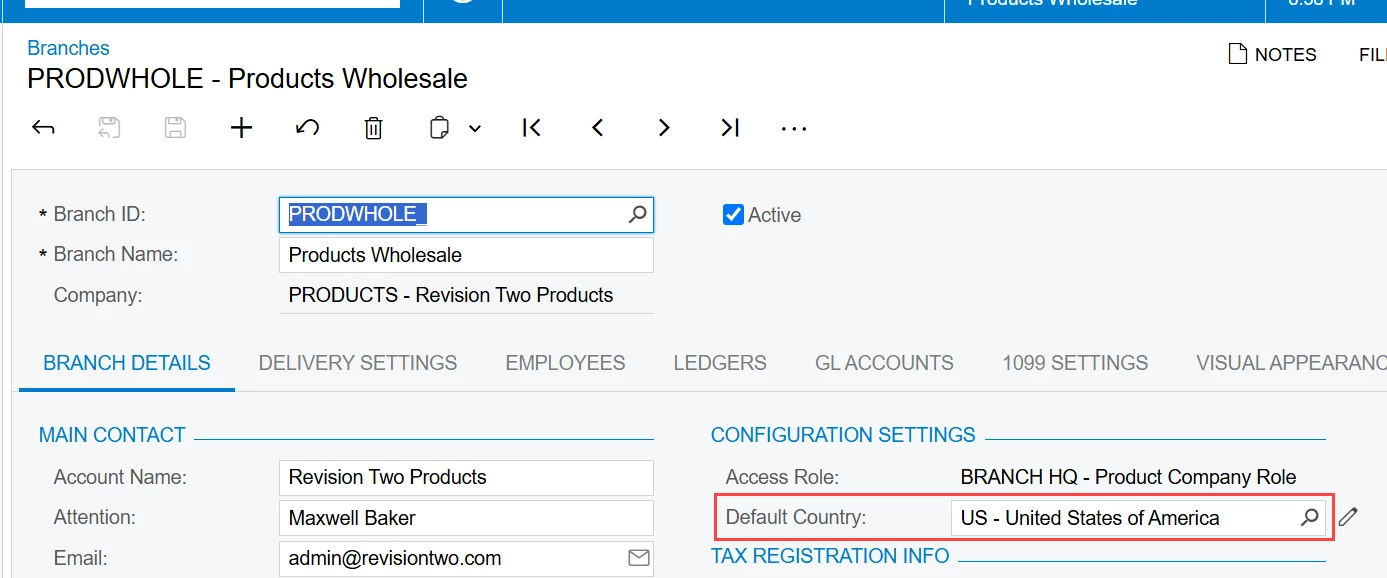
One possible workaround would be to check the settings on your Companies and/or Branches screen and set your default country to US.
The other option to try might be using Country → Country ID in the import scenario?
If you’ve got the same standard task ID(s) to add to each project, have you considered using a project template to accomplish this? If you set the project template up with your required task and then import all your projects with the template assigned that should probably do what you need. If not, if you’ve only got one task/project then you should be able to set that up as part of your import above (or create a new import scenario - that’s what I usually do, but sometimes we’re importing 10+ unique tasks/project)
One possible workaround would be to check the settings on your Companies and/or Branches screen and set your default country to US.
The other option to try might be using Country → Country ID in the import scenario?
If you’ve got the same standard task ID(s) to add to each project, have you considered using a project template to accomplish this? If you set the project template up with your required task and then import all your projects with the template assigned that should probably do what you need. If not, if you’ve only got one task/project then you should be able to set that up as part of your import above (or create a new import scenario - that’s what I usually do, but sometimes we’re importing 10+ unique tasks/project)
One possible workaround would be to check the settings on your Companies and/or Branches screen and set your default country to US.
The other option to try might be using Country → Country ID in the import scenario?
If you’ve got the same standard task ID(s) to add to each project, have you considered using a project template to accomplish this? If you set the project template up with your required task and then import all your projects with the template assigned that should probably do what you need. If not, if you’ve only got one task/project then you should be able to set that up as part of your import above (or create a new import scenario - that’s what I usually do, but sometimes we’re importing 10+ unique tasks/project)
Setting the default country on the branches did fix the issue.
I have the tasks added on the import for now, we could also use a template.