Solved

Import scenario of Customer Contracts with 11 attributes

  • September 10, 2021
  • 6 replies
  • 532 views
  • Translate All

Forum|alt.badge.img

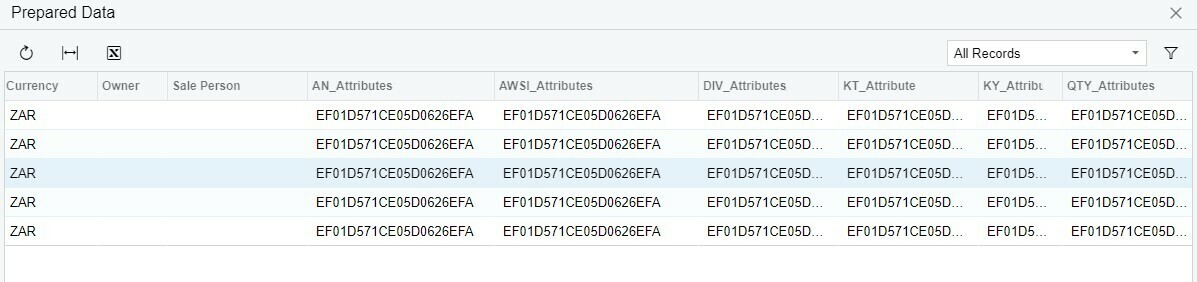
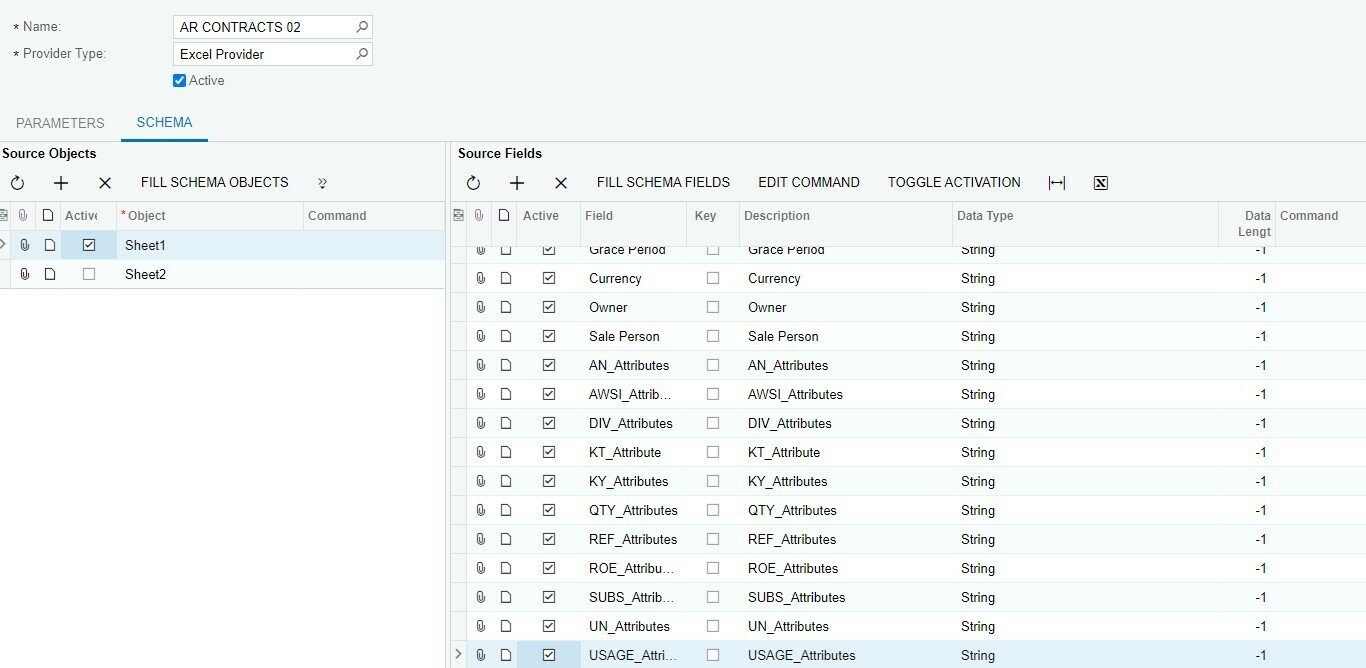
Hi all. I am trying to develop a data provider that allows for import/export of Customer Contracts with 11 attributes. Somehow when testing it the first attribute repeats itself 11 times in the export. Is the “design” of the Excel data provider incorrect. 

Best answer by Yuri Karpenko

@andre89 , the reason you’re getting 11 lines is because you have 11 attributes. Some entities allow for mapping of attributes in a single line (stock or non-stock items, for instance). But customer contracts don’t have that. Your best bet is to design you import / export in a way that if you have multiple attributes, you will have a separate line for each of those attributes. In your Data Provider, you would have all the data in each line, and only attribute ID and attribute value would be different from line to line. In the mapping, it would look something like this:

P.S. Attribute ID and Attribute Value should be the names of actual columns you have in your data provider.

View original

6 replies

Forum|alt.badge.img

Could you share a screen shot of your data provider and your import scenario?

Translate

Forum|alt.badge.img
  • Author
  • Freshman I
  • September 10, 2021

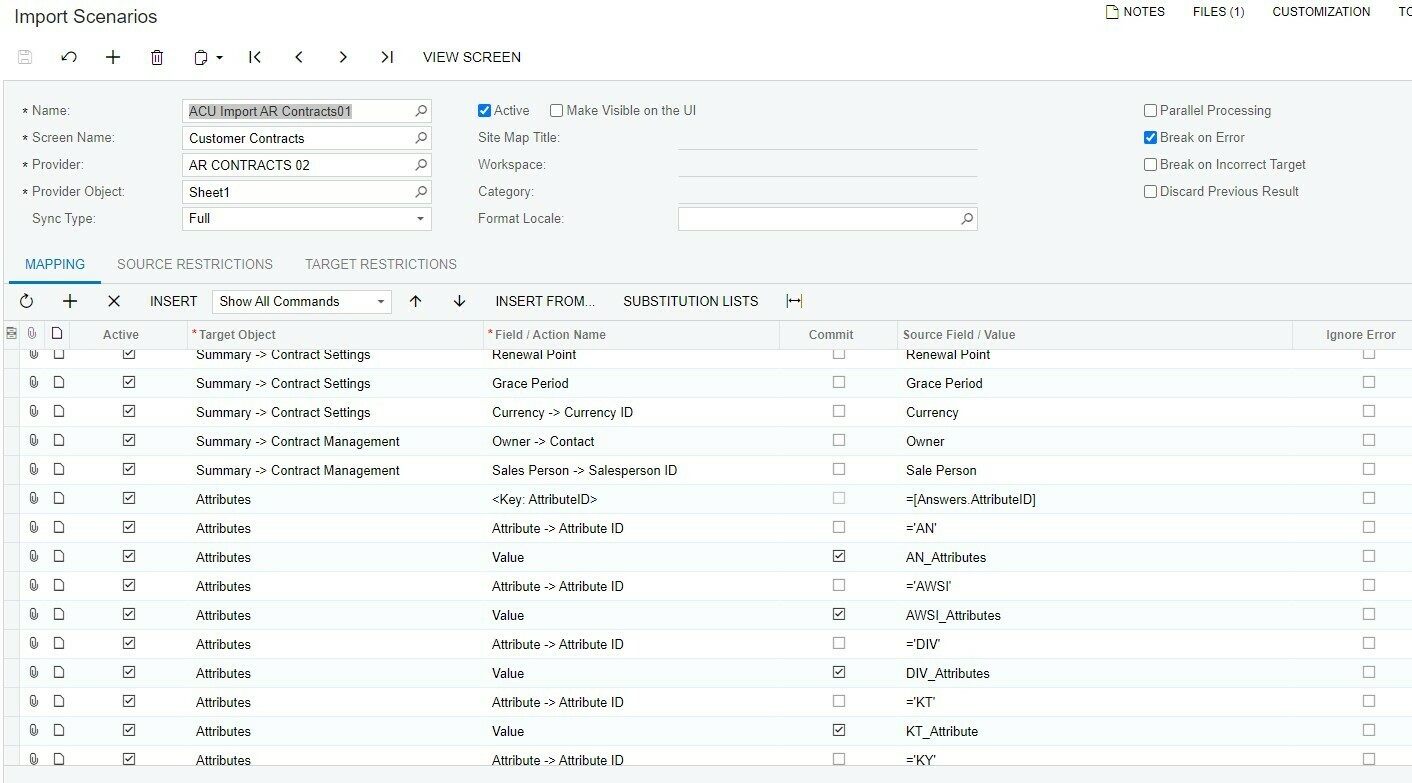
above data provider and below import scenario

duplicate data


Translate

Forum|alt.badge.img


Translate

Forum|alt.badge.img
  • Author
  • Freshman I
  • September 10, 2021

Great ! I will give it a go and revert

Translate

Forum|alt.badge.img
  • Author
  • Freshman I
  • September 10, 2021

Hi 

  • MRoszkowski15 still getting same results. Changed Import scenario and ran export scenario as per import.

Translate

Yuri Karpenko
Captain II
Forum|alt.badge.img+7

@andre89 , the reason you’re getting 11 lines is because you have 11 attributes. Some entities allow for mapping of attributes in a single line (stock or non-stock items, for instance). But customer contracts don’t have that. Your best bet is to design you import / export in a way that if you have multiple attributes, you will have a separate line for each of those attributes. In your Data Provider, you would have all the data in each line, and only attribute ID and attribute value would be different from line to line. In the mapping, it would look something like this:

P.S. Attribute ID and Attribute Value should be the names of actual columns you have in your data provider.
Translate