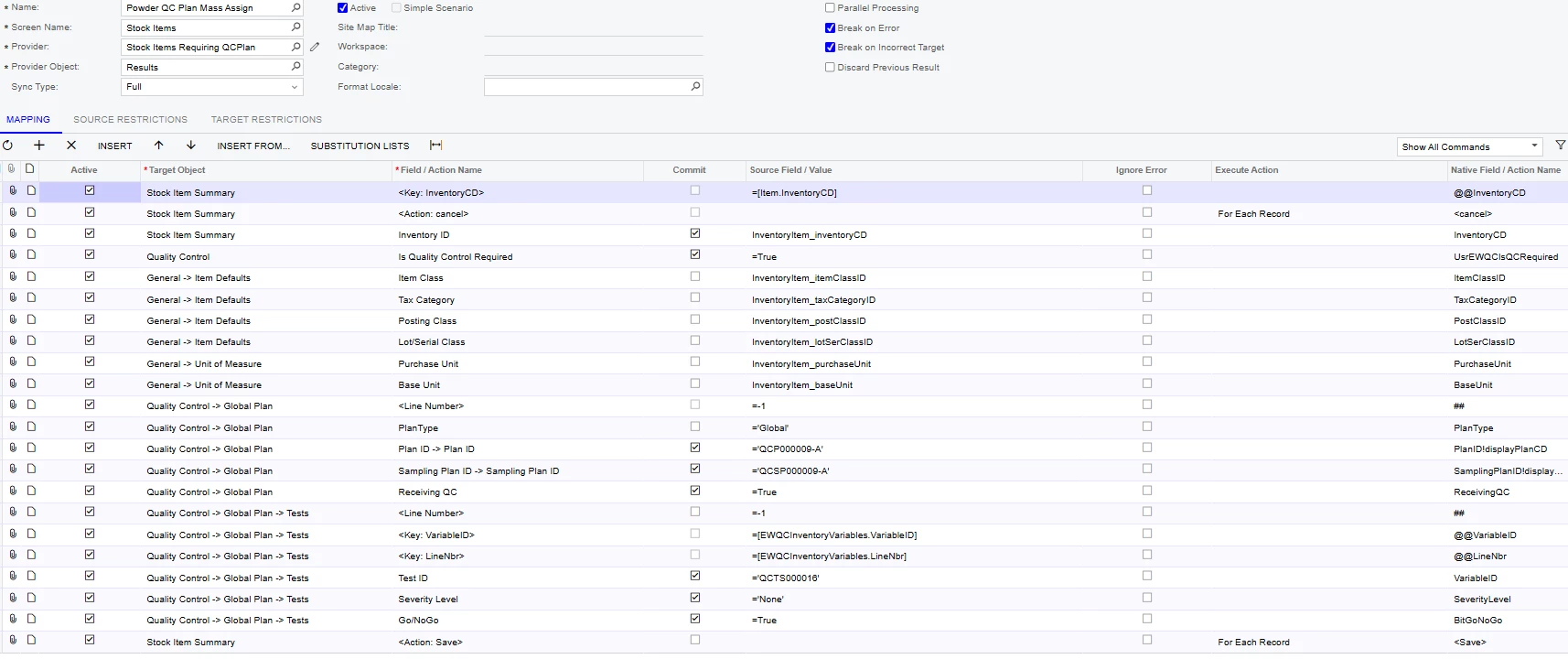
This might be a long shot, but I am trying to create an Import Scenario to mass update stock items with Quality Control Plans. Which is part of the QMS Module.
I keep getting an error message because the system says it needs a Test or else it can’t save.
When manually adding a Plan to a stock item, once the plan is selected, all tests are added as well, automatically.
It seems, either that automation does not exist when using an import scenario, or the system is trying to validate before that test loads and throws up the error.
So I added more steps to manually add the Test right after adding the Plan. But I get an even bigger error: Error: 'Item Class' cannot be empty. Error: 'Tax Category' cannot be empty. Error: 'Base Unit' cannot be empty. Error: 'Sales Unit' cannot be empty. Error: 'Purchase Unit' cannot be empty. Error: 'Posting Class' cannot be empty. Error: 'Lot/Serial Class' cannot be empty.
Chat GPT says that this error means the system is trying to add a New Stock Item at this point, which is odd to me? Why would this point in the scenario try to add a New stock item?
Here is my Import scenario currently:
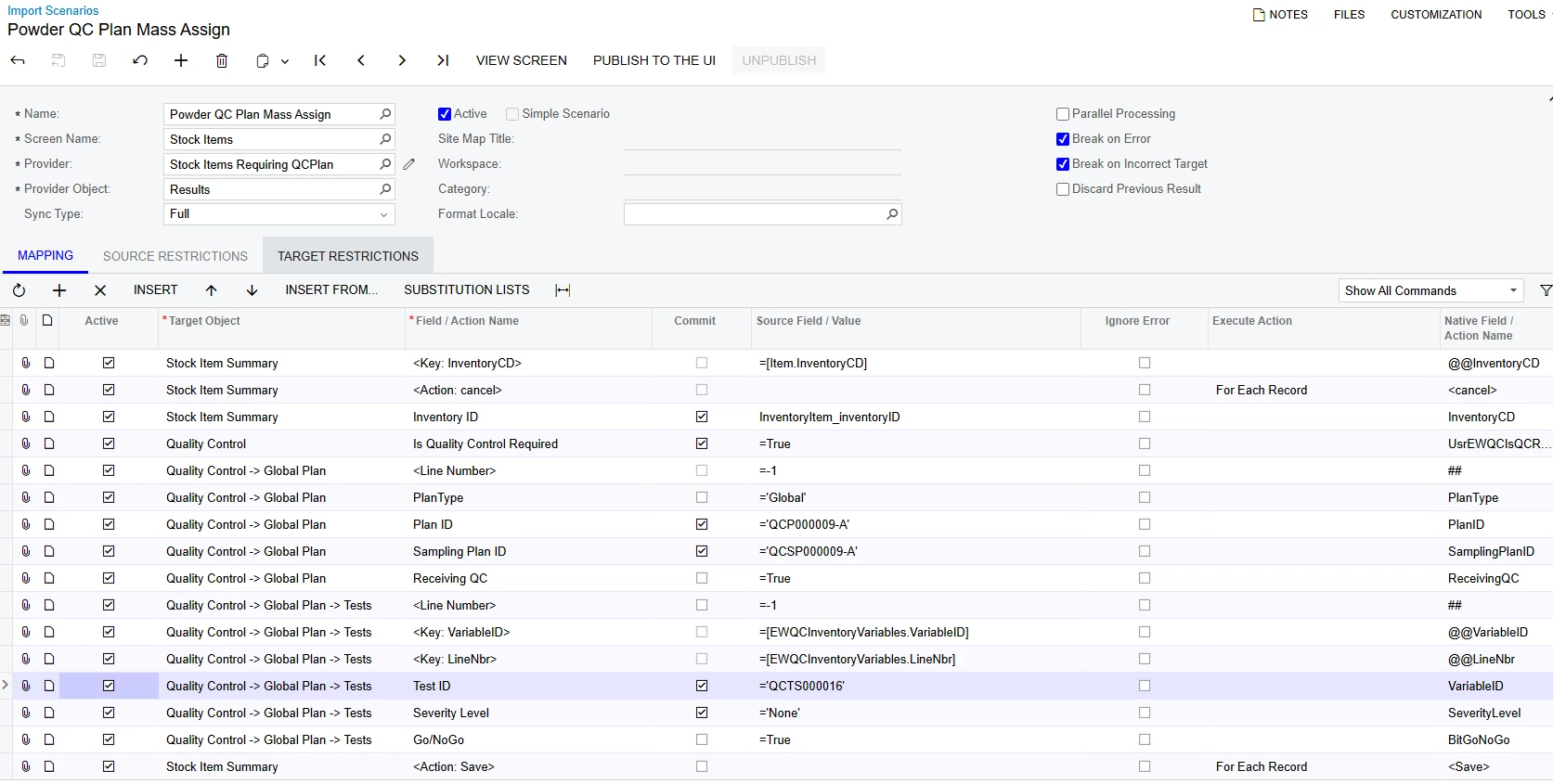
I only have 1 test and 1 plan that I am trying to add to 1000 items. I would love to not have to do it manually.