Hello. We would like to know if it is possible to import sales orders via Excel that contain multiple rows per order and use the automatic numbering feature. We have found several topics on this in the community, but none of them have worked for us yet.
Any help would be appreciated.
Thank you.
Best answer by Missy Main
Any solution to this?
To clarify, we need an import scenario to bring in all lines on one sales order - with auto-numbering?
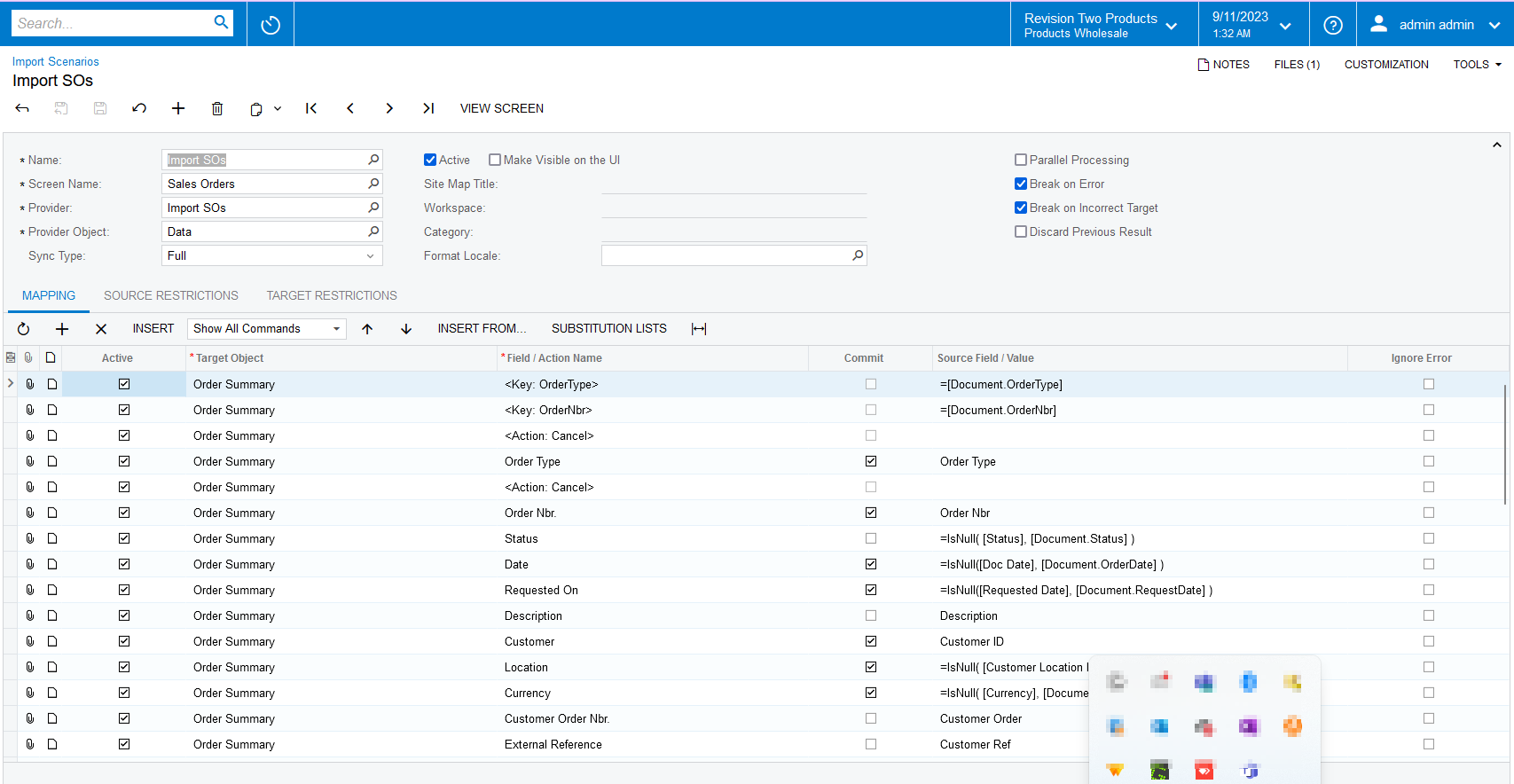
This is possible out of box with very little configuration.
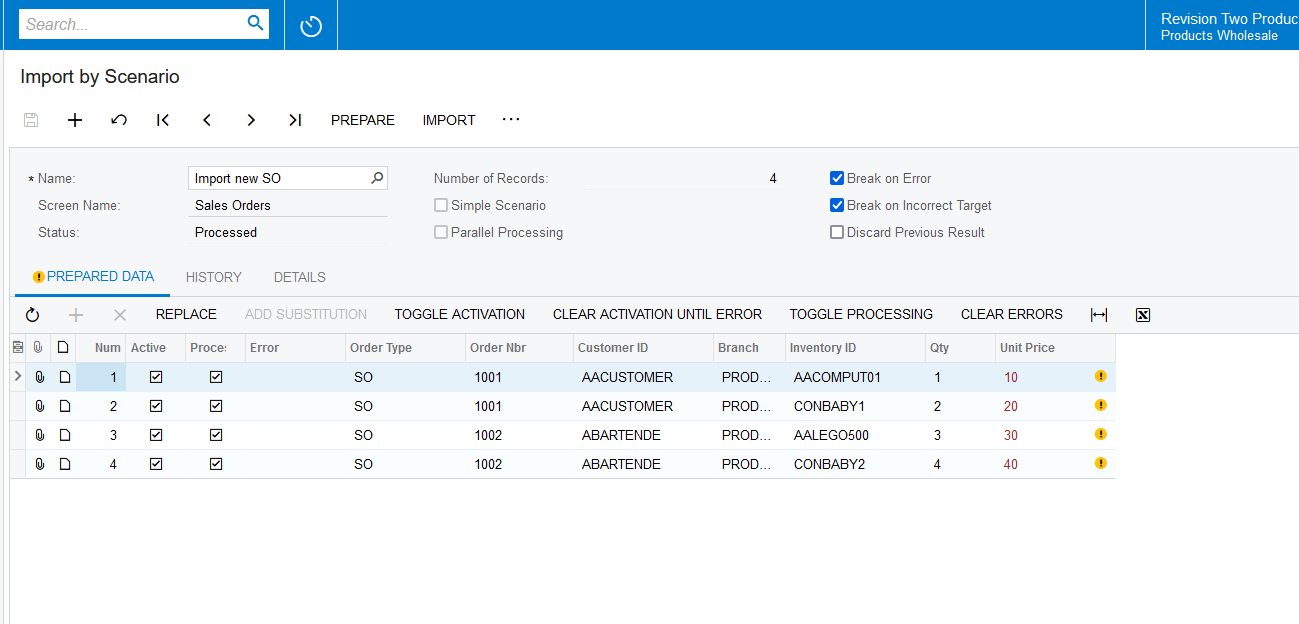
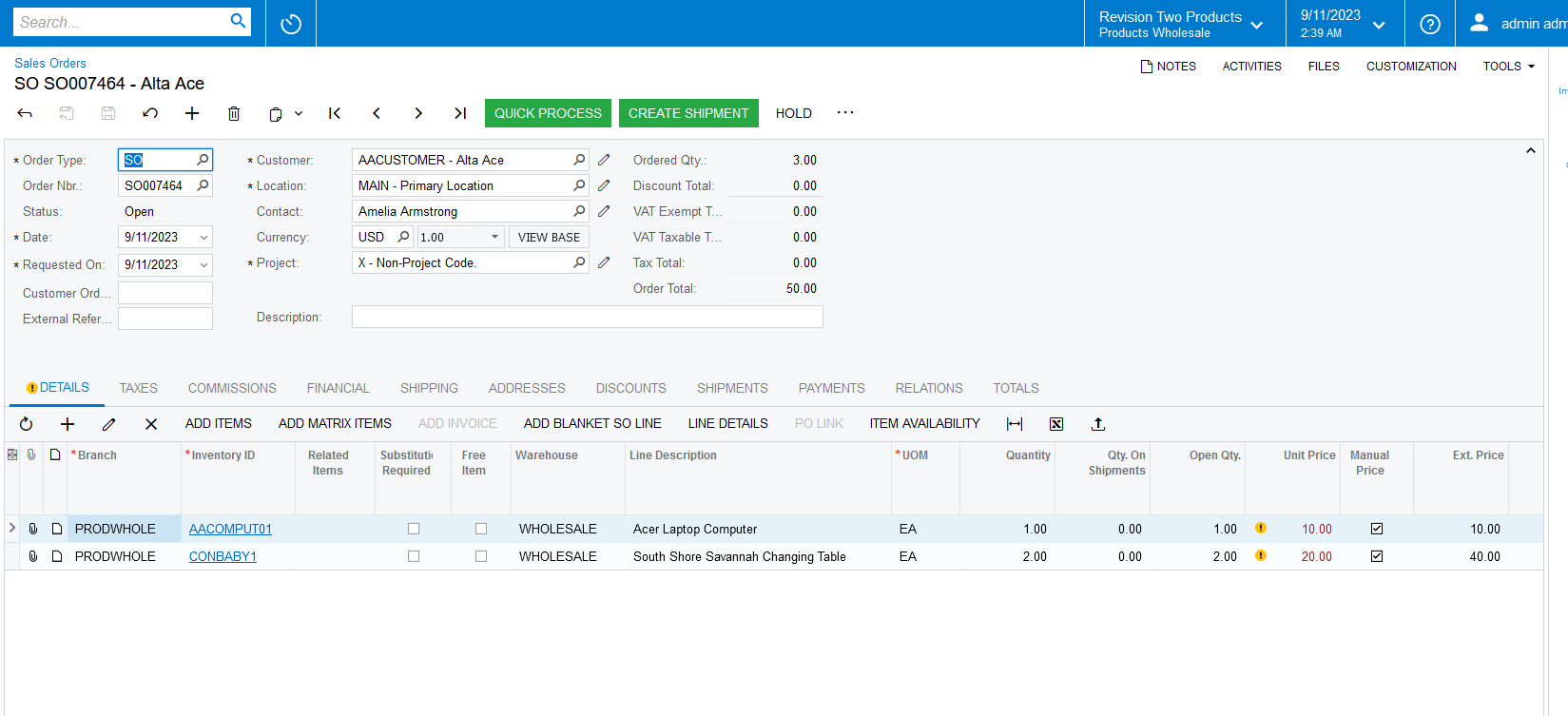
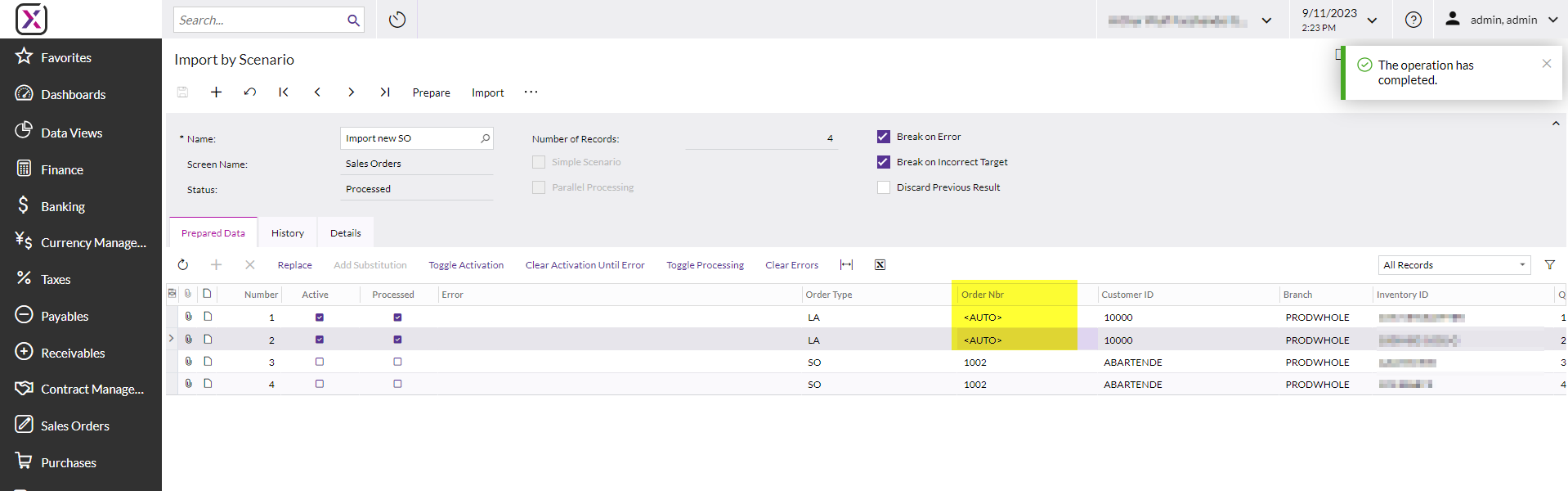
To ensure certain detail lines get retained in the same sales order, just use the same number on the detail lines on data provider as the same ref number. Since auto numbering is active, the actual number used doesn’t matter. Just as long as the detail lines that should be on the same order, all have that same number specified when importing.
Here is what that looks like on import by scenario screen, I highlighted each group of detail lines, due to having the same refnbr specified, they will be included on the same SO record
This information is explained in detail on the i100 Integration Scenarios training
Hi. Unfortunately this is not included in our German Haufe X360 version. I found a scenario in the community where the person suggested to just use "1,2,3,4..." in the excel as order nbr to show the system which rows are associated with the same order, but with this error that the order number does not exist / cannot be empty.
Thank you very much. This Import Scenario does look like its made for manual numbering, isn’t it? How can we modify it to allow automatic numbering to import sales orders on the fly whenever our customer gets a new pre-filled excel file?
@jwestermann17 Generating the Sales Order Number will be taken care by the Acumatica system. You just need to fill in the Dummy values for each order in the Excel.
Example: if you 2 records for each order, please fill the Excel like below.
Also, I have created new import scenario with few fields and you can review.
Hej @Naveen Boga with the Acumatica Import-Scenario - aswell as yours - i always get the same Error: '[OrderNbr]' must not be empty. Could this be a bug in X360? My Excel looks like this which should be fine
Hello @Naveen Boga But if i change it to “<AUTO>” how does the import scenario determine which lines should go with which order? If in my Excel i have 20 lines it would now create 20 Orders, no?
To clarify, we need an import scenario to bring in all lines on one sales order - with auto-numbering?
This is possible out of box with very little configuration.
To ensure certain detail lines get retained in the same sales order, just use the same number on the detail lines on data provider as the same ref number. Since auto numbering is active, the actual number used doesn’t matter. Just as long as the detail lines that should be on the same order, all have that same number specified when importing.
Here is what that looks like on import by scenario screen, I highlighted each group of detail lines, due to having the same refnbr specified, they will be included on the same SO record
This information is explained in detail on the i100 Integration Scenarios training
Does anyone know if its possible to add non stock items with components to the sales order import and when the non stock item is imported, the sales order populates the component lines without having them in the import?
I am able to import the non stock line but unable to see a way to get it to add the component lines automatically without adding them to the import.