Question

Import Scenario for Shipments – Upload Serial Numbers on Line Details Screen

  • August 11, 2025
  • 4 replies
  • 95 views

Isharam
Freshman I
Forum|alt.badge.img

Hi everyone,

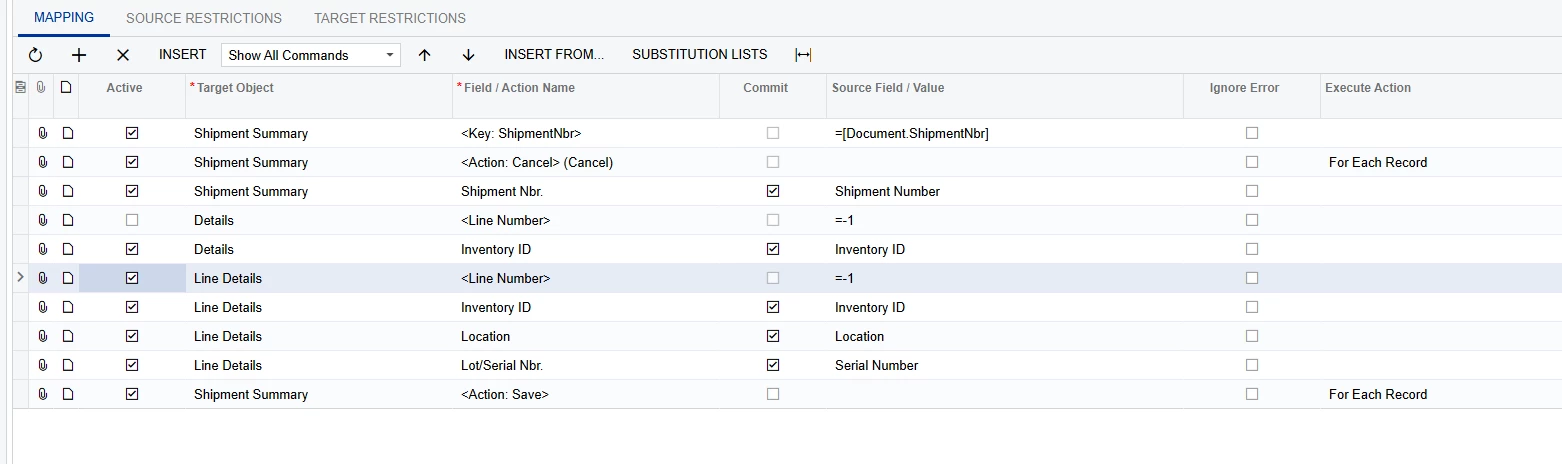
I’m working on an import scenario for the Shipments screen (SO302000) to upload serial numbers on the Line Details screen.

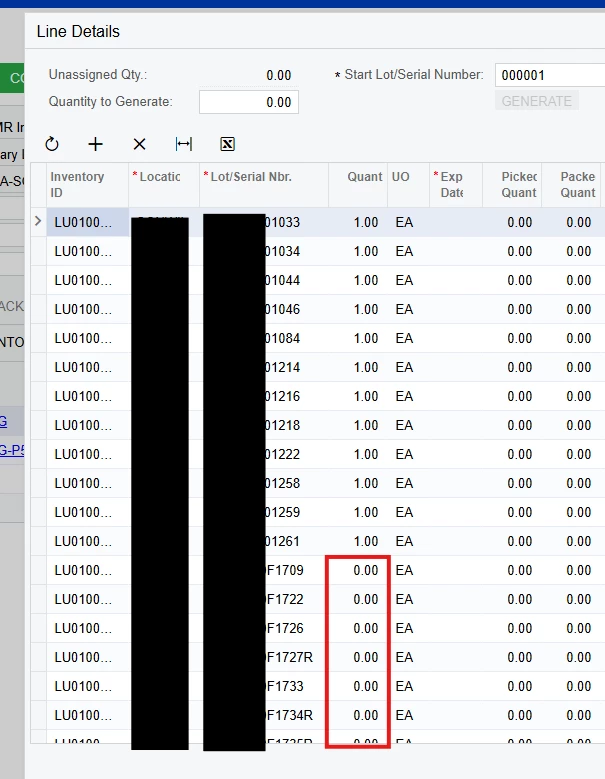
Right now, my scenario finds the shipment and uploads the serial numbers — but all serial numbers are ending up on the first shipment line, regardless of which item they belong to.

What is the proper way to configure this import scenario, 


4 replies

Manikanta Dhulipudi
Captain II
Forum|alt.badge.img+16

Hi ​@Isharam 

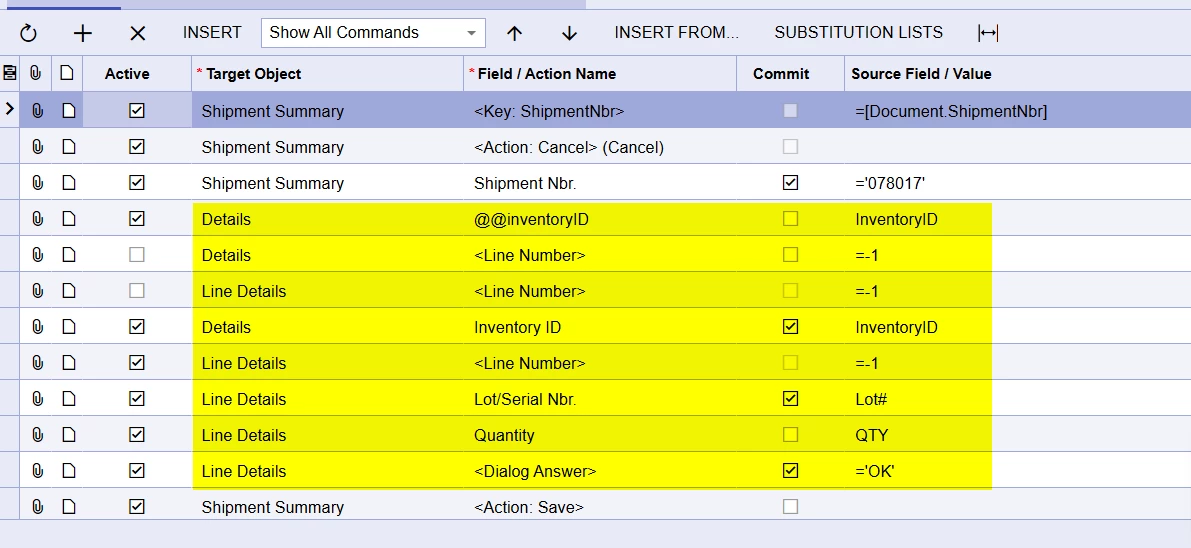
Attached the Import scenario mapping when the shipment is created and the import scenario is attaching the lot serial for inventory ID.


Isharam
Freshman I
Forum|alt.badge.img
  • Author
  • Freshman I
  • August 11, 2025

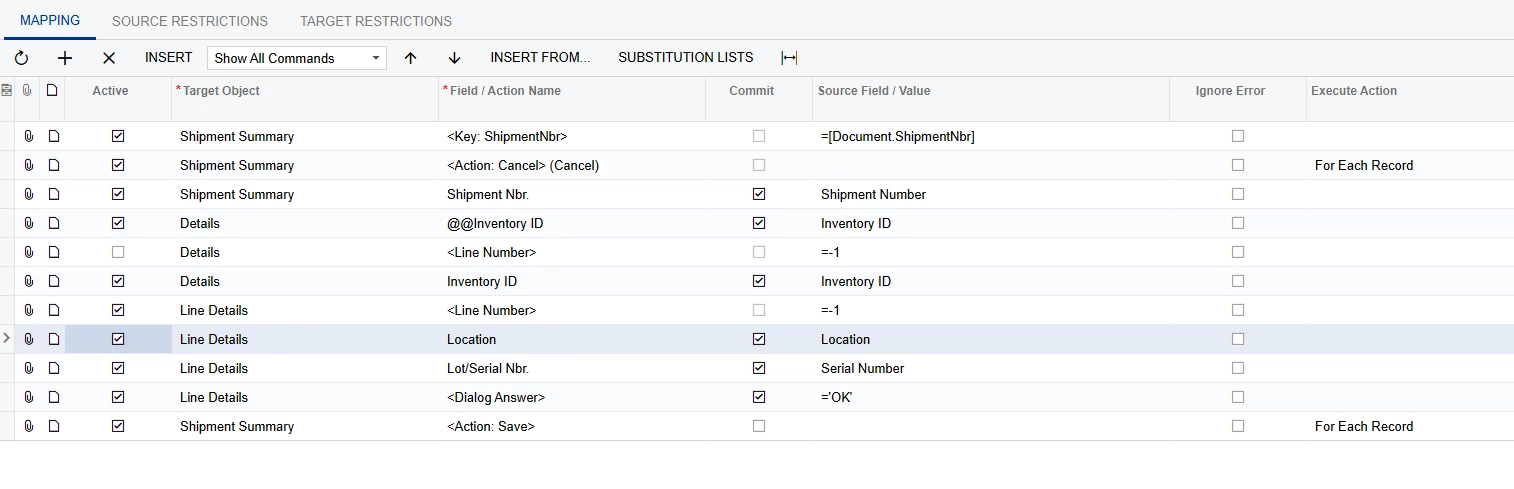
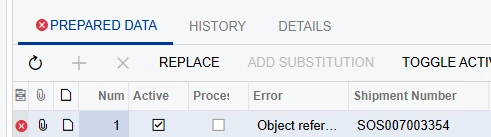
@Manikanta Dhulipudi I replicated the same but ended up with an error. am i missing anything here?


Chris Hackett
Community Manager
Forum|alt.badge.img
  • Acumatica Community Manager
  • September 25, 2025

Hi ​@Isharam were you able to find a solution? Thank you!


astormo40
Freshman II
  • Freshman II
  • February 13, 2026

@Manikanta Dhulipudi I replicated the same but ended up with an error. am i missing anything here?


It looks like the @@InventoryID line is @@Inventory ID with a space in your scenario. I verified that this does cause the import to give you error that you are receiving. 

This tread did help me as the import does not appear to work without the Details - Inventory ID line and I was missing that as I didn’t expect it the be required since the Inventory ID already exists on the shipment.