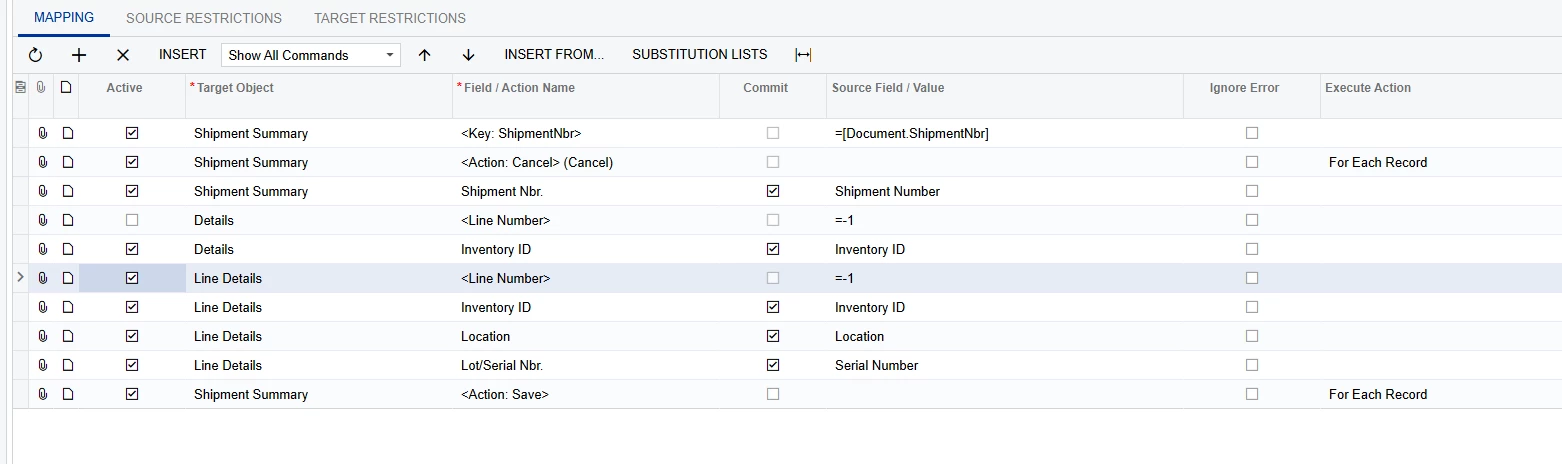
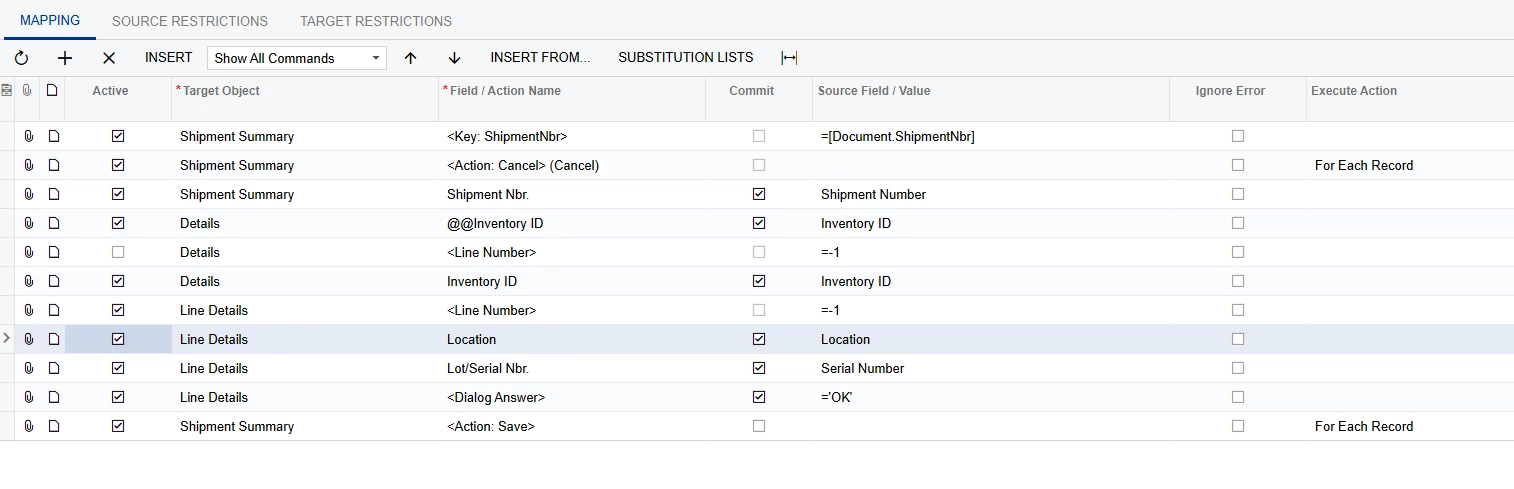
I’m working on an import scenario for the Shipments screen (SO302000) to upload serial numbers on the Line Details screen.
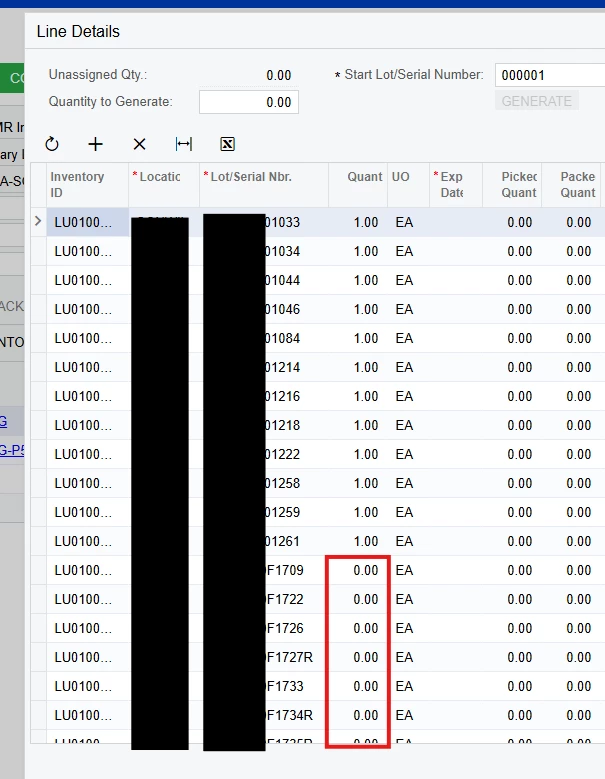
Right now, my scenario finds the shipment and uploads the serial numbers — but all serial numbers are ending up on the first shipment line, regardless of which item they belong to.
What is the proper way to configure this import scenario,
Best answer by astormo40
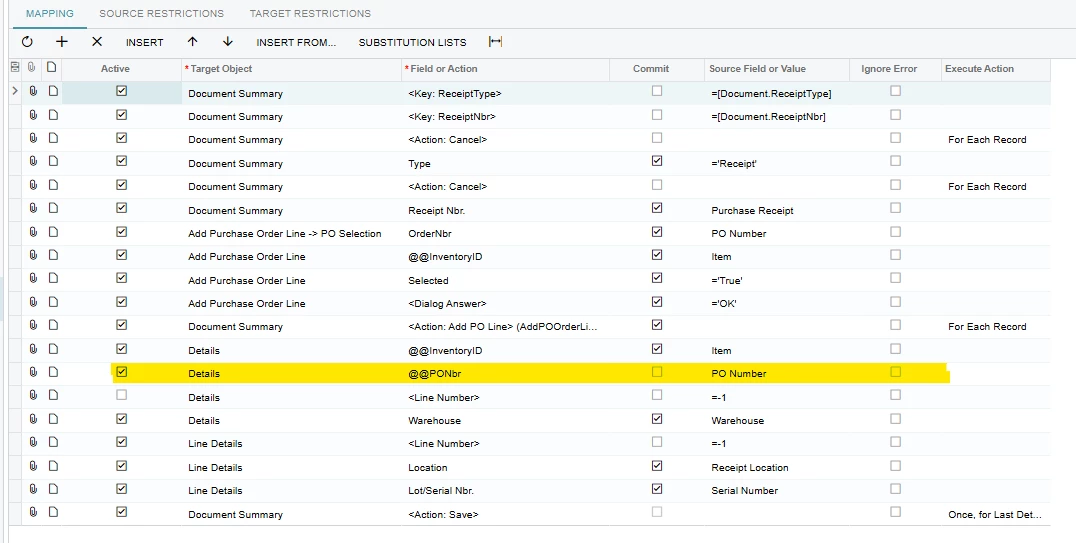
I just made a small adjustment to the import scenario that we are using. I added the @@PONbr line as we had the requirement to add serial numbers for the same SKU from multiple PO’s so the @@InventoryID was only updating the first Detail line that matched the InventoryID. This import does not work if a single PO has multiple open lines of the same SKU being received but that can be adjusted in the PO before import.
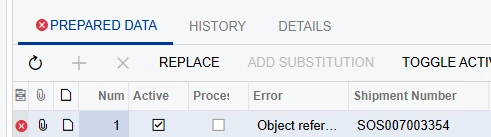
@Manikanta Dhulipudi I replicated the same but ended up with an error. am i missing anything here?
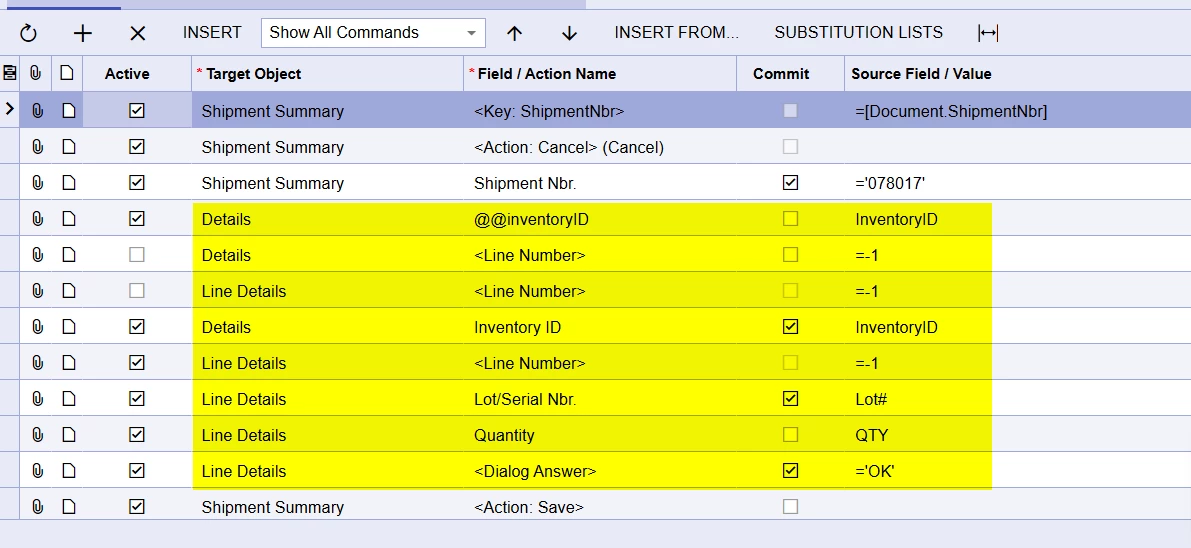
It looks like the @@InventoryID line is @@Inventory ID with a space in your scenario. I verified that this does cause the import to give you error that you are receiving.
This tread did help me as the import does not appear to work without the Details - Inventory ID line and I was missing that as I didn’t expect it the be required since the Inventory ID already exists on the shipment.
I just made a small adjustment to the import scenario that we are using. I added the @@PONbr line as we had the requirement to add serial numbers for the same SKU from multiple PO’s so the @@InventoryID was only updating the first Detail line that matched the InventoryID. This import does not work if a single PO has multiple open lines of the same SKU being received but that can be adjusted in the PO before import.