Answer

Import Scenario - Error 'postclassid' cannot be empty.'

  • March 22, 2023
  • 11 replies
  • 505 views

Forum|alt.badge.img

Hi,

When we are trying to upload non stock items using import scenario, error is showing as postclassid' cannot be empty. however this particular field is not empty.

I will attach XML file and Excel file of template for your reference.

Best answer by vkumar

Hi @kavindusandeepa31 

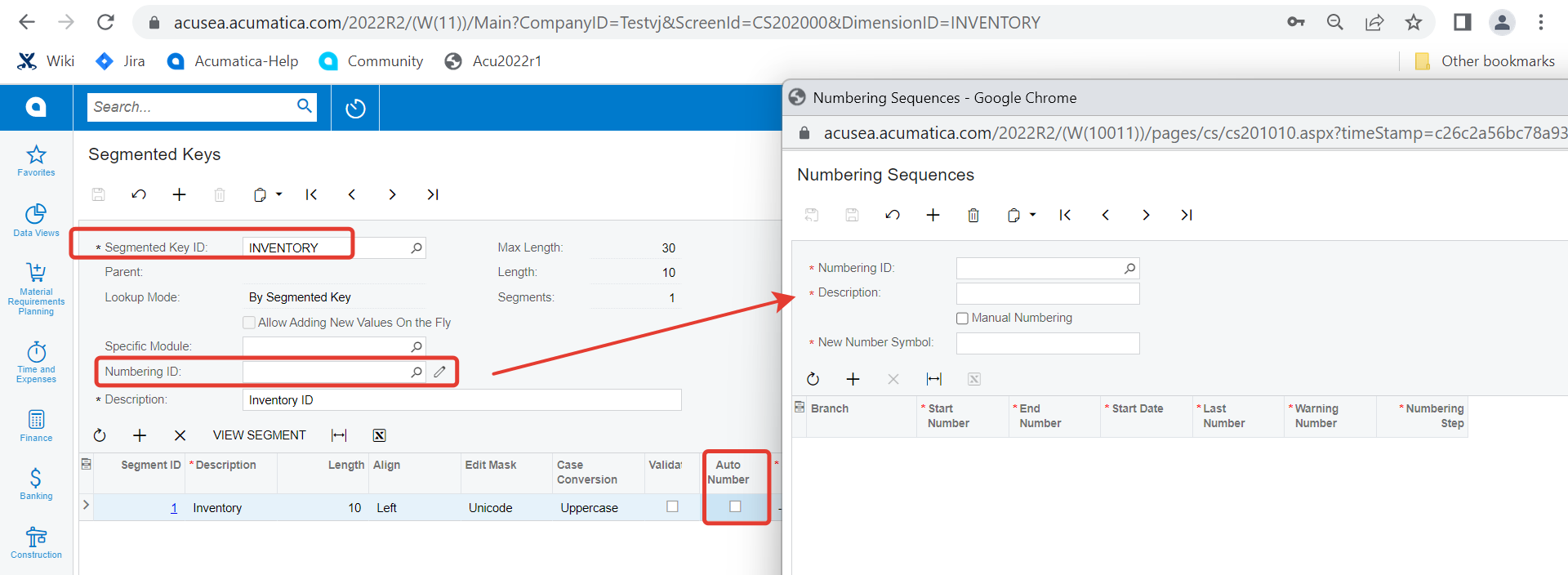
Looks like you have configured to ‘Auto generate’ the Non stock InventoryID. Please check the sequence ID assigned to the ‘Inventory’ segment key. 

Looks like you have Branch specific sequence number set and there is no sequence number set for the logged on branch. If you intend to manually enter the InventoryID for non stock item, you can just disable auto numbering and check.
Regards,

11 replies

Naveen Boga
Captain II
Forum|alt.badge.img+19
  • Captain II
  • March 22, 2023

Hi @kavindusandeepa31  It seems you missed attaching the XML file. Can you please attach here?


Forum|alt.badge.img

Hi @Naveen Boga 


Herewith attached.


Forum|alt.badge.img+12
  • Acumatica Support Team
  • March 22, 2023

Hi @kavindusandeepa31 

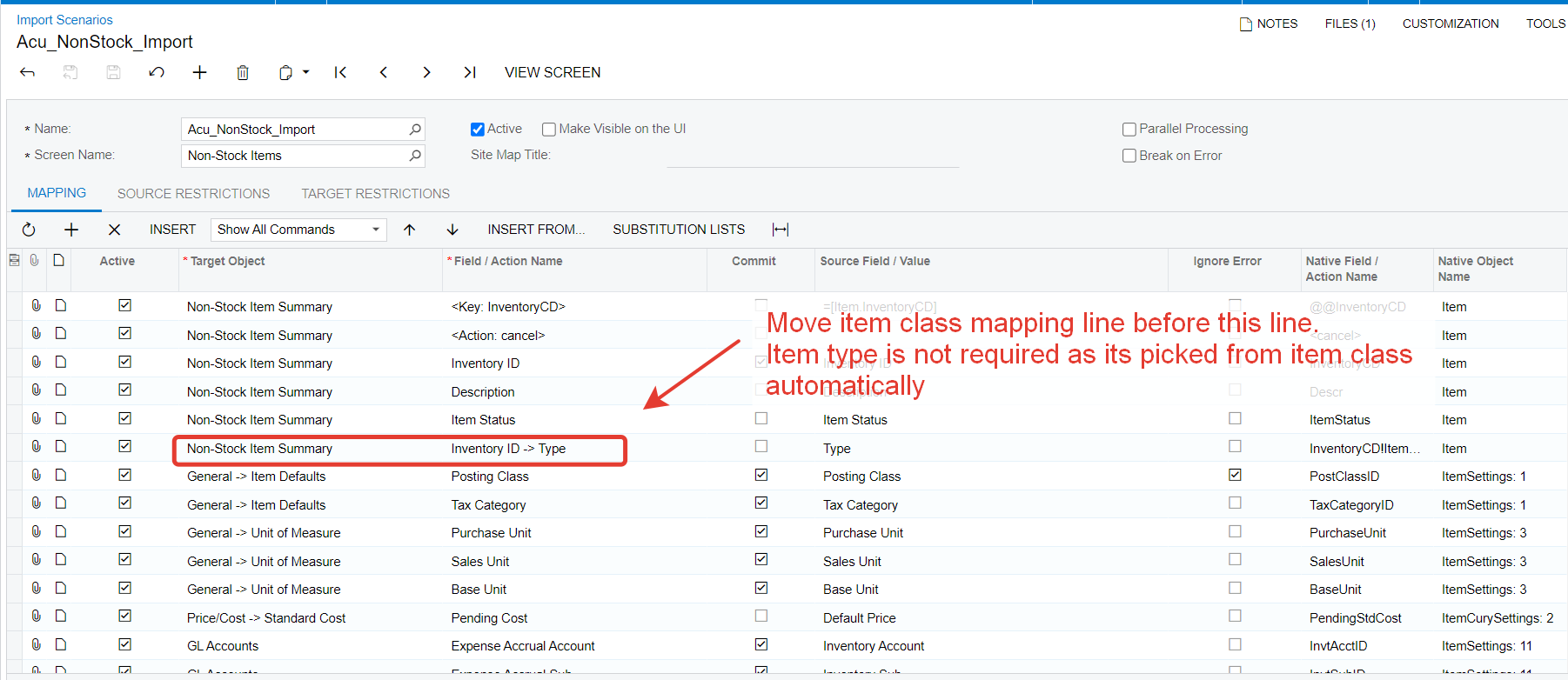
Please make following change and check if that works. Please note that the mapping of columns should be in same sequence as they reflect on entity entry screen, in this case, non stock item entry screen. 


Hope this helps,

Regards,


Forum|alt.badge.img+12
  • Acumatica Support Team
  • March 22, 2023

Hi @kavindusandeepa31 

You can find a working non stock item import scenario on our demo instance as well. I am attaching the xml file here to compare and validate information provided above. 

Hope this helps,

Regards,


Naveen Boga
Captain II
Forum|alt.badge.img+19
  • Captain II
  • March 22, 2023

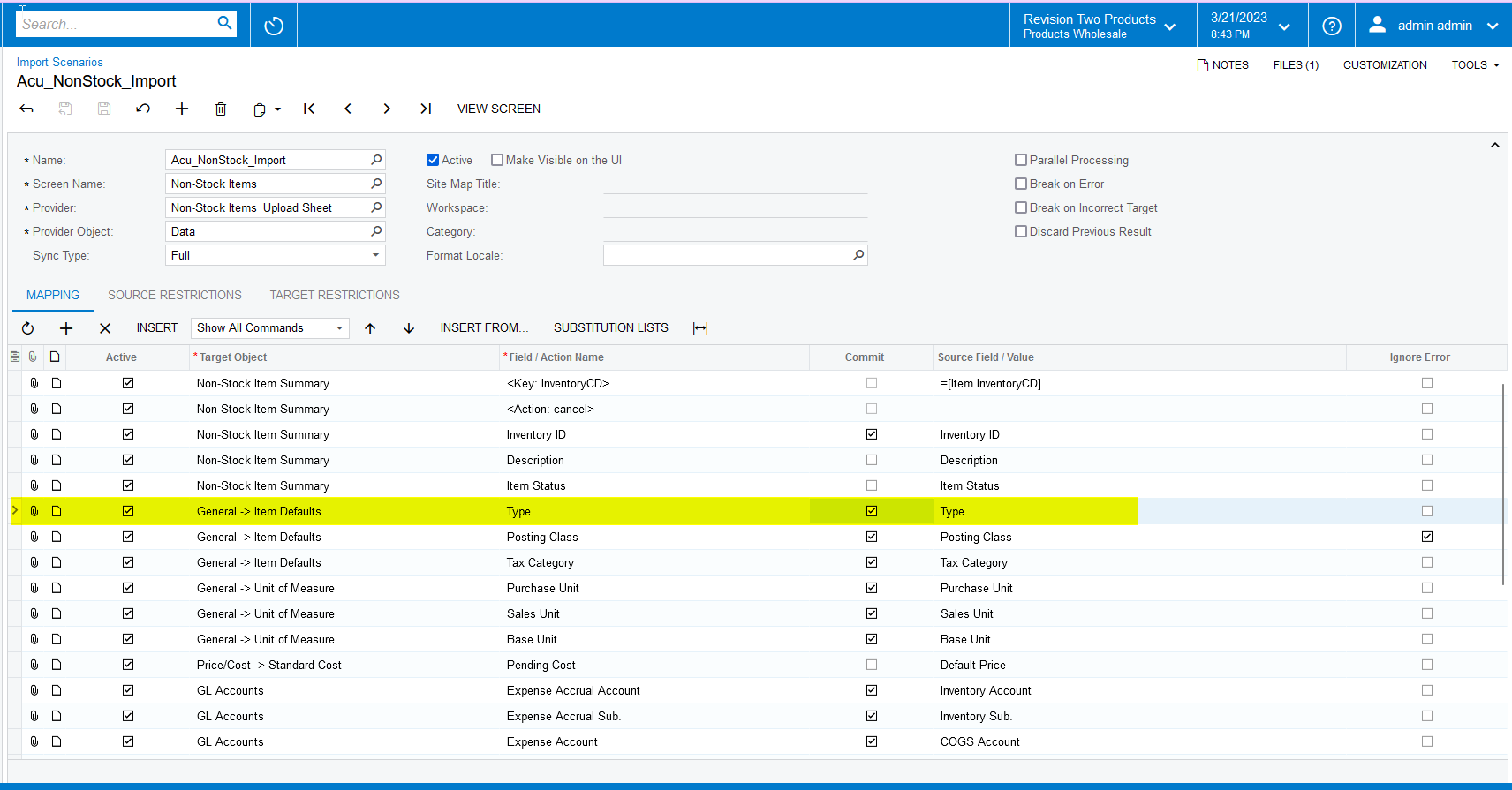
@kavindusandeepa31 I just verified and found the issue. Please find the updated import scenario below.


Naveen Boga
Captain II
Forum|alt.badge.img+19
  • Captain II
  • March 22, 2023

Attached for your reference. @kavindusandeepa31 


Forum|alt.badge.img

Hi @Naveen Boga & @vkumar 


I have tried both suggestions, now its showing another error as follows,

‘An identifier could not be assigned automatically because no applicable subsequence was found for the current branch and business date in the INVID numbering sequence.’

Kindly help to sort this as well


Naveen Boga
Captain II
Forum|alt.badge.img+19
  • Captain II
  • March 22, 2023

@kavindusandeepa31

I think it seems an issue with the data/configuration. Can you please share the screenshot?


Forum|alt.badge.img+12
  • Acumatica Support Team
  • Answer
  • March 22, 2023

Hi @kavindusandeepa31 

Looks like you have configured to ‘Auto generate’ the Non stock InventoryID. Please check the sequence ID assigned to the ‘Inventory’ segment key. 

Looks like you have Branch specific sequence number set and there is no sequence number set for the logged on branch. If you intend to manually enter the InventoryID for non stock item, you can just disable auto numbering and check.

Regards,


Forum|alt.badge.img

Hi @Naveen Boga & @vkumar 


Our issue has been resloved. We really appreciate your support. Thank You very Much


Naveen Boga
Captain II
Forum|alt.badge.img+19
  • Captain II
  • March 22, 2023

@kavindusandeepa31  Awesome. Thanks for sharing the update!!