Solved

Import Scenario - Create Bank Deposit and Add Payments

  • April 30, 2026
  • 3 replies
  • 26 views

Forum|alt.badge.img+1

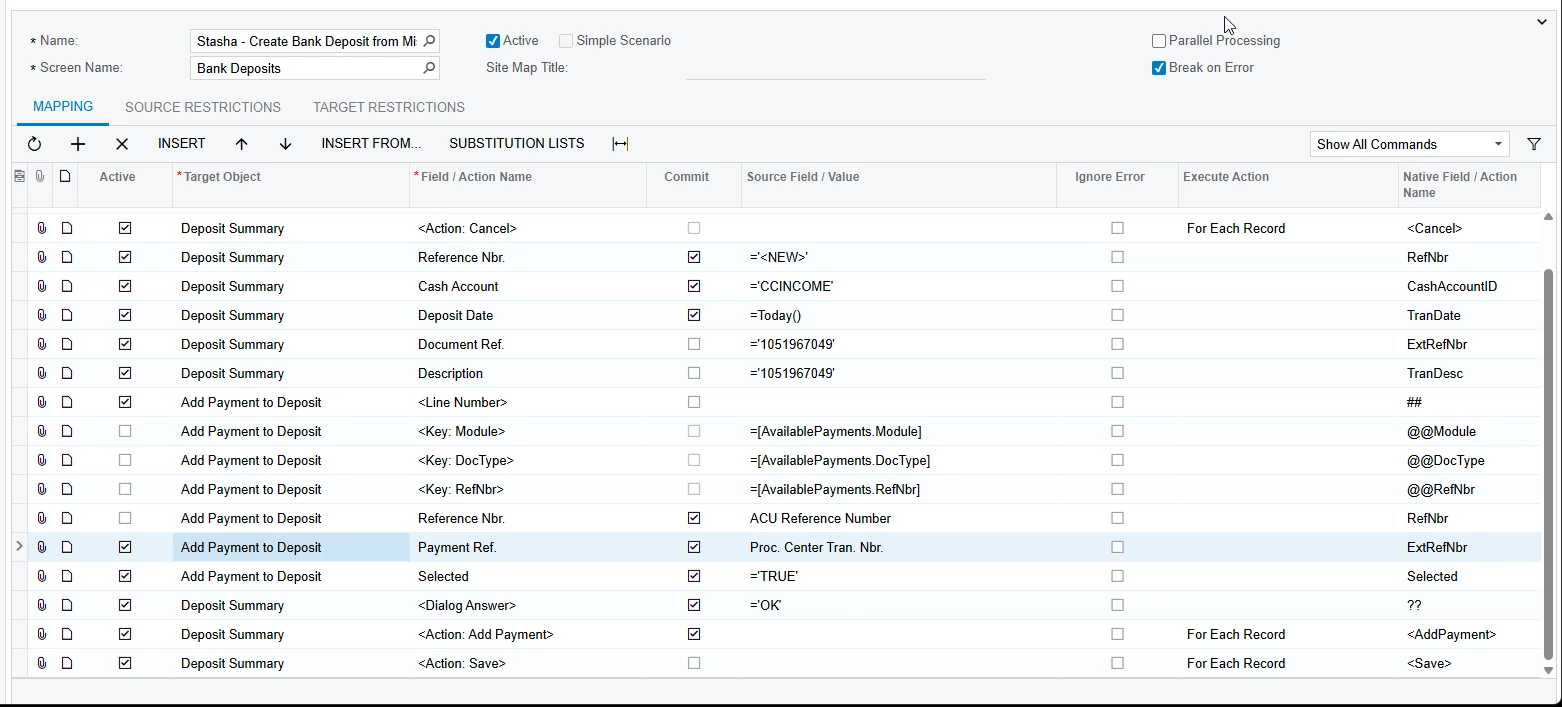
I have an excel file that has our external payment reference numbers and our acumatica payment reference numbers but I’ve been unable to successfully import these onto a bank deposit. I’ve been using a mash of 2 older import scenarios with varied success. I can create the bank deposit no problem but adding the payment lines is where I fall short. Here is my latest import scenario version. The Action Save line is on the bottom and not showed in the screen shot. XML attached.


Best answer by SBaldwin

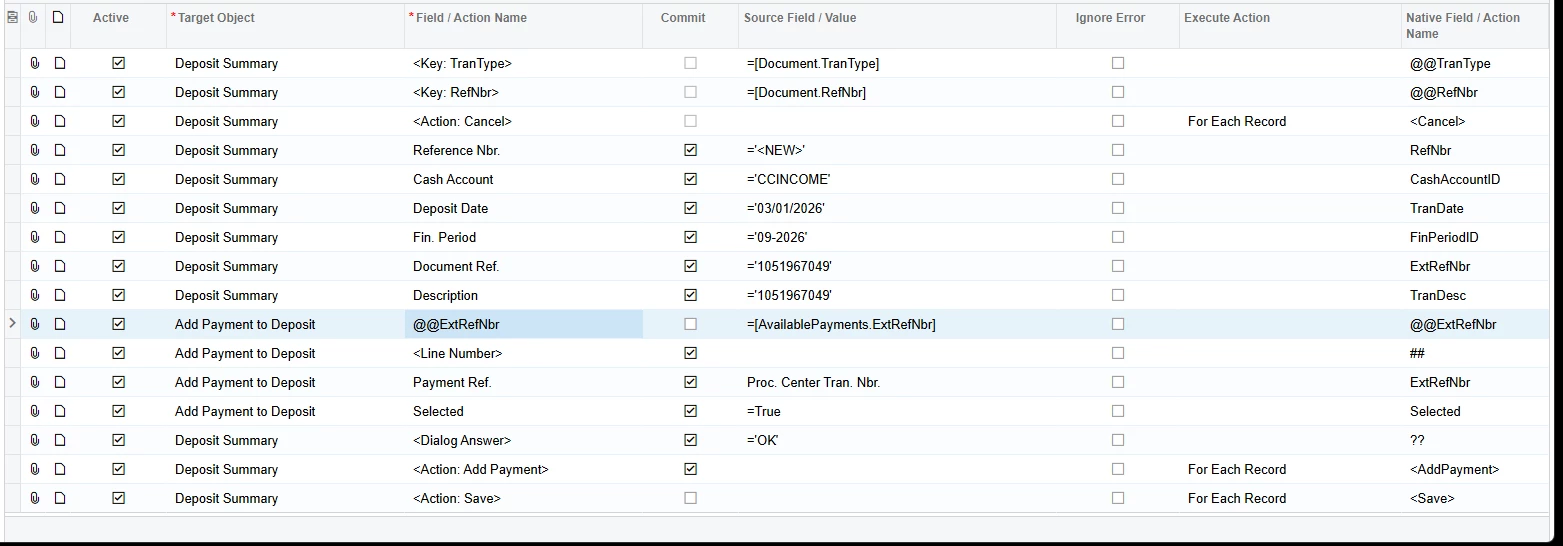
Hey there! I got the import scenario to work. For this import you need to edit the summary details, or you could include them in your data provider.

XML Attached


3 replies

Forum|alt.badge.img+1
  • Author
  • Varsity III
  • April 30, 2026

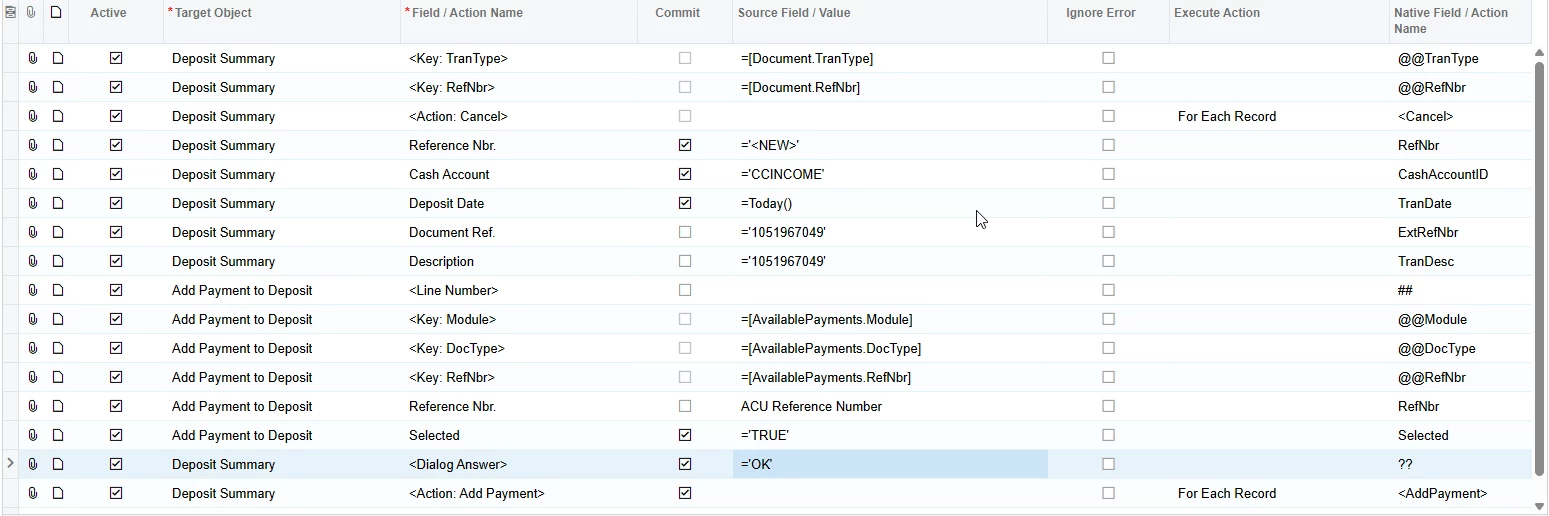
Utilizing the Payment Ref instead of the Reference Nbr will at least bring lines in, but not the correct payment lines. Highlighted blue


Forum|alt.badge.img+1
  • Author
  • Varsity III
  • Answer
  • May 1, 2026

Hey there! I got the import scenario to work. For this import you need to edit the summary details, or you could include them in your data provider.

XML Attached


Chris Hackett
Community Manager
Forum|alt.badge.img
  • Acumatica Community Manager
  • May 1, 2026

Thank you for sharing your solution with the community ​@SBaldwin!