Hi everyone,
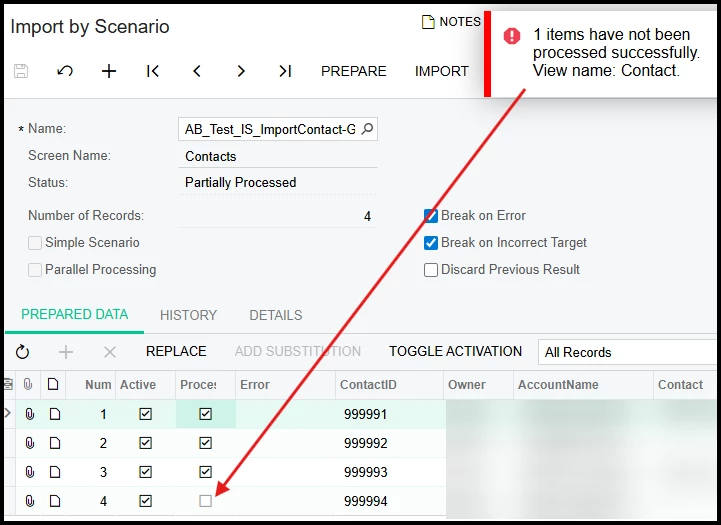
I’m working in Acumatica 2024 R2 and trying to import new Contacts using an Import Scenario targeting Contacts (CR302000).
I’m hoping to get clarification on two related items.
Question 1 — Contact ID auto-generation
Is it possible to import new Contacts and have Acumatica automatically generate the Contact ID?
Specifically:
-
Should the Contact ID field be:
-
omitted entirely from the Import Scenario?
-
included but left blank in the source file?
-
mapped to
<Key: ContactID>in some specific way?
-
Right now, it’s unclear what the correct “insert-only” pattern is for Contacts when the system should assign the Contact ID.
Question 2 — Import runs successfully, but no Contacts are created
I have an Import Scenario that:
-
runs without errors
-
reports completion
-
does not create any Contact records
No validation errors are shown — the records simply don’t appear in the system.
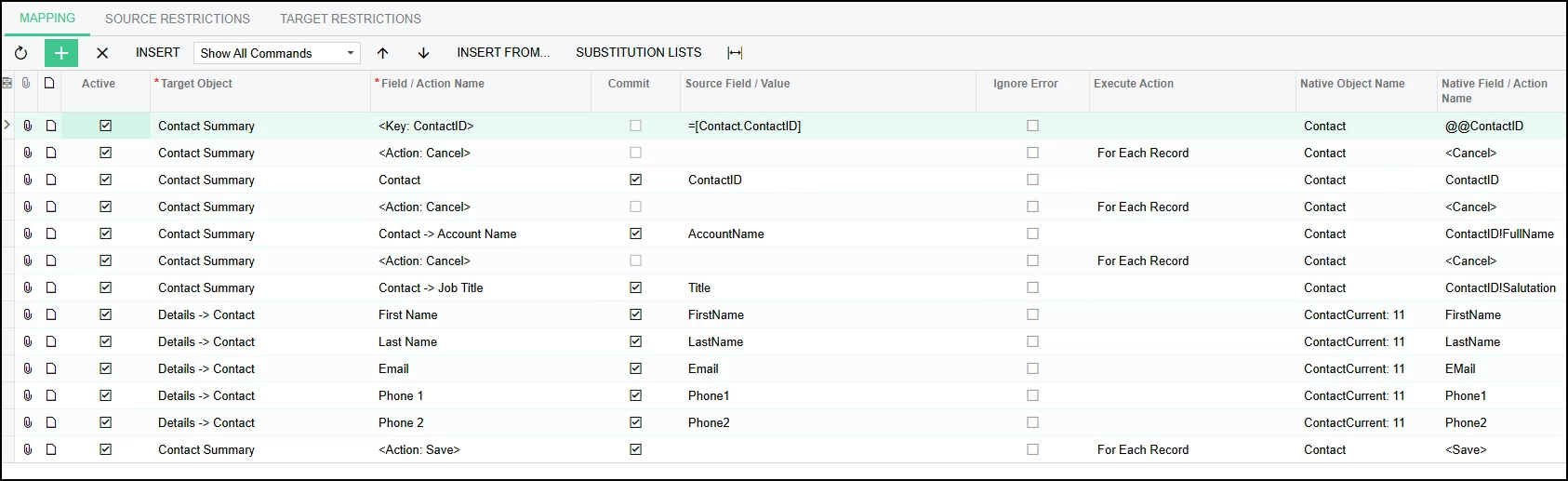
Notable details:
-
Target screen: Contacts (CR302000)
-
Import intent: insert only
-
Contact ID is currently mapped (though I’m unsure if it should be)
-
Save action is included at the end
-
No errors appear during processing
Despite this, no new contacts are created.
This makes me think I’m missing a required field, key mapping rule, or screen behavior specific to Contacts that isn’t obvious from the Import Scenario UI.
What I’m hoping to understand
-
What is the correct way to insert new Contacts while letting Acumatica generate Contact IDs?
-
What commonly causes an Import Scenario to “run successfully” but not actually insert Contact records?
-
Are there required fields or mappings that must exist for Contacts to be created?
Any guidance or examples would be greatly appreciated — especially if there’s a known working pattern for Contact imports.
Thanks in advance!