Question

Import Scenario - Autogenerate Payment Reference based on Existing Sequence.

  • December 9, 2025
  • 5 replies
  • 26 views

Forum|alt.badge.img

Hello! I am reviewing the Import Scenario “ACU Import AP Bills”. When we manually print a check in Acumatica, it automatically finds the next “payment ref.” # in the sequence for the cash account/payment type and adds that into the  Payment Ref. cell. 

I was wondering if (for our AP Bill Import Scenario), instead of manually inputting the “Payment Ref.”, is there a way to have Acumatica autogenerate it based on the existing sequence? 

5 replies

mohammadnawaz51
Jr Varsity I
Forum|alt.badge.img+4

@Sydneysturtevant I don't think there is an option rather than giving a ref for import.


Payment method -check has different setting in the Payment method screen,


nickcerri32
Jr Varsity III
Forum|alt.badge.img+2
  • Jr Varsity III
  • December 9, 2025

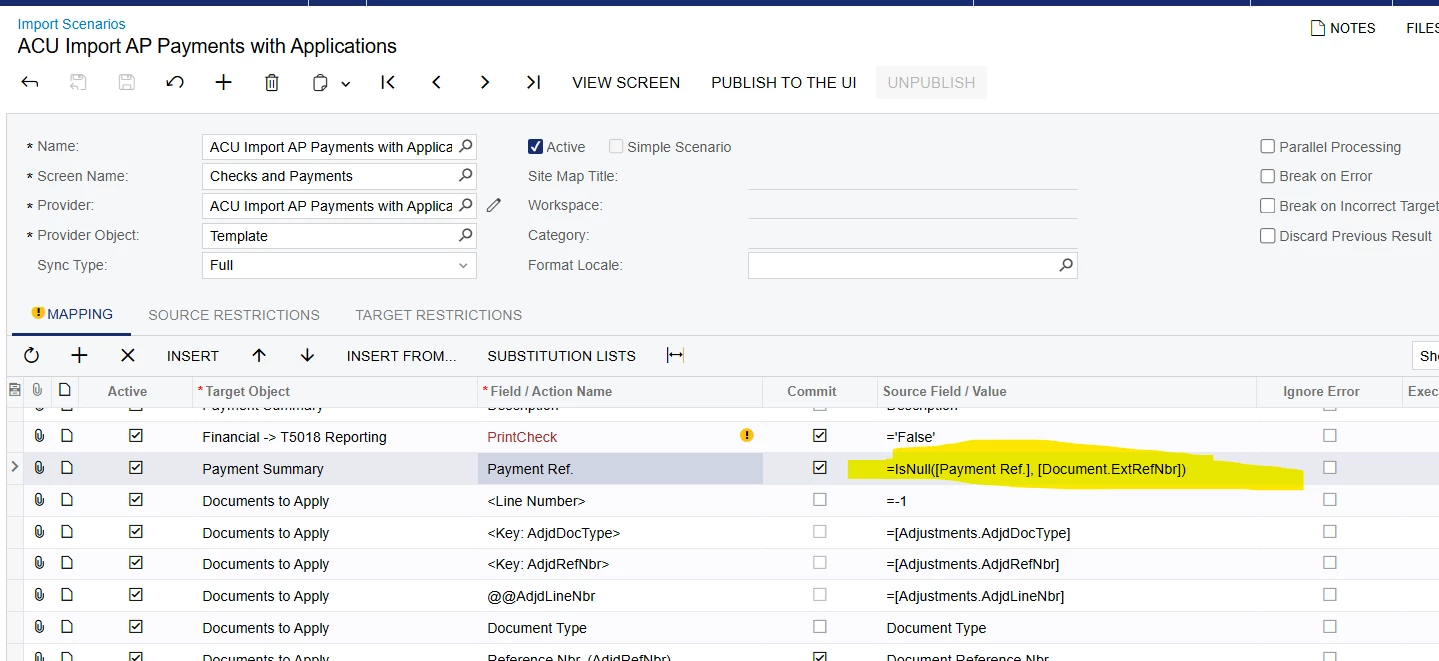
@Sydneysturtevant - Might need a clarification here.  For AP bills, that field doesn’t exist (there’s a Vendor Ref. field, though).  Are you trying to import AP Payments with the Payment Ref. field based on the Payment Method AP Last Reference Number?  

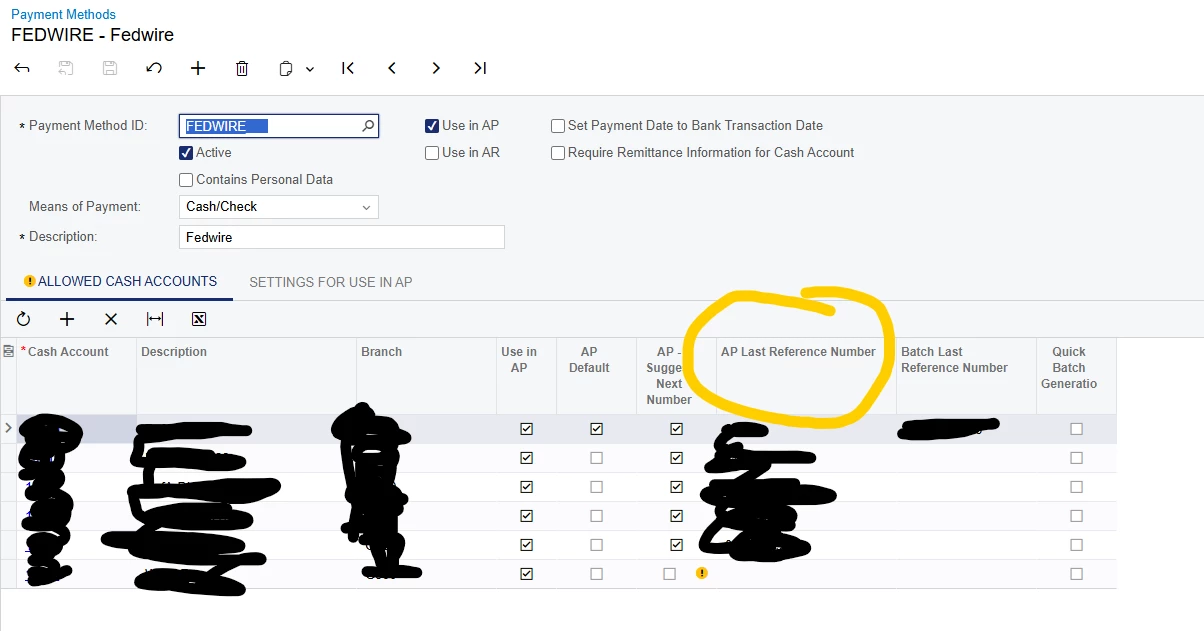
Can you share a screenshot of the Allowed Cash Accounts tab of the payment method you are using here?  That may help


Forum|alt.badge.img

How interesting….it’s essentially the check number within our system (Not Reference Nbr.) Column here is the “AP Last Reference Number”


nickcerri32
Jr Varsity III
Forum|alt.badge.img+2
  • Jr Varsity III
  • December 9, 2025

@Sydneysturtevant - so when it comes to the payment, this is the configuration that does this automatically when you process the check.  If you did want that on the payment, then you may be able to get away with a GI that builds that out for you, but the system does a good job doing it for you.  I may still be a bit unclear on what exactly you’re trying to do, but let me know if the configuration handles it for you.


Forum|alt.badge.img

@nickcerri32, we current use an import scenario to import checks and their bill application. When I process a check manually through Accumatica, it automatically assigns this number. However, when I import an check batch, I have to manually add the number in.  I’m wondering if there is way to set up the mapping so that it will autogenerate and mirror the manual process we do.