Question

import Notes to GL journals after journals been Posted.

  • January 29, 2026
  • 3 replies
  • 36 views

Hi All, 

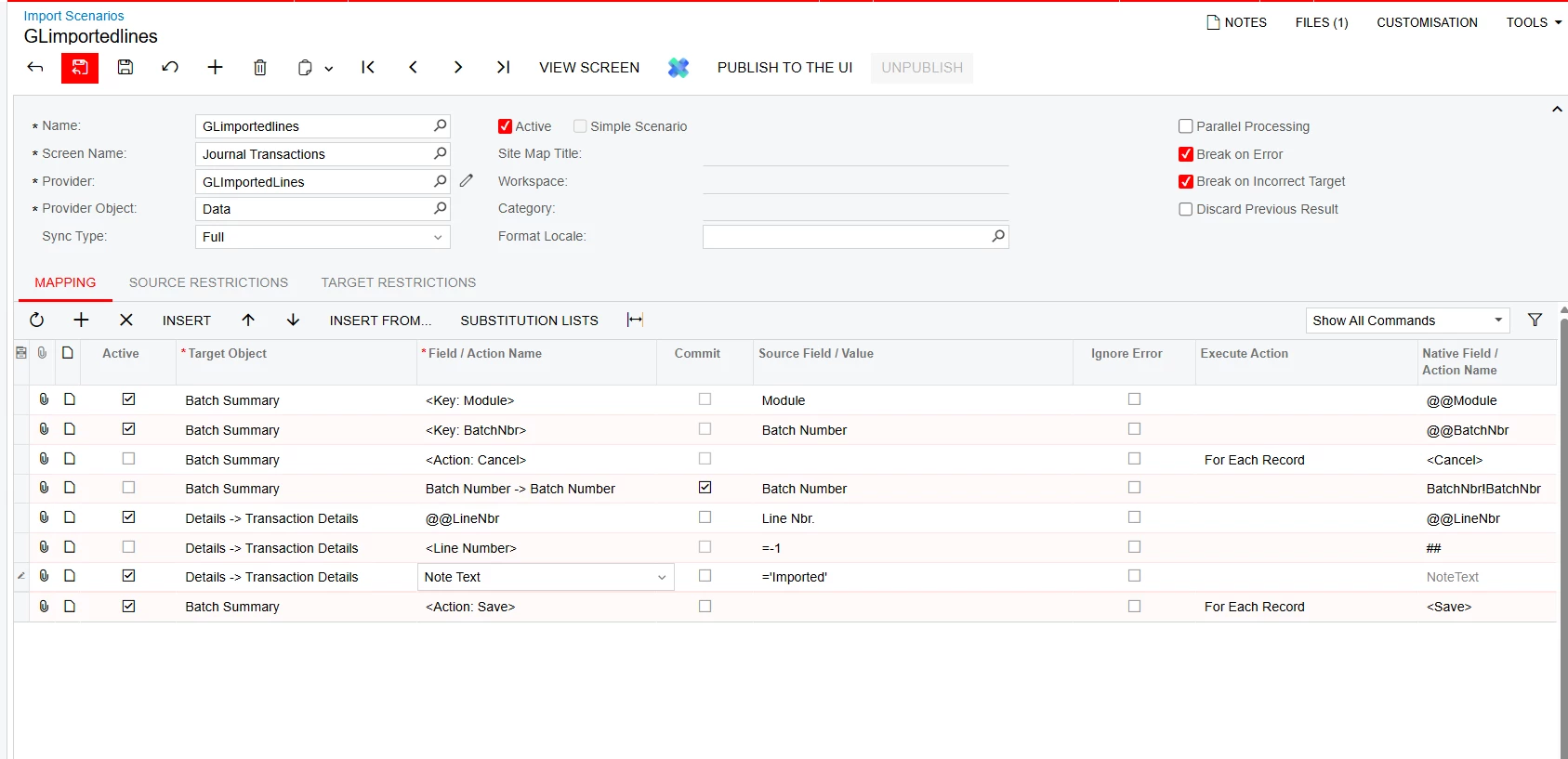
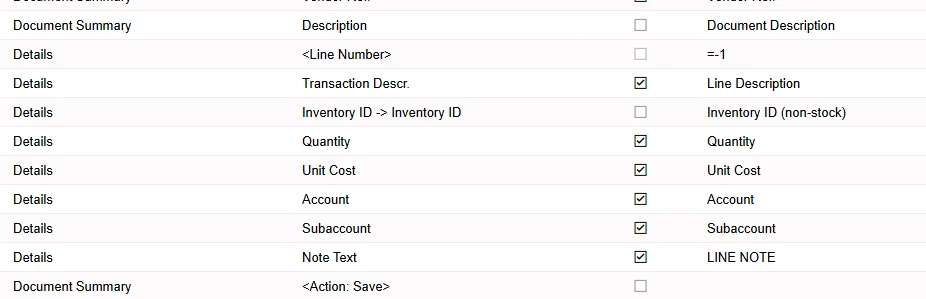
I have a scenario where GL journals have to be exported and imported in another ERP system. after the export we would like to mark these lines as being imported so they can be obvious on a GI. I can’t work out how to get the import scenario work using the same key module, batchnumber and line numbers. 

any hint would be much appreciated. 

What am I missing here ? 
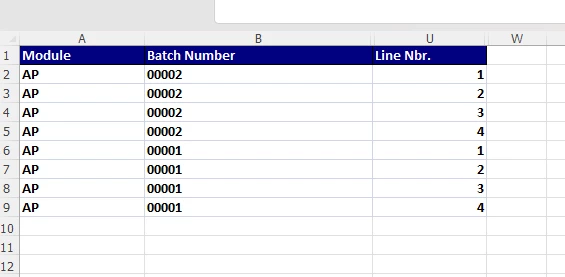
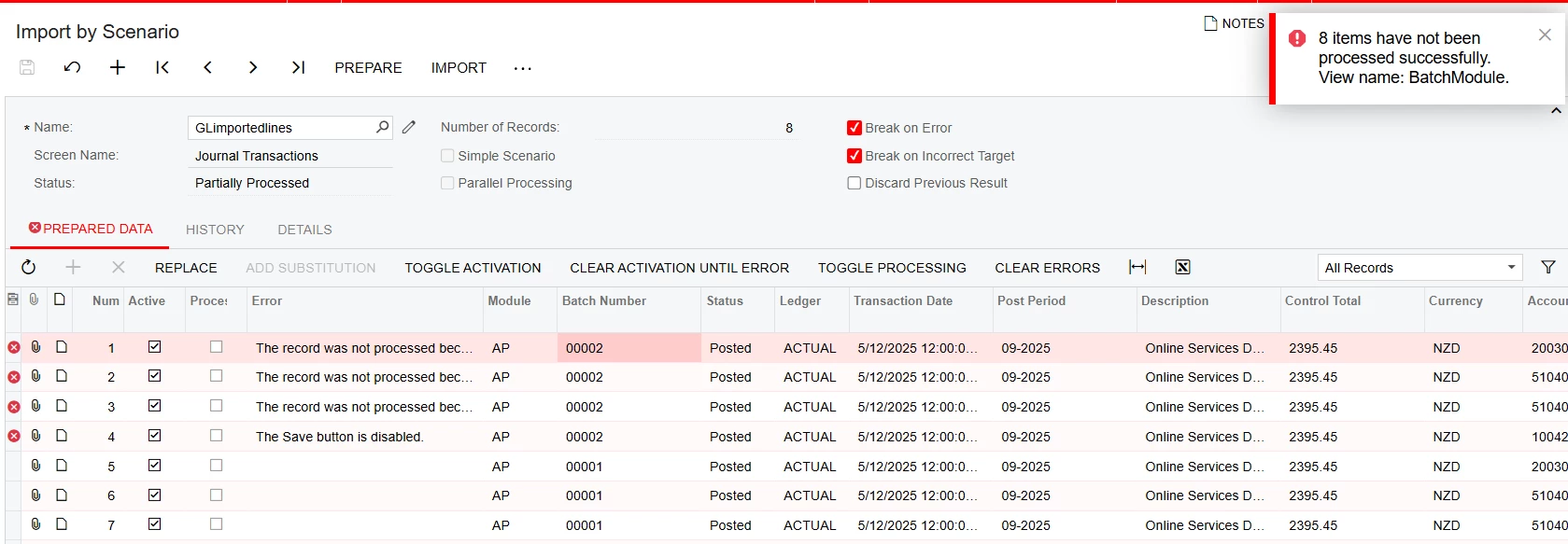
error is not telling me much
Thank you 

3 replies

shushanna34
Freshman II
Forum|alt.badge.img
  • Freshman II
  • January 29, 2026

Hi,

Mark lines BEFORE posting

If possible, do this:

  1. Add a custom field on GLTran

    • Example: UsrExportedToERP = true

  2. Set this field:

    • before posting

    • via Import Scenario or automation

  3. Post the batch

✔ After posting, the flag remains
✔ GI can filter easily
✔ Fully supported by Acumatica


Hope this helps.


Manikanta Dhulipudi
Captain II
Forum|alt.badge.img+16

This is what I used for bills and adjustments.


kdavis45
Semi-Pro I
Forum|alt.badge.img+1
  • Semi-Pro I
  • January 29, 2026

I don’t think the save action is necessary. When I opened a posted journal transaction and added a note to a transaction line, it saved automatically without enabling the save button. (That’s what the error means - the Save button is grayed out when it’s trying to follow the import scenario’s instructions.)