I am attempting to import External Applications (screen SM301000), but the process is failing when running the import.
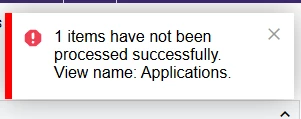
I get this error in the Import by Scenario screen when importing:
There is no Error message in the “Error” column.
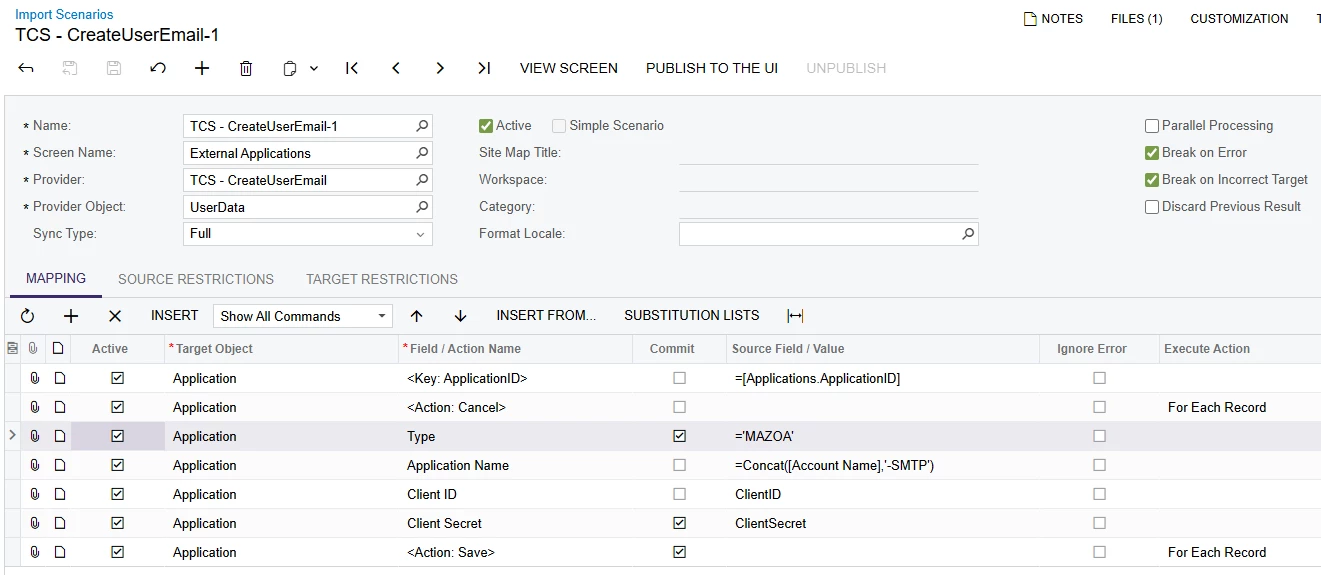
The Import Scenario is pretty basic:
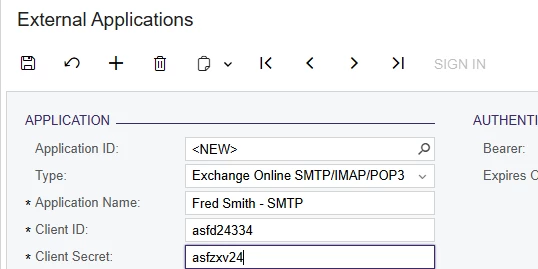
The goal is to make it look something like this:
I also checked Trace, but it did not show anything else useful.
Does anyone have a suggestion? Thanks! --Brian
Best answer by riglesias
@riglesias - thank you so much for the quick and very helpful response! That fixed the issue. I’m still learning the subtleties of how to get it to add a new record vs. updating an existing record.
For completeness, and in hopes of helping someone in the future (probably me, because I’ll forget), I set the Application ID to negative-one (-1) to force Acumatica to pick the ID for me.
Thanks again - have a great New Year!
--Brian
Hi Brian,
Thanks for the update, I’m glad the issue is fixed :) Here’s a link for a webinar where you can find useful tips when creating import scenarios:
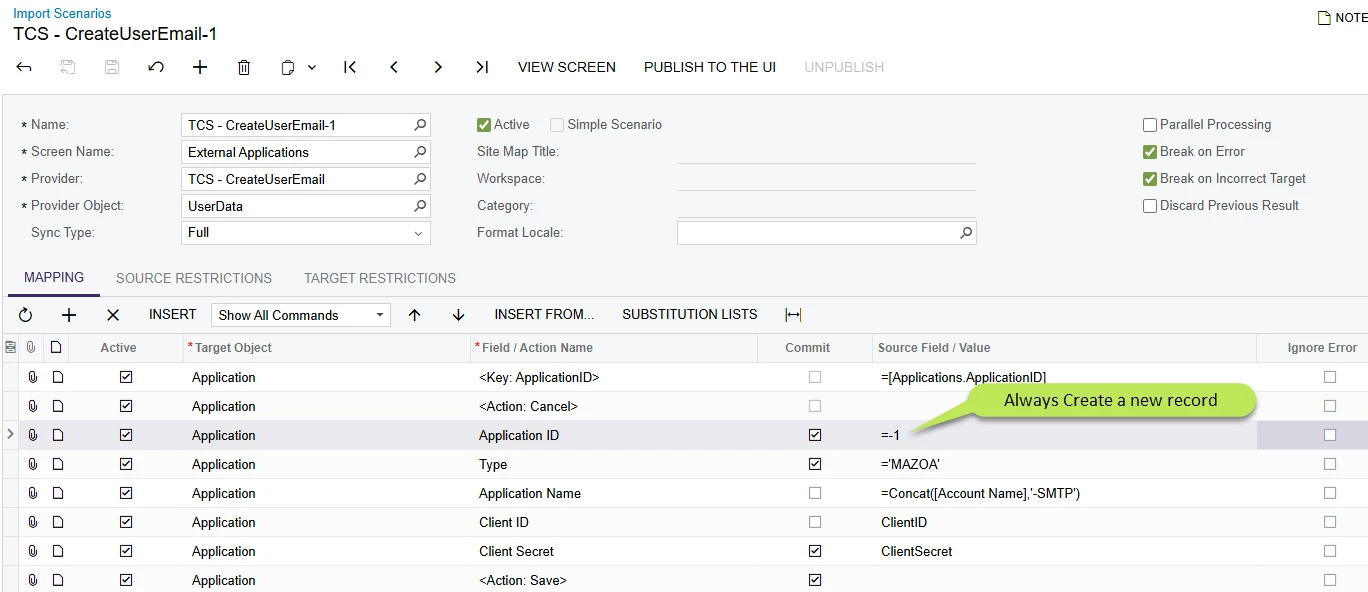
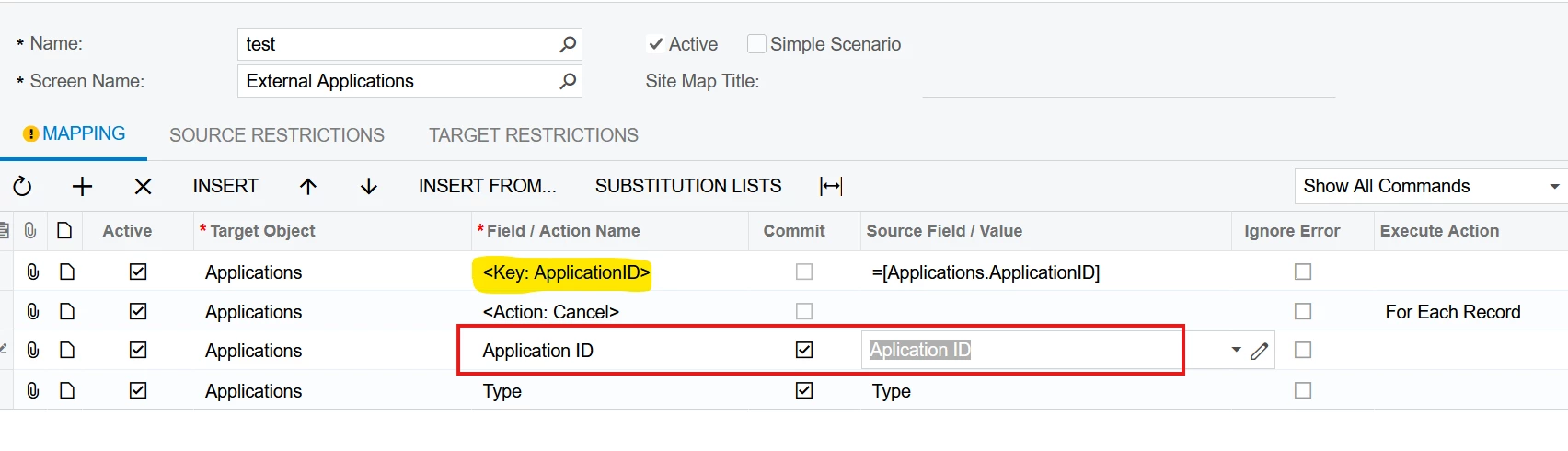
Try adding Application ID line to the mapping as shown below. <Key: ApplicationID> automatically inserted by the system (highlighted) indicates it’s a key field and needs to be mapped.
@riglesias - thank you so much for the quick and very helpful response! That fixed the issue. I’m still learning the subtleties of how to get it to add a new record vs. updating an existing record.
For completeness, and in hopes of helping someone in the future (probably me, because I’ll forget), I set the Application ID to negative-one (-1) to force Acumatica to pick the ID for me.
@riglesias - thank you so much for the quick and very helpful response! That fixed the issue. I’m still learning the subtleties of how to get it to add a new record vs. updating an existing record.
For completeness, and in hopes of helping someone in the future (probably me, because I’ll forget), I set the Application ID to negative-one (-1) to force Acumatica to pick the ID for me.
Thanks again - have a great New Year!
--Brian
Hi Brian,
Thanks for the update, I’m glad the issue is fixed :) Here’s a link for a webinar where you can find useful tips when creating import scenarios: