Answer

Import Contacts from Excel help

  • August 1, 2024
  • 2 replies
  • 105 views

Forum|alt.badge.img

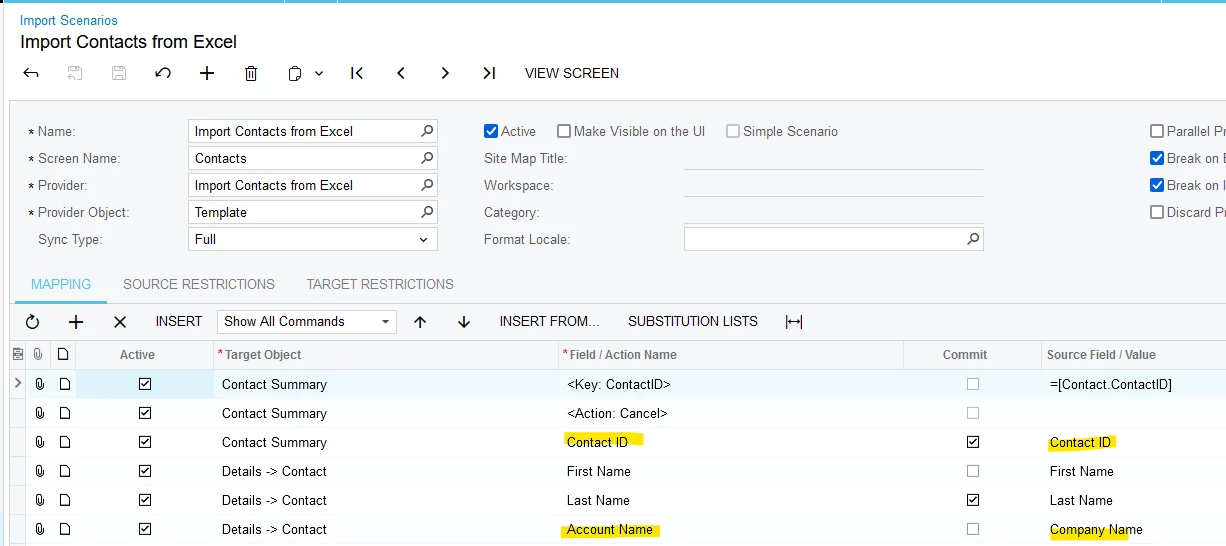
I am attempting to import a list of new contacts from an excel sheet yet when I run the import despite the import showing as Successful none of the contacts “processed” in the import show up in the All contacts GI. Is there something wrong with How I have this Mapped?


Best answer by Laura03

Hello,

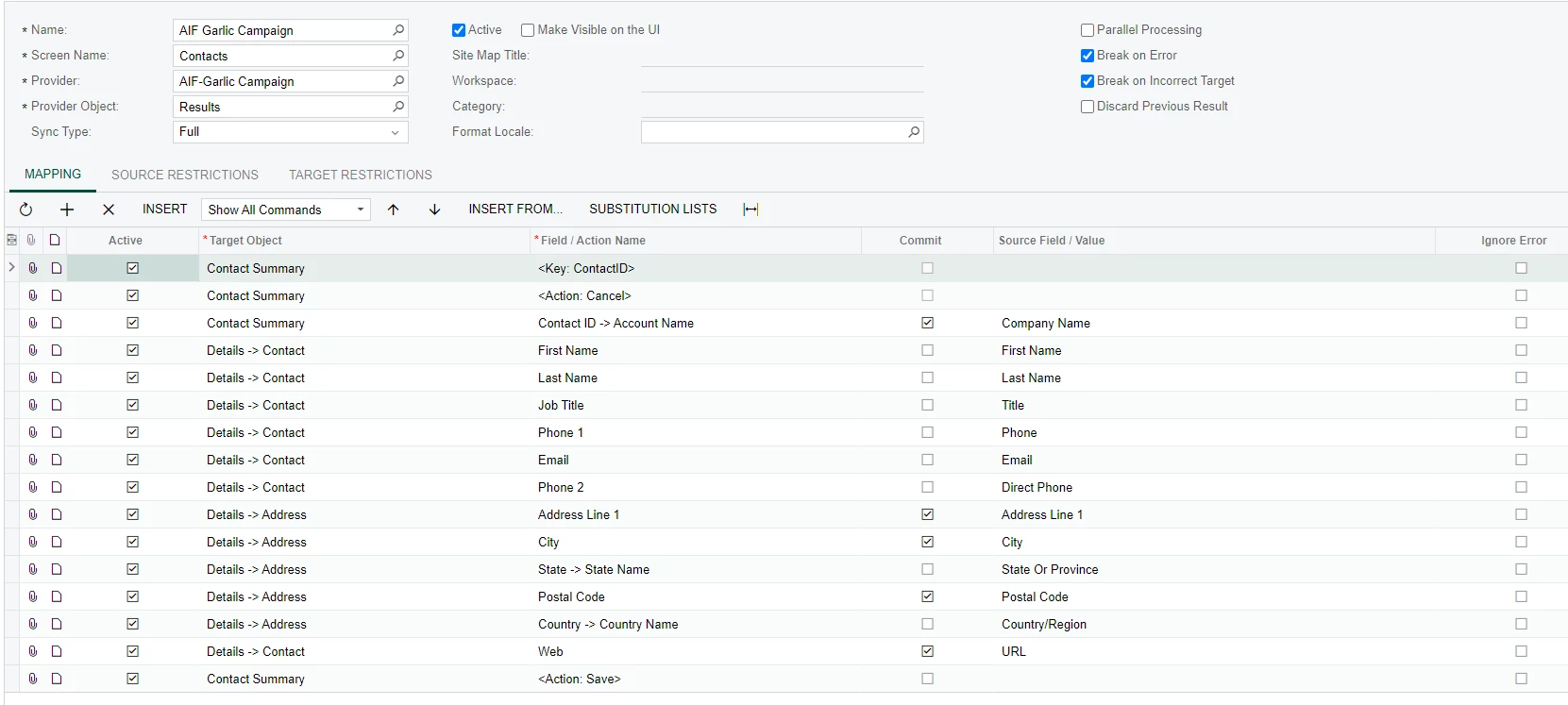
Try adding a Contact ID column to your Excel and using that as the first field, as shown below. Contact ID can be a simple sequence of numbers like 10001, 10002 going down the column. Then map excel Company Name column (listed first above) to Account Name.

Laura

2 replies

Forum|alt.badge.img
  • Author
  • Jr Varsity III
  • August 1, 2024

After looking into this further it is creating the new contacts but rather than creating the contacts using the Company name for the Contact ID it is putting the Last name field as the Contact name field. is there something I am missing here?


Laura03
Captain II
Forum|alt.badge.img+19
  • Captain II
  • Answer
  • August 1, 2024

Hello,

Try adding a Contact ID column to your Excel and using that as the first field, as shown below. Contact ID can be a simple sequence of numbers like 10001, 10002 going down the column. Then map excel Company Name column (listed first above) to Account Name.

Laura