Answer

How to import Amount when validate on Totals is active

  • December 4, 2024
  • 5 replies
  • 52 views

Forum|alt.badge.img

Hello all,

I have the validate on totals entry activated and i am looking to import Amount - the field that requires the user to type in the figures manually if the Validate on totals entry is activated. Do we have any import scnearios in AR to import the Amount? or do we need to import the Invoices by disabling the amount checkbox?


Regards.

Best answer by Laura03

If this is a one-time invoice import, then the easy answer is to turn off the Amount validation temporarily.

Otherwise, look for other, different, additional Amount fields - is it possible we did not select the correct database field above? 

Laura

5 replies

Laura03
Captain II
Forum|alt.badge.img+19
  • Captain II
  • December 4, 2024

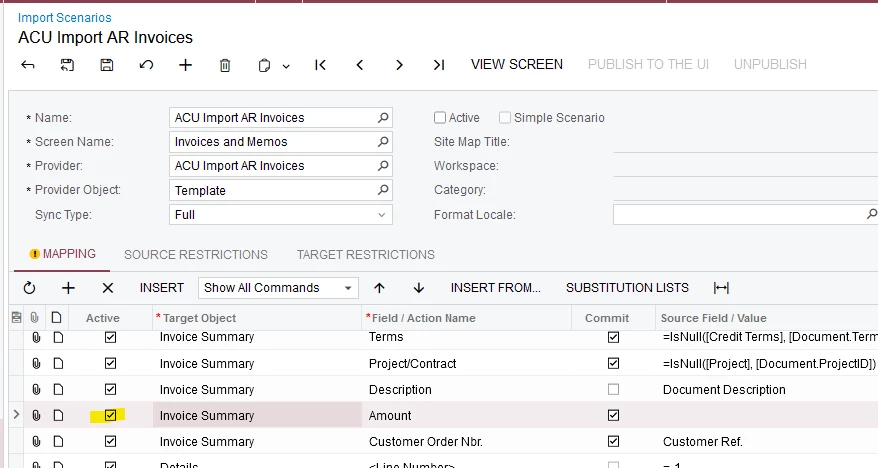
Hello, To import the Amount field, add it to your Import.


Forum|alt.badge.img
  • Author
  • Semi-Pro II
  • December 5, 2024

Hello, To import the Amount field, add it to your Import.


Hey ​@Laura02 , thank you for your suggestion. FYI, my template isnt calculating the balance. The Balance is calculated automatically and then I am looking to get the figure copied from Balance and pasted to Amount field. How can I do this?

Regards.


Laura03
Captain II
Forum|alt.badge.img+19
  • Captain II
  • December 5, 2024

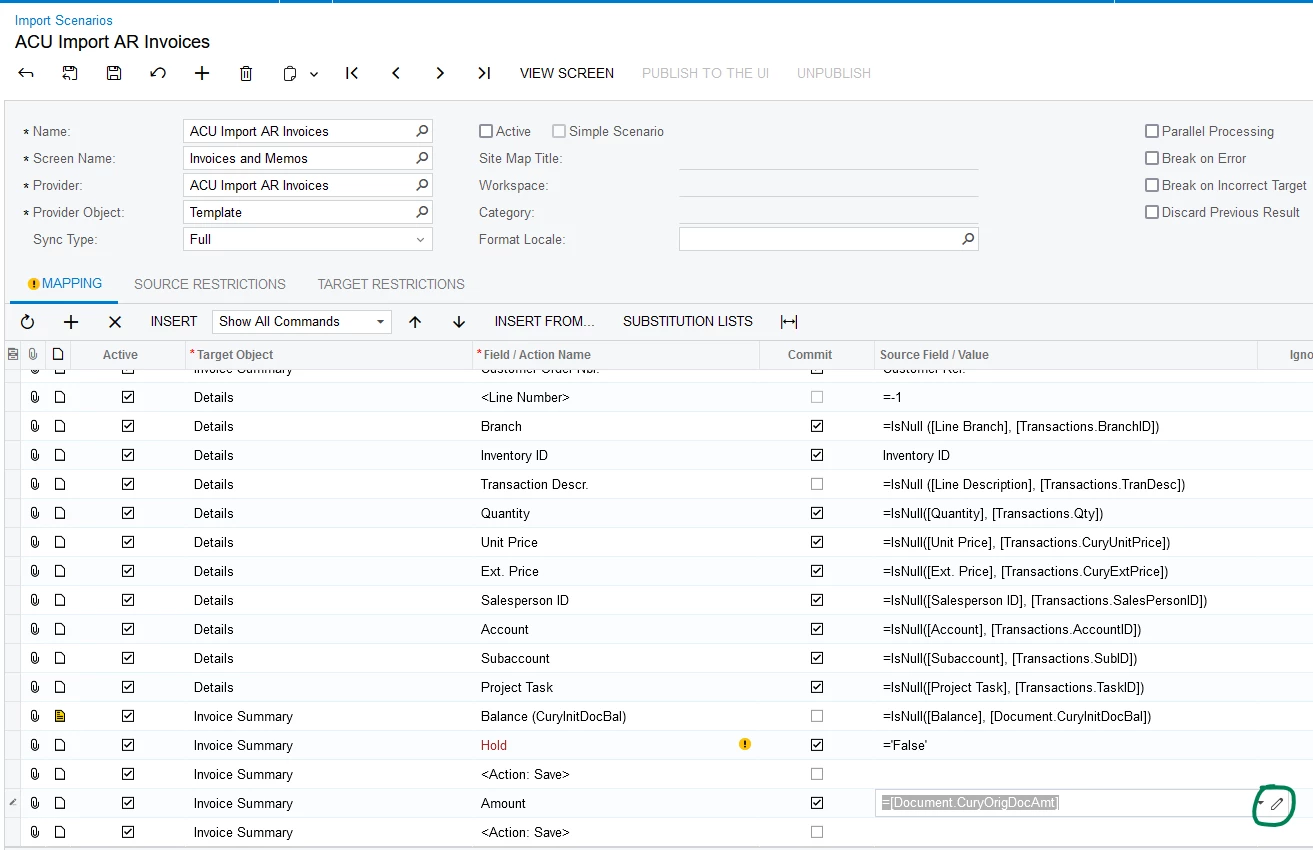
If you want to set the value to match an existing database field, use Pencil icon (circled) to select the database field as the Source Field in your import.

Please test this idea - I am not 100% sure where the Amount line should be placed in your case.  As a first guess, I added the Amount after first saving the document, and then saved again:

Laura


Forum|alt.badge.img
  • Author
  • Semi-Pro II
  • December 5, 2024

If you want to set the value to match an existing database field, use Pencil icon (circled) to select the database field as the Source Field in your import.

Please test this idea - I am not 100% sure where the Amount line should be placed in your case.  As a first guess, I added the Amount after first saving the document, and then saved again:

Laura

I tried the same, but it then triggers the error: “Amount field cannot be empty”.


Laura03
Captain II
Forum|alt.badge.img+19
  • Captain II
  • Answer
  • December 5, 2024

If this is a one-time invoice import, then the easy answer is to turn off the Amount validation temporarily.

Otherwise, look for other, different, additional Amount fields - is it possible we did not select the correct database field above? 

Laura