

As of now, here is a test:
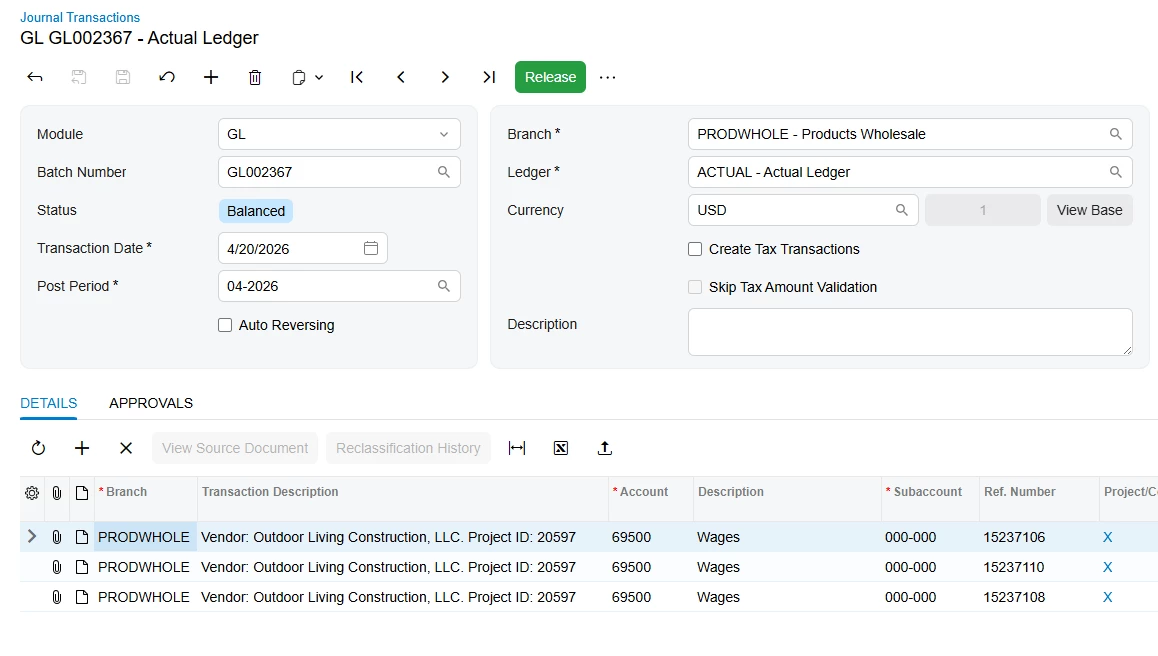
My goal is to import three GL transaction records in a single batch. I have been working on this scenario for over two days and several iterations. As of now, the scenario imports the records and creates 2 batches from 3 records.
I am attaching the latest version of the import scenario and the sample data. As of now, the source for this data is a SQL Server table, but for simplification, I have exported it to an Excel file (attached). The amount fields in the table are defined a money columns.
You may notice a lot of hard-coding because I had to hardcode several field values to understand what is going on.
I am working on
Acumatica 2025 R1
Build 25.101.0153.7
Solved
How do I get all of the records to get in a single journal batch?



Best answer by KrunalDoshi
Hi
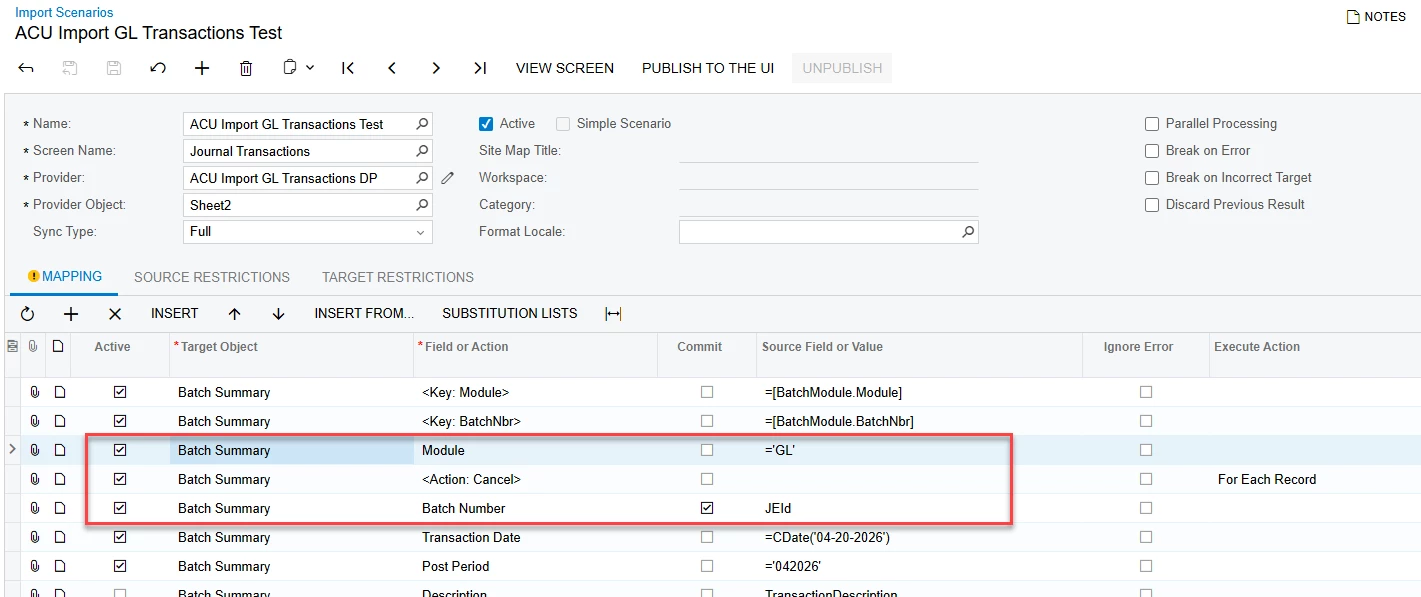
You need to set the Module first and Action Cancel before you set the Batch Number. Also, batch number should be same for all the transactions. So, for instance, I have set JEId in your case. I have included below screenshots for your reference.
Hope this resolves your issue.





Enter your E-mail address. We'll send you an e-mail with instructions to reset your password.