Question

Help Change Unit Cost in this Import Scenario

  • April 20, 2026
  • 3 replies
  • 36 views

Forum|alt.badge.img

Hi everyone,

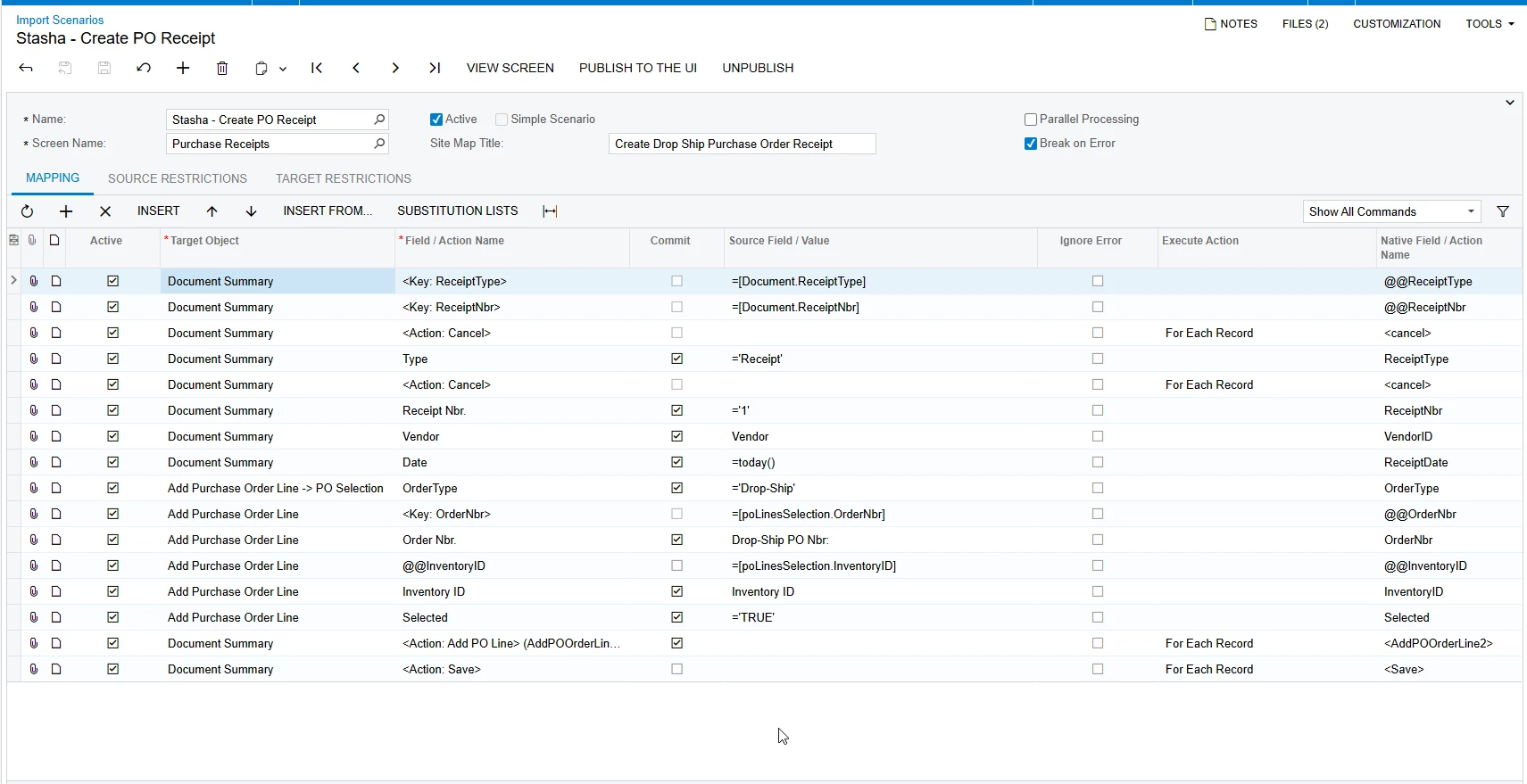
I currently have an import scenario set up that creates a single purchase receipt for multiple drop ship orders. This is working well and behaving as expected.

One enhancement that would make this process even more effective would be the ability to update the unit cost of the lines being added to the purchase receipt within the same import scenario.

This would be especially helpful because our vendor pricing can vary based on customer location. Right now, I handle this by creating the vendor bill separately and adjusting the unit cost there using another import scenario.

If it were possible to set or override the unit cost directly on the purchase receipt during import, it would allow everything to be handled in a single process and significantly improve efficiency.

I’ve attached the original XML for reference.

Has anyone found a way to achieve this within a single import scenario, or is this a current limitation?

Thanks in advance for any insight!


3 replies

Forum|alt.badge.img
  • Jr Varsity I
  • April 23, 2026

@SBaldwin  this what i have found through AI - 

Add a Second Pass After Save (Recommended)

The most reliable approach is to add mapping steps after the <Save> action that:

  1. Re-key the existing receipt (using the @@ReceiptType and @@ReceiptNbr captured earlier)
  2. Target the transactions grid directly
  3. Set UnitCost per line, matched by InventoryID

This means your scenario needs a second group of rows (a second "For Each Record" block after Save) that updates the cost. The key fields to add to your data provider are:

  • Unit Cost (already in your provider at Line 8, just set IsActive="0" currently — you just need to activate it)

The additional mapping rows would look like:

Target Object Field/Action Source Field/Value Commit
Document <Key: ReceiptType> =[Document.ReceiptType] No
Document <Key: ReceiptNbr> =[Document.ReceiptNbr] No
Document <Action: Cancel> (child of above) No
transactions @@InventoryID =[transactions.InventoryID] No
transactions InventoryID Inventory ID Yes
transactions UnitCost Unit Cost Yes
Document <Action: Save>   No

The @@InventoryID key is needed to uniquely identify which receipt line to update (similar to how you already use @@InventoryID in the poLinesSelection step).


bwhite49
Captain II
Forum|alt.badge.img+12
  • Captain II
  • April 23, 2026

You can only update 1 data entry screen per import scenario unfortunately


KrunalDoshi
Varsity III
Forum|alt.badge.img+1
  • Varsity III
  • April 28, 2026

Hi ​@SBaldwin,

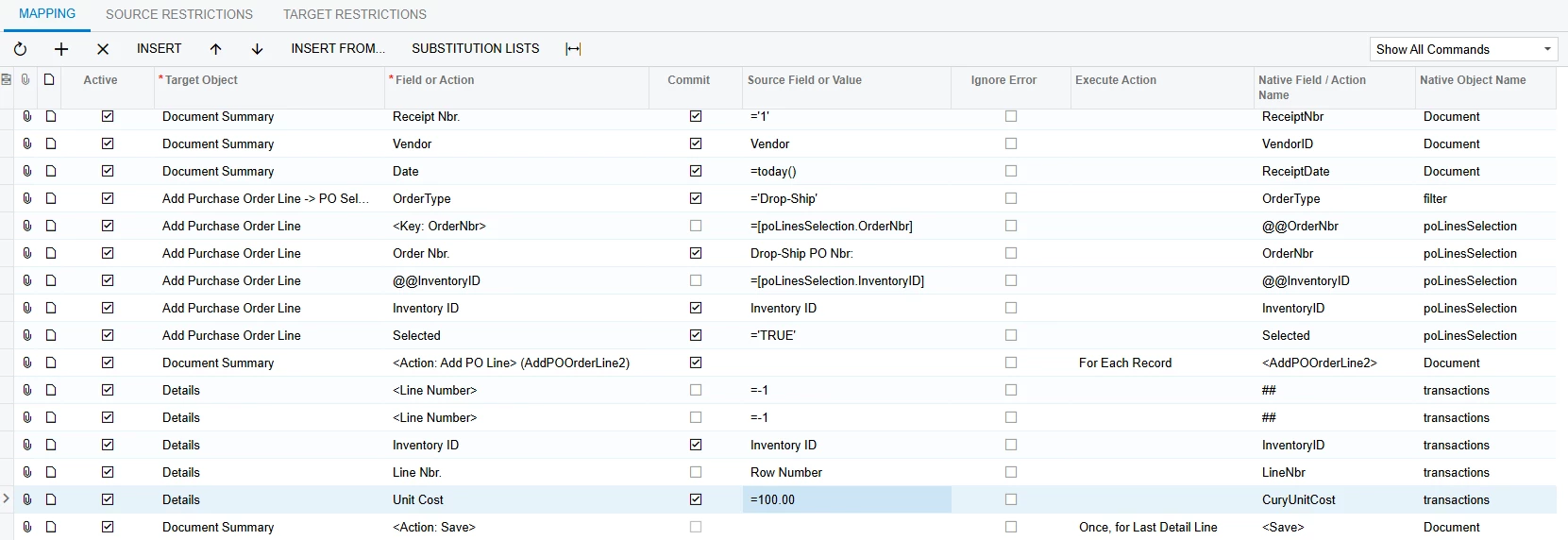
You can further extend your import scenario for your Dropship Purchase Order Receipt Import. Once you have added the Purchase Order, you can go to Document Details > fetch the Inventory and Line Number, to change the Unit Cost. Similar to below.

Hope this is helpful.