Question

Designate non-key fields as a key field

  • June 15, 2026
  • 2 replies
  • 24 views

Forum|alt.badge.img+1

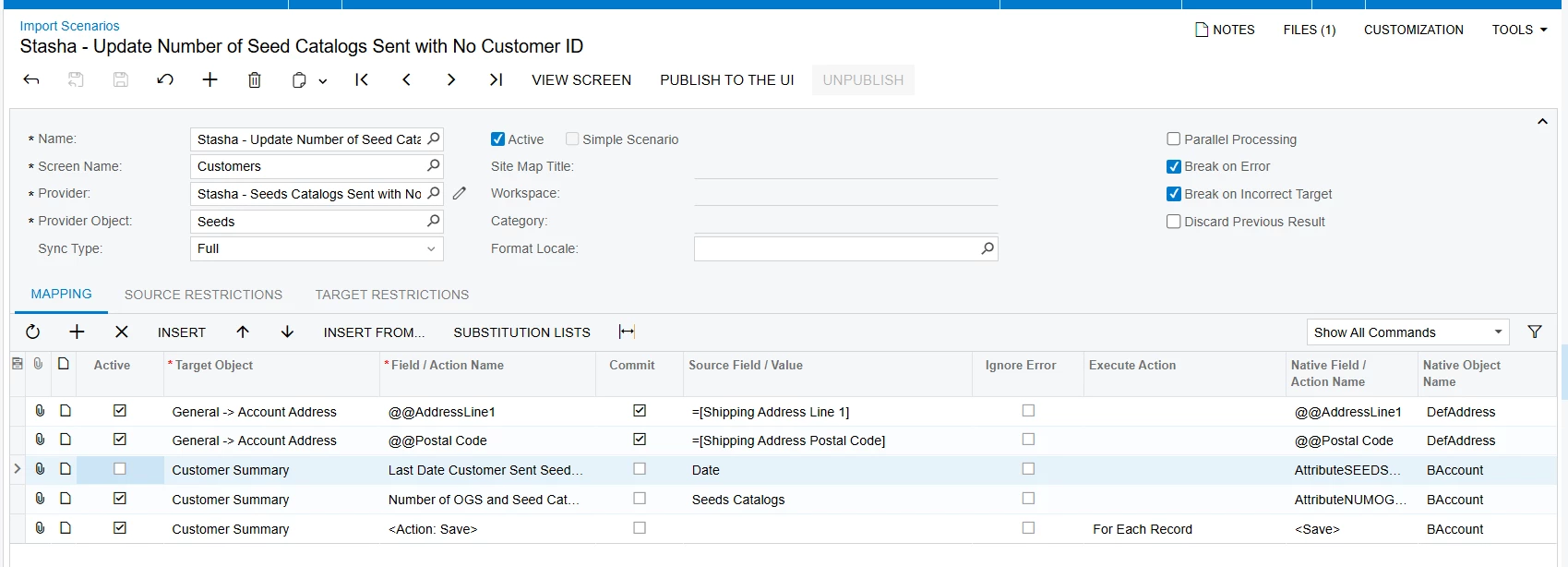
I have an import scenario where I would like to use address line 1 and the postal code of the customer’s account as key fields instead of the customer ID and then update 2 user defined fields. This current import mapping isn’t working. 


2 replies

Forum|alt.badge.img+1
  • Author
  • Varsity III
  • June 15, 2026

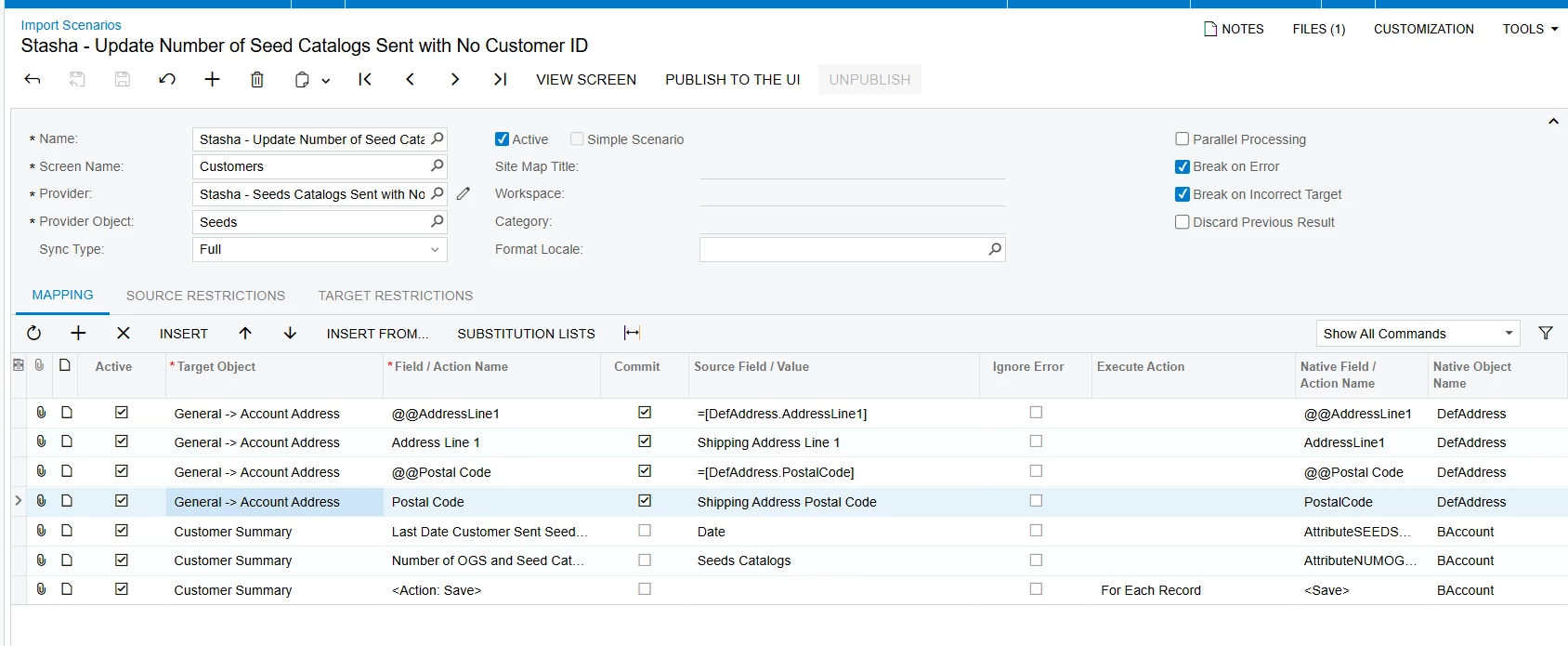
I have this updated scenario that still doesn’t work but I think it’s closer to what is needed?


As a side note I have had a similar scenario work when using a customer ID and was able to update the UDF the same way as I am doing in this one.


Forum|alt.badge.img+1
  • Semi-Pro II
  • June 15, 2026

I have this updated scenario that still doesn’t work but I think it’s closer to what is needed?


As a side note I have had a similar scenario work when using a customer ID and was able to update the UDF the same way as I am doing in this one.

I wasn’t able to get this to work either, for the main reason being that an Address is not necessarily unique.
Think about that within the same building there can be multiple businesses and you would have to narrow this down quite drastically to make it unique.

Best alternative might be a substitution list where you export all available address fields, try to make it one unique field and map it to the customer id.


If somebody has gotten this to work or a different idea, I am all ears!