Is there a formula or anything that checks for this, then allows you to set a default value if the one provided is invalid?
Thanks!
Best answer by Ed Goodman
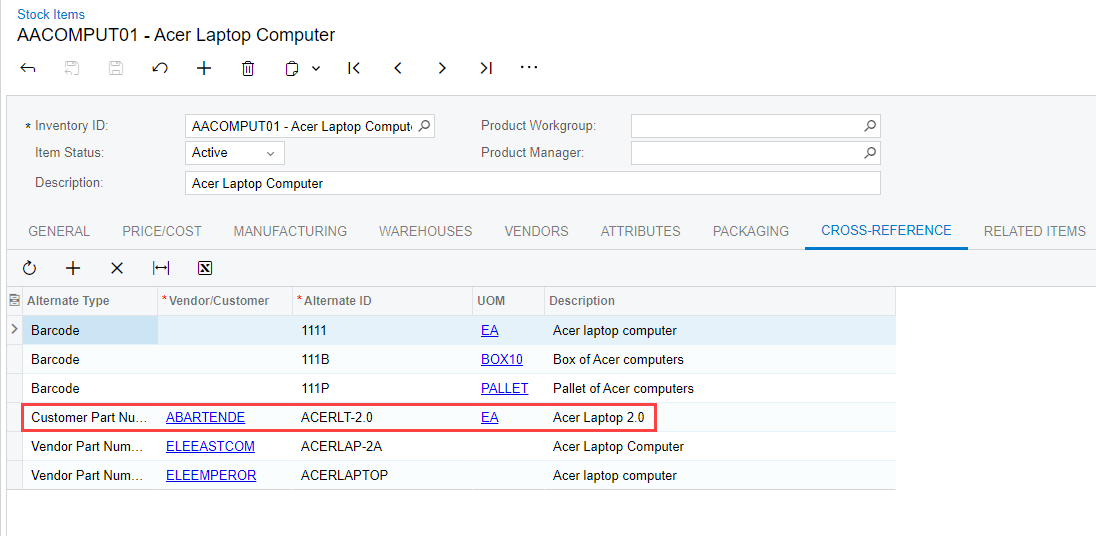
@ltussing03 At the present time, functionality to have an import scenario check to see if an item exists, then enter a different value if it does not, does not exist. The only options here are to set up the data provider with existing item numbers, or another option would be to set up cross references with the item numbers being used in the data provider file. That would allow the import to find the correct item.
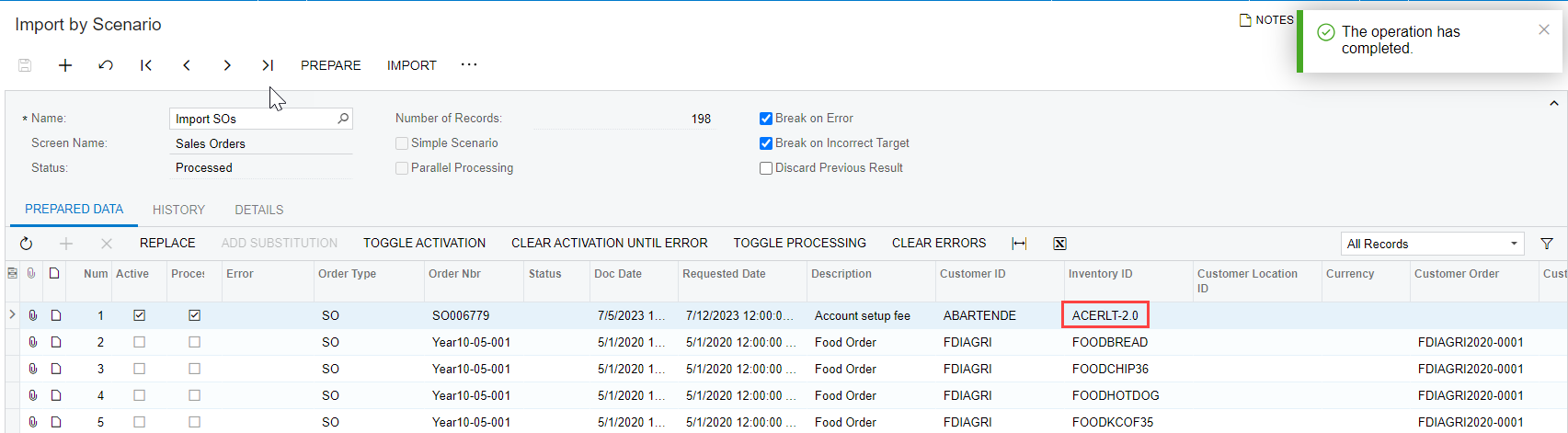
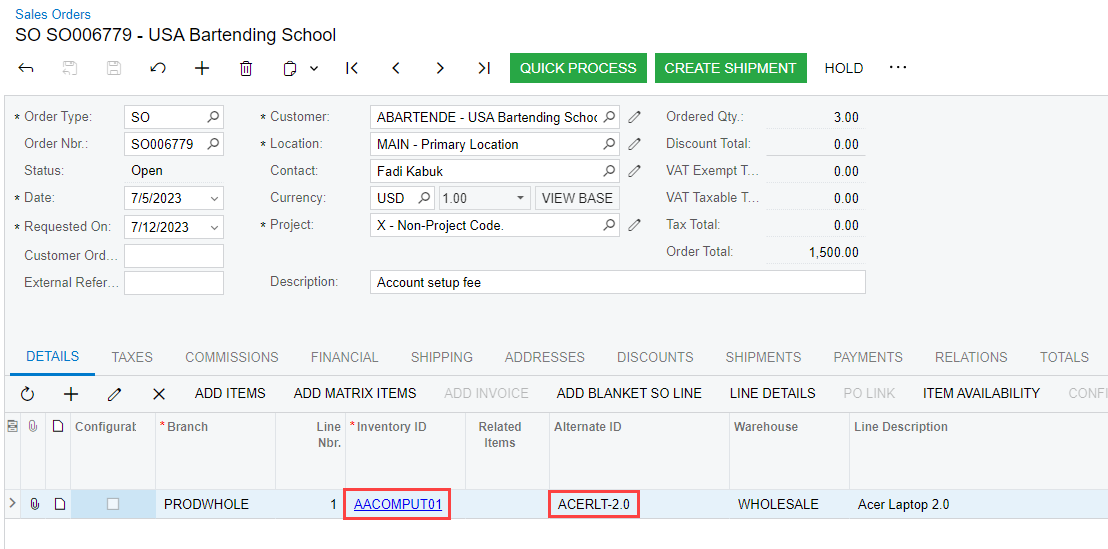
If the Alternate ID is configured correctly in the Cross Reference tab of the Stock Item and is used as the Inventory ID, the system will find the correct Inventory ID and import the appropriate value into the Inventory ID field of the Sales Order.
If the data provider file just contains random numbers that are not configured in the Cross Reference tab of the Stock Item, the import will error out.
@ltussing03 At the present time, functionality to have an import scenario check to see if an item exists, then enter a different value if it does not, does not exist. The only options here are to set up the data provider with existing item numbers, or another option would be to set up cross references with the item numbers being used in the data provider file. That would allow the import to find the correct item.
If the Alternate ID is configured correctly in the Cross Reference tab of the Stock Item and is used as the Inventory ID, the system will find the correct Inventory ID and import the appropriate value into the Inventory ID field of the Sales Order.
If the data provider file just contains random numbers that are not configured in the Cross Reference tab of the Stock Item, the import will error out.